2026-06-02 Author : ZCS
The global restaurant POS systems market was valued at $15.38 billion in 2024 and is projected to reach $27.8 billion by 2033, growing at a CAGR of 6.8%, according to an insight by skyquestt. More than 26.9 million restaurants globally were using at least one POS terminal per outlet in 2024, with cloud-based deployments now accounting for 64% of all installations. The restaurant industry itself is projected to reach $1.5 trillion in global sales in 2025 — and the operators taking the largest share of that are the ones running their floors on integrated, mobile-first POS infrastructure.
The technology shift behind this growth is not subtle. 52% of restaurants plan to invest in upgrading or implementing POS systems, 61% are investing in front-of-house technology, and 49% are specifically targeting contactless ordering and payment options. 68% of operators now use handheld POS devices for tableside or curbside service. The fixed-counter, paper-ticket model is not disappearing — but it is being augmented or replaced in every restaurant format that competes on speed, accuracy, or guest experience.
This guide covers the full hardware decision for restaurant operators and buyers globally: why hospitality-specific POS is a different category from generic payment terminals, which hardware form factors fit which restaurant types, what features and specs actually matter, how payment processing works in a food service context, and how to make a final buying decision based on the total operational picture rather than upfront cost.
A payment terminal processes a transaction. A restaurant point of sale system manages a service. That distinction is not semantic — it is the operational gap between a system that works for how restaurants actually run and one that forces workarounds at every step.
The fundamental difference is workflow complexity. A retail transaction is linear: scan items, take payment, done. A restaurant transaction is non-linear and time-distributed: a table is seated, drinks are ordered, food is ordered in courses, items are modified mid-service, the bill is split three ways with two different payment methods, and a tip is added after the card is processed. Running that workflow on a generic retail terminal requires manual workarounds at every stage — workarounds that accumulate into slower service, more errors, and a staff experience that burns through servers faster than the kitchen burns through prep.
Table and floor management is the first capability that separates restaurant POS from retail POS. The system needs to know which tables are occupied, how long each has been seated, how many covers are on each, and which server owns which section. None of this exists in a retail context; all of it is essential to running a dining room.
Kitchen integration is the second. In a restaurant, the order entered at the front of house needs to reach the kitchen — specifically the right station in the kitchen — instantly and accurately. That means either a kitchen printer that receives a formatted ticket, or a Kitchen Display System (KDS) that shows orders by station and tracks preparation status in real time. A generic terminal that prints a receipt for the customer has no mechanism to route an order to a kitchen.
Speed under service pressure is the third. Order errors generate remakes that block the kitchen during the minutes when throughput is most constrained. POS systems can reduce order times by over 30% while cutting manual billing errors significantly through automated calculation. Servers at one restaurant group using handheld POS devices cut 46 minutes off table turn time and took 2,000 fewer steps per shift compared to traditional pen-and-paper methods. At the scale of a busy dinner service, those numbers are the difference between a restaurant that turns a table three times and one that turns it twice.
The wrong starting point is choosing a generic payment terminal and hoping the software can compensate. The right starting point is defining the specific workflow requirements of your restaurant format — and finding hardware and software that are built for it.
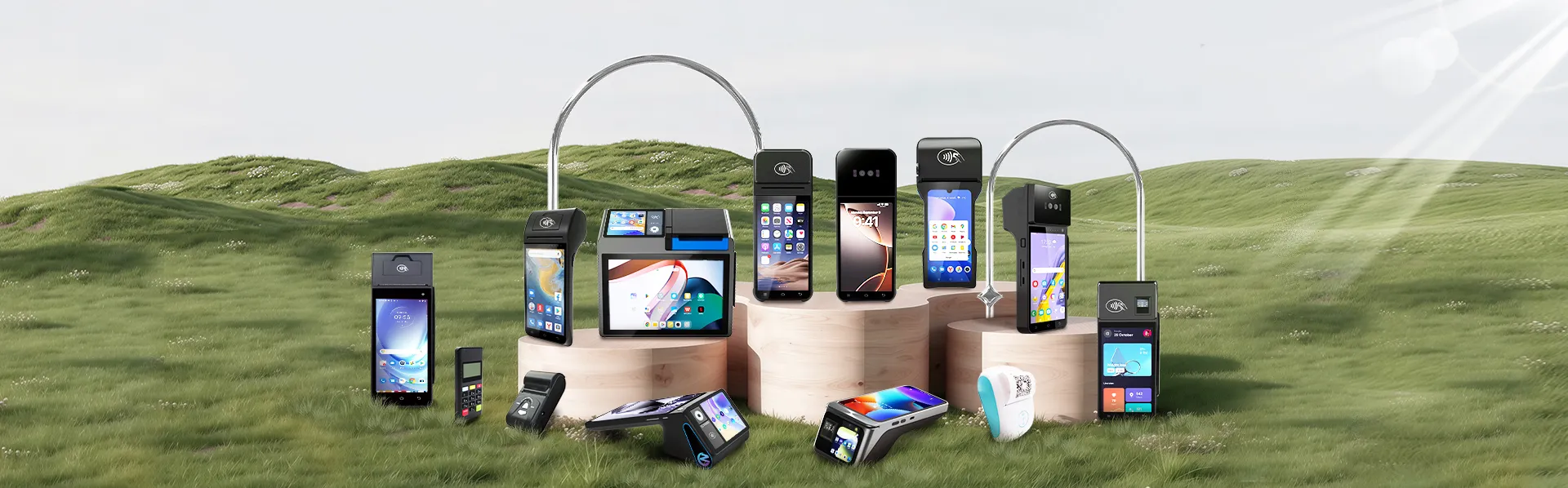
Hardware form factor determines where transactions happen and what the service model can be. Each type fits different restaurant formats, staffing models, and operational priorities.
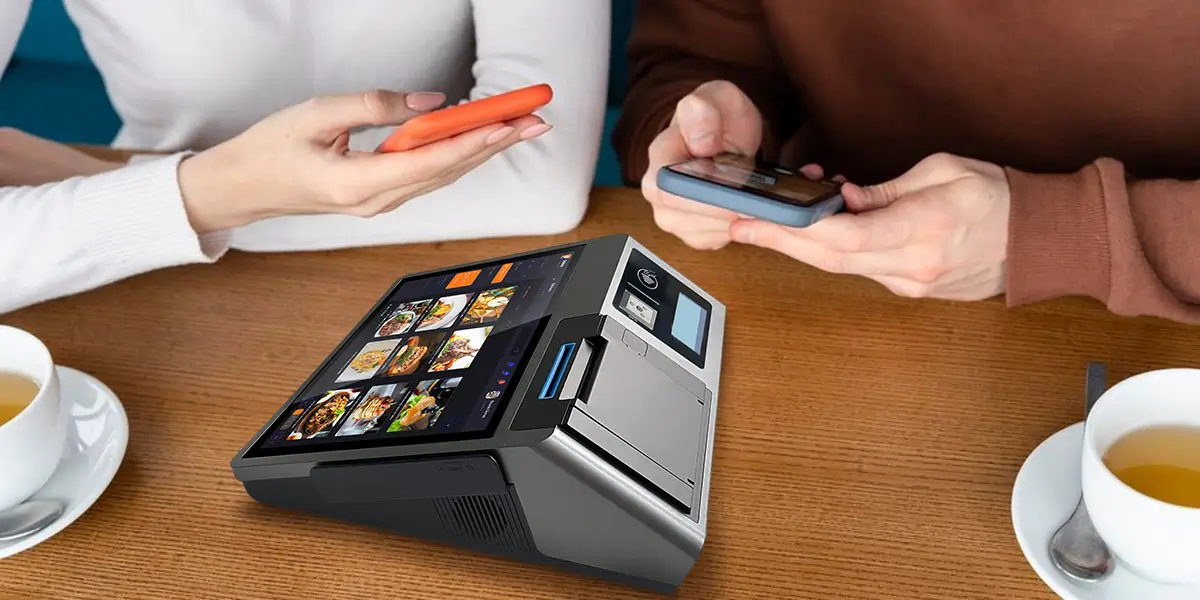
Fixed countertop POS stations are the anchor of most restaurant setups — a full-size terminal running the complete POS application, connected via Ethernet for maximum reliability, with peripheral integrations (receipt printer, cash drawer, kitchen printer) available via USB or network. In quick-service and fast-casual environments, this is often the primary order-entry point. In full-service restaurants, it functions as the manager console and backup station while tableside handhelds handle the actual service.
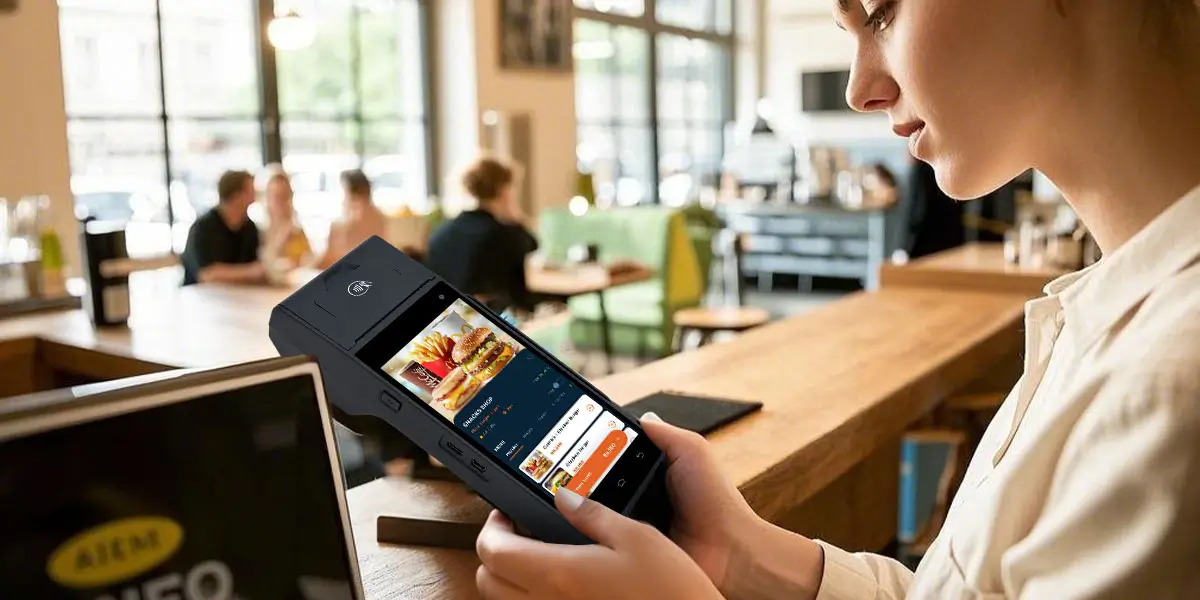
Handheld POS terminals are Android-based mobile devices with built-in thermal printers and NFC readers that allow servers to complete the full order-and-payment cycle at the table — entering orders, sending them directly to the kitchen, processing contactless payment, and printing a receipt — without leaving the guest's side. Restaurants using handheld POS systems report table turnover improvements of 15–20%, and tableside ordering reduces service time by up to 25%. 64% of restaurant-goers say they like using self-checkout technology to complete part or all of a restaurant purchase.
Tablet POS systems use an iPad or Android tablet running a POS application, typically mounted on a stand at a fixed position or carried by staff. They offer a larger screen than a handheld terminal, more flexibility than a dedicated countertop unit, and a lower hardware cost than purpose-built terminals. Trade-off: tablets lack the built-in printer and NFC hardware of a dedicated POS terminal, requiring additional peripherals.
Self-ordering kiosks allow guests to place orders and pay without staff involvement. Kiosk-integrated POS platforms processed 29% of QSR orders globally in 2025. In fast-casual and quick-service environments, kiosks reduce front-counter labor requirements during peak hours, increase average order value through upsell prompts, and reduce order errors by removing the verbal communication step between guest and cashier.
Kitchen Display Systems (KDS) replace or supplement kitchen printers with a screen showing orders by station — grill, prep, expo — with timing indicators and the ability to mark items as ready. KDS reduces paper waste, eliminates the problem of tickets that get wet or misread, and gives the kitchen real-time visibility of the full order queue. For high-volume operations, a KDS connected to a well-configured POS is the kitchen management layer that keeps service from breaking down during a rush.
Hardware form factor determines where the POS operates. The software layer determines whether it earns its cost. These are the capabilities that matter most in a food service context.
Table and floor management. A visual floor map showing table status — open, seated, ordered, waiting for payment — gives the host stand and manager real-time visibility of dining room capacity. Combined with cover counts and time-at-table data, this is the operational foundation for managing a full-service dining room during a busy service.
Kitchen printer and KDS integration. Orders entered on any device — fixed terminal, handheld, kiosk — should route instantly to the correct kitchen station, formatted appropriately for that station's workflow. The POS and kitchen output should be a single system, not two systems manually synchronized by a runner.
Real-time menu management and 86 control. When an item sells out mid-service, it should be removed from every ordering device instantly. If a server on a handheld can still attempt to order a dish the kitchen ran out of 20 minutes ago, the menu management is not working. Real-time 86 push — initiated by kitchen staff or a manager — is a basic operational requirement, not a premium feature.
Split bill, tab transfer, and course management. A table of four where two guests are splitting an appetizer, one has a dietary restriction that affects two dishes, and the bill will be split by seat needs a POS that handles all of this without requiring the server to perform mental arithmetic under service pressure. Tab transfer between servers — when a shift changes mid-service — should be a single action, not a manual handoff.
Tip handling and post-authorization adjustment. Tip workflows vary by market and by service model. The system should support percentage presets, custom tip entry, and post-authorization adjustment where required by local payment scheme rules. This needs to work correctly on handheld devices as well as fixed terminals, since the device used at the table is where the tip interaction happens.
Online order receiving and delivery platform integration. 8 out of 10 delivery customers say they place orders through a smartphone app, making delivery platform integration a front-line operational requirement for any restaurant with takeaway or delivery volume. The POS should receive orders from connected platforms directly — displayed on the same kitchen output as dine-in orders — without requiring a separate tablet per delivery channel.
Staff management and permissions. Role-based access (server, supervisor, manager) controls who can apply discounts, process voids, access cash drawer, and modify menu items. Time-clock integration — clock in and out from the POS — feeds labor cost reporting. In high-turnover food service environments, fast staff onboarding and simple permission management reduce the training overhead that compounds across every new hire.
Offline mode. Wi-Fi drops in dense environments. Cellular data has gaps. A restaurant POS that stops functioning when connectivity is lost is a liability during service. The system should cache orders and transactions locally and sync automatically on reconnection — with zero manual staff intervention required.
Software earns the monthly fee; hardware determines whether the software performs under real operating conditions. These are the specifications that translate to actual service reliability.
Operating system and platform. Android-based POS hardware dominates the restaurant market for the same reasons it dominates retail: open platform, third-party app ecosystem, GMS certification for Play Store access and security scanning, and hardware that is not locked to a single vendor's software. Proprietary operating systems create vendor dependency — when the vendor changes pricing, discontinues a feature, or exits the market, your options are limited. An open Android platform with a documented SDK allows your POS software provider, payment service provider, and back-office integrations to connect to the hardware independently. GMS (Google Mobile Services) certification specifically confirms the device can receive Google Play Protect security updates and access the full Android app ecosystem — non-GMS Android devices depend entirely on the manufacturer's update pipeline.
Processor and memory for service-speed performance. A POS terminal handling simultaneous order entry, kitchen routing, inventory sync, and payment processing needs adequate computing headroom. For a primary fixed station running multiple integrations, 4GB RAM and an octa-core processor provide reliable performance. For handheld devices used in high-volume service, this matters equally — a handheld that lags during a transaction is worse than no handheld at all, because the server is now standing at the table waiting.
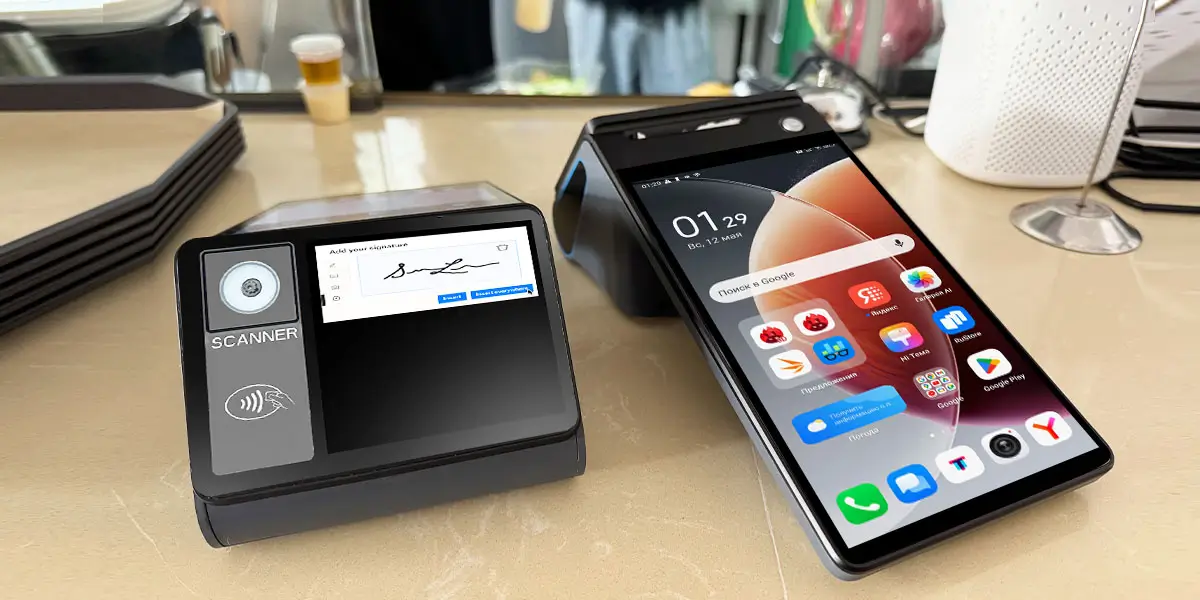
Display configuration. For fixed countertop stations, a 10-inch or larger operator screen provides sufficient working space for a full floor map, order entry, and modifier selection. A secondary customer-facing display — even a compact 3.95-inch secondary screen — reduces bill disputes and creates a more professional checkout interaction. For handheld terminals, a 5.5-inch touchscreen is the practical minimum for comfortable order entry; larger screens reduce the mobility advantage of a handheld.
Built-in thermal printer. A handheld POS terminal with a built-in 58mm printer eliminates the need to return to a fixed station to produce a tableside receipt. For kitchen tickets, an 80mm printer produces wider output that is easier to read in a kitchen environment. Confirm paper roll compatibility and diameter limits — running out of a specific roll size during service is an avoidable disruption.
Connectivity for every deployment scenario. Ethernet for fixed stations where cable runs are possible. Dual-band Wi-Fi (2.4GHz + 5GHz) as the standard for most deployments — 5GHz provides higher throughput in environments with many connected devices. 4G LTE cellular for handheld terminals operating across a dining room or patio where Wi-Fi coverage is uneven. Offline transaction capability should be verified as a specific feature, not assumed from cellular connectivity.
Battery life for full-shift operation. A handheld POS used for tableside service needs to last a full double shift — 8 to 12 hours of active use — without a recharge. A device that runs low by the dinner rush and requires a swap creates service disruption at the worst moment. Check manufacturer-specified battery capacity (3,000mAh and above for full-shift reliability) and confirm it against real-world usage patterns, not rated capacity alone.
Durability in a food service environment. Restaurant floors are physically demanding: incidental liquid exposure, drops to tile flooring, and constant handling across long shifts. Hardware with IP-rated liquid resistance (IP54 minimum for splash protection), reinforced enclosures, and high-brightness displays that remain readable in variable lighting — from bright kitchen pass to dimly lit dining room — perform materially better in this environment than standard consumer-grade devices.
Payment certification — a critical distinction. The terminal hardware does not carry payment certification. PCI DSS compliance, EMV certification, and regional payment scheme approvals sit with the payment service provider (PSP) and the payment application deployed on the hardware. Open-platform Android terminals with a documented SDK can run any certified payment application your PSP provides — giving flexibility to change processors without replacing hardware. Evaluate hardware and payment provider separately, and confirm compatibility between the two before committing to either.
The same hardware platform can serve multiple restaurant formats, but the configuration, feature priorities, and deployment model differ significantly by venue type.
Full-service restaurants place the highest demands on POS software depth. Servers need multi-course sequencing, complex modifier handling, split billing across payment methods, tip adjustment post-authorization, and reservation system integration — all while projecting confidence in front of guests. The POS should disappear into the service rather than drawing attention to itself.
Hardware priority: a handheld terminal that is light enough to carry through a full dinner service (under 400g), responsive enough that complex orders do not create visible delays, and paired with a fixed manager station that has full floor visibility. Tableside NFC payment processing closes the checkout loop at the table — guests pay, tip, and receive a printed or digital receipt without waiting for the server to make a round trip to a fixed terminal.
Quick-Service Restaurants (QSR)
QSR environments invert the priority stack: speed and throughput matter above software depth. Transactions are simpler, but volume is higher and the pace is relentless. Order errors are less complex but more frequent, and the margin for cashier training is lower because staff turnover is high.
Hardware priority: a fast, simple interface with minimal navigation depth for common orders; self-ordering kiosks that reduce front-counter labor during peak hours; kitchen display systems that show order queue by station and flag timing issues before they become delays. Kiosk-integrated POS platforms processed 29% of QSR orders globally in 2025 — meaning kiosk capability is no longer a premium option in this segment, it is a competitive baseline.
A café POS needs to handle fast, high-frequency transactions across a mix of eat-in and takeaway orders, with loyalty program integration that captures the repeat-customer economics that drive café revenue. Counter space is limited, so hardware footprint matters. Selecting the best coffee shop pos hardware—such as a dual-screen compact terminal with an operator touchscreen and a small customer-facing display—covers the full checkout interaction without dominating the counter.
Online order receiving is increasingly a core workflow for cafés, with delivery platform orders and mobile pre-orders needing to appear on the same output as in-person orders. A POS that consolidates these channels eliminates the tablet-per-platform problem that clutters counters and fragments staff attention.
Bar POS is a distinct operational category: simultaneous open tabs, pre-authorization for walk-out prevention, high-speed NFC payment, and a physical environment — wet surfaces, low light, noise — that generic hardware cannot handle reliably. Tab management (open, transfer, merge, batch-close at last call) is the core workflow, and it needs to be frictionless in both directions.
Hardware priority: a terminal with IP-rated liquid resistance, a screen that remains readable and touch-responsive with wet hands, and NFC payment that closes a tab in under five seconds. Optional fingerprint authentication on the device addresses the staff access control problem that is endemic in high-turnover bar environments — who can authorize comps and voids on a shared terminal matters when those events directly affect nightly margin.
Ghost kitchens have no front of house — the entire order flow is inbound from delivery platforms, and the POS is purely a kitchen management and order routing tool. Online order receiving, KDS integration, and preparation time tracking are the primary requirements. Customer-facing features (loyalty, split bill, tableside payment) are irrelevant; kitchen throughput optimization is everything.
Payment processing in a restaurant context has specific requirements that differ from retail: tips need to be handled after authorization, split payments need to work across a single table's bill, and the physical location of payment (tableside vs. fixed counter) affects which hardware is needed.
The payment stack. A transaction involves the card network (Visa, Mastercard, Amex, UnionPay), the issuing bank, and the acquiring bank or payment service provider. The POS terminal captures payment credentials and communicates with the PSP; the PSP routes the transaction and returns authorization. The terminal is the entry point; everything upstream is the PSP's domain. This separation matters for hardware decisions: an open-platform Android terminal with SDK access can run any PSP's certified payment application, while a closed terminal locks you into the PSP relationships the hardware manufacturer has approved.
Payment methods restaurants must support in 2026:
Tip handling. Post-authorization tip adjustment — adding a tip after the card has been authorized for the bill amount — is standard in the US and some other markets. The terminal and PSP must both support this workflow; it is a specific technical capability, not a default. Percentage presets (15%, 18%, 20%, custom) should display on both the operator and customer-facing screen.
Wireless and tableside payment terminals. Moving payment to the table eliminates the step where the guest's card leaves their sight — a guest experience and fraud risk consideration that is increasingly understood by diners, particularly those from markets where tableside payment has been standard for years. A handheld terminal with NFC, a 58mm printer, and 4G LTE brings the full payment experience to the table without requiring the guest to approach a fixed counter or hand over a card to a server who disappears with it.
Most restaurant POS buying decisions go wrong at the same point: the operator evaluates software features or monthly pricing, selects based on those dimensions, and discovers six months into deployment that the kitchen integration does not work with their printer brand, or the payment processor they want to use is not supported, or adding a second location requires starting over with a different system.
The framework below sequences the decision to prevent those outcomes.
Step 1: Define your restaurant format and service model. A ghost kitchen, a fast-casual counter, a full-service dining room, and a bar each have fundamentally different POS requirements. The service model — where orders are placed, where they are fulfilled, and where payment happens — determines which hardware form factors are required and which software capabilities are essential versus optional.
Step 2: Map your kitchen output requirements. Kitchen printer, KDS, or both? How many stations need separate output? Does prep and expo need separate visibility? The answers determine what kitchen hardware your POS must integrate with and what the routing logic needs to look like. Confirming these requirements before selecting a POS system prevents discovering a compatibility gap after the kitchen is already set up.
Step 3: Identify required payment methods and confirm PSP compatibility. List every payment method your guests currently use or expect to use — chip, contactless, mobile wallet, QR, cash, split-tender. Then confirm that your preferred PSP supports the specific terminal model you are considering. On open-platform Android hardware, the PSP deploys their certified payment application on the device — so hardware selection and PSP selection must be verified as compatible. This step happens before hardware purchase, not after.
Step 4: Match hardware form factor to service workflow. Fixed countertop for a QSR counter. Handheld terminals for tableside service. A combination of fixed manager station and floor handhelds for full-service dining. Self-ordering kiosks for operations where reducing front-counter labor is a priority. Avoid specifying hardware that does not match the service model — a full-service restaurant equipped only with fixed terminals cannot offer tableside payment regardless of how capable the software is.
Step 5: Verify online ordering and delivery platform integration. If your restaurant takes delivery orders, the POS must receive them on the same kitchen output as dine-in orders. Confirm which specific delivery platforms are integrated, whether the integration is direct or requires a middleware aggregator, and how conflicts between simultaneous inbound orders and dine-in service are managed at the kitchen level.
Step 6: Calculate 3-year total cost of ownership. Hardware is a one-time cost. Monthly software licensing, payment processing fees (which vary significantly by processor and volume), support contracts, and training are ongoing. When choosing the best restaurant point of sale system, look past the upfront hardware price. For a restaurant processing $80,000/month, the difference between a 2.5% flat-rate processor and a 1.7% interchange-plus rate is $6,400 per year — a multiple of the hardware cost difference between most terminal options. Build a 3-year TCO model that includes all recurring costs before any hardware price comparison.
Step 7: Confirm SDK and TMS capability for future flexibility. An open SDK means your POS software, loyalty platform, payment provider, and custom integrations can connect to the hardware directly. TMS remote management means software updates, menu changes, and configuration modifications can be pushed to all terminals across all locations without on-site visits — critical once you operate more than one device or location.
Three diagnostic questions that reveal whether your current system is holding back your restaurant:
Are your servers making unnecessary trips to a fixed terminal during service? If yes, you are losing table turns and server capacity to a hardware constraint that tableside technology eliminates.
Are kitchen errors or delayed tickets a consistent source of remakes and comp costs? If yes, the problem is likely in the order entry and routing layer — the gap between what the server enters and what the kitchen receives. POS systems with direct kitchen integration close that gap; manual handoffs between systems widen it.
Does adding a delivery channel, a new menu, or a second location require significant manual configuration work? If yes, the system is not scaling with the business — it is being manually maintained in parallel with it. That overhead compounds as the operation grows.

Q1: Why does a restaurant need a purpose-built POS instead of a generic retail terminal?
A1: Restaurant transactions are uniquely non-linear and time-distributed (e.g., seating guests, holding courses, modifying items mid-service, and splitting bills). Generic terminals treat sales lineary and lack crucial hospitality features like real-time table management, course sequencing, and automatic order routing to specific kitchen stations or Kitchen Display Systems (KDS).
Q2: What actual operational benefits do handheld POS systems bring to full-service dining?
A2: Handheld devices move the entire ordering and checkout process directly to the tableside. Data shows this cuts service time by up to 25% and improves table turnover rates by 15–20%. Additionally, servers save thousands of steps per shift by eliminating constant back-and-forth trips to a centralized counter station.
Q3: Why is an open Android platform preferred over proprietary operating systems?
A3: Android hardware provides an open ecosystem with flexible SDKs, meaning you can choose or switch your Payment Service Provider (PSP) or software independently without being locked into a single vendor's ecosystem. Selecting Google Mobile Services (GMS) certified devices further guarantees that your terminals receive critical, automated security patches directly from Google.
Q4: What hardware specifications are non-negotiable for high-volume mobile POS devices?
A4: To survive heavy restaurant usage, look for three critical specs:
Q5: How should global buyers accurately calculate the 3-year Total Cost of Ownership (TCO)?
A5: Never evaluate a POS system solely on upfront hardware costs. A true 3-year TCO combines hardware prices, monthly software licensing fees, and payment processing rates. For a restaurant doing $80,000 a month, securing a processor that cuts transaction fees by just 0.8% saves $6,400 annually—saving you far more money over time than opting for cheaper, lower-quality terminal hardware.
Related Posts
1. Portable Table-Side POS: The Secret to Faster Service in Modern Restaurants
2. All-in-One Android POS Terminal for Food Service: Streamlining Orders, Payments Receipts
3. Best POS System for Liquor Stores: The 2026 Operational Guide
4. How Dual-Screen POS Can Improve Customer Experience and Sales in Restaurants & Retail Stores
5. Hospitality POS Systems: What Hotels, Resorts and F&B Chains Need From POS Hardware






 Home
Home  What Is a Point of Sale System? A Plain-Language Guide for Business Owners
