
2026-05-22 Author : ZCS
The global restaurant POS terminals market is expected to reach $24.28 billion by 2029, growing at 8.7% annually — driven by rising demand for integrated, mobile-first systems that do more than process payments. The technology shift behind this growth is not subtle: the market is moving decisively toward handheld POS terminals and tableside ordering as the new operational standard — and for buyers evaluating their options, the Best POS Systems for Restaurants in 2026 offers a full hardware comparison to navigate this shift.
According to the National Restaurant Association's 2025 industry report, 52% of restaurants plan to invest in upgrading or implementing POS systems, 61% are investing in front-of-house technology, and 49% are specifically targeting contactless ordering and payment options. (Source: 13 Restaurant POS & Tech Statistics) The reasons are practical: restaurants using handheld POS systems report table turnover improvements of 15–20%, and tableside ordering reduces service time by up to 25%. This guide breaks down what drives those results — and what to look for when choosing the hardware to achieve them.
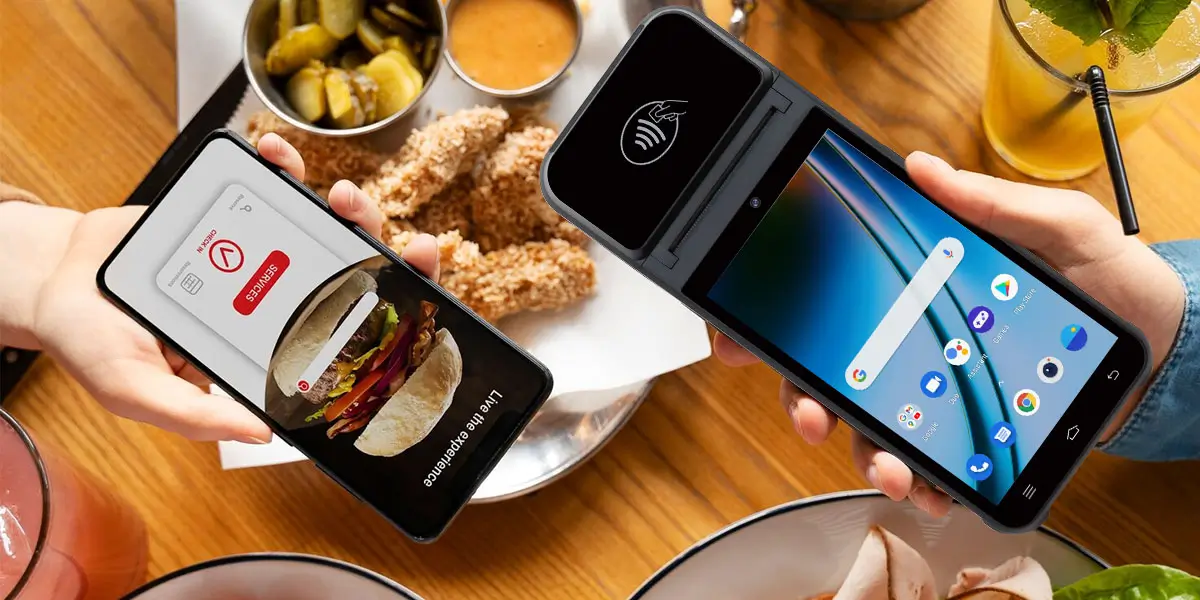
Most full-service restaurants still operate with a fixed terminal model: servers take orders by hand or memory, walk to the stationary POS to enter them, wait for a printed ticket to reach the kitchen, and later return to the terminal to close out the bill. That workflow was acceptable when there was no alternative. Today, it is a measurable drag on every service metric that matters.
The friction accumulates at each step. A server working five tables makes dozens of round trips to the fixed terminal over a dinner service — time spent walking that is not spent attending to guests. Hand-written orders introduce transcription errors when entered into the system: a missed modifier, a wrong side, a drink that never gets rung in. At close, the table has to wait while the server retrieves the bill from the counter, returns to process payment, then goes back again if a card is declined or a guest wants to split.
The downstream effects are not trivial. Order errors generate comps and remakes, which increase food cost and create kitchen congestion. Slow checkout extends table occupation time during peak hours, directly limiting covers. And guests who experience long waits at settlement — especially when the restaurant is clearly busy and staff are occupied — leave with a diminished impression regardless of how good the food was.
The fixed terminal model was not designed for the pace of modern restaurant service. It was designed around the limitations of hardware that could not move. That constraint no longer exists.
A handheld POS terminal is a mobile device — typically Android-based — that allows servers to complete the full service cycle at the table: taking orders, sending them directly to the kitchen, and processing payment, all without leaving the guest's side.
In practice, the workflow looks like this. A server arrives at the table with the device, navigates a digital menu on a touchscreen, and enters the order — including modifiers, dietary notes, and course sequencing — directly on the spot. The order transmits instantly to the kitchen display or printer via Wi-Fi or cellular connection. There is no handoff delay, no paper ticket being physically carried, and no re-entry error between what the guest said and what the kitchen receives.
At the end of the meal, the same device generates the bill, handles split payments, processes card or contactless payment via NFC, and prints a receipt from the built-in thermal printer. The entire checkout sequence happens tableside, in under a minute. Guests can pay, tip, and leave without waiting for a server to disappear and return.
The kitchen integration is what separates a handheld terminal from a mobile payment dongle. A dongle processes a card. A handheld POS is connected to the kitchen, the inventory system, the table management layer, and the reporting dashboard — it is the front-of-house point of entry for the entire operational flow. Handheld systems allow servers to enter orders immediately, reducing miscommunication and memory errors, with menu-item modifiers, allergy alerts, and feature prompts ensuring orders are correct before they reach the kitchen.
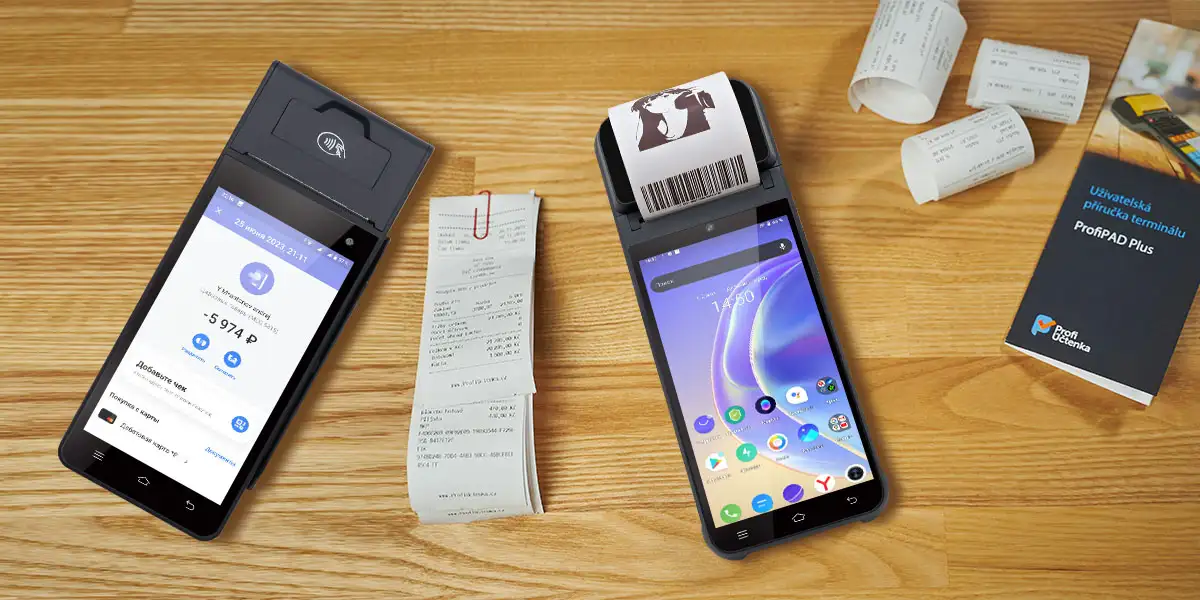
Table turnover rate — the number of times a table is occupied and cleared per service — is one of the most direct levers on restaurant revenue. A table that turns 3 times in a dinner service generates 50% more revenue than a table that turns twice, with the same fixed costs. Handheld POS systems move that number by eliminating the delays embedded in the traditional fixed-terminal model.
Order speed. Servers can take orders the moment a table is ready rather than waiting for a gap to visit the terminal. For a busy restaurant, that eliminates the bottleneck that forms when multiple servers compete for access to the same fixed stations during a rush. Faster order input means quicker kitchen ticket generation, shorter meal delivery times, and higher table turnovers leading to more sales per shift.
Error reduction. Orders entered directly at the table have a lower error rate than orders taken by memory and re-entered later. Fewer errors mean fewer remakes, fewer comps, and a smoother kitchen flow. The back-of-house impact is significant: remakes do not just cost food — they occupy kitchen capacity during the minutes when throughput is most constrained.
Checkout speed. Tableside payment is the most direct contributor to turnover improvement. Guests can pay, tip, and receive receipts right at their table, without waiting for a server to disappear and return.
For a table of four, this typically saves 5–10 minutes compared to the traditional bill retrieval and processing sequence — time that translates directly into earlier table availability.
The cumulative effect: restaurants using handheld POS systems report table turnover improvements of 15–20%, and tableside ordering reduces service time by up to 25%.
At the scale of a busy service, those percentages translate to meaningful additional covers — and additional revenue — without adding seats or staff.
Different restaurant formats have different operational priorities, and the right handheld POS hardware needs to match both the workflow and the physical environment.
Full-service dining places the highest demands on handheld POS hardware. Servers need to manage multi-course sequencing, modifier-heavy orders, split bills across multiple payment methods, and tip handling — all while projecting confidence in front of guests. The device needs to be fast, responsive, and comfortable to hold for a full dinner service.
The ZCS Z92 is an Android-based handheld POS terminal built for exactly this context. At 364g with a 5.5-inch touchscreen, it is light enough to carry through an extended service without fatigue, and its 3,020mAh battery sustains continuous operation across a full shift. The built-in 58mm thermal printer allows receipts to be produced tableside, and NFC support handles contactless payments including mobile wallets. For high-end venues where staff authentication matters — controlling who can apply discounts, void items, or access manager functions — the optional fingerprint scanner provides biometric identity verification compliant with FBI and STQC standards.
As with ZCS's full hardware range, the Z92 is an open Android platform: it provides the hardware foundation, SDK, and TMS remote management infrastructure, while the POS application and payment certification are supplied by the operator's chosen software vendor and payment service provider.
QSR environments demand different priorities: transaction speed above all else, a simple interface that reduces training time for high-turnover staff, and hardware that can withstand a demanding physical environment. Orders are simpler, but volume is higher and the pace is relentless.
For QSR, the same Z92 hardware adapts well to floor-based order-taking during queue peaks, with its 4G LTE connectivity ensuring orders reach the kitchen even when the in-store Wi-Fi is under load. The infrared QR code scanner (optional) allows rapid order confirmation for digital loyalty or pre-order workflows common in QSR settings.
A café POS terminal often needs to serve as cashier station, order entry device, and loyalty tool in a single compact form. Counter space is limited, transactions are fast, and the same device may handle a mix of eat-in and takeaway orders throughout the day.
The Z92's connectivity profile — dual-band Wi-Fi, Bluetooth 4.0, and 4G — supports seamless handoff between in-store and online orders. The device's compact 214.4mm × 84.2mm footprint means it can sit on a counter or be carried by staff depending on the service moment, without requiring separate hardware for each function. For cafés running loyalty programs or membership schemes, the optional QR scanner and camera (5MP rear, upgradeable to 8MP) support digital voucher validation and customer identification at the point of order.
The checklist below targets the decision points that most buyers only discover after deployment.
Kitchen printer and display integration. The handheld POS is only as useful as its connection to the back of house. Confirm that the system supports your kitchen printer protocol (typically Ethernet or Bluetooth) or kitchen display system, and that orders transmitted from the device appear in real time — not with a delay or only after a sync cycle.
Menu updates in real time. Eighty-sixing an item mid-service should remove it from every handheld device instantly. If a server can still attempt to order an unavailable dish from a device that has not synced, order errors and guest dissatisfaction follow. Real-time menu push from back office to all devices is a baseline requirement.
Split bills and multi-payment handling. Full-service restaurants need to split bills by item, by seat, or by percentage, and accept multiple payment methods — card, cash, mobile wallet — in a single table close. Verify the workflow is as clean on the device as it is in the sales demo.
Tip handling. Tipping workflows vary by market. The device should support percentage presets, custom tip entry, and tip adjustment post-authorization where required by local payment scheme rules. Confirm this is handled natively by the POS application rather than requiring a workaround.
Offline mode. Wi-Fi and cellular connections drop, especially in dense environments. A handheld POS that stops functioning when connectivity is lost is a liability during service. The device should cache orders and transactions locally and sync automatically when the connection restores — without any manual intervention from staff.
Device durability and shift-length battery life. A restaurant floor is a demanding physical environment. Devices should handle incidental contact with liquid, survive drops to tile flooring, and last a full double shift without a recharge. Many modern handheld units weigh under 11 oz with splash-resistance built in. Devices should easily last a full service shift and reconnect automatically when Wi-Fi returns.
TMS remote management. For restaurants with multiple locations or more than a handful of devices, a Terminal Management System enables remote software updates, menu pushes, and device monitoring without requiring on-site configuration. This is particularly important for multi-site operators who cannot afford a technician visit every time a software update is due.
SDK and integration openness. If your reservation system, loyalty platform, or accounting software needs to integrate with the POS, confirm the hardware's open architecture supports those connections. A closed system that cannot integrate with third-party tools will require workarounds that consume staff time and generate data gaps.
The decision framework is straightforward once you are clear on your primary operational constraint.
If your primary problem is table turnover and checkout speed, the priority is fast NFC payment processing, tableside receipt printing, and a checkout workflow that can close a table in under a minute. Any handheld terminal with these capabilities will deliver measurable improvement.
If your primary problem is order accuracy, the priority is a POS application with rich modifier support, allergy prompts, and real-time menu sync. The hardware needs to be responsive enough that entering a complex order does not create delays or force shortcuts that introduce errors.
If you run multiple locations or manage a large device fleet, remote management via TMS is non-negotiable. The ability to push menu updates, software patches, and configuration changes to all devices centrally — without on-site visits — is what makes a fleet manageable at scale.
If staff access control is a concern — managing who can void items, apply discounts, or access manager functions on the floor — biometric authentication (fingerprint scanner) is a meaningful upgrade over PIN-based role controls, particularly in high-turnover environments where shared credentials are a consistent risk.
If you are evaluating hardware separately from software, confirm your chosen POS application and payment service provider support the specific Android terminal you are considering. The open Android platform model — where hardware, software, and payment certification are provided by different vendors — gives you maximum flexibility, but requires deliberate verification that all three layers are compatible before deployment.
The restaurant POS market is growing at 8.7% annually because operators across every restaurant format are recognizing that tableside technology is no longer a premium option — it is the operating baseline. The question is not whether to equip your floor staff with handheld terminals. It is which hardware and software combination fits how your restaurant actually runs.
Q1: How do handheld POS systems for restaurants improve table turnover rates?
A: Handheld POS systems for restaurants eliminate the time drain of legacy fixed terminals. Servers take orders and instantly transmit them to the kitchen via Wi-Fi/4G without running back and forth. At the end of the meal, bill splitting, tipping, and NFC contactless payments happen tableside in under a minute, saving 5–10 minutes per table and boosting covers by 15–20%.
Q2: Why is deep kitchen integration vital when deploying these mobile systems?
A: True handheld POS systems for restaurants are not just payment dongles; they connect directly to your Kitchen Display System (KDS), inventory tracking, and seat layout. When an order is entered tableside, modifiers, allergy alerts, and course sequencing are sent instantly to the line. This automation slashes manual entry errors that lead to costly food comps and kitchen bottlenecks.
Q3: Can handheld POS systems for restaurants process orders if the Wi-Fi drops?
A: Yes, provided you choose an enterprise-grade terminal with a dedicated offline mode and hybrid connectivity. Leading systems feature dual-band Wi-Fi paired with 4G LTE cellular backup. In connectivity dead zones, the software securely caches orders and transaction records locally, syncing them automatically the moment the network restores.
Q4: What physical hardware specs are critical for busy full-service dining?
A: Restaurant environments demand lightweight, ergonomic devices (ideally under 11 oz) with splash-resistance and a battery built to last a full double shift. For security, look for platforms that support biometric authentication (like the fingerprint scanner options on Android terminals like the ZCS Z92). This stops staff from sharing PINs when authorizing floor discounts or item voids.
Q5: What are the fleet advantages of choosing an open Android ePOS hardware platform?
A: An open Android architecture decouples your hardware from a single software package, giving you long-term infrastructure flexibility. By utilizing open SDKs and a Terminal Management System (TMS), multi-location operators can centrally push real-time menu updates, "86" sold-out dishes instantly, and deploy security patches across an entire fleet without relying on on-site technicians.
Related Posts
1. 2026 Best Restaurant POS Systems for Global Buyers?
2. Android POS: The Complete System Selection Guide
3. Key Features and Comparison of Smart Restaurant POS
4. 2026 Best Point Of Sale Machine Price Guide and Recommendations?
5. Hospitality POS Systems: What Hotels, Resorts and F&B Chains Need From POS Hardware






 Home
Home  Best POS Systems for Bars to Boost Your Business Effortlessly?
