
2026-05-26 Author : ZCS
Bars operate on margins that leave little room for operational waste. Net profit typically runs 10–15% — healthier than a restaurant's 3–5%, but only if the floor is managed tightly. The reality for most bar operators is that a significant portion of that margin leaks out through overpouring, unclosed tabs, inventory shrinkage, and the friction of a point-of-sale system that was never designed for the pace and physicality of bar service.
This guide covers every layer of that problem: why generic POS platforms fail behind the bar, which features actually matter for high-volume nightlife venues, how tab management and inventory control affect your bottom line, and what to evaluate before committing to a bar POS system.
At peak service — Friday night, last call, half-time — a bartender has two seconds to find a drink, ring it up, take payment, and move to the next guest. A POS interface that requires three taps to find a cocktail, or a screen that lags under load, is not a minor inconvenience: it is a revenue constraint. Every extra second per transaction multiplies across hundreds of pours during a busy night. A slow checkout system during high-volume windows does not just frustrate guests — it caps the number of drinks you can sell.
The physical environment compounds the problem. Bar counters are wet. Lighting is low. Music is loud enough that verbal confirmation is impossible. Bartenders operate with damp hands, in motion, often with a line of waiting customers in peripheral vision. A point-of-sale terminal designed for a dry, well-lit retail counter will fail in this environment — through screen unresponsiveness, glare that makes the display unreadable, or hardware that cannot survive routine liquid exposure.
A restaurant POS is built around a table-and-course model: seat a party, take orders in sequence, fire courses to the kitchen, present a single bill. A bar operates on a fundamentally different model: dozens of individual or group tabs open simultaneously, drinks ordered and poured in real time with no course structure, multiple bartenders accessing the same system concurrently, and payment expected at any moment — sometimes mid-pour.
The workflow differences are not cosmetic. Tab management, pre-authorization for walk-out prevention, simultaneous multi-bartender access, quick-fire one-touch ordering, and liquor-specific inventory tracking (by the ounce, not the portion) are bar-native requirements that most restaurant POS platforms treat as secondary features or add-ons — if they support them at all. Running a bar on a restaurant POS is the operational equivalent of using a kitchen printer system to manage a warehouse.
In a high-volume cocktail bar or nightclub, speed of order entry is the primary determinant of throughput. The most effective bar POS interfaces are built around customizable quick-keys: high-frequency drinks mapped to single-tap buttons, arranged by bartender workflow rather than menu category. A bartender who can ring up a vodka soda in one tap versus three navigates the POS in a fraction of the time — and that fraction matters at scale.
Tab management needs to be frictionless in both directions: opening a tab, adding rounds, transferring a tab to another bartender or section, and closing to payment should each require minimal interaction. The system should display all open tabs on a single screen, with real-time totals, so bartenders can locate and update any tab without searching.
Split-screen capability — a bartender-facing order and tab management view on one side, a customer-facing display showing the running total on the other — reduces disputes, speeds up payment confirmation, and creates a more professional checkout experience without requiring a second device.
Hardware durability behind the bar is not a premium consideration — it is a basic operational requirement. Standard touchscreens lose responsiveness when wet; capacitive screens calibrated for dry fingers behave unpredictably when operated with damp hands or gloves. Purpose-built bar POS hardware addresses this through sealed screen enclosures, IP-rated liquid resistance, and touch sensitivity tuned for real-world bar conditions.
Visibility matters equally. A screen that reads clearly under office lighting becomes difficult to use in the amber-and-dim environment of a cocktail lounge. High-brightness displays with adjustable backlighting, combined with high-contrast interface design, make the difference between a bartender who can ring up a drink without squinting and one who slows down every time they look at the screen.
For venues that need flexibility — mobile ordering on the floor, tableside service in a booth section, or outdoor bar operation — a handheld Android-based terminal with 4G LTE connectivity, a durable enclosure, and full-shift battery life extends the POS to wherever service happens, without tethering staff to a fixed station. The ZCS Z92 fits this role well: at 364g with a 5.5-inch capacitive touchscreen, built-in 58mm thermal printer, NFC reader for contactless tab payment, and 4G LTE for floor-wide connectivity, it handles the full order-and-pay cycle tableside. The optional fingerprint scanner adds biometric staff login — relevant for bars where controlling who can authorize comps and voids on a shared device is an ongoing management concern. Like ZCS's broader range, the Z92 is an open Android platform: POS software and payment certification come from the operator's chosen vendor; ZCS supplies the hardware, SDK, and TMS infrastructure.
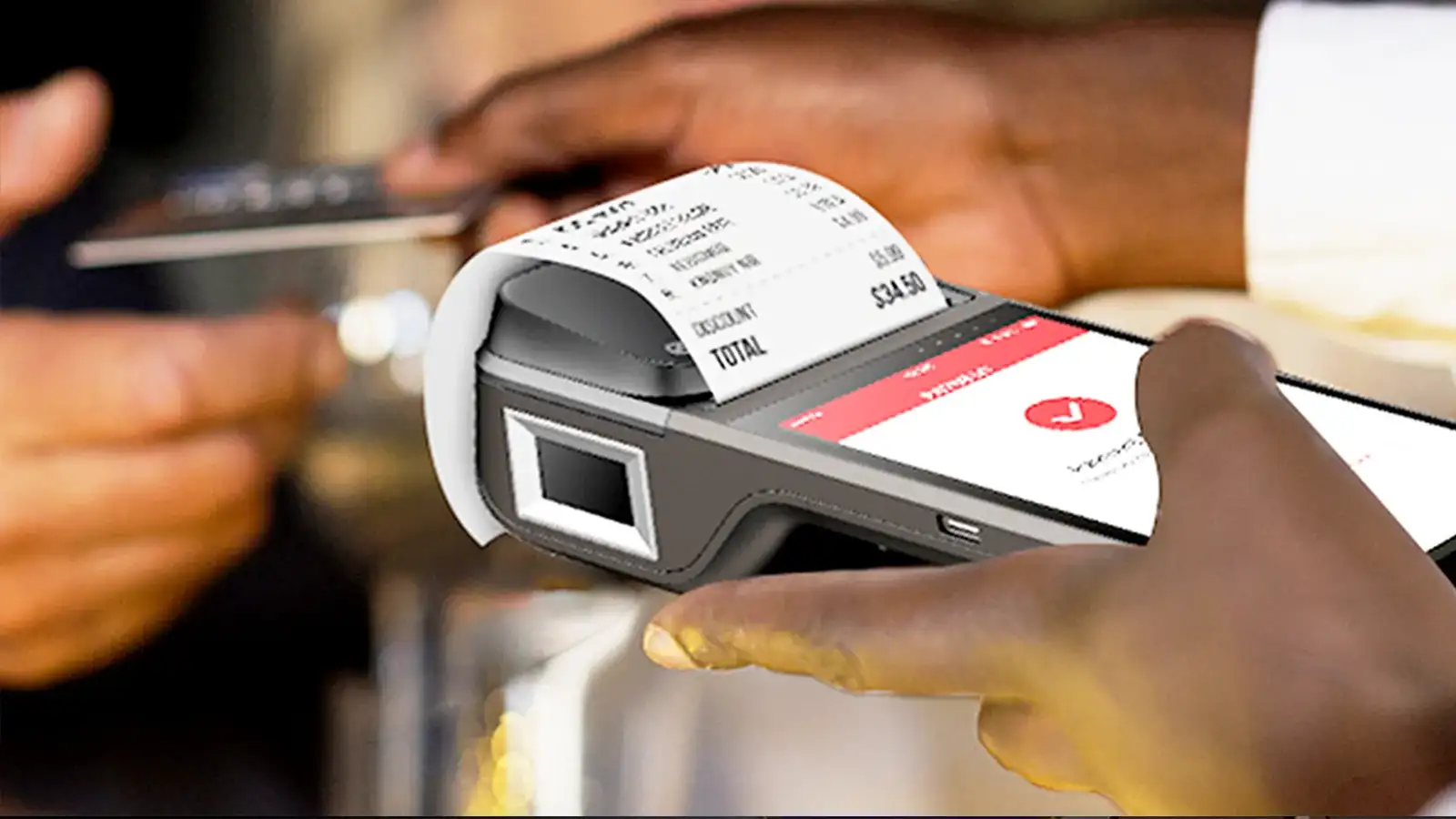
Every open tab is a potential revenue loss if the system makes it hard to manage. A bartender who cannot quickly locate a guest's tab, add a round, or transfer ownership to a colleague taking over the section will compensate with workarounds — memory, paper notes, or delayed entry — each of which introduces errors and slows down service.
The bar POS should support instant tab creation tied to a name, a seat number, or a card on file; real-time running totals visible without navigating away from the order screen; one-action tab transfer between bartenders; and batch close at last call that sweeps all open tabs without requiring individual processing. Bars with dynamic staffing based on POS data report a 25% increase in customer satisfaction during high-traffic periods, with handheld devices and streamlined tab workflows cited as key contributors.
Walk-outs — guests who leave without closing their tab — are a structural risk in any open-tab environment. Pre-authorization addresses this directly. When a guest opens a tab, the POS places a hold on their card for a defined amount; the funds are reserved, and the guest retains their card. If they leave without closing out, the held amount can be captured against what they owe. Pre-authorization prevents customers from running up bills they cannot cover: if a guest's available balance is below the hold threshold, the tab is declined before it opens.
Incremental authorization — updating the hold as the tab grows — provides ongoing protection for guests running high-spend tabs. The result is a card-on-file system that guests experience as convenient (no need to re-present their card at close) and operators experience as loss prevention.
Shift close at a busy bar involves reconciling cash drawers, card transactions, comp records, and tip adjustments across multiple bartenders and payment methods. A bar POS that automates this produces a shift-end report that shows cash expected versus counted, card batch totals, comps by employee, and variance — without requiring manual calculation. Discrepancies are flagged immediately; managers do not find out about a cash shortage three days later.
On average, bars lose 10 to 20% of their inventory each month due to overpouring, theft, or spoilage — and 75% of all inventory shrinkage is caused by employee activity. The acceptable industry variance rate is 1–2% of inventory; many bars operate at 5–25% without realizing it until it shows up in monthly financials. A bar POS integrated with inventory management is the primary tool for closing that gap.
Variance reporting and waste tracking. The core metric is the gap between what your POS records as sold and what your physical inventory count says was used. A POS with inventory integration calculates this automatically — the difference between theoretical usage (based on sales data and recipe costs) and actual usage (based on counted stock) is your variance, expressed in dollars and by product. Waste and shrinkage tracking shows exactly where liquor is going — overpouring, spillage, or theft — while integration with POS systems automatically calculates pour cost and COGS in real time, revealing the difference between what you should be making and what you are actually making.
Employee comp and discount controls. Every comp — a free drink given to a guest or consumed by staff — should be recorded against the employee who authorized it, with a reason code. A bar POS that requires manager approval above a defined comp threshold, and generates per-employee comp reports, gives operators visibility into where product is leaving without revenue. Comparing comp rates across bartenders over time surfaces outliers that warrant investigation.
Real-time liquor inventory linkage. When every sale updates the inventory count in real time, reorder triggers fire automatically, overstocked SKUs are visible before they tie up cash, and the gap between last month's count and this month's count has an explanation rather than being written off as shrinkage. For multi-location bar operations, centralized inventory visibility across all venues eliminates the manual aggregation that currently delays detection of site-specific loss. POS integration enables seamless variance reporting between sales and inventory — connecting cost analytics, shrinkage detection, and real-time stock monitoring in a single operational view.
Pricing flexibility is one of the sharpest operational differences between a bar and a restaurant. A restaurant menu might change seasonally. A bar changes prices multiple times per day — happy hour, post-happy-hour, late-night specials, event pricing — and runs combo deals, bottle service packages, and promotional pricing that shifts week to week. Managing this manually is error-prone; automating it through the POS is both more accurate and less labor-intensive.
Scheduled automatic price changes. Happy hour pricing should activate and deactivate on a schedule without any action required from staff. The POS sets the time window, applies the discount rules across the applicable menu items, and reverts to standard pricing at the defined end time. Bartenders do not need to remember to switch modes, and guests do not experience inconsistent pricing because a staff member forgot to update the system. This same logic extends to late-night pricing tiers, event-specific menus, and day-of-week specials.
Combo deals and bottle service packages. Bottle service — a core revenue driver in nightclub and upscale bar environments — involves bundled pricing (bottle plus mixers plus ice plus garnish at a package rate) with service charges, often tied to a reserved table. A bar POS should handle this as a bundle product with automatic component tracking rather than requiring bartenders to ring up each component individually. Similarly, combo deals (a drink and a shot at a promotional price) should apply automatically when both items are on the same tab, without requiring a manual discount entry.
Seasonal menus and limited-run specials. The ability to add, remove, or temporarily deactivate menu items without modifying the underlying item database — and to push those changes to all terminals simultaneously — keeps the menu current without creating dead-end tap buttons for out-of-stock items. A bar running a seasonal cocktail menu or a limited-release spirits promotion needs menu management that matches the pace of those changes, not a system where updating the menu requires a service call.
"Bar-grade" is used loosely in hardware marketing. What it should mean in practice: an IP rating for liquid resistance (IP54 minimum for splash protection; IP65 for resistance to directed water), a screen that maintains touch sensitivity when operated with wet hands, a build quality that survives being knocked off a counter, and operating temperature tolerance for venues that get physically hot during peak occupancy. Ask for the specific IP rating; if a vendor cannot provide one, the hardware is not bar-grade in any meaningful sense.
Screen brightness matters in dark venues: a display rated at 400 nits or above will remain readable under typical bar lighting conditions. Response time under load — when multiple bartenders are accessing the system simultaneously during a rush — should be tested, not assumed.
A bar POS does not operate in isolation. The integrations that matter most:
Payment processing: The POS must support the full range of payment methods your guests use — chip card, contactless NFC, mobile wallets, and cash — and handle pre-authorization for tabs natively. Payment certification sits with your payment service provider, not the hardware. Open-platform Android terminals that expose an SDK can run any certified payment application your PSP provides, giving you flexibility to switch processors without replacing hardware.
Inventory management: Integration with a dedicated bar inventory platform (tracking variance, pour cost, and reorder triggers) is the difference between knowing where your product goes and guessing. The POS and inventory system should share a live data feed, not a nightly sync.
Security and access control: For venues with cameras, the ability to timestamp POS events against camera footage — voids, comps, cash drawer opens — makes exception reporting actionable. Manager approval workflows and role-based access controls within the POS are the first line of defense; camera integration provides evidence when those controls are circumvented.
Cloud-based bar POS systems store data remotely and require an internet connection for full functionality. Local server systems run on hardware within the venue and operate independently of external connectivity. For nightlife venues, the relevant trade-off is straightforward.
Cloud systems offer lower upfront cost, automatic software updates, and remote reporting access — a bar owner can check nightly sales from their phone. The vulnerability is connectivity: a broadband outage during Friday night service is a genuine operational event. The best cloud systems mitigate this with offline mode — the ability to process transactions locally and sync when connectivity restores — but the quality of offline mode varies significantly between platforms.
Local server systems provide the most reliable performance independent of internet connectivity, which is why high-volume venues — stadiums, large nightclubs, multi-room music venues — often prefer them. The trade-off is higher upfront infrastructure cost and the need for on-site technical support for updates and maintenance.
For most independent bars and small nightlife groups, a cloud-based system with robust offline mode is the pragmatic choice. For large venues where a connectivity failure during peak hours would be catastrophic, a hybrid approach — local processing with cloud synchronization — provides the reliability of on-site infrastructure with the reporting and management benefits of cloud access.

Q1: Why do standard restaurant platforms fail as a Bar POS System?
A: Restaurant systems rely on a rigid table-and-course layout. A dedicated Bar POS System is built for a chaotic, high-volume environment where bartenders must open, update, and transfer dozens of simultaneous, independent tabs via single-tap quick-keys, while tracking liquor inventory by the ounce rather than food portions.
Q2: How does card pre-authorization within a Bar POS System prevent walk-outs?
A: Pre-authorization places a temporary hold on a guest’s credit card when a tab is first opened, ensuring the account has sufficient funds. As the guest orders more rounds, incremental authorization adjusts the hold, allowing bars to execute a secure batch close at last call even if the customer walks out.
Q3: What specific hardware features define a truly "bar-grade" terminal?
A: True bar-grade hardware requires a minimum IP54 rating (IP65 preferred) for spill and splash resistance, touchscreens specifically calibrated to remain highly responsive to damp hands, and high-brightness displays (400 nits or above) for flawless readability in low-light nightlife environments.
Q4: How does a Bar POS System reduce liquor inventory shrinkage and variance?
A: It automatically cross-references your real-time sales log against physical stock counts to calculate variance (the gap between theoretical and actual liquor usage). Combined with individual employee comp logs and manager approval thresholds, it directly clamps down on the 10–20% profit drain caused by overpouring and unauthorized freebies.
Q5: Should a high-volume nightlife venue choose a cloud-based or local server architecture?
A: Independent bars favor cloud-based systems for lower upfront costs and instant remote mobile reporting, provided the platform has a robust offline transactional mode. However, massive multi-room nightclubs, stadiums, or high-volume event arenas typically require a local server or hybrid infrastructure to eliminate the risk of a catastrophic internet outage during peak operating hours.
Related Posts
1. Best POS Systems for Bars to Boost Your Business Effortlessly?
2. Why Are These the Best POS Systems for Bars?
3. Fast Checkout POS Systems for Bars and Nightclubs
4. Handheld POS Systems for Restaurants
5. Bar and Nightclub POS Systems: Run Multiple Bars Under One Roof Without the Chaos






 Home
Home  Why You Need the Best Cafe Pos System for Your Business?
