
2026-06-01 Author : ZCS
The point of sale system sitting at your checkout counter does more than process payments. In 2026, it is the operational hub your inventory, reporting, staff management, customer loyalty, and multi-location infrastructure all connect to. Choose the right one and it compounds operational efficiency across every shift. Choose the wrong one and it creates friction you work around, costs you do not see, and constraints that become expensive to escape.
The numbers reflect how seriously small businesses are taking this decision. The global POS systems market for small business was valued at $14.29 billion in 2025 and is projected to reach $26.98 billion by 2033, growing at a CAGR of 8.27%. More than 19 million small businesses globally had integrated POS systems into their operations by 2024, and adoption rose 17% year-over-year driven by the shift toward mobile POS and cloud-based platforms. Contactless payments already account for 58% of all in-store transactions among small businesses — meaning the hardware and software that cannot handle tap-to-pay is already falling behind the majority of customer behavior.
This guide covers the full buying decision: what a modern POS system actually is, which terminal type fits your operation, what hardware and software features matter, how payment processing works, how to scale intelligently, and how to make a final decision based on total cost rather than upfront price. Each section links to deeper guides on the specific topics most relevant to your situation.
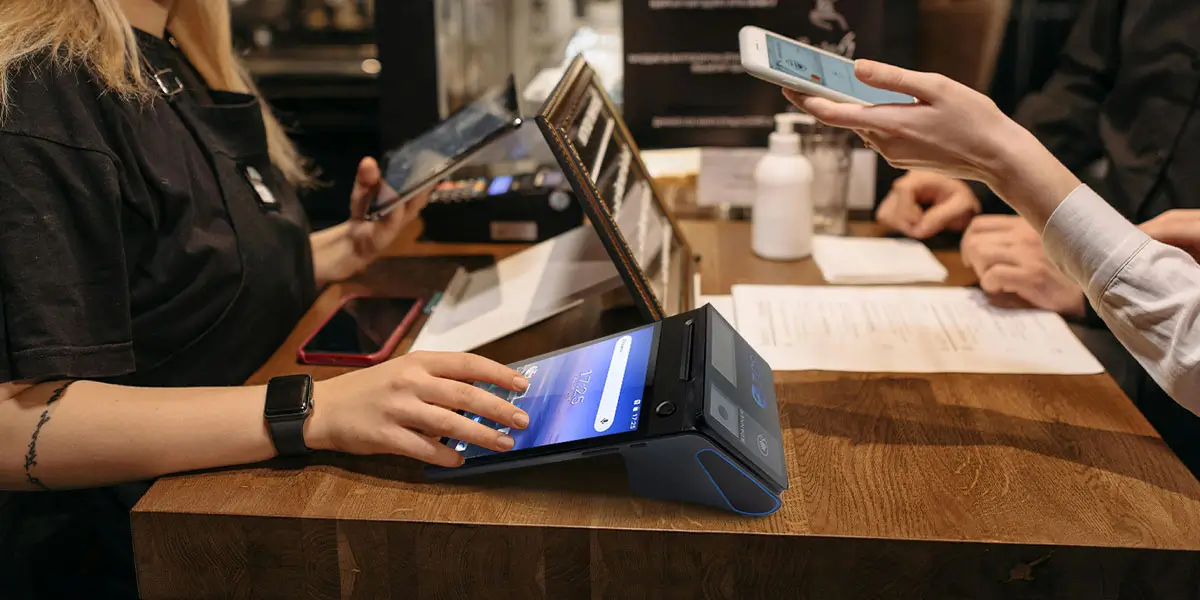
A point of sale system is the combination of hardware and software that handles transactions at the moment a customer buys something. In its simplest form: a device, a payment method, and a record of the sale. In practice, a modern POS system is the operational backbone of a business — connecting checkout, inventory, customer data, employee management, and financial reporting in a single platform.
The evolution from traditional cash register to smart checkout terminal happened in stages. Early electronic registers handled cash and produced receipts. Card terminals added payment processing but remained separate from inventory and reporting. The integration of these functions — first through dedicated POS software running on proprietary hardware, then through Android-based open platforms that could run third-party applications — is what defines the current generation of small business POS technology.
Today, the term covers a wide range of terminal types, each designed for a different operational context:
EFTPOS terminals (Electronic Funds Transfer at Point of Sale) are the standard countertop card payment devices found in most retail and service environments. They handle debit and credit card transactions, increasingly with NFC contactless capability, and connect to a bank or payment processor directly.
EPOS terminals (Electronic Point of Sale) go further, integrating payment processing with POS software functions — inventory lookup, receipt management, sales logging — in a single device. The distinction from a basic EFTPOS terminal is the software layer: an EPOS system is managing your business, not just taking payment.
Mini POS systems are compact, low-footprint versions of full POS terminals — typically a small Android device with a card reader and printer — suited to businesses with limited counter space or tight budgets who still need integrated software functionality.
Tap-on-Phone (SoftPOS) turns a standard NFC-enabled smartphone into a contactless payment terminal, with no additional hardware required. The global SoftPOS market reached $365 million in 2024 and is growing at a CAGR of 23.1%, driven primarily by micro and small businesses seeking a zero-hardware-cost entry point into card payment acceptance.
The right starting point is not which terminal is most capable — it is which terminal type matches how your business actually operates, which the next section addresses directly.
Terminal form factor is the first hardware decision, and it shapes everything downstream. A restaurant that buys a fixed countertop system and then decides it needs tableside payment has purchased the wrong hardware. A market vendor who invests in a full desktop POS terminal has over-specified for their use case. Matching form factor to workflow before evaluating specs saves both money and operational regret.
Fixed countertop terminals are the standard for retail stores, pharmacies, quick-service counters, and any business where transactions happen at a dedicated checkout point. They offer the largest screen real estate, the most reliable wired connectivity, and the most stable platform for running full POS software with peripheral integrations (scanner, printer, scale, cash drawer). Trade-off: they do not move.
Handheld POS devices are Android-based mobile terminals with built-in printers and NFC readers that allow staff to complete the full order-and-payment cycle anywhere — tableside in a restaurant, on the retail floor, at curbside pickup. At a few hundred grams and pocket-sized, a well-specified handheld handles a full service shift without returning to a fixed station.The performance difference between a rushed counter checkout and a tableside close is felt directly in table turnover rates and customer satisfaction scores.
Wireless card machines decouple payment processing from a fixed terminal without requiring a full handheld POS. They connect via Wi-Fi or cellular, accept chip, contactless, and mobile wallet payments, and typically pair with a separate tablet or phone running the POS software. Well-suited to businesses that need payment flexibility without a full mobile POS investment.
mPOS (mobile POS) card readers are the most compact option: a small card reader that pairs with a smartphone or tablet via Bluetooth, turning an existing device into a payment terminal. Transaction costs per swipe tend to be higher than dedicated hardware, and software functionality is more limited — but the upfront cost is the lowest of any form factor.
Tap-on-Phone goes one step further, requiring no additional hardware at all — the phone is the terminal. Currently best suited as a secondary payment method or for very low-volume operators; full POS software integration is less mature than hardware-based options.
The key question when choosing form factor is not "what is the most advanced option?" but "where do my transactions actually happen, and what does the staff member need to do at that moment?" A single answer to that question eliminates most of the decision tree.
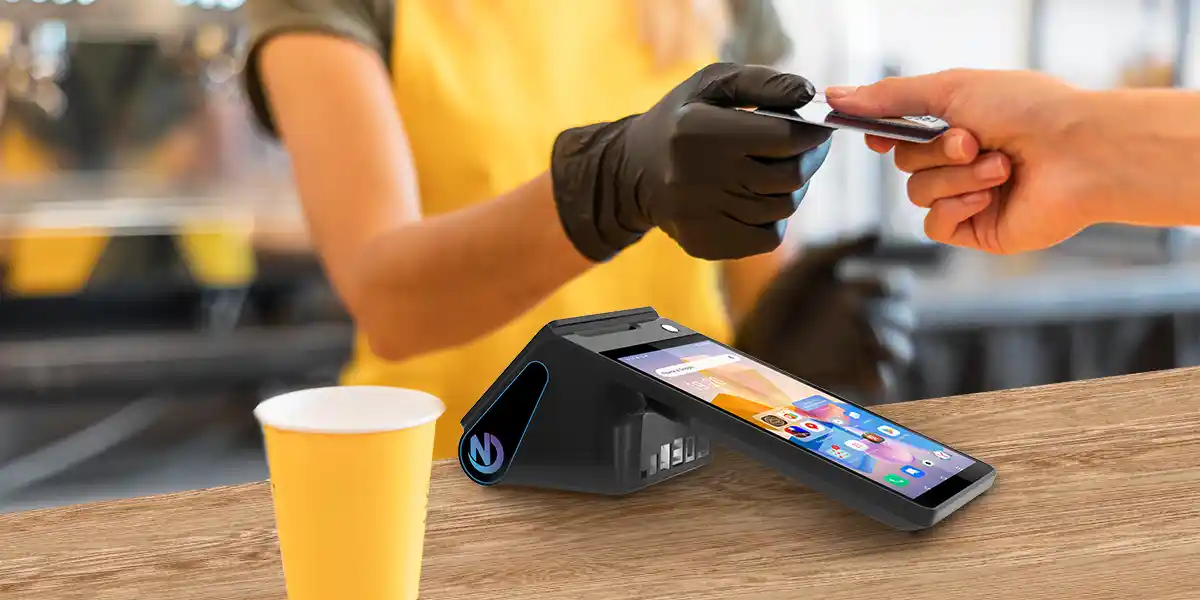
Hardware is visible; software is where the operational leverage lives. A fast terminal running limited software is just a faster cash register. The following capabilities separate a POS system that runs your business from one that just processes transactions.
Multi-payment method support. Chip and PIN, magnetic stripe, NFC contactless, QR code, and mobile wallets (Apple Pay, Google Pay) should all be handled through the same checkout workflow. In 2025, 78% of small businesses that implemented contactless technology reported higher customer satisfaction — but contactless is the floor, not the ceiling. A POS that requires mode-switching between payment types slows checkout and creates cashier errors.
Real-time inventory management. Every sale should immediately update stock levels — not in a nightly batch. When stock falls below a defined threshold, the system should generate a reorder alert automatically. Inventory and CRM integrated cloud-based POS platforms saw a 35% increase in new subscriptions in 2024, reflecting that operators have learned the hard way what untracked inventory costs.
Sales reporting and analytics. Category performance, hourly sales patterns, employee transaction records, and margin analysis per product line should be available without manual data export. The value is not in the reports themselves — it is in the decisions they enable: which products to reorder, which hours to staff, which items are underperforming against cost.
Customer loyalty and rewards management. Repeat customers spend significantly more than first-time buyers. A POS with a built-in loyalty engine — points accumulation, tier-based rewards, redemption at checkout — captures the return visit economics without requiring a separate app or manual punch card.
Employee permissions and access control. Role-based access — limiting voids, discounts, refunds, and cash drawer access to authorized personnel — is basic loss prevention. The system should log every exception event with employee ID and timestamp, generating reports that surface patterns without requiring manual audit.
Checkout efficiency tools. Hotkeys for high-frequency items, barcode scanning, quick-find search, and a responsive touchscreen interface collectively determine how fast a cashier can process a transaction under load. At peak hours, every second per transaction multiplies across the queue.
Multi-location and multi-terminal support. Even if you operate a single location today, the POS infrastructure you choose should be able to support a second location without requiring a rebuild. Centralized pricing, synchronized inventory, and unified reporting across terminals are capabilities to verify before committing, not discover as limitations after.
Software runs on hardware, and hardware quality determines whether that software performs under real operating conditions. These are the dimensions that matter.
Operating system and platform openness. Android-based POS terminals now dominate the market because they run on an open platform: third-party applications install from the Play Store, developers can build against hardware interfaces via SDK, and the device is not locked to a single vendor's software ecosystem. The alternative — proprietary operating systems — creates vendor dependency that limits integration options and makes switching costs high. When evaluating Android terminals, GMS (Google Mobile Services) certification confirms the device can access the Play Store, receive Google Play Protect security scanning, and integrate with the broader Android app ecosystem. Non-GMS Android devices depend entirely on the manufacturer's software pipeline, which may be inconsistent or short-lived.
Processor and memory. Running a POS application, syncing inventory in the background, and handling a printer queue simultaneously requires adequate processing headroom. For a primary checkout terminal, 4GB RAM and an octa-core processor provide reliable performance under load. Quad-core with 2GB RAM may suffice for single-application deployments but will show strain when multiple integrations are active.
Display configuration. A customer-facing secondary display — even a small 3.95-inch screen showing the running total — reduces checkout disputes, builds trust on weight-based or promotional pricing, and creates space for loyalty messaging. For operator-facing screens, 6.5 inches and above provides sufficient working space for a full POS interface without constant scrolling.
Built-in peripherals. An integrated thermal printer (58mm for standard receipts, 80mm for kitchen tickets or detailed itemized receipts) eliminates a peripheral connection point and reduces setup complexity. NFC readers, barcode scanners, and cameras that are built into the device rather than connected via USB or Bluetooth remove failure points from the checkout environment.
Connectivity. Ethernet for fixed installations where reliability is paramount. Wi-Fi (dual-band 2.4GHz + 5GHz) as the standard for most deployments. 4G LTE cellular as a backup or primary connection for mobile and outdoor deployments. Offline transaction capability — the ability to process and store transactions locally when connectivity drops, syncing automatically on reconnection — should be verified, not assumed.
Biometric authentication. Fingerprint and palm vein readers on POS hardware address the employee access control problem that PIN-based systems cannot reliably solve. For environments with high staff turnover or shared terminals, biometric login removes the shared-credential vulnerability that role-based software controls alone do not close.
SDK and TMS infrastructure. A Software Development Kit (SDK) allows developers to build custom integrations against the terminal's hardware interfaces — relevant for businesses whose payment provider or back-office software needs to connect directly to the device. A Terminal Management System (TMS) enables remote software updates, application deployment, and device monitoring across any number of terminals without on-site visits — essential for any deployment beyond a single device.
A critical distinction on payment certification. POS hardware does not carry payment certification. PCI DSS compliance, EMV certification, and regional payment scheme approvals sit with the payment service provider (PSP) and the payment application they deploy on the hardware. Open-platform Android terminals that expose an SDK can run any certified payment application your PSP provides — giving flexibility to change processors without replacing hardware. Buyers should evaluate hardware and payment provider separately, and confirm compatibility between the two before committing to either.
Price range guidance. Entry-level Android POS terminals start around $150–300 for basic mobile handhelds. Mid-range countertop terminals with dual screens and integrated printers typically run $400–800. Purpose-built terminals with biometric sensors, larger displays, or ruggedized enclosures can run $800–1,500+. The hardware price is rarely the largest cost over a 3-year deployment — ongoing software licensing, transaction fees, and support contracts usually exceed it.
Payment processing is the layer between your POS terminal and your bank account — and it is where the most significant long-term costs accumulate. Understanding how it works helps small business owners avoid being locked into disadvantageous terms and ensure their hardware supports the payment methods their customers actually use.
The payment stack, simplified. A transaction involves three parties beyond the customer and merchant: the card network (Visa, Mastercard, Amex), the issuing bank (the customer's bank), and the acquiring bank or payment service provider (your processor). The POS terminal captures the card data and communicates with the PSP; the PSP routes the transaction through the network; the issuing bank approves or declines; funds settle to the merchant account. The hardware is the entry point — the PSP handles everything upstream.
Payment methods your terminal should support in 2026:
Pricing model considerations. Payment processors charge in one of three main structures: flat-rate (a fixed percentage per transaction, regardless of card type — predictable but potentially expensive at volume), interchange-plus (the actual interchange cost plus a processor markup — transparent and typically cheaper at scale), or subscription-based (a monthly fee plus a very low per-transaction rate — cost-effective for high-volume merchants). For small businesses processing under $10,000/month, flat-rate pricing is usually simpler to manage. Above that threshold, interchange-plus or subscription models typically reduce costs.
Wireless and mobile payment terminals. For businesses that need payment to happen away from a fixed counter — tableside, curbside, at events — a wireless card machine or mobile POS device extends acceptance without a full infrastructure investment. The key considerations are cellular connectivity reliability, battery life relative to operating hours, and whether the device supports the same payment methods as your fixed terminal. Inconsistent payment method support across a mixed hardware fleet creates customer-facing friction at the worst moments.
The software layer is where a POS system earns its monthly fee — or where it fails to. The features below operate at two levels: single-store depth (where each function directly affects daily margin and customer retention) and multi-location breadth (where the same data infrastructure needs to work consistently across more than one site).
Inventory management. Real-time stock decrement at the point of sale is the baseline. Above that, the meaningful capabilities are: automated reorder alerts when SKUs fall below defined thresholds; supplier purchase order generation from within the system; near-expiry alerts for perishable categories; and variance reporting that compares theoretical inventory (based on sales data) against physical count to surface shrinkage before it becomes a write-off. Cloud-native POS software reached over 10 million deployments in 2024, with real-time sync cited as the primary driver — meaning inventory data that is always current, not always one export behind.
Sales reporting and analytics. The reports that matter most for small business decision-making are not complex: sales by category, sales by hour, sales by employee, and gross margin per product. These four views answer the questions that drive restocking, staffing, pricing, and promotion decisions. A POS that requires data export to a spreadsheet to answer these questions is adding a step that will get skipped during busy periods — and the decisions that depend on it will be made on intuition instead.
Customer loyalty and CRM. A loyalty program that lives inside the POS — rather than a separate app or card system — captures enrollment at the moment of maximum customer engagement: the checkout. Points accumulate automatically with every purchase; redemption applies at the register without staff intervention; purchase history builds a customer profile that can inform targeted promotions. 65% of new POS systems deployed in 2024 included multi-currency and integrated loyalty functionality as standard — reflecting that these are no longer premium features.
Employee management. Beyond access control, a POS should track sales performance by employee, log clock-in and clock-out times, and generate shift reconciliation reports that show cash expected versus counted. For managers who are not on-site for every shift, this visibility is the difference between knowing what happened and finding out three days later when the weekly report arrives.
The transition from one location to two is where many small businesses discover the limitations of their POS infrastructure. Systems that work well at single-store scale often require manual workarounds to maintain consistency across locations — separate pricing updates at each terminal, inventory counts that do not aggregate centrally, reporting that requires manual consolidation before it becomes useful.
Centralized menu and pricing control. Any price change, promotional rule, or menu update should propagate to all locations and terminals instantly — from a single back-office action. The operational cost of managing this manually across even three locations grows quickly; the risk of inconsistent pricing reaching customers is both a margin and a compliance issue.
Cross-location inventory visibility. Knowing that one store is overstocked on a fast-moving item while another is running low makes stock transfers possible and prevents both write-offs and lost sales. This requires a POS back-end that maintains a unified inventory view across all locations, not separate databases per site.
TMS-based remote device management. A Terminal Management System allows software updates, application deployments, and device configuration changes to be pushed remotely to all terminals across all locations simultaneously — without requiring a technician on site. For growing businesses, this is what makes fleet management feasible without a dedicated IT function.
Cloud vs. local server. Cloud-based POS systems store data remotely, require internet connectivity for full functionality, and offer remote reporting access from any device. Local server systems run on hardware within the venue, operate independently of external connectivity, and typically cost more to set up but provide the most reliable performance in environments where connectivity is unpredictable. For most small businesses, cloud with a robust offline mode is the pragmatic choice. For high-volume venues — large nightclubs, stadium concessions, multi-room event spaces — where a connectivity failure during peak hours would be operationally catastrophic, a hybrid approach (local processing with cloud synchronization) provides the reliability of on-site infrastructure with the management benefits of cloud access.

Most POS buying decisions go wrong at the same point: the buyer evaluates hardware features or monthly software prices, picks the option that looks best on those dimensions, and discovers six months later that the integration they needed is not supported, or that the payment provider they wanted to use is not compatible, or that scaling to a second location requires starting over.
The framework below sequences the decision correctly.
Step 1: Define your business type and transaction context. Where do transactions happen — at a fixed counter, tableside, on the road, at events? How many transactions per day, and how complex is the average order? A café processing 200 simple transactions per day has different needs than a full-service restaurant managing 40 tables with multi-course sequencing. The answer shapes everything from form factor to software requirements.
Step 2: Identify your required payment methods. List every payment method your customers currently use or expect to use: chip card, contactless, mobile wallet, QR code, cash, EBT (for food retailers), split tender. Any terminal or software that cannot handle the full list creates customer-facing friction and lost sales.
Step 3: Prioritize software features by operational impact. Rank the software functions that matter most to your specific operation: inventory depth, loyalty engine, reporting granularity, kitchen integration, multi-location management. Do not pay for sophisticated functionality you will not use; do not accept a system that is missing the one function your operation depends on daily.
Step 4: Match hardware form factor to your workflow. Fixed countertop, handheld, wireless card machine, or mPOS — the answer comes from Step 1. Avoid over-specifying (a market stall vendor does not need a dual-screen desktop terminal) and under-specifying (a full-service restaurant cannot operate a tableside service model from a fixed counter).
Step 5: Verify PSP compatibility before selecting hardware. Confirm that your preferred or existing payment service provider supports the specific terminal model you are considering. On open-platform Android hardware, the PSP deploys their certified payment application on the device — so hardware and payment software compatibility must be verified together, not assumed. Switching payment processors after hardware deployment can be straightforward on open platforms, or impossible on closed ones.
Step 6: Calculate 3-year total cost of ownership (TCO). Hardware is a one-time cost. Monthly software licensing, transaction processing fees, support contracts, and training are ongoing. For a business processing $50,000/month, the difference between a 2.6% flat-rate processor and a 1.8% interchange-plus processor is $4,800 per year — many times the hardware cost difference between two terminal options. Build a 3-year TCO model that includes all recurring costs before making a final decision on hardware price.
Step 7: Confirm SDK and TMS capability for future flexibility. An open SDK means your back-office software, loyalty platform, or custom integration can connect to the hardware directly — future-proofing the investment against software changes. TMS capability means that as you add terminals or locations, each new device can be provisioned and updated remotely without scaling your IT overhead linearly with your business.
Self-assessment: three questions that reveal whether your current system is holding you back.
Are you manually updating prices or inventory across terminals or locations? If yes, you are absorbing labor costs and error risk that centralized POS management eliminates.
Are you unable to see what your business did yesterday without opening a spreadsheet? Reporting that requires manual export is reporting that will not get used consistently — and the decisions it should inform will default to guesswork.
Is your current system incompatible with a payment method, loyalty platform, or integration your business needs? Workarounds for missing functionality have a hidden cost that compounds over time. A platform mismatch is not a nuisance — it is a ceiling on what your operation can become.
Q1: What is the fundamental difference between a basic EFTPOS card machine and a modern EPOS system?
A: The difference comes down to "payment" versus "management."
An EFTPOS terminal is a single-purpose tool—it processes card transactions but has zero business analytics. Conversely, an EPOS (Electronic Point of Sale) system serves as the operational hub of your business. It doesn't just take payments; it seamlessly coordinates real-time inventory, staff scheduling, customer profiles, and multi-location sales reports. In 2026, a standalone payment terminal just won't cut it anymore—an EPOS is your business's "brain."
Q2: Why is it absolutely non-negotiable for my POS terminal to support contactless payments?
A: Quite simply, because it is what the market demands.
As of 2024, 58% of all in-store transactions at small businesses were completed via contactless methods. Furthermore, 78% of small business owners reported a noticeable spike in customer satisfaction immediately after implementing tap-to-pay. If your hardware cannot handle a quick card tap or mobile wallets like Apple Pay and Google Pay, you risk alienating younger consumer demographics.
Q3: What is "Tap-on-Phone" (SoftPOS), and is it right for my business?
A: SoftPOS allows you to accept contactless payments directly on any standard NFC-enabled smartphone—no extra checkout hardware required.
The global SoftPOS market is currently surging at an impressive 23.1% annual growth rate. It is an ideal fit for micro-businesses, mobile pop-up markets, or as a secondary "line-busting" register during peak hours because it offers a virtually zero-cost entry point into card acceptance.
Q4: Why is "GMS Certification" so heavily emphasized when choosing Android POS hardware?
A: GMS (Google Mobile Services) certification is your baseline guarantee for security and app ecosystem stability.
Certified devices get full access to the official Google Play Store, automated Google Play Protect security scanning, and reliable system updates. Non-GMS devices rely entirely on the manufacturer's closed system, which frequently leads to fewer app options, fragmented software pipelines, and delayed patches for critical security vulnerabilities.
Q5: Looking at hardware specs, what configuration is actually "enough" for daily operations?
A: To keep your system running smoothly while simultaneously multitasking background inventory syncs, payment processing plugins, and employee management tools, your primary checkout terminal needs some processing headroom.
Related Posts
1. How to Choose a Credit Card Terminal Machine for Your Small Business?
2. Best Budget Smart POS 2026 How SMBs Can Avoid Pitfalls When Choosing Terminals
3. POS + Inventory & CRM Integration






 Home
Home  Best POS System Software for Restaurants to Boost Your Business?
