
2025-11-13 Author : ZCS
Mobile mPOS card reader devices are compact, handheld terminals that let small businesses accept payments anywhere — at outdoor events, curbside, in pop-up shops, or on the café floor. As the mobile card reader market continues to expand, choosing the right device has become a meaningful operational decision, not just a hardware purchase.
This guide walks through the key factors to evaluate — payment methods, connectivity, security, cost of ownership, and scenario fit — so you can select a device that genuinely fits how your business operates.
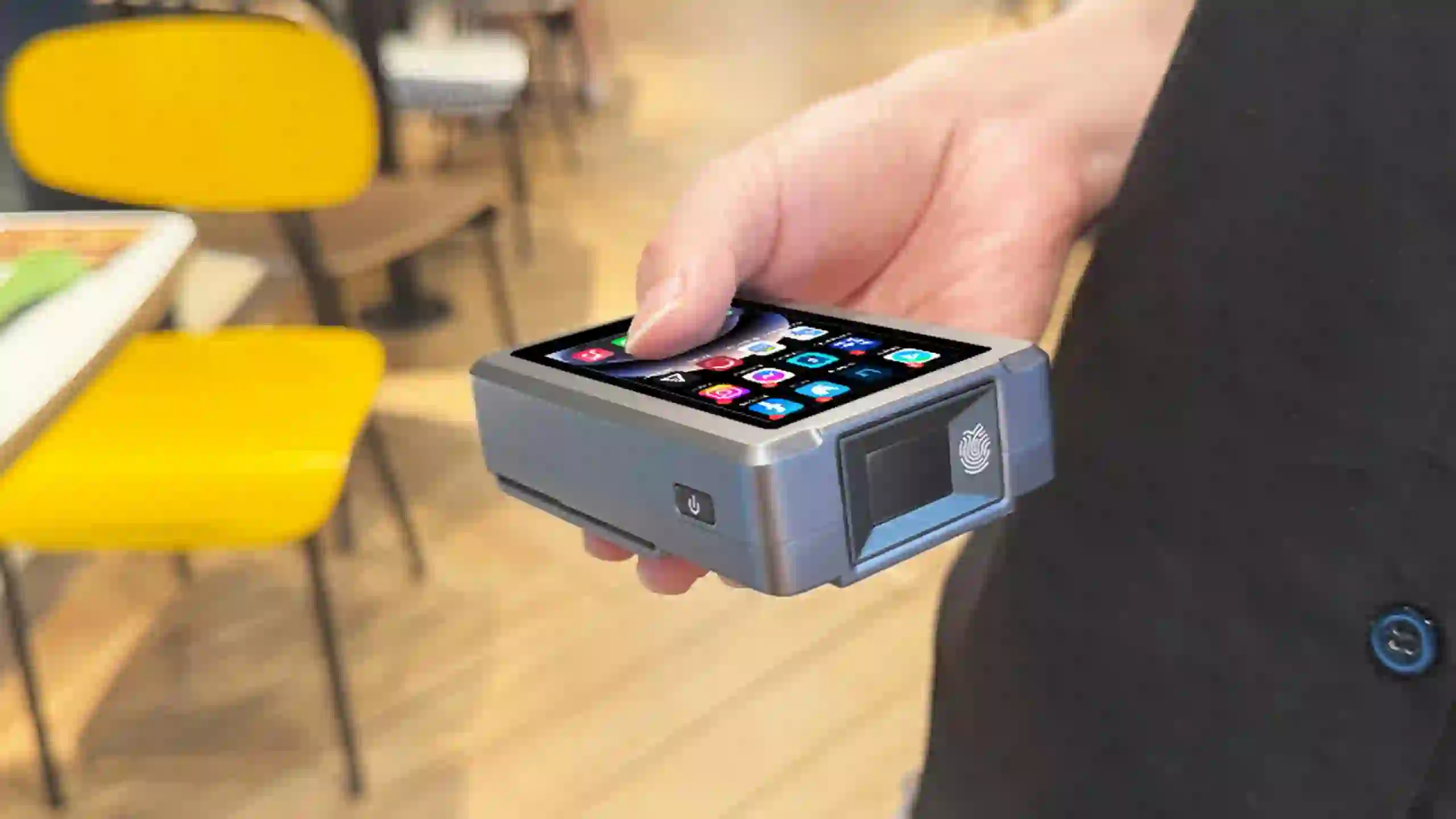
The mobile card reader market has seen consistent growth as more small and medium businesses move away from fixed checkout setups. Adoption is particularly strong in food and beverage, retail, and event-based businesses, where payment flexibility directly affects customer experience and revenue.
Key drivers behind this growth include the rise of contactless payments, broader 4G/5G coverage enabling reliable outdoor connectivity, and the declining cost of Android-based handheld hardware. For small businesses — cafés, food trucks, mobile vendors, pop-up shops — this shift means portable payment acceptance is now a baseline expectation rather than a premium feature.
Mobile payment devices for small business are increasingly available across a range of price points, form factors, and connectivity options, making the selection process more complex but also more flexible than it was even a few years ago.
Look for a device that is genuinely handheld, compact, and comfortable to use in mobile settings. Some terminals marketed as "mobile" are too bulky for tableside or outdoor use. Prioritize ergonomic design, manageable weight, and a build suited to your specific scenario — café floor service, food truck counters, or outdoor market stalls. If you're also weighing up fixed alternatives, how to choose the best wireless card machine for your business covers the countertop side of that decision.
Your device should support chip & PIN (EMV), contactless/NFC, QR code payments where relevant, and magstripe for older cards. Connectivity options — WiFi, 4G/5G, Bluetooth, or mobile tethering — determine where you can reliably transact. For vendors operating outside fixed store environments, cellular connectivity is often more reliable than WiFi.
Durability, battery life, and build quality directly affect whether a device works through a full shift or a busy weekend market. Look for devices with documented battery capacity and clear IP ratings if you operate in outdoor or variable-weather conditions.
A card reader is only as useful as the software running behind it. Confirm that the device integrates with your inventory management, receipt generation, analytics, and loyalty tools. Check for SDK availability and third-party app support if you plan to customise workflows — especially relevant for businesses running multiple mobile units or pop-up locations.
Your mobile mPOS must meet PCI DSS and EMV L1/L2 certification requirements. These are not optional — they protect both your customers and your business from liability in the event of a payment dispute or breach. Verify certifications before purchasing, particularly when evaluating devices from manufacturers you haven't worked with before.
Choose a vendor with reliable after-sales support, regular firmware updates, and accessible spare parts. If you plan to scale — adding locations, devices, or custom branding — OEM/ODM capability becomes relevant. Manufacturers with direct support infrastructure are preferable to resellers with limited technical depth.
Look beyond the upfront device price. Factor in transaction fees, monthly software subscriptions, accessory costs (mounts, replacement batteries, chargers), and long-term upgrade paths. If you're still deciding between terminal types, how to choose a credit card terminal machine for your small business breaks down cost structures across different hardware categories. The total cost over 24–36 months often differs significantly from the sticker price, particularly with subscription-based POS software.
Match the device to your actual use case:
The manufacturer behind your card reader determines more than just hardware specs. Direct manufacturers — as opposed to third-party resellers — typically offer better access to firmware updates, customisation options, compliance documentation, and long-term part availability.
For businesses that need tailored form factors, custom branding, or specific regional payment certifications, working with a manufacturer that has OEM/ODM capability is a practical advantage. ZCS, for example, produces Android-based handheld POS terminals designed for mobile vendor and small business deployment, with support for NFC, EMV, QR, and 4G connectivity across different regional markets.
Define where the device will be used — outdoor events, tableside service, fixed pop-up counter — before evaluating hardware. The environment determines connectivity and durability requirements.
Select connectivity options based on your environment. If WiFi is unreliable at your locations, 4G/LTE is non-negotiable. If customers need to see pricing, a dual-screen unit adds value.
Confirm the device supports the payment types your customers actually use — contactless is now standard in most markets, but QR code dominance varies significantly by region.
Run the device through your actual workload — a full shift, outdoor temperature ranges, high transaction volumes — before rolling out across your team.
Connect the device to your inventory, receipts, and reporting tools before go-live. Gaps in integration create manual workarounds that erode the efficiency gains from going mobile.
Ensure staff can handle connectivity issues, declined transactions, and receipt queries without disrupting service. The speed advantage of handheld card readers only holds if staff are confident using them.
A café deploying handheld card readers for tableside payment — rather than directing customers to a fixed counter — typically sees measurable improvements in table turnover and customer satisfaction scores. Wait-staff carrying compact Bluetooth card reader terminals can process payments at the table, reducing the back-and-forth that extends meal times during peak service.
The key implementation factors in this scenario: reliable Bluetooth pairing with existing POS software, sufficient battery life for a full service shift, and a form factor small enough to carry alongside an order pad. Businesses at an earlier stage of their POS journey may also want to review when it's time to upgrade your POS hardware before committing to a new device category.
Choosing a fixed POS system and retrofitting it for mobility — you lose the portability advantage entirely
Underestimating connectivity requirements for outdoor or multi-location environments
Ignoring total cost of ownership and focusing only on device price
Purchasing from vendors without dedicated after-sales support or access to parts
Skipping software integration planning, leading to the device being used only as a standalone card reader rather than part of a connected workflow

For small businesses that need payment flexibility — whether that's a food truck at a weekend market, a café with outdoor seating, or a pop-up retail unit — a well-chosen mobile mPOS card reader becomes a genuine operational asset.
The decision comes down to matching device capabilities to your specific use case: connectivity requirements, payment method coverage, software integration, and total cost over the device lifecycle. Start with your scenario, not the spec sheet.
Q1: What is a mobile mPOS card reader device and how does it differ from a traditional POS terminal?
A mobile mPOS card reader is a compact handheld terminal that accepts card payments — chip, contactless/NFC, mobile wallet — via wireless connectivity (Bluetooth, WiFi, 4G). Unlike a fixed POS terminal, it has no dependency on a wired network or permanent counter installation, making it suited for food trucks, pop-up shops, outdoor events, and floor-roaming retail staff.
Q2: What features should I prioritise when choosing a mobile card reader for my small business?
Prioritise payment method coverage (EMV, NFC, QR), reliable wireless connectivity for your environment (4G if WiFi is unreliable), battery life sufficient for your shift length, back-office software integration, and PCI/EMV compliance certification. Form factor matters too — a device used tableside at a café has different ergonomic requirements than one used at an outdoor market stall.
Q3: How much does a mobile mPOS card reader cost for a small business?
Hardware costs vary significantly by manufacturer, form factor, and included features. Beyond the device price, factor in software subscription fees, transaction/merchant fees, and accessory costs. Auditing the 24–36 month total cost of ownership gives a more accurate picture than comparing upfront prices alone.
Q4: Is it important to buy from a dedicated POS manufacturer rather than a reseller?
Generally yes. Dedicated manufacturers offer better access to firmware updates, compliance documentation, OEM/ODM customisation, and long-term part supply. This matters most if you're deploying across multiple locations or need regional certification support.
Q5: How do I match a mobile mPOS device to my specific business scenario?
Start by defining your environment: indoor vs outdoor, connectivity reliability, transaction volume per shift, and peripheral needs (receipt printer, customer-facing screen). A food truck deployment prioritises 4G reliability and weather tolerance; a café floor setup prioritises lightweight design and fast Bluetooth pairing. Choose a device whose specifications align with your actual operating conditions rather than the broadest feature set.






 Home
Home  Best Cash Register for Convenience Stores: Smart POS Features & Buyer's Guide (2026)
