
2026-05-18 Author : ZCS
Running a small business today means operating in a world where customers expect to pay however they choose — card, phone, or contactless wearable — and where a slow or limited checkout experience can cost you a sale. The payment terminal sitting at your counter (or in your pocket) is no longer just a box that processes transactions. It's a direct reflection of how modern and customer-ready your business is.
This guide is designed to help small business owners cut through the noise and make a confident decision. Whether you're choosing your first credit card machine for small business or upgrading outdated hardware, we'll walk you through what a payment terminal actually does, which type fits your selling style, what to look for before you buy, and one hardware option worth considering for businesses that want an open, flexible Android platform. By the end, you'll have a clear framework — not just a product list — for choosing the terminal that genuinely fits how you work.
A credit card machine for small business (also called a POS terminal or payment terminal) is an electronic device that allows businesses to accept payment via credit cards, debit cards, and digital wallets such as Apple Pay or Google Pay. When a customer taps, dips, or swipes their card, the terminal captures encrypted payment data, communicates with the card network and issuing bank in real time, and authorizes the transaction — typically within seconds.
Does your small business actually need one? The data makes a compelling case. In 2024, approximately 86.9% of all point-of-sale transactions in the United States were completed through cashless methods such as cards, mobile wallets, and contactless payments — with cash accounting for a progressively smaller share. By 2027, cashless transactions are projected to make up nearly 94.1% of all transactions.
A global Visa survey found that about 95% of small business owners planned to go cashless "someday," and more than half anticipated doing so within two years. For brick-and-mortar retailers, restaurants, and service providers, refusing card payments is no longer a viable option — it means turning away a large and growing portion of potential customers. In fact, only 60% of businesses in the United States currently accept cash, and that acceptance rate continues to fall as more merchants shift to digital payment infrastructure.
Beyond keeping pace with consumer expectations, a payment terminal also brings concrete operational benefits: faster checkout, reduced cash-handling errors, automatic transaction records, and the ability to integrate with inventory or accounting systems. For small businesses looking to scale, these efficiencies add up quickly. The question is no longer whether to accept card payments — it's which terminal best fits the way you sell.
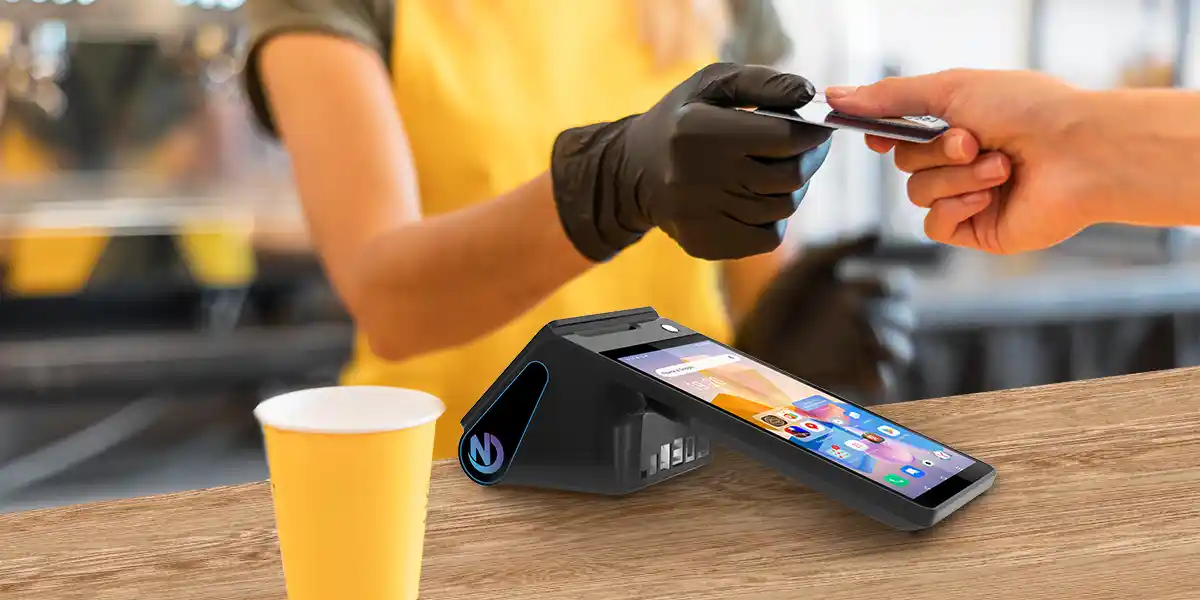
Not all terminals are created equal. The right type depends on how and where your business operates.
Countertop Terminals are the most traditional option. They sit at a fixed checkout station, connect via Ethernet or phone line, and are ideal for businesses with a consistent physical location — think retail stores, pharmacies, or quick-service counters. These devices typically include an EMV chip reader, a magnetic stripe reader, a keypad, and a small screen, with newer models also supporting NFC for contactless tap-to-pay transactions. They tend to be the most affordable entry point and the simplest to set up, making them a practical first choice for new businesses.
Wireless / Portable Terminals operate over Wi-Fi or cellular networks, giving staff the freedom to take payments anywhere within the premises — at tables in a restaurant, on the sales floor, or curbside. These are increasingly popular in full-service dining and hospitality, where bringing the payment to the customer improves the overall experience and reduces queue time.
Mobile POS (mPOS) Systems pair a smartphone or tablet with a card reader or operate as standalone smart terminals. They are ideal for food trucks, pop-up shops, and service-based businesses that need to process transactions on the go, offering flexibility and convenience for merchants without a fixed location.
All-in-One Smart POS Terminals go beyond simple payment acceptance, combining payment processing with inventory management, sales analytics, employee management, and customer-facing display features in a single device. These are typically Android-based with large touchscreens and built-in printers, and they often support third-party app integrations — making them the most versatile option for businesses that want a single hardware platform to grow with.
The key is matching terminal type to your actual workflow. A single-location bakery might only need a reliable countertop unit, whereas a catering company serving off-site events needs a mobile solution with cellular backup. Resist the temptation to over-specify: a terminal with features you'll never use adds cost and complexity without benefit.
Before committing to a credit card machine for small business, evaluate it across five key dimensions:
1. Payment Method Compatibility
At minimum, your terminal should accept EMV chip cards, magnetic stripe cards, and NFC contactless payments (including Apple Pay, Google Pay, and Samsung Pay). Contactless payments now account for one in every two in-person transactions globally, up from a one-in-three ratio in prior years. A terminal that can't handle tap-to-pay is already falling behind consumer expectations. If your market includes customers who use QR-code-based wallets, look for that capability too.
2. Connectivity & Reliability
Consider how the terminal connects — Ethernet, Wi-Fi, Bluetooth, or 4G/LTE cellular. For fixed locations, wired Ethernet provides the most stable connection. For mobile or tableside use, cellular capability is essential. Always check whether the terminal supports offline transaction storage as a failsafe for when internet connectivity drops during peak hours.
3. Security & Compliance
Your terminal must work within an EMV-compliant and PCI DSS-validated payment environment. Look for end-to-end encryption (E2EE) and tokenization, which replace raw card data with a token so sensitive information is never stored on the device. This is particularly important given that nearly 46% of cyberattacks target businesses with fewer than 1,000 employees. Note that security compliance often sits with your payment service provider (PSP), not just the hardware — so evaluate both together.
4. Integration with Your Existing Systems
A good terminal should sync with your existing POS software, accounting tools (such as QuickBooks or Xero), or e-commerce platforms. This eliminates manual double-entry, reduces reconciliation errors, and gives you a unified view of sales across channels. Ask prospective vendors specifically which integrations are supported out of the box and which require custom development.
5. Total Cost of Ownership
Hardware price is just one part of the equation. Factor in monthly software fees, per-transaction processing rates, technical support costs, and whether the provider locks you into a long-term contract. Some processors offer flat-rate pricing — predictable but potentially expensive at higher volumes — while others use interchange-plus models that are more transparent for growing businesses. Over a two-year horizon, the ongoing fees almost always dwarf the upfront hardware cost.

With many options on the market, the ZCS Z108 Smart POS Terminal stands out as a compelling hardware platform for small businesses that want versatility, open-system flexibility, and solid build quality without the constraints of a closed, proprietary ecosystem.
The Z108 runs on Android 14.0 and features an 8-inch touchscreen main display (800×1280) paired with a 2.6-inch/3.95-inch customer-facing secondary screen. It is powered by an Octa-Core processor running at up to 2.3GHz, with 4GB RAM and 32GB ROM, and a 3,600mAh battery designed for all-day operation. Connectivity spans 4G LTE, 3G, Wi-Fi, Bluetooth, Ethernet, and GPS — covering virtually any deployment scenario. A built-in 58/80mm thermal printer and an optional 5MP camera/barcode scanner round out the hardware package.
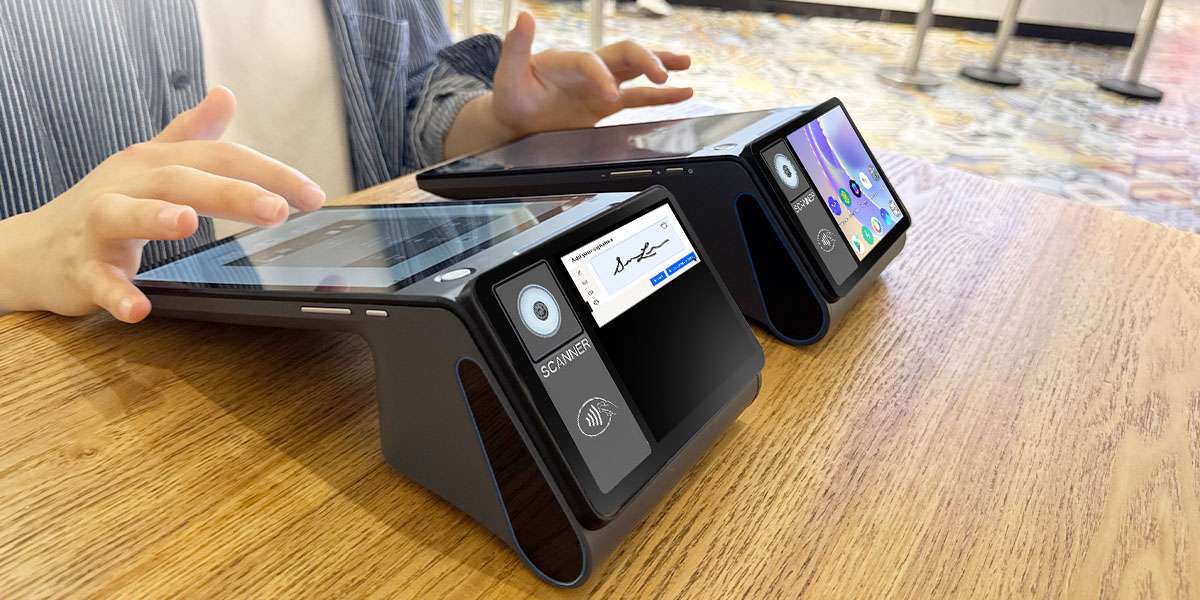
It is important to understand how ZCS positions the Z108: it is an open Android hardware platform, not a pre-certified payment terminal in the traditional sense. ZCS provides the hardware, a comprehensive SDK, a GMS (Google Mobile Services) environment, and a TMS (Terminal Management System) for remote device management. The Z108 does not ship with its own payment certifications built in — the payment layer is handled by the payment service provider (PSP) or independent software vendor (ISV) that deploys their certified application on top of the device.
In practice, this means a business purchasing the Z108 needs to pair it with a PSP or payment application that holds the relevant certifications (EMV, PCI, and regional schemes as applicable) for their market. The terminal's NFC module, card reader interfaces, and printer are all accessible via the SDK, so the supported payment methods — contactless cards, mobile wallets, QR codes, and more — depend on what the overlying payment software implements and is certified to handle.
This open architecture is a genuine advantage for certain types of buyers. If you already work with a payment provider that supports Android-based hardware, the Z108 gives you a high-spec device to run their app on — without being locked into a proprietary ecosystem or paying a hardware premium for built-in processing you don't need. Businesses with in-house development capability can use ZCS's SDK to build or customize their own POS application, integrating exactly the features relevant to their operation.
For the day-to-day operator, the secondary screen is a practical differentiator: customers can see the transaction amount clearly without craning over the counter, which also reduces input errors. The TMS system allows remote app deployment, software updates, and device monitoring across multiple terminals or locations — a time-saver for any small business owner without dedicated IT support.
Ideal for: Cafés, restaurants, boutique retail, and any small business that already has a payment provider relationship and needs a capable, Android-based hardware platform — or that wants the flexibility to build a custom checkout experience on an open device.
Choosing the best credit card machine for small business is one of the more consequential operational decisions a small business makes — it shapes the checkout experience for every customer, every day. The right terminal should match where you sell, handle every payment method your customers prefer, integrate cleanly into your broader business systems, and be backed by a provider with reliable support.
The macro trend is unambiguous: the global contactless payment market was valued at $46.71 billion in 2024 and is projected to reach $109.24 billion by 2033, growing at a CAGR of 9.9%. Small businesses that invest in capable, future-ready terminals now will be better positioned to meet customer expectations as cashless payments continue to accelerate.
When evaluating your options, resist the impulse to focus solely on upfront hardware cost. Think about the full picture: payment method coverage, connectivity reliability, security compliance, software integrations, and long-term vendor support. For businesses that value an open, developer-friendly Android platform — and already have a payment provider in place — the ZCS Z108 offers serious hardware credentials in a flexible, dual-screen form factor.
Start by auditing how your current customers pay, where transactions happen in your space, and what software your business already relies on. From there, the path to the right terminal becomes considerably clearer.
Q1: Do I really need a credit card terminal machine for my small business?
A: Yes. Over 86% of US in-person transactions are cashless. Not accepting card or mobile payments means turning away the vast majority of your customers.
Q2: What is the difference between a traditional terminal and a Smart POS?
A: Traditional terminals only process card payments at a counter. Smart POS terminals run on operating systems like Android, allowing you to manage inventory, track sales, and run business apps directly on the device.
Q3: What payment methods should my terminal support?
A: It should support EMV chip cards, magnetic stripe cards, and NFC contactless payments (like Apple Pay, Google Pay, and tap-to-pay credit cards).
Q4: What hidden costs should I look out for when buying hardware?
A: Beyond the upfront hardware price, watch out for monthly software subscription fees, per-transaction processing rates, setup fees, and long-term contract cancellation penalties.
Q5: Can I use the ZCS Z108 terminal right out of the box?
A: No. The ZCS Z108 is an open Android hardware platform. You need to install a certified payment app from your Payment Service Provider (PSP) to start accepting transactions.
Related Posts
1. How Compact WiFi POS Terminals Revolutionize Small Business Operations?
2. POS + Inventory & CRM Integration
3. What is a Mobile Credit Card Machine and How Does It Work?
4. How to Choose the Best Wireless Card Machine for Your Business?






 Home
Home  What is Mini POS and How Can It Benefit Your Business?
