2026-06-04 Author : ZCS
The countertop payment terminal is the most widely deployed checkout device in brick-and-mortar retail. Fixed at a dedicated checkout point, connected via Ethernet or Wi-Fi, built for high-volume repetitive use — it is the hardware category that has processed the majority of in-person transactions for decades, and it continues to hold that position.
The countertop segment accounted for 42% of the global smart payment terminal market in 2024, making it the dominant terminal type by deployment volume. The overall payment terminal market grew from $48.14 billion in 2024 to $52.78 billion in 2025, with fixed and countertop terminals expected to maintain market leadership through the forecast period on the strength of their reliability, security, and integration capabilities. In the UK alone, fixed countertop terminals accounted for 54.9% of the market in 2024.
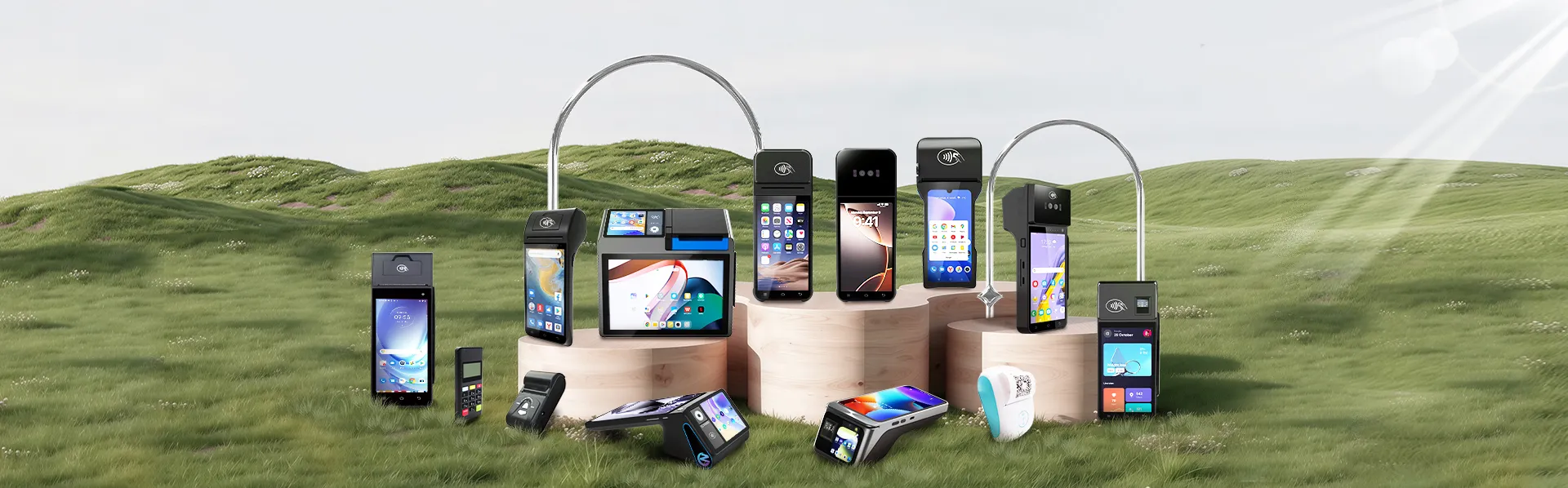
But "countertop terminal" covers a wider range of hardware than it used to. The category now spans everything from a basic card reader with a PIN pad to a full Android smart terminal with a dual-screen display, integrated thermal printer, NFC reader, and cloud-connected POS software. Choosing the right one requires understanding where those differences actually matter for your specific operation — and where they do not.
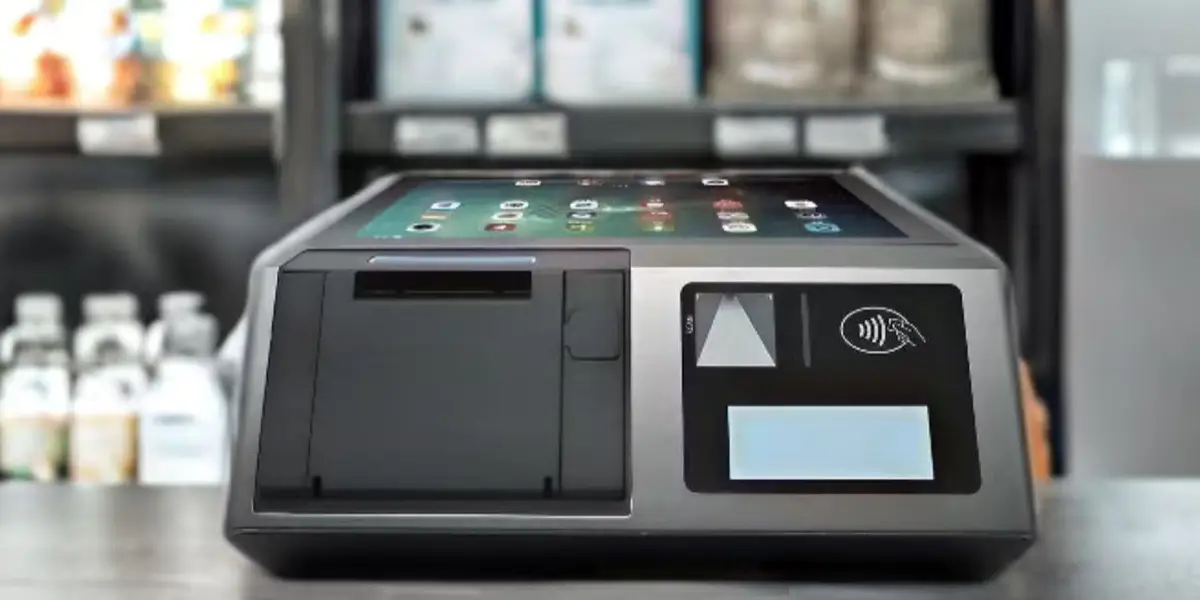
A countertop payment terminal is a fixed device designed for stationary checkout environments. It sits at a dedicated counter position, connects to power permanently, and typically uses Ethernet for the most reliable possible connectivity. Unlike mobile terminals, it does not need to be carried, charged between uses, or worried about from a durability perspective — it stays in place and processes transactions.
The distinction from mobile terminals is primarily operational. Fixed terminals are ideal for high-volume, permanent locations — supermarkets, pharmacies, retail chains, restaurants with a fixed counter — where transactions happen at a consistent physical point and reliability is the primary requirement. Mobile and handheld terminals exist to bring payment to wherever the customer is; countertop terminals exist to create a fast, reliable, fully-equipped checkout station.
The distinction from a smart terminal is one of capability rather than form. A traditional countertop terminal processes payments and little else — it reads a card, communicates with the payment network, and returns an approval or decline. A smart countertop terminal runs a full operating system (typically Android), executes POS applications, manages inventory data, connects to cloud reporting dashboards, and integrates with loyalty programs and back-office systems. The hardware footprint is similar; the operational scope is fundamentally different.
In practice, 65% of mid-sized retailers now use two or more terminal types to balance fixed reliability with mobile flexibility — countertop terminals handling the primary checkout lane, handheld or mobile terminals extending coverage to the floor or queue. But the countertop terminal remains the anchor of the checkout infrastructure in virtually every fixed-location retail environment.
When comparing fixed and mobile payment hardware, mobile terminals often get the more enthusiastic coverage — portability, flexibility, lower upfront cost. The case for countertop terminals is less flashy but more operational.
Connectivity reliability. A countertop terminal connected via Ethernet has a downtime rate of under 1% under normal operating conditions. Wi-Fi and cellular connections introduce variability — signal drops in dense environments, congestion during peak hours, dead zones in large stores. For a high-volume checkout point where a connectivity interruption during a Saturday morning rush is a genuine problem, wired Ethernet is simply more reliable than any wireless alternative.
Processing speed under load. Fixed terminals are purpose-built for repetitive, high-throughput transaction processing. They are not sharing hardware resources with a smartphone's other functions, they are not dependent on a Bluetooth connection to a card reader dongle, and they are not running a general-purpose operating system managing multiple apps simultaneously. A dedicated countertop terminal processes a transaction and moves to the next one faster and more consistently than a general-purpose device in the same role.
Peripheral integration. A countertop terminal sits at the center of a full checkout ecosystem: barcode scanner, receipt printer, cash drawer, customer-facing display, scale (for grocery and deli environments). All of these connect via USB, serial, or network interfaces that are standard on fixed terminals. Mobile terminals typically require workarounds or additional hardware to achieve the same peripheral integration, if they support it at all.
Security posture. Fixed terminals are physically anchored to the checkout point, which reduces the risk of device theft or physical tampering. Combined with Ethernet connectivity (which is harder to intercept than wireless signals), a fixed countertop setup has a stronger physical security baseline than mobile alternatives. This matters for businesses in regulated categories — pharmacy, age-restricted retail, financial services — where transaction security is a compliance requirement, not just a preference.
Total cost at high volume. The upfront cost of a countertop terminal is generally higher than a mobile card reader or tablet-based POS. The per-transaction cost at high volume is typically lower. For a store processing 300+ transactions per day, the TCO calculation over 3 years usually favors the more capable fixed hardware — particularly when peripheral integration, offline capability, and reduced connectivity management are factored in.
The right countertop terminal for a pharmacy looks different from the right one for a boutique clothing store, which looks different again from the right one for a busy café. These are the dimensions that determine which hardware fits your specific operation.
Payment method coverage — confirm the full list, not just the headline. Any terminal purchased in 2026 should support chip and PIN (EMV), NFC contactless (including mobile wallets: Apple Pay, Google Pay, Samsung Pay, and regional equivalents), and magnetic stripe for backwards compatibility. QR code payment support is increasingly relevant for businesses in markets where app-based wallets are common — Southeast Asia, China, parts of Latin America. Verify each method is supported in your specific market, not just generically; NFC support in the hardware does not automatically mean all local mobile wallets are enabled on that PSP's platform.
Display configuration and customer-facing screen. The operator display needs to be large enough for comfortable navigation of a full POS interface — 10 inches and above for a primary checkout station. A separate customer-facing display — even a compact secondary screen showing the running total, item prices, and payment confirmation — materially reduces checkout disputes on weight-based or promotional pricing, and creates a more transparent interaction. For any terminal handling a mix of promotional prices and standard prices (grocery, café, pharmacy promotions), a customer-facing display is a practical requirement.
Built-in vs. external printer. An integrated thermal printer eliminates a peripheral connection point and reduces setup complexity. For stores where receipts are issued on every transaction, an 80mm built-in printer produces wider, more readable output. For environments where receipts are optional or the terminal doubles as a mobile-capable device, a 58mm printer is sufficient. Confirm paper roll compatibility and maximum roll diameter before finalizing — running out of a specific paper format during peak hours is an avoidable disruption.
Connectivity options. Ethernet as the primary connection for any fixed installation where reliability is the priority. Wi-Fi as a secondary or primary option where cabling is not practical. Confirm the terminal supports offline transaction storage — the ability to process and cache transactions locally when connectivity drops, syncing automatically on reconnection. This is not a premium feature; it is an operational baseline for any business where a connectivity outage during peak hours would stop checkout.
Operating system and software openness. A terminal running a proprietary OS locks you into the hardware manufacturer's software ecosystem — their app store, their update timeline, their integrations. An Android-based terminal running on an open platform allows your POS software provider, payment service provider, and back-office tools to integrate directly via SDK. GMS (Google Mobile Services) certification specifically confirms the device can access the Google Play Store and receive Play Protect security scanning — non-GMS Android devices depend on the manufacturer's update pipeline, which may be slower or less consistent. For any terminal intended to run third-party POS software or integrate with loyalty, inventory, or accounting platforms, GMS certification is a meaningful quality signal.
SDK and TMS infrastructure. A well-documented SDK allows developers to build directly against the terminal's hardware interfaces — NFC reader, printer, camera, peripheral connections — which matters when your payment provider or POS software needs to integrate at the hardware level rather than just the software layer. A Terminal Management System (TMS) allows remote software updates, application deployment, and device configuration changes across all terminals without on-site visits — relevant for any store running more than one terminal or operating multiple locations.
Payment certification — understanding where it lives. The terminal hardware does not carry payment certification. PCI DSS compliance, EMV certification, and regional payment scheme approvals sit with the payment service provider (PSP) and the certified payment application they deploy on the hardware. Open-platform Android terminals that expose an SDK can run any PSP's certified payment application, giving flexibility to change processors without replacing hardware. Evaluate the terminal and your payment provider as two separate decisions, and confirm compatibility before committing to either.
The line between a traditional countertop terminal and a smart terminal has blurred significantly. Most new fixed terminals are Android-based with touchscreens and some level of application support. The meaningful distinction is how much software capability you need from the hardware itself.
A traditional countertop terminal — a dedicated payment device with a fixed keypad, a small display, and no application layer beyond the payment software — still makes sense when the checkout workflow is simple and stable. A single-lane pharmacy processing prescriptions and standard retail purchases, or a quick-service counter where speed and simplicity matter more than reporting integration, does not need a full Android smart terminal. Reliability, speed, and a low failure surface are the priorities, and a dedicated payment device delivers those without the software overhead of a full POS platform.
A smart countertop terminal earns its cost when the checkout point needs to do more than process payment. Inventory lookup at the register, loyalty program enrollment and redemption at checkout, real-time reporting visible to the manager without a separate back-office login, integration with accounting software that eliminates end-of-day manual reconciliation — these are the capabilities that justify the step up to a full Android platform. For a boutique retailer managing several hundred SKUs, a café running a loyalty program, or any store where the checkout terminal is also the primary business management interface, a smart terminal with GMS certification, SDK support, and TMS fleet management is the appropriate hardware category.
The decision rule is straightforward: if your checkout workflow ends at payment confirmation, a dedicated payment terminal is sufficient. If your checkout workflow connects to inventory, customers, reporting, or staff management, a smart terminal running an open Android platform is the right foundation.
The hardware specification that matters most shifts significantly by industry context.
Retail (general merchandise, fashion, electronics) Primary requirements: fast barcode scanning, dual-screen display for price confirmation, inventory integration, loyalty enrollment at checkout. A smart Android countertop terminal with a 10-inch operator screen, secondary customer display, and peripheral USB ports for scanner and cash drawer covers the core workflow. GMS certification enables direct integration with retail POS software and loyalty platforms from the Play Store.
The ZCS Z100 is a purpose-built example of this configuration: a 10.1-inch HD operator touchscreen paired with a 3.95-inch customer-facing display, running Android 14.0, with USB and Bluetooth connectivity for barcode scanners, cash drawers, and external peripherals, and compatible with both 58mm and 80mm thermal printers. It supports wall-mount and desktop installation, making it adaptable to different counter configurations without requiring separate hardware. As with ZCS's full terminal range, the Z100 is an open Android platform — POS software and payment processing are handled by the operator's chosen vendors; ZCS provides the hardware infrastructure, SDK, and TMS remote management.
Grocery and food retail Scale compatibility is the defining requirement — the terminal must connect to a certified commercial scale for weight-based pricing on produce, deli, and bulk items. The scale is a separate hardware purchase; the terminal (via its POS software layer) needs to support connectivity with standard commercial scale models. EBT/SNAP payment handling is required for any food retailer serving SNAP-eligible customers, which means the POS software must be USDA FNS-authorized — again, a software-layer certification, not hardware. A customer-facing display is particularly valuable in grocery checkout where weight-based prices and promotional discounts benefit from customer visibility.
Pharmacy and healthcare retail Age verification prompts for regulated products, prescription records integration, and compliance logging are the primary software requirements. Hardware-side: a reliable wired Ethernet connection reduces the risk of a connectivity failure during a prescription dispensing workflow, and a dedicated countertop setup with a fixed customer display presents a more professional interaction than a tablet-based system. Biometric staff authentication — fingerprint or palm vein — adds an access control layer for high-value or regulated dispensing workflows.
Quick-service restaurants and cafés Speed is the primary constraint — the terminal needs to process a transaction in under 15 seconds from payment initiation to receipt. An integrated thermal printer (80mm for kitchen tickets, 58mm for customer receipts), NFC contactless for tap-to-pay dominance in café environments, and a clear customer-facing display for order confirmation are the key hardware requirements. Kitchen integration — routing order data from the checkout terminal to a kitchen printer or KDS — is the software requirement that distinguishes a café-ready smart terminal from a basic payment device.
Service businesses (salons, clinics, repair) Appointment integration, tip handling, and a streamlined payment flow for varying transaction amounts are the priority. A compact smart terminal with a clean dual-screen interface — operator side for the service provider, customer side for payment confirmation and tip selection — handles the workflow without requiring a full retail POS setup.
Hardware price is the most visible cost in a terminal purchase and usually not the most significant cost over a 3-year deployment. A complete TCO analysis includes:
Hardware acquisition cost. Entry-level countertop terminals start at $150–300 for basic payment-only devices. Mid-range smart terminals with dual screens and integrated printers typically run $400–800. Purpose-built terminals with biometric authentication, larger displays, or ruggedized enclosures run $800–1,500+. These are one-time costs.
Software licensing. POS software subscriptions typically run $50–200 per month per terminal, depending on feature tier. Over 36 months, this is $1,800–7,200 per terminal — often 2–5x the hardware cost. Verify what is included at each tier and what requires an upgrade; inventory management, loyalty, and multi-location reporting are often gated behind higher tiers.
Payment processing fees. For a store processing $50,000/month, the difference between a 2.6% flat-rate processor and a 1.8% interchange-plus rate is $4,800 per year — every year. Over a 3-year deployment, that is $14,400 in processing cost difference that dwarfs any hardware price comparison. The terminal you choose needs to be compatible with the processor offering the best rate for your transaction profile.
Support and maintenance. Hardware warranty terms (typically 1 year standard, 2–3 years extended), software support SLAs, and replacement cost on failure all factor into TCO. A terminal with a 24-hour replacement guarantee from the manufacturer carries less operational risk than one where a hardware failure requires a 2-week wait for a replacement unit.
Integration and setup costs. If connecting the terminal to existing inventory, accounting, or loyalty software requires custom development, that cost belongs in the TCO calculation. An open-platform terminal with published APIs and established integrations reduces or eliminates this cost; a closed system may require bespoke middleware that adds ongoing maintenance overhead.
The correct comparison is not "Terminal A costs $400 and Terminal B costs $600." It is "Terminal A at $400 hardware + $150/month software + 2.6% processing versus Terminal B at $600 hardware + $80/month software + 1.8% processing, over 36 months at my transaction volume." That calculation almost always produces a different ranking than the hardware price alone.

Q1: What is the primary difference between a traditional countertop payment terminal and a smart terminal?
The difference comes down to execution versus operations. A traditional countertop terminal is a dedicated payment-only device—it reads the card, connects to the network, and prints a receipt. A smart terminal runs an open operating system (typically Android), allowing it to manage inventory, run software, and connect directly to a cloud dashboard.
If your checkout workflow ends exactly when the payment is confirmed, a traditional terminal works great. If you need your register to update stock counts, log loyalty points, or talk directly to the best restaurant point of sale system, you need a smart Android terminal with Google Mobile Services (GMS) certification.
Q2: Why should high-volume businesses choose fixed countertop payment terminals over mobile alternatives?
While mobile card readers are highly portable, they introduce variables like battery degradation, Wi-Fi drops, and wireless interference during peak hours. Fixed countertop payment terminals offer distinct operational advantages for heavy brick-and-mortar footprints:
● Near-Zero Downtime: Hardwired Ethernet setups reduce transaction connection failures to less than 1%.
● Ecosystem Center: They serve as a physical hub for mandatory peripherals, linking directly via USB or serial ports to cash drawers, barcode scanners, and commercial scales.
● Stronger Security Posture: Being physically anchored to the counter radically reduces the risk of physical skimming tampering or quick device theft.
Q3: How do countertop payment terminals integrate with the best restaurant point of sale system?
In a hospitality context, the payment terminal shouldn't act as an island. When connected to the best restaurant point of sale system, a smart countertop terminal acts as both an order entry hub and a payment node.
For quick-service configurations or café counters, it instantly synchronizes front-of-house transactions with your Kitchen Display System (KDS) or kitchen printers. This eliminates manual double-entry, slashes order processing times by over 30%, and ensures that mid-shift menu changes (like an emergency 86 on a sold-out item) push across all customer-facing screens simultaneously.
Q4: What hidden TCO factors should I look at beyond the upfront hardware price?
Evaluating a terminal based solely on the sticker price of the hardware is a classic buying mistake. A true 3-year Total Cost of Ownership (TCO) calculation must balance three additional streams:
● Payment Processing Structures: A cheap $200 terminal locked into a high 2.6% flat-rate processor will cost thousands more over three years than a $600 open terminal paired with an efficient 1.8% interchange-plus rate.
● Software Feature Gates: Check if crucial business functions—like multi-location reporting, custom loyalty logic, or complex inventory management—are locked behind pricier monthly SaaS subscription tiers.
● Hardware Maintenance SLAs: Factor in the cost of extended warranties and replacement speeds. A device that takes two weeks to fix by mail introduces massive revenue risks compared to a manufacturer offering a 24-hour hot-swap guarantee.
Q5: Does the terminal hardware itself carry PCI and EMV payment certifications?
No. This is a critical point of confusion for global buyers. Payment certifications (like PCI DSS compliance, EMV chip approval, and local network schemes) do not live within the bare metal of the terminal hardware itself. Instead, they reside within the payment application deployed by your Payment Service Provider (PSP).
Choosing open-platform Android hardware with a fully documented SDK gives you the flexibility to install any certified payment app your provider offers. This allows you to switch banks or processors down the line to chase better rates without throwing your physical terminals into a landfill.
Related Posts
1. When Should You Upgrade Your POS Hardware?
2. POS + Inventory & CRM Integration
3. Best Point of Sale Systems for Small Business in 2026: Complete Buyer's Guide






 Home
Home  Why Does Your Restaurant Need a POS System?
