
2026-06-25 Author : ZCS
Software vendors dominate the conversation around coffee shop POS systems. They write extensively about loyalty integrations, menu builders, and reporting dashboards — because that is what they sell. What they rarely publish is a clear-eyed breakdown of the hardware specifications that determine whether the terminal on your counter keeps up during a morning rush or becomes the reason your queue backs up to the door.
This checklist is written from the hardware side. Each specification is explained in terms of what it means operationally for a cafe environment — not in abstract technical terms, but in the context of counter space, peak transaction volume, wet surfaces, and the peripheral devices your operation actually needs to connect.
The screen size of a POS terminal is not an independent variable. It determines the physical footprint of the entire unit, which in turn determines how much counter space remains for the barista's workflow.
A typical espresso bar counter offers 60–75 cm of usable working surface between equipment. A 15-inch terminal on a tower base can occupy 40+ cm of that depth. A 10.1-inch all-in-one with a compact stand or wall-mount bracket occupies considerably less. For most single-lane cafe configurations, the 10–12 inch display range is the practical optimum — large enough for a full menu grid, small enough to leave room for the payment reader and a clear handoff zone.
A separate customer display pole is one of the largest contributors to counter clutter in traditional POS setups. Terminals with a built-in customer-facing screen — such as the ZCS Z100, which pairs a 10.1-inch operator display with an integrated 3.95-inch customer screen — eliminate that component entirely while still providing order confirmation and checkout prompts on the customer side. Both desktop stand and wall-mount installation are supported, giving further flexibility in how counter space is managed.
Checklist item: Measure your usable counter depth before shortlisting terminals. For counters under 75 cm, prioritize units with integrated customer displays and bracket-mount compatibility over separate-component configurations.
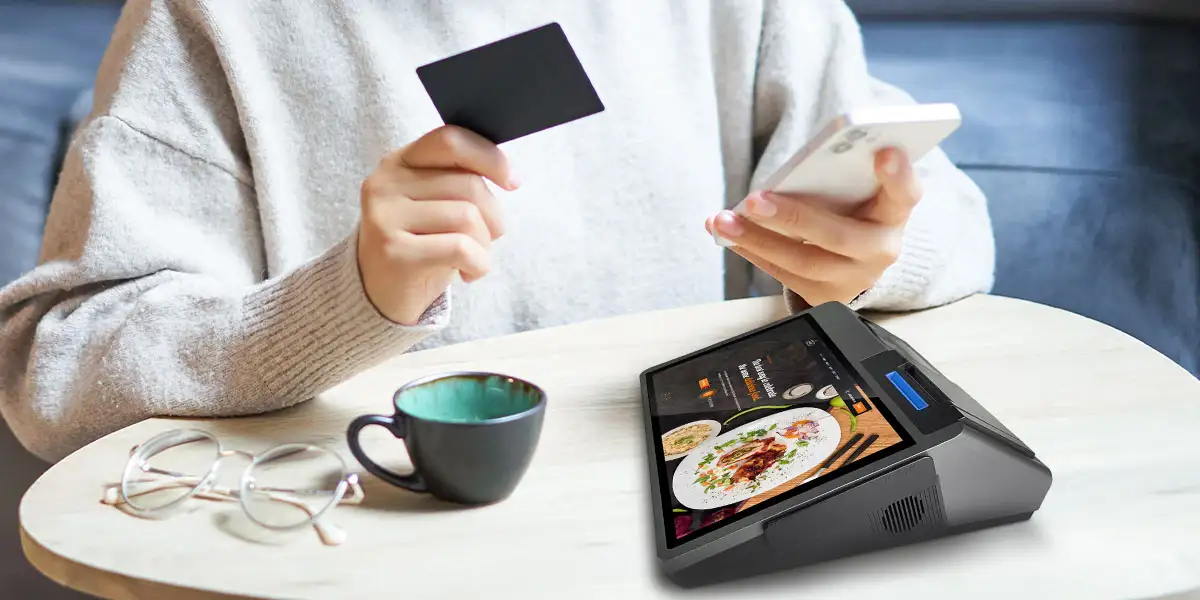
A POS terminal at 8:30 AM is running more concurrent processes than most buyers account for: the POS application, Bluetooth printer communication, customer display output, cloud sync, and potentially a loyalty or inventory background process. On underpowered hardware, this concurrency produces the UI stuttering that staff describe as the terminal "freezing" — a problem that never surfaces in a vendor demo but appears reliably under sustained peak load.
The practical floor for a cafe POS terminal is a quad-core processor paired with sufficient RAM to prevent memory swapping during a sustained rush. For high-transaction-volume locations, an octa-core processor handles concurrent workloads more comfortably. RAM configuration matters as much as core count: select the highest available RAM option at the point of purchase rather than treating it as an upgradeable component later, since most integrated terminal designs do not allow post-sale RAM expansion.
Checklist item: Ask the vendor to demonstrate the terminal running the POS application, a background sync process, and customer display output simultaneously for 30 continuous minutes. Lag that appears only under sustained load is the failure mode that will surface during your actual morning rush.If your terminal is already showing these symptoms, see our guide on why your coffee shop POS terminal is slowing down your queue — and how to fix it.
The Android version on a POS terminal directly affects which POS software applications can be installed and remain supported. Many ISVs maintain active support only for Android 11 and above; some are moving to require Android 13+ for new integrations. A terminal shipping with Android 9 or 10 in 2026 has a compressed compatibility window before the software it runs stops receiving updates.
When evaluating any terminal, confirm:
For cafe operators working with a specific ISV — or planning custom integrations for loyalty programs, membership systems, or kitchen display triggers — a terminal that restricts API access will create constraints that no amount of hardware performance can overcome. Confirm SDK openness explicitly; do not assume it.
Checklist item: Verify Android version, the vendor's update policy, and open SDK/API support before committing to a hardware order.
The IEC ingress protection (IP) rating system provides a standardized measure of a device's resistance to solid particles and liquids. In a cafe counter environment — where steam, milk, syrup, and cleaning agents are routine — this is not a peripheral consideration.
For terminals positioned near espresso machines or blender stations, IP65 is the more appropriate specification. For counters where the terminal sits away from direct moisture exposure, IP54 provides a reasonable baseline.
Not every Android POS terminal carries an independent IP certification. Buyers should request the actual certification documentation rather than accepting a spec sheet claim at face value. An uncertified terminal in a wet counter environment will typically show PCB corrosion or port degradation within 18–24 months of continuous service.
Checklist item: Request IP certification documentation for any terminal being evaluated for a cafe counter. Confirm whether ports are individually sealed or rely on covers that staff may not consistently replace.
The receipt printer is the mechanical bottleneck in the transaction handoff. Print speed is measured in mm/s, and the right specification depends on actual peak transaction volume — not a universal benchmark.
The practical diagnostic: if customers are waiting at the counter after the payment terminal has confirmed the transaction, the printer is the bottleneck — not the terminal itself.
58mm paper is adequate for simple transactions but forces line wrapping when receipts include multiple customized drink modifiers — a standard output in specialty coffee environments. 80mm paper handles full item descriptions cleanly in a single pass and is the practical standard for cafe point of sale setups with modifier-heavy menus.
A printer on the counter occupies space; a wall-mounted or bracket-mounted unit frees the counter surface entirely. Confirm that the terminal's printer interface supports the placement configuration you intend to use.
Checklist item: Audit your peak transaction rate before selecting printer speed. Confirm 80mm paper support if your receipts include modifier-heavy drink orders. Evaluate wall-mount options to reclaim counter space.
A terminal's port configuration determines what peripheral devices it can support. Before evaluating any unit, list the peripherals your operation requires — printer, cash drawer, scanner, payment reader — and confirm each interface is natively available.
USB-A is required for barcode/QR scanners, USB-connected printers, and USB-triggered cash drawers. Confirm the number of available ports; a single-port unit will require a hub if more than one USB peripheral is needed simultaneously.
RJ11 is the standard interface for cash drawer triggers on most commercial drawer models. A terminal without a native RJ11 port requires an adapter — viable, but worth confirming before procurement if cash handling is part of the operation.
Dual-band Wi-Fi (2.4 GHz + 5 GHz) matters in environments where the POS network needs to be separated from the customer guest network. The 5 GHz band is less congested in most commercial environments and provides more reliable sustained connectivity for POS traffic. Confirm dual-band support rather than assuming it.
NFC enables tap-to-pay at the main terminal without a separate payment reader. Availability varies by terminal model and regional configuration — confirm explicitly for the specific unit being evaluated.
Checklist item: Map peripheral requirements against available ports before ordering. Confirm dual-band Wi-Fi and NFC availability for your specific configuration.
Terminal Management System (TMS) compatibility is the ability to push firmware updates and monitor device status across all deployed terminals from a central dashboard. This is a hardware architecture requirement: the terminal must be designed to support remote management. Without it, firmware updates require physical access to each device — viable for five terminals, untenable for fifty.
OEM/ODM support allows the hardware to be customized at the manufacturing level: chassis color, branded boot screens, logo-printed housing, and bespoke hardware configurations. For a chain cafe brand building a consistent experience across locations, the POS terminal is a brand touchpoint, not merely a utility device.
Checklist item: For multi-location deployments, confirm TMS compatibility and remote firmware management capability. For chain operators, request OEM/ODM documentation including MOQ, lead times, and customization scope.

| Specification | What to Confirm | Minimum for Cafe Use |
|---|---|---|
| Screen size | Display dimensions + counter footprint | 10–12 inch for single-lane counter |
| Customer display | Integrated vs. separate; size | 3.5 inch+ integrated preferred |
| Processor | Core count and generation | Quad-core min; octa-core for high volume |
| RAM | Configured RAM at point of order | Highest available option |
| Android version | OS version shipped + update policy | Android 11 min; Android 14 preferred |
| SDK access | Open API/sideload support | Required for ISV integration |
| IP rating | Certified IP54 or IP65 documentation | IP54 minimum for cafe counter |
| Printer speed | mm/s rating matched to transaction volume | Match to peak order rate |
| Paper width | 58mm or 80mm support | 80mm for modifier-heavy receipts |
| USB-A ports | Number of available ports | 2+ for multi-peripheral setups |
| RJ11 | Native port or adapter required | Native preferred for cash drawer |
| Wi-Fi | 2.4 GHz only vs. dual-band | Dual-band (2.4 + 5 GHz) |
| NFC | Built-in vs. external reader required | Confirm per configuration |
| TMS support | Remote firmware management | Required for 4+ locations |
| OEM/ODM | Customization availability and MOQ | Required for chain procurement |
Hardware specifications establish the floor: the minimum configuration below which no software will perform adequately during peak service. The checklist above covers the specifications that consistently differentiate adequate hardware from hardware that creates operational friction — counter fit, processing stability, OS longevity, enclosure durability, printer throughput, and interface coverage.
The ZCS Z100 — Android 14.0, dual display (10.1-inch operator + 3.95-inch customer), flexible 58mm/80mm printer options, desktop and wall-mount installation, full OEM/ODM support — is available for sample evaluation before bulk procurement. For configuration options and pricing, visit the ZCS Z100 product page.
For a broader look at how these specifications interact with the full cafe POS hardware stack — peripheral selection, mobile terminal deployment, and multi-location procurement strategy — see our complete guide to best POS hardware for coffee shops and cafes in 2026.
Q1: What features should a coffee shop POS system have?
A coffee shop POS should include fast drink customization (size, milk type, syrup shots), modifier stacking, split payment support, loyalty program integration, and kitchen/bar display routing. Offline mode is essential for high-volume rush periods when connectivity drops.
Q2: Can a coffee shop POS system manage both counter orders and mobile orders at the same time?
Yes. Modern coffee shop POS platforms support unified order queues that merge in-store, mobile app, and third-party delivery orders into a single display, reducing missed tickets and improving barista workflow during peak hours.
Q3: How does a POS system help with inventory management in a coffee shop?
A POS with ingredient-level inventory tracking deducts raw materials (espresso shots, milk, syrups) per drink sold, sends low-stock alerts, and generates usage reports — helping operators reduce waste and avoid running out of high-demand items mid-shift.
Q4: Is an Android-based POS terminal suitable for a coffee shop environment?
Android POS terminals are widely used in coffee shops due to their flexibility, touchscreen responsiveness, and compatibility with third-party apps. Models with compact form factors and fast receipt printing are particularly well-suited to counter-service environments.
Q5: How do coffee shop POS systems handle loyalty programs and digital payments?
Most coffee shop POS systems integrate with loyalty platforms to track points per transaction and issue rewards automatically. For payments, they support contactless methods including NFC tap-to-pay, QR code scanning, and mobile wallets such as Google Pay and Apple Pay.
Related Posts
1. Best Point of Sale Systems for Small Business in 2026: Complete Buyer's Guide
2. Top Android POS System Hardware Manufacturer: How ZCS is Redefining Checkout Experiences






 Home
Home  How Does a Thermal Printer Work?
