2026-11-24 Author : ZCS
The best alternatives to a traditional cash register for a store are tablet POS, all-in-one Android POS, handheld mobile POS, browser-based computer POS, self-checkout and hybrid systems. The right choice depends on where staff serve customers, how many products the store manages and which peripherals must remain at the counter. The Android POS selection guide explains the wider hardware and software choices behind that decision.
A cash register replacement should do more than calculate a total and open a drawer. It should create a reliable sales record, send product information to the checkout screen, support the required payment methods and give the store a practical way to handle receipts, refunds, stock and end-of-day checks.
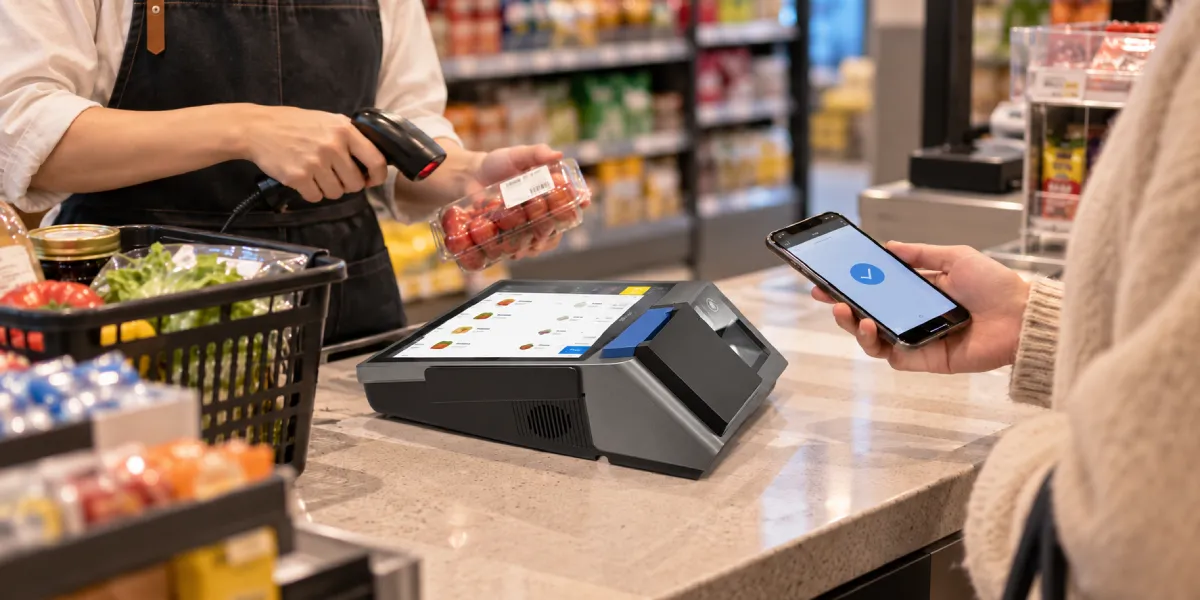
A traditional cash register is mainly a fixed transaction and cash-control device. The cashier enters prices or department codes, the register calculates the total, cash goes into the drawer and the machine prints a receipt. More advanced electronic registers may store product keys and basic reports, but the workflow still centers on the till itself.
A modern POS replaces the isolated till with connected sales software. The POS records the item, price, tax, payment method, cashier and time as one transaction. That record can update inventory, create a receipt, support a return and appear in a manager's reporting dashboard.
This difference changes the buying question. A store is not choosing between “old buttons” and “a touchscreen.” It is choosing where the sales application runs, where data is stored, how payments connect and which hardware staff use during every transaction.
The Oklahoma State University POS guide describes POS as the system used to process cash or card payments and notes that some systems can operate through software installed on a mobile device. That broad definition covers several practical cash register alternatives.
Six replacement formats cover most retail checkout needs. The best option is the one that matches the store's counter, transaction volume, product catalog and software ownership.
| Alternative | Basic setup | Strongest use | Main limitation |
|---|---|---|---|
| Tablet POS | Tablet, stand, POS app and separate peripherals | Boutiques, cafes and lower-volume counters | Several cables or wireless accessories may need separate support |
| All-in-one Android POS | Touchscreen terminal with integrated printer or card interfaces | Fixed counters, convenience retail and branded software projects | Less mobile than a handheld device |
| Handheld mobile POS | Portable terminal with battery, scanner and payment functions | Queue busting, shop-floor checkout and pop-up sales | Smaller screen and paper capacity |
| Browser or PC POS | Computer, web application and connected peripherals | Stores retaining existing PCs and larger monitors | More components and counter space |
| Self-checkout or kiosk | Customer-facing screen, scanner and payment device | Repetitive baskets and unattended service | Requires supervision, exception handling and loss controls |
| Hybrid POS | Fixed main counter plus mobile or self-service devices | Busy stores with changing queue patterns | More devices, configurations and staff procedures |
Tablet POS offers the lowest-friction move away from a basic register when the store accepts separate components. A tablet can run the sales app, while a stand, printer, scanner, cash drawer and payment reader complete the counter.
The modular format makes it easy to replace one component without replacing the whole checkout. The same flexibility can create support problems when the printer, scanner and reader come from different vendors or depend on Bluetooth connections.
An all-in-one Android POS reduces the number of separate devices at a permanent checkout. The terminal can combine a touchscreen, printer, customer display, scanner or card interfaces in one counter unit. Retailers still choose the POS application, inventory service and payment connection that run through the hardware.
The plain-language point of sale system guide explains how software, hardware and payment processing remain distinct parts of a complete POS. That separation matters when a store wants to keep its own software or change payment providers later.
A handheld POS moves checkout to the customer instead of sending every customer to a fixed till. Staff can scan products, build a basket, accept a supported payment and issue a receipt from the sales floor or queue.
Mobile POS works best as the primary system for small baskets or as a companion to a larger counter. Stores that regularly handle cash, returns, large orders or high-volume printing still benefit from a fixed station.
A browser or PC POS can reuse an existing computer and larger display. This route suits a store with a stable counter, compatible peripherals and a web-based sales application.
The computer does not become a complete checkout by itself. The project still needs a supported printer, scanner, cash drawer and payment device, plus clear rules for software updates and local network access.
Self-checkout transfers product scanning and payment steps to the customer. It works for simple product identification, predictable pricing and payment methods that require little staff intervention.
Age-restricted products, weighed goods, damaged barcodes, cash acceptance and suspicious activity create exceptions. A self-checkout project therefore replaces cashier work with customer guidance, monitoring and exception handling rather than removing store operations.
A hybrid system keeps a reliable main counter and adds mobile or self-service capacity. The fixed station handles cash, complex returns and receipt printing, while handheld devices serve queues or help customers elsewhere in the store.
Hybrid checkout gives a growing retailer more flexibility than forcing every transaction through one machine. It also requires synchronized product, price, inventory and payment records across every device.
POS hardware can look similar while giving the buyer very different control over software and payments. The commercial model determines who selects the application, who provides payment acceptance and how much customization remains available.
| POS supply model | What is included | Best fit | Project consideration |
|---|---|---|---|
| Integrated payment POS | Hardware, POS software and payment processing from one provider | Merchants prioritizing one account and a guided setup | Software, hardware and acquiring choices remain tied to the provider's supported ecosystem |
| Uncertified white-label POS | Generic Android hardware with basic peripheral functions | Non-payment display, ordering or low-cost internal tasks | Payment security, software support and lifecycle ownership may be unclear |
| Pure-hardware ODM/OEM POS | Configurable Android hardware, SDK access, peripherals and branding | ISVs, distributors and retailers deploying their own application or payment relationship | The project owner selects and integrates the software, payment service and support model |
ZCS belongs to the pure-hardware ODM/OEM POS category. This model gives software companies and retail solution providers a consistent hardware base without forcing the store into one POS subscription or one acquiring service. The buyer gains integration control and also owns the finished service design.
ZCS Z100 fits stores that want a permanent Android checkout with fewer separate counter devices. Its 10.1-inch capacitive touchscreen gives the cashier room for product search, basket review, discounts and inventory tasks. A 3.95-inch or 2.6-inch customer display can show the same content as the operator screen or separate customer-facing information.
The Z100 Android tablet POS supports 58 mm or 80 mm thermal printing, with the 80 mm configuration reaching 160 mm per second. NFC, magnetic-stripe and IC-card interfaces, a barcode-capable camera and optional fingerprint or fiscal modules allow the hardware configuration to follow the project workflow.
Z100 provides the physical connections needed around a retail counter. The terminal includes four USB Type-A ports, one USB Type-C port, RJ12, RJ11 and RJ45 Ethernet. Those interfaces support project configurations involving a cash drawer, scanner gun, PIN pad keyboard and wired store network.
The peripheral list matters because replacing a traditional register often leaves the surrounding counter unchanged. A store may still need a lockable cash drawer, fast barcode entry, a customer-visible total and a printed receipt even after the sales records move into software.
A customer display gives the shopper a direct view of the order without exposing cashier controls. The second screen can show products, quantities, discounts, the running total, payment instructions or a completion message when the POS application supports those layouts.
The guide to dual-screen POS workflows explains the difference between mirrored and independent display modes. Z100 supports both same-display and different-display configurations, so the software provider can decide whether the second screen copies the operator view or presents a dedicated customer interface.
Z100 is a hardware platform for an Android POS project, not a mandatory retail software subscription. An ISV or system integrator can connect its sales application, product database, receipt design and remote management process to the terminal.
Payment acceptance still follows the selected acquiring and application configuration. A card interface on the hardware does not automatically activate a merchant account or guarantee compatibility with every processor. The finished deployment connects Z100 to the supported payment device, payment application or acquiring service chosen for that market.
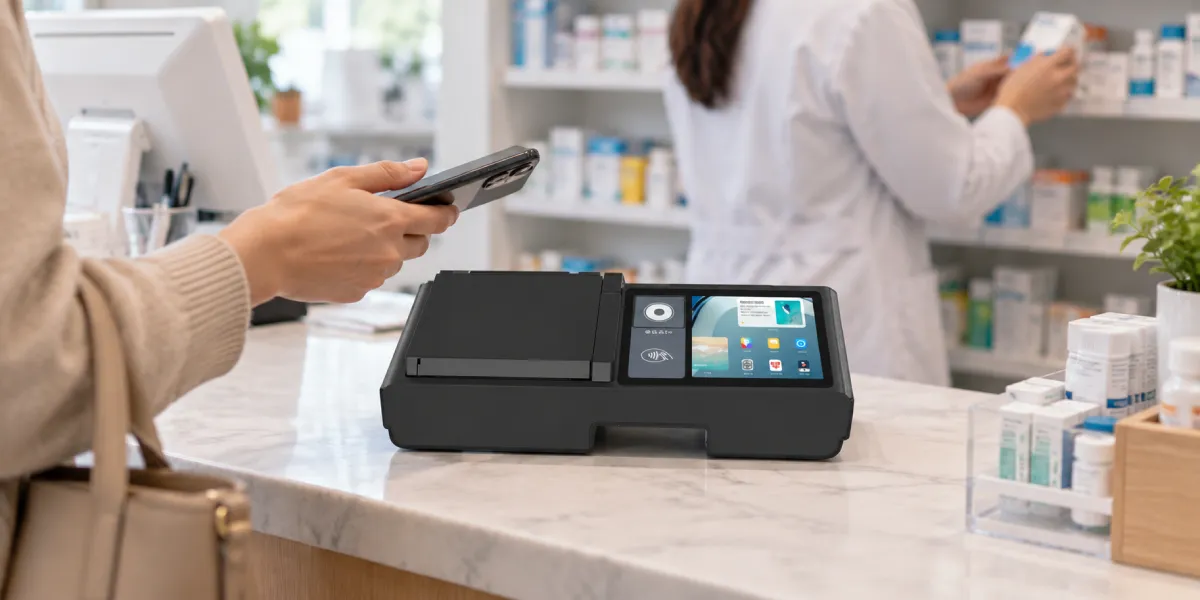
A modern POS can accept cash without behaving like an isolated cash register. The cashier selects cash as the payment method, the software calculates change, the drawer opens and the transaction remains part of the same sales and inventory record as card or QR payments.
Cash operation requires three controls:
The cash drawer connection also needs the correct electrical and software configuration. Some drawers receive an opening signal through a receipt printer, while others connect directly through USB or a terminal port. A matching connector shape does not prove that two devices use the same voltage or pin assignment.
Three parts of the project require their own approval even when the POS hardware combines them on one counter. Treating them as separate decisions prevents a successful software demo from being mistaken for a complete store rollout.
The merchant's acquiring service determines which card and wallet transactions can be processed. The POS may send the amount to an integrated payment application or keep the payment terminal as a separate device. The acquirer, payment provider and supported configuration determine the final flow.
The PCI Security Standards Council explains that payment terminals and more complex POS systems have different PCI DSS scope depending on their applications and configurations. Its payment terminal guidance also notes that some payment brands require PTS-approved devices.
A general POS does not automatically satisfy every country's fiscal rules. Some markets require approved fiscal hardware, signed transaction records, prescribed receipt fields or transmission to a tax authority. Z100 offers an optional fiscal module, but the local project still needs the approved software and country-specific configuration.
A scanner only sends the code it reads; the POS software decides which product and price that code represents. The product database must contain the correct SKU, barcode, tax, unit and stock behavior before checkout testing begins.
A replacement project should test the complete scan result rather than stop at the confirmation beep. The transaction must receive one correct product identifier, find the intended item record, apply the right price and update the expected stock quantity.
GS1's retail 2D barcode guideline explains that modern retail scanning may require both imaging hardware and software support for GS1 DataMatrix, Data Matrix or QR Code syntax. Stores moving from a basic laser scanner should include real products and packaging conditions in the acceptance test.
A controlled migration starts with one complete transaction, not a full-store hardware swap. The pilot should follow a product from scanning through payment, receipt, inventory update, refund and end-of-day reporting.
Record every item the current register touches:
The new POS should reproduce essential operations before adding advanced functions. Import a small but representative product catalog, configure users and permissions, connect the printer and scanner, and test every supported payment method.
The store should also test what happens when the internet, printer, scanner or payment service is unavailable. Offline sales behavior varies by POS application and payment provider, so the recovery steps must be written into the operating procedure.
One counter provides enough volume to expose workflow problems without putting the whole store at risk. Run normal sales, cash transactions, discounts, refunds, receipt reprints and shift closure. Compare the POS totals with the cash drawer and payment-provider records.
The existing smart cash register options provide a wider feature comparison for stores still deciding between hardware formats. The pilot should begin only after the store has selected one workflow to test.
The old register should remain available until the new system passes a complete trading cycle. The recovery plan must state which device staff use, how sales are recorded during an outage and how duplicate transactions are prevented after service returns.
Store format gives a faster answer than a universal product ranking. The table below maps common retail conditions to a practical starting point.
| Store situation | Recommended starting point | Why |
|---|---|---|
| Small boutique with a light counter | Tablet POS | Compact setup and flexible software choice |
| Convenience store with cash, scanning and printed receipts | All-in-one Android POS such as Z100 | Fixed touchscreen, printer, customer display and peripheral connections |
| Pop-up shop or market seller | Handheld mobile POS | Battery-powered checkout with minimal counter space |
| Larger store with existing computers | Browser or PC POS | Reuses displays and supports a full-size workstation |
| High-volume shop with queue peaks | Hybrid fixed and mobile POS | Keeps a main counter while adding queue-busting capacity |
| Simple unattended basket | Self-checkout kiosk | Lets customers scan and pay with monitored exception handling |
The small business POS buyer's guide adds software pricing, payment-service and deployment considerations. Stores should compare the total system rather than buying the least expensive screen.
An all-in-one Android POS is the most balanced traditional cash register alternative for a store with a permanent checkout. It keeps the familiar counter, cash drawer and receipt while adding software-based sales records, inventory connections, user permissions and customer-facing information.
ZCS Z100 is a strong hardware choice for retailers and integrators building that fixed-counter model. Its 10.1-inch touchscreen, configurable customer display, 58 mm or 80 mm printer and broad port selection consolidate the physical checkout without locking the buyer into one POS application or payment provider.
Tablet and handheld systems remain better when mobility matters more than counter integration. Self-checkout works when the product and exception process are simple. A hybrid setup serves stores that need both a reliable main station and flexible checkout during busy periods.

An all-in-one POS is the best general replacement for a fixed retail counter. A tablet POS is better for a light modular setup, while handheld POS is better when staff need to check out customers away from the counter.
Yes. A POS can record cash sales, calculate change, open a cash drawer and compare the expected balance with the closing count. The difference is that the cash transaction also updates the store's digital sales record.
A tablet may reduce the initial hardware cost when the store already owns compatible equipment. The complete cost must include the stand, printer, scanner, cash drawer, payment reader, software subscription and support.
An existing drawer can be reused when its connector, pin assignment, voltage and opening method match the new printer or POS terminal. A visually identical RJ connector does not prove electrical compatibility.
Yes. Z100 is designed for fixed retail and service counters that need an Android touchscreen, customer display, receipt printer and connections for checkout peripherals. The final application and payment configuration are selected for the project.
Cloud synchronization and online payment authorization require connectivity, but local sales behavior depends on the POS application. Stores should test offline product lookup, receipt printing, queued records and recovery before deployment.
No. Fiscal compliance depends on the country's approved hardware, software, receipt and reporting rules. A POS project must configure those requirements separately.
The store should test product scanning, pricing, tax, cash, card and QR payments, receipts, refunds, voids, inventory updates, user permissions, offline behavior and end-of-day reconciliation. The new system is ready only when the full transaction record remains consistent.






 Home
 Which Tencent PalmAI Alternatives Fit Palm Payment, Face Checkout and Custom POS Projects?

