
2026-05-20 Author : ZCS
The Android POS market was valued at approximately $15.3 billion in 2024 and is projected to reach $133.7 billion by 2033, growing at a CAGR of 27.2%. That growth is not driven by hype — it reflects a concrete shift in how businesses are buying and deploying point-of-sale technology.
For years, businesses were locked into proprietary POS systems: expensive hardware, closed software, vendor-controlled update cycles, and little flexibility to adapt as their operations changed. Android changed the equation. Its open architecture, hardware-agnostic ecosystem, and familiar interface have made it the operating system of choice for the next generation of POS hardware — used in retail counters, restaurant floors, and mobile deployments around the world.
This guide covers what an Android POS system actually is, why it holds real advantages over proprietary alternatives, what to evaluate before buying, and which deployment scenarios call for what kind of hardware.
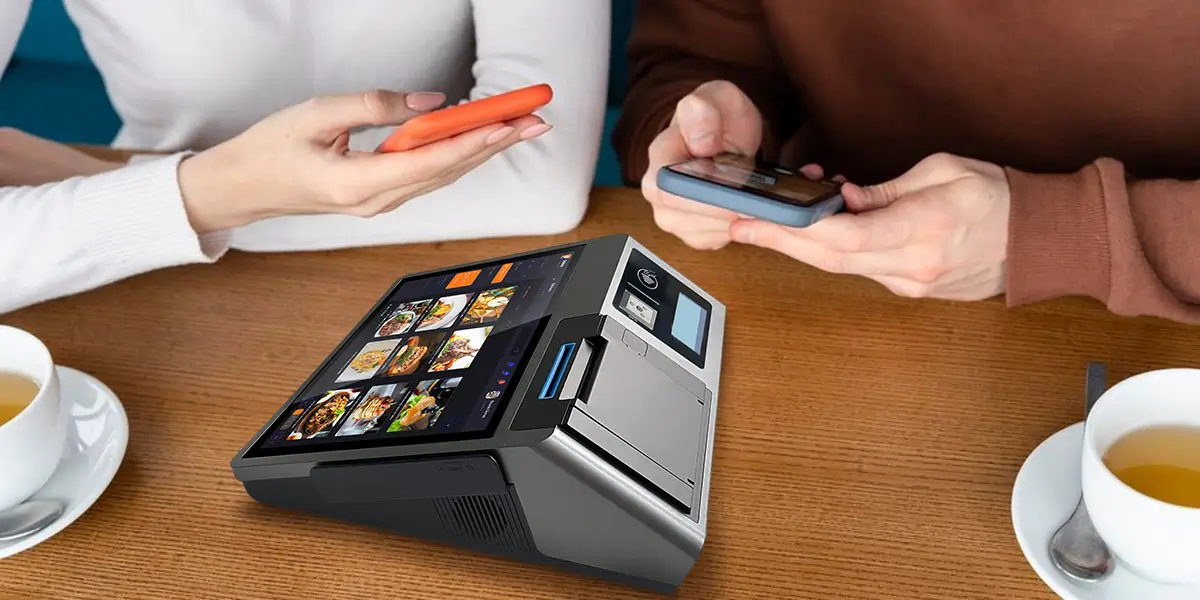
An Android POS system is a point-of-sale setup running on the Android operating system — typically a dedicated terminal, tablet, or handheld device paired with peripherals like a receipt printer, card reader, and barcode scanner. The software layer — the actual POS application — runs on top of Android and handles transactions, inventory, reporting, and integrations.
What makes it different from a traditional POS is the platform. Legacy systems ran on closed, proprietary operating environments built by the hardware vendor. Software updates required vendor involvement. Adding new functionality meant buying new hardware or paying for custom development. Switching providers often meant replacing the entire setup.
That legacy model is now crumbling. Android, originally developed for smartphones, is increasingly used to power POS devices that are more flexible, easier to develop for, and significantly cheaper to deploy. The shift has enabled a new generation of programmable terminals that run on open platforms and support the same kind of rapid iteration that businesses are used to in their online and mobile tools.
The reasons businesses switch come down to three things:
Cost. Compared to proprietary systems, Android-based hardware often comes at a lower price point, making advanced POS technology accessible to a broader range of businesses, from startups to large enterprises.
Flexibility. Android's open architecture allows seamless integration with diverse payment gateways and inventory management tools — a crucial advantage in today's omnichannel environment.
Familiarity. Android powers roughly 70% of the world's smartphones. Because employees and customers are already accustomed to the Android interface, this familiarity results in shorter training times and fewer operational errors.
The case for Android POS is not just about price. The structural advantages of an open platform show up across the full lifecycle of a terminal deployment.When comparing your operating system options, understanding the key differences between Android POS and Windows POS can help clarify why modern businesses are shifting toward mobile-first architectures.
No vendor lock-in. Android empowers businesses to select hardware that aligns with their specific operational environments — from ruggedized tablets for warehousing to sleek devices for boutique retail. This flexibility eliminates dependency on expensive, proprietary hardware that locks users into a single ecosystem.
Access to a broad app ecosystem. Because Android is open, any developer can build for it — and most already have. Loyalty platforms, delivery integrations, inventory tools, and accounting software all have Android applications available through the Play Store. Businesses can assemble the software stack they need rather than accepting whatever the hardware vendor ships.
Hardware peripheral freedom. Android offers critical hardware flexibility — you can connect receipt printers, barcode scanners, card readers, and cash drawers through USB, Bluetooth, or standard interfaces. Android's open ecosystem makes these integrations possible in ways that locked-down platforms simply cannot match.
Lower total cost of ownership. Updating menus or pricing does not require a site visit from a technician, saving costs and reducing downtime. Adding new features does not need custom development. A new venue does not mean building from scratch — it means the same system, deployed faster.
Support for the full range of payment methods. Android POS terminals give businesses the flexibility to meet consumer demands for payment choice — including traditional card payments, mobile wallets, bank transfers, contactless and NFC payments, and emerging alternative payment methods.
Developer agility. The Android ecosystem unlocks the ability to move beyond proprietary systems and allows acquirers, ISVs, and value-added providers to develop their own applications — opening new possibilities for banks, payment providers, and merchants to build differentiated checkout experiences.
One caveat that matters: on an open Android platform, payment certification sits with the PSP or ISV deploying their application — not the hardware itself. Buyers should evaluate the hardware and the payment software layer separately, and confirm that their chosen payment provider supports the specific Android terminal they are considering.

With dozens of Android POS terminals on the market, the right evaluation framework matters as much as the shortlist. Here are the dimensions that separate durable, scalable hardware from hardware that looks good on paper.
Operating System Version and Update Path Android versioning matters for security and compatibility. Terminals running Android 12 or later have access to current APIs and security patches. More importantly, confirm that the manufacturer has a clear OS update roadmap — abandoned hardware running end-of-life Android is a security liability.
GMS Certification Google Mobile Services certification determines whether the device can access the Google Play Store and receive Google's security scanning through Play Protect. Non-GMS Android devices are limited to whatever the manufacturer provides — which may not be consistent or long-lived. For deployments where third-party app access and ongoing security matter, GMS certification is a baseline requirement, not a nice-to-have.
Processor and Memory Underpowered hardware creates friction at the worst moment — during a transaction. For a primary checkout terminal handling multiple applications simultaneously, a minimum of 4GB RAM and an octa-core processor provides reliable performance headroom. Quad-core processors with 2GB RAM may suffice for single-application deployments but will show strain under load.
Display Configuration For customer-facing retail or restaurant environments, a dual-screen setup — operator touchscreen plus a secondary customer display — improves the checkout experience and reduces input errors. Screen size should match the deployment: 10-inch and above for fixed countertop setups; 5 to 6 inches for handheld mobile use.
Connectivity For fixed locations, Ethernet provides the most reliable connection. For tableside or mobile use, 4G LTE cellular connectivity is essential. Wi-Fi and Bluetooth are baseline expectations. Offline transaction support — the ability to store and process transactions when connectivity drops — should be confirmed for any mission-critical deployment.
Built-in Peripherals Integrated thermal printers (58mm or 80mm), NFC readers, and camera/scanner modules reduce setup complexity and failure points compared to assembling from separate components. Each external peripheral is another potential point of failure.
SDK Availability If you or your payment provider need to build custom functionality on the device — integrating proprietary back-end systems, building a custom checkout flow, or accessing hardware interfaces directly — SDK quality is critical. A well-documented, actively maintained SDK is the difference between a platform and a product.
TMS Support For any deployment beyond a single device, a Terminal Management System enables remote configuration, software updates, and device monitoring without on-site visits. This is not a premium feature — it is an operational requirement for managing a fleet of terminals reliably.
Android POS hardware needs to be evaluated in the context of how it will actually be used. The same platform can serve fixed retail counters, tableside restaurant payments, or fully mobile field sales — but each scenario has different hardware priorities.
Retail: Fixed Countertop
Fixed retail deployments prioritize a clean dual-screen checkout experience, reliable connectivity, and integration with inventory and loyalty software. The terminal sits on a counter all day, so battery life is secondary to display quality, processing speed, and peripheral connectivity.
The ZCS Z100 is a purpose-built Android 14.0 desktop POS terminal designed for exactly this context — restaurants, supermarkets, convenience stores, fashion retail, and similar fixed-location environments. Its 10.1-inch HD operator touchscreen paired with a 3.95-inch customer display creates a straightforward dual-screen checkout without requiring a second device, while configurable RAM and storage options (up to 4GB/64GB) allow the hardware to be matched to the application load. An integrated 58mm or 80mm thermal printer eliminates the need for a separate receipt device.
Like ZCS's broader terminal range, the Z100 is an open Android platform with SDK support and TMS compatibility — meaning it functions as deployable hardware infrastructure for payment providers and software vendors rather than a closed, single-vendor solution. Businesses bring their own PSP and application; the hardware provides the platform.
Restaurants & Food Service: Mobility Within the Venue
Restaurant deployments have different pressure points: tableside payment handoffs, split bills, reliable wireless connectivity, kitchen printer integration, and fast staff authentication during high-turnover service periods. A terminal needs to leave the counter, handle a full service period, and return without issues.
For this scenario, selecting a dedicated Android POS Terminal for Food Service is the right fit. A portable Android terminal with 4G LTE or strong Wi-Fi, a full-shift battery, and a compact form factor is the right fit. Integrated NFC for tap-to-pay and a thermal printer for tableside receipts are expected. The ability to receive online delivery orders directly on-device — through an integrated application — removes the need for a separate tablet per delivery channel.
Field Sales & Mobile Deployments
The global POS Terminal Android Handheld market reached USD 7.6 billion in 2024 and is forecast to reach USD 26.2 billion by 2033, growing at a CAGR of 14.7% — driven by increasing digitalization of payment ecosystems and the demand for contactless transactions across retail, hospitality, and transportation.
For field sales teams, event vendors, or any deployment without a fixed location, the priorities are cellular connectivity (Wi-Fi is insufficient when operating outside a fixed premises), battery capacity for all-day operation, physical durability, and lightweight form factor. TMS support is particularly important here: when devices are distributed across mobile teams, remote configuration and monitoring removes an operational bottleneck that would otherwise require technicians in the field.
Switching to Android POS is the right move for most businesses currently running proprietary or legacy systems — but the decision should be based on specifics, not trend-following.
Switch if:
Be cautious if:
The Android POS market is growing at a 27%+ CAGR for a reason. About two thirds of all retailers have already made the switch to mobile POS technology, citing the simple interface and adaptability to changing operational needs as the primary factors. For businesses still on proprietary systems, the question is no longer whether Android POS is viable — it is how long the status quo is worth defending.
Q1: What is an Android POS system and how does it work?
A: An Android POS system is a point-of-sale setup running on the Android operating system, utilizing devices like dedicated terminals, tablets, or handhelds. The software layer runs on top of Android to manage transactions, inventory, and reporting, while connecting seamlessly via Bluetooth or USB to peripherals like receipt printers and card readers.
Q2: Why are businesses switching from proprietary systems to Android POS?
A: Businesses are switching due to three major reasons: lower total cost of ownership, unmatched flexibility with open architecture for seamless app integrations, and familiarity, since Android's intuitive smartphone-like interface significantly reduces staff training time.
Q3: What are the key hardware specs to look for in an Android POS terminal?
A: For reliable performance, look for terminals running Android 12 or later, a minimum of 4GB RAM and an octa-core processor, and GMS certification for secure app access. Additionally, ensure the manufacturer provides strong SDK availability and Terminal Management System (TMS) support for remote updates.
Q4: Does an Android POS terminal automatically include payment certification?
A: No. On an open Android platform, payment certification rests with the Payment Service Provider (PSP) or Independent Software Vendor (ISV) deploying the app, not the hardware itself. You must always confirm that your chosen payment provider supports the specific Android terminal model before purchasing.
Q5: Which Android POS hardware configuration is best for retail vs. mobile field sales?
A: Fixed retail environments benefit most from desktop dual-screen terminals (like the ZCS Z100) with reliable Ethernet and integrated printers. In contrast, mobile field sales and event vendors require lightweight handheld terminals equipped with 4G LTE connectivity, long-lasting batteries, and TMS support for remote fleet management.
Related Posts
1. Smart POS Systems: A Modern Business Guide
2. How Android POS Systems Enable Rapid Multi-Payment Expansion?
3. Is an Android-Based Integrated Smart POS System Suitable for Small Shops?
4. What Is an Offline POS System and How Does It Work Without Internet?






 Home
Home  How to Choose the Best Small Business POS System for Your Needs?
