
2026-11-05 Author : ZCS
The best SUNMI V2 alternative is the device that preserves the working business process, not the device with the longest specification list. Teams replacing V2 units should map the application, printer, scanner, data, distribution and management dependencies before comparing samples. The full-stack Android POS guide explains how those layers divide between an ISV and a hardware supplier.
The migration boundary becomes clearer once “Android compatibility” is separated from complete POS compatibility.
A SUNMI V2 replacement is an Android commercial terminal or modular device setup that can reproduce the V2 workflow after the required application and peripheral adaptations. Replacement compatibility covers the Android build, APK, printer service, scanner events, data storage, application distribution, device policy and any payment integration—not only screen size and paper width.
That definition turns a broad product search into a testable engineering project.
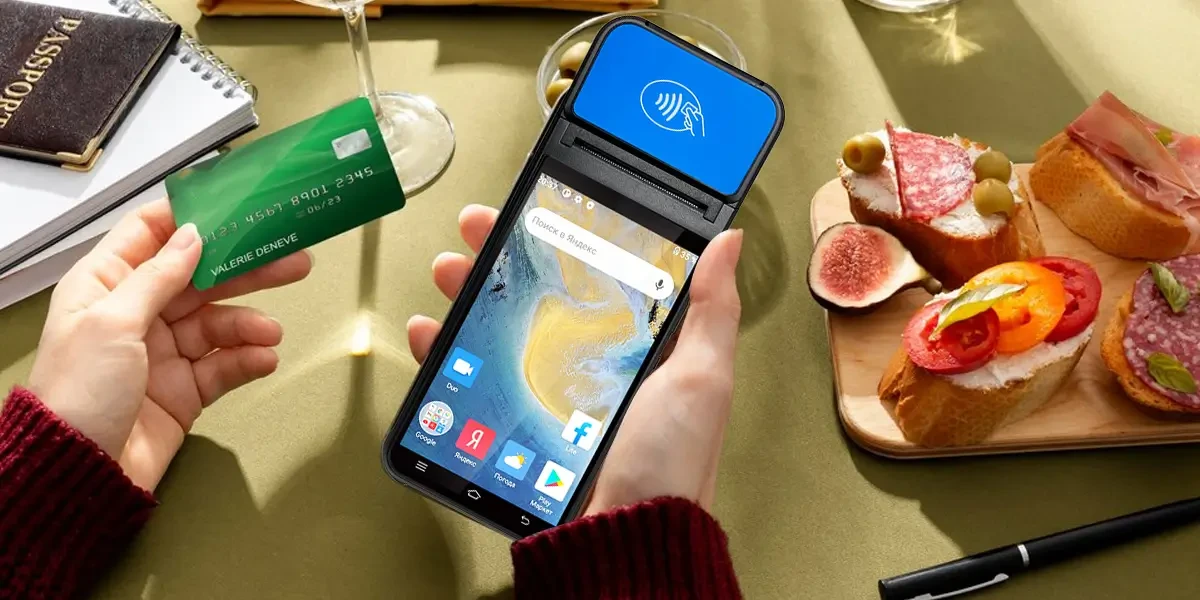
SUNMI now lists the original V2 as discontinued. The end of new-model sales creates a practical trigger for businesses that still use the handheld for ordering, stock management, queue tickets or receipt printing. Discontinued status does not mean every installed unit stops working, but it changes the questions around supply, repair, batteries, firmware and expansion.
The SUNMI V2 was designed around an older Android generation and modest hardware resources. SUNMI’s published V2 specification lists Android 7.1, a quad-core processor, 1GB RAM with 8GB storage or an optional 2GB/16GB configuration, a 5.45-inch display and a built-in 58mm thermal printer rated up to 70mm per second. That combination can still run a focused application, but newer software may require a later API level, more memory or current security components.
Replacement timing should follow operational evidence rather than the discontinued label alone. A stable V2 estate may continue serving a narrow, isolated workflow while spares and application support remain available. A growing deployment has a stronger reason to change when it cannot obtain consistent units, meet a new app requirement, maintain the approved firmware or recover failed devices within its service target.
A model-specific replacement page should not duplicate a broad supplier comparison. The broader SUNMI alternatives guide compares supplier ecosystems, payment architectures and fleet controls. This guide focuses on the narrower V2 problem: moving an existing Android application and its printing workflow to another device.
A SUNMI V2 workflow contains at least six migration layers. Treating the APK as the whole system hides the components most likely to fail during a hardware change.
| Migration layer | What may be tied to the V2 | What must be proven on the replacement |
|---|---|---|
| Android application | API level, processor architecture, permissions and Google dependencies | Installation, launch, login, background work and update behavior |
| Business data | Local database, cached orders, settings and device identity | Export, import, synchronization and duplicate prevention |
| Built-in printer | SUNMI service, SDK calls, status callbacks and receipt formatting | Correct output, error reporting, retries and recovery |
| Scanner and camera | Intent actions, key events, camera APIs or scan-engine SDK | Barcode accuracy, trigger behavior and app focus handling |
| Application distribution | SUNMI store, direct APK, reseller tools or managed deployment | Customer-owned installation and update route |
| Fleet control | Enrollment, kiosk policy, remote support and factory-reset behavior | Administrator ownership, reassignment and failed-update recovery |
The business application should be divided into portable and device-specific code. Product lookup, tax logic, stock rules and order synchronization often remain reusable. Printer commands, scanner callbacks, customer displays, payment modules and device-management hooks are more likely to depend on the manufacturer or deployment channel.
A dependency inventory should name each component and owner. Record the APK package name, signing key, minimum Android version, databases, server endpoints, SDK files, printer methods, scanner events, certificates, MDM agent and update route. The inventory exposes whether the project controls each dependency or relies on a former reseller.
The existing application can move only when its Android and hardware dependencies are supported. A successful installation is the first test, not the final answer.
The compatibility check starts with the application build rather than the replacement brochure.
Android application portability depends on the APK’s minimum API level, processor libraries, declared hardware features, permissions and external services. Standard business logic can move between Android terminals, while native libraries and vendor-specific peripheral calls may require a new build. The production APK must be tested on the exact firmware intended for deployment.
That distinction prevents “Android POS” from being mistaken for one interchangeable hardware standard.
The application’s `minSdkVersion` establishes the oldest Android API level it can install on. Google’s Android API-level compatibility rules explain how the system compares an app’s declared minimum with the device platform. A replacement running a newer Android version may remove the V2’s age constraint, but a newer platform can introduce changed permission, storage and background-execution behavior.
Native `.so` files require a separate processor-architecture check. An APK containing only one ABI can fail even when its Java or Kotlin code is portable. Development teams should inspect bundled native libraries, printer components, database encryption libraries and payment modules before estimating that the app needs no changes.
A newer Android build can change how the application receives permissions and runs services. Camera access, Bluetooth discovery, location, notifications, file storage and background synchronization should be exercised through a fresh installation. Copying an already configured application from a V2 can hide missing first-run permissions.
GMS availability should be confirmed for the exact replacement configuration. An application that uses Firebase Cloud Messaging, Google Maps, Play licensing or managed Google Play needs the relevant services and account policy. A terminal described only as “Android” does not establish GMS certification or access to the public Play Store.
Business data should move through a defined export or server synchronization process. Copying an application directory can transfer stale credentials, device identifiers or corrupted state. Orders, inventory, user permissions and configuration should each have a documented source of truth.
Signing keys and backend registration can matter more than the APK file. An update signed with a different key cannot normally replace the installed package as the same application. A backend may also register one terminal identifier per store, cashier or license. The migration plan should specify how the old device is retired and how the new device becomes authoritative.
The built-in printer usually requires the most visible migration work. Both devices may accept 58mm paper, yet the application can reach each mechanism through a different service, SDK or protocol.
Printer compatibility is a software contract as well as a paper-size specification.
An Android built-in printer normally exposes a manufacturer service rather than one universal POS printing interface. Receipt rendering, paper status, temperature warnings, feed control and callbacks can differ between SUNMI, ZCS and iMin. A replacement therefore needs a new printer adapter or a documented compatible print path.
The customer sees the difference only when a receipt fails, duplicates or prints incorrectly.
The development team should locate every SUNMI printer dependency before changing hardware. Search for SUNMI libraries, AIDL service bindings, package names, Intent actions, helper classes and status codes. A web or hybrid app may also rely on a local bridge application that converts browser receipt data into SUNMI printer calls.
A screenshot of a printed receipt does not document the printing path. The migration record should show how the order becomes printable content, how the application submits the job, how completion is reported and what happens when paper runs out. That chain determines which code must change.
A vendor adapter keeps business logic separate from printer methods. The checkout application can create one neutral receipt model, then pass it to a SUNMI, ZCS, iMin or external-printer implementation. The Android POS SDK integration explains how capability checks and versioned device services support this design.
The shared interface should not pretend every printer reports the same information. One device may return paper, temperature and cover status, while another returns only success or failure. The adapter should mark unsupported states rather than invent an equivalent response.
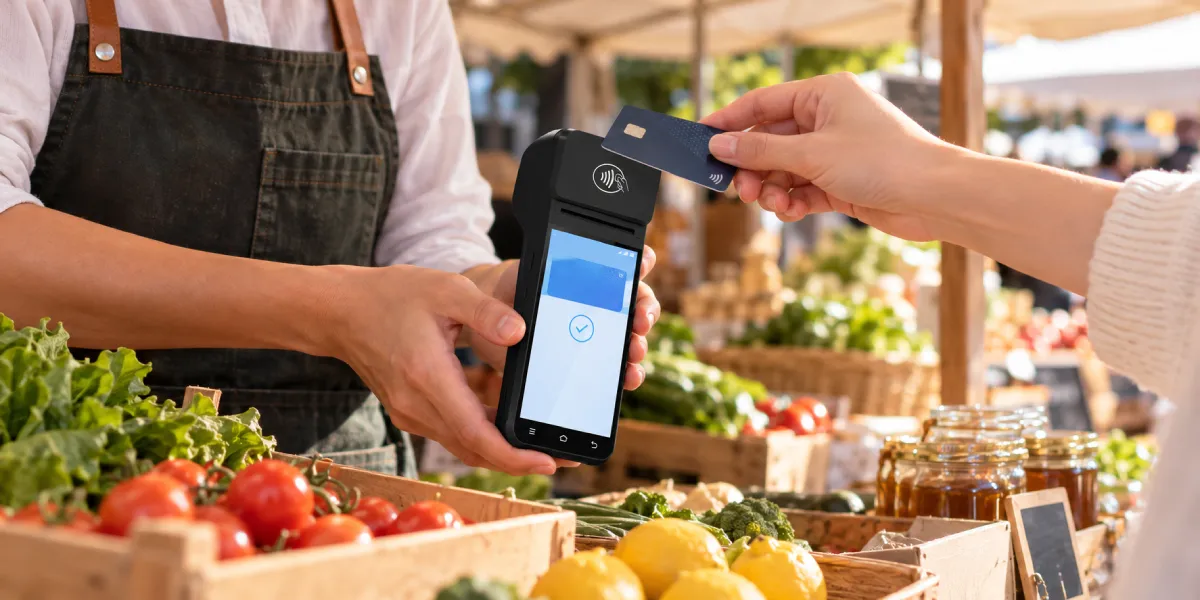
A replacement printer should pass normal, boundary and failure tests. The minimum matrix should include:
A printing pilot should use the same fonts, logos, languages and order lengths that production stores generate. A short English test receipt can pass even when a real multilingual order clips lines, loses characters or exceeds the printer service’s buffer behavior.
Browser-based POS software needs an explicit local printing route. The built-in Android printer guide uses Odoo to show why a web interface that loads correctly may still need a vendor bridge, network printer or supported print service.
Application installation depends on device ownership, firmware and management policy. A retail Android terminal may support third-party software in one channel while a managed delivery or payment deployment restricts local installation in another.
Three distribution routes cover most private POS applications. A developer can install a signed APK directly on controlled devices, publish a private application through an enterprise store, or use an OEM TMS or third-party MDM to push releases. Each route needs a named administrator, signing-key owner, update policy and recovery method. A device that permits a one-time manual installation may still be unsuitable for a fleet that requires staged updates and audit records.
Android supports direct APK installation, but the operating system and an administrator can restrict it. Google’s unknown-app installation guidance distinguishes the Android 7.1 setting used by the V2 generation from the per-source permission introduced in Android 8.0. Device-owner policies and OEM controls can add further restrictions.
A public user report illustrates the channel risk without proving a model-wide defect. One second-hand SUNMI V2 owner said a device carrying a delivery application would not install a self-developed inventory APK. The report suggests prior management or channel configuration, but it does not establish that every V2 blocks custom applications.
A second-hand managed device should be released by the legitimate administrator or seller. Factory resets, unofficial firmware and bootloader changes can remove data, break device services, invalidate support or leave the original enrollment problem unresolved. A production migration should not depend on bypassing controls whose ownership is unclear.
The purchase agreement should define application rights before shipment. Buyers should request written answers to the following questions:
The reported restriction should therefore be treated as a procurement warning rather than an unlocking template. The earlier public SUNMI V2 report shows why buyers need proof of ownership, administrator release and application rights before accepting second-hand or channel-branded stock.
A fleet needs an update method that does not depend on cashier actions. Direct APK files can work for a few controlled devices, but larger estates need signing, staged rollout, rollback and installation reporting. The release process should define who can promote a build, how a failed version is stopped, which devices remain offline and how support staff confirm the installed package and version remotely.
A non-GMS terminal can still support managed application delivery through another system. The buyer should verify the OEM store, TMS, MDM or private repository on the exact build. The key requirement is customer-controlled, auditable deployment rather than the logo on the distribution tool.
A private store can separate business software from public consumer discovery. Google’s managed app distribution documentation describes private applications and closed tracks for compatible managed Google Play deployments. Other terminal environments need an equivalent verified route with signing, staged rollout, device targeting and installation reporting.
Four replacement paths cover most V2 migration projects. The closest choice depends on whether the project values ecosystem continuity, configurable hardware, a larger commercial-device platform or long-term printer independence.
| Replacement path | Main advantage | Main migration work | Best fit | Important limitation |
|---|---|---|---|---|
| SUNMI V3 family | Same manufacturer ecosystem and a current handheld generation | Verify printer APIs, Android behavior, app distribution and accessories | Teams seeking the lowest supplier change | Same brand does not guarantee a drop-in app or management migration |
| ZCS Z92 family | Similar handheld concept with configurable Android and printer options | Add and test the ZCS printer adapter; confirm exact build and management scope | ISVs and distributors deploying their own app | Buyer carries more integration responsibility than a bundled merchant service |
| iMin Swift 2 family | Current Android handheld range with 58mm printing and published developer resources | Add and test the iMin printer integration; validate 32-bit or 64-bit model choice | Software-led mobile ordering and delivery projects | Larger body and different SDK mean the V2 workflow still needs a pilot |
| General Android device plus external printer | Separates the computer lifecycle from the printer lifecycle | Build Bluetooth, USB or network printing and connection recovery | Teams prioritizing hardware modularity | Two devices create charging, pairing and support overhead |
The SUNMI V3 family is the first path to test when the existing application already uses SUNMI services successfully. Current V3 configurations move to a newer Android generation and retain an integrated 58mm printer. Staying with SUNMI may reduce the number of vendor interfaces that change.
The SUNMI V3 is not automatically binary-compatible with every V2 application. The development team still needs to verify SDK versions, Android permissions, processor architecture, receipt behavior, DMP enrollment and accessories. “Same manufacturer” should reduce the test scope, not eliminate it.
The ZCS Z92 family is relevant when an ISV or distributor wants a handheld Android POS for its own software. Manufacturer specifications list a 5.5-inch display, 58mm built-in printer, cellular and dual-band Wi-Fi connectivity, and Android 13 or later variants depending on the exact model and configuration.
The real distinction is the ownership model around the device.
ZCS Z92 represents the Pure-Hardware ODM/OEM POS category for buyer-controlled Android application projects. The category supplies configurable commercial hardware and peripheral interfaces, while the buyer or integrator owns application integration, deployment policy, payment-provider coordination, validation and frontline merchant support.
That ownership model suits an ISV differently from a merchant seeking a complete service package. The ZCS Z92 handheld POS can provide an application-focused replacement platform, but the buyer must validate the SDK, printer service, GMS option, TMS arrangement and production firmware before ordering a fleet.
The ZCS Z92’s limitation is the same freedom that attracts software-led projects. A buyer that controls its own APK can choose how the terminal is configured, yet the buyer also owns more integration, validation and merchant support. A business seeking one preconfigured merchant service may prefer a provider that bundles hardware, software and acquiring support.
The iMin Swift 2 family fits teams that want an Android 13 handheld with an integrated 58mm printer and documented developer tools. Published configurations include a 6.5-inch display, with model differences in processor, memory, 32-bit or 64-bit Android and GMS support.
The iMin migration requires an iMin-specific printer implementation. The larger body and different printer service change the ergonomic and technical baseline from the V2. A restaurant or delivery team should test one-handed use, charging docks, label or receipt requirements and sustained print load before choosing the platform.
A separate printer reduces dependence on one terminal manufacturer’s built-in service. The Android application can target a documented Bluetooth, USB or network protocol while the tablet or handheld is replaced on a different schedule.
Modularity transfers complexity from integration to daily operations. Staff must charge, pair and carry two devices, and the application must recover from disconnects. An external printer is a strong architecture choice when lifecycle flexibility matters more than all-in-one convenience, but it is not automatically simpler at the counter.
Different V2 workloads should not use one default replacement specification. The application role determines the screen, printer, scanner, battery and management priorities.
Mobile ordering needs balanced weight, grip, battery replacement strategy and reliable 58mm printing. The pilot should reproduce a full shift, including repeated tickets, weak Wi-Fi, cellular handover and charging between runs. SUNMI V3, ZCS Z92 and iMin Swift 2 all belong on a sample shortlist, but staff ergonomics can decide the result.
Counter checkout can favor a larger screen or a fixed terminal over another handheld. A store that kept the V2 at one counter may gain more from a desktop Android POS, larger paper roll, customer display and wired network than from preserving the old form factor.
Inventory work prioritizes scanning, data entry and synchronization over receipt printing. A rugged PDA or commercial Android handheld without a built-in printer may be a better replacement when the V2 printer was rarely used. Removing an unnecessary printer can reduce weight and mechanical maintenance.
Card acceptance must be scoped separately from ordering and receipt printing. A V2 used beside an external payment terminal has a different migration path from a device running an approved payment application. NFC hardware alone does not prove that an acquirer or payment provider supports the replacement.
A production-equivalent pilot should pass a written acceptance plan before volume purchasing. A demonstration unit with different memory, firmware or permissions cannot prove the final batch will behave the same way.
The pilot record should identify the full version tuple. Record the model, hardware revision, Android build, firmware, device-service version, SDK version, APK version, printer mechanism, management agent and regional configuration.
The acceptance test should follow real work rather than isolated features. Log in, synchronize products, scan items, create and void orders, print receipts, reprint with authorization, lose the network, restart the device, recover queued data and complete end-of-day reporting.
Failure tests reveal whether the replacement can recover without duplicate orders or receipts. Remove paper, open the cover, interrupt a print job, exhaust the battery, revoke network access, push a failed update and reset a pilot unit. Every failure should have an owner and a recovery procedure.
The first deployment wave should keep a known working fallback. A small pilot location can retain V2 units or another proven order path until printing, synchronization and support processes are stable. The rollback plan should identify how transaction state is checked before staff repeat an action.
A purchasing team can use the following checklist before approving any SUNMI V2 alternative.
Yes. SUNMI’s official V2 page labels the product discontinued. Existing devices may continue to operate, but buyers should review spare supply, repairs, firmware support and application requirements before expanding an installed estate.
The same APK may run when its Android API level, processor libraries, permissions and services are compatible. Printer, scanner, payment and management functions can still require new code even after installation and login succeed.
Not necessarily. Paper width describes the media, not the Android software interface. SUNMI, ZCS and iMin built-in printers can use different services and SDK calls, so the application needs a compatible adapter and receipt tests.
SUNMI V3 is a logical same-brand candidate, not a guaranteed drop-in replacement. The project must verify SDK versions, Android behavior, printer output, management enrollment, accessories and the exact regional configuration.
ZCS Z92 is a candidate for software-led handheld POS projects requiring an integrated 58mm printer. The buyer must adapt and test the printer interface, confirm the exact Android and GMS configuration, and define TMS and support ownership.
A second-hand V2 may retain reseller, delivery-platform or device-management restrictions. One restricted unit does not prove a model-wide policy. The seller or legitimate administrator should release the device rather than making unofficial unlocking part of a business deployment.
A built-in printer reduces devices, cables and pairing steps, while an external printer reduces dependence on one terminal family. The correct choice depends on staff mobility, connection recovery, charging and lifecycle priorities.
Test the production APK, receipt output, scanner, data synchronization, application deployment, management ownership and failure recovery on the exact production configuration. Record the hardware and software versions that passed before approving a larger order.
SUNMI V2 alternatives should be judged by workflow continuity rather than Android branding. The application may transfer with little business-logic change, but printer services, scanner events, device policy and fleet ownership can create real migration work.
SUNMI V3 offers the most direct ecosystem path, ZCS Z92 supports buyer-controlled Android POS projects, iMin Swift 2 provides another current integrated-printer platform, and an external printer creates the most modular architecture. Each path trades migration effort against long-term control.
A documented dependency map and a production-equivalent pilot provide the safest answer. The winning replacement is the one that installs through an authorized route, prints and recovers correctly, preserves business data and can be supported throughout its intended service life.







 Home
 What Is a POS Scale and How Do Weight, Tare and Product Codes Determine the Price?

