
2026-10-13 Author : ZCS
Receiving an SDK archive does not prove that an Android POS integration is ready for production. An ISV must identify the hardware interface, process boundary, supported version tuple, failure behavior, and test evidence behind every peripheral call. Teams evaluating the wider device, firmware, and deployment stack can start with this full-stack Android POS guide.
The first distinction is between a local device contract and the business systems that surround it.
A POS SDK is a versioned device-integration package containing libraries, service contracts, sample applications, and model-specific documentation. The POS SDK exposes local hardware such as printers, scanners, NFC readers, card interfaces, and secondary displays. A cloud POS API instead exchanges orders, inventory, customer, or payment data between systems.
That separation gives an integration team a practical starting point: map each required function to its actual owner before writing application code.
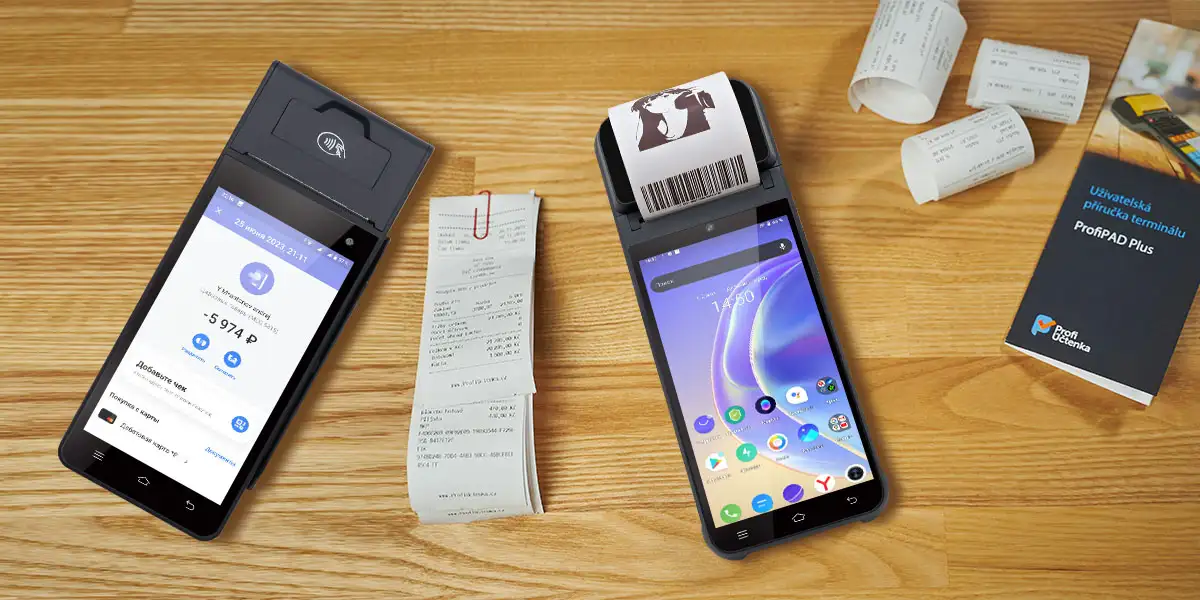
A POS SDK is the application-facing contract for device functions that standard Android does not expose consistently. An Android terminal manufacturer may provide a library, a background service, an Intent protocol, or a combination of all three. The package translates application requests into commands understood by a built-in printer, scan engine, card reader, customer display, or protected system component.
The word “open” does not describe one technical standard. An open POS SDK may mean that qualified customers can obtain documentation and libraries, that the interfaces permit third-party applications, or that some sample source is available. The term does not guarantee public downloads, source-code access, cross-model compatibility, or unrestricted payment functions.
Local hardware control is the defining scope of a POS SDK. A receipt-printing call, scanner-trigger command, NFC tag callback, cash-drawer pulse, secondary-screen update, or device-information query normally terminates on the Android terminal itself.
The POS application may still send data to a cloud service before or after the local operation. A completed order can be synchronized to an ERP, a loyalty result can be fetched from a remote API, and a receipt can be rendered from cloud data. Those network operations remain separate from the SDK call that moves paper or activates a scanner.
A POS API usually connects services rather than physical peripherals. REST, GraphQL, webhooks, or message queues can exchange products, prices, orders, stock levels, customers, employees, and settlement records. Authentication, rate limits, pagination, idempotency, and network retry rules dominate that integration.
Hardware and cloud interfaces can share the same application workflow without sharing the same failure model. A cloud timeout may permit a queued retry, while a printer timeout requires checking whether paper already moved. Treating both as a generic “API error” can create duplicate receipts, lost scans, or conflicting order state.
A payment SDK is not interchangeable with a general peripheral SDK. A payment component may control EMV contact and contactless kernels, PIN entry, key management, host messaging, reversals, and receipt data under a certified architecture. The merchant application may receive an approved result without receiving raw card credentials.
An Android POS device can expose an NFC reader for loyalty cards while reserving contactless payment for a separate certified application. The same separation can apply to magnetic-stripe and chip-card interfaces. Hardware presence therefore proves only that a component exists, not that an arbitrary application may use it for payment.
Standard Android APIs can operate some external peripherals but cannot replace every manufacturer service. USB Host, Bluetooth, camera, NFC tag, and display APIs provide common platform capabilities. Built-in printers, secure card readers, GPIO, serial ports, power controls, and protected device settings often require vendor firmware and privileged services.
An integration should choose the narrowest interface that meets the requirement. A standard USB scanner may work through Android without a vendor SDK, while an internal thermal printer may require a signed service package. Fewer proprietary dependencies simplify portability, but bypassing a supported service can remove status reporting, contention control, or warranty support.
An ISV should receive an evidence package before estimating development effort. A sales statement that an SDK “supports printer, scanner, and NFC” omits the versions, configurations, permissions, and failure semantics that determine whether the application can ship.
The minimum package should contain:
The compatibility record is more important than the archive filename. Two terminals carrying the same commercial model name can contain different printer mechanisms, scanner modules, board revisions, or firmware branches. An SDK may compile on both units while a particular method fails at runtime on one configuration.
The dependency should be written as a complete tuple.
A POS SDK compatibility tuple contains the terminal model, hardware revision, Android build, firmware build, device-service version, SDK version, and installed peripheral option. Changing one element can alter permissions, method behavior, binary compatibility, or error handling even when the application package remains unchanged.
That tuple turns “supported” into a testable statement. A procurement or engineering team can reproduce a working configuration, reject undocumented substitutions, and identify which party must investigate a regression.
A sample application should demonstrate failure as well as success. A printer demo that outputs one line proves the transport works under ideal conditions. A production example should also show service connection, capability discovery, status callbacks, cancellation, timeout handling, resource cleanup, and reconnection.
The wider supplier evaluation belongs beside the technical package review. The open API manufacturer checklist explains how documentation, versioning, support, and sample validation affect the manufacturer decision.
The process boundary determines how an application initializes, calls, monitors, and recovers a POS peripheral. A library that runs inside the application behaves differently from a remote Android service, and neither behaves like a USB device accessed directly by the app.
| Interface | Runtime boundary | Typical POS use | Primary engineering risk |
|---|---|---|---|
| AAR or JAR | Inside the application process | Wrappers, models, utilities, direct device calls | Dependency conflicts, obfuscation, native-library compatibility |
| AIDL or Binder service | Across Android processes | Built-in printer, card service, system control | Service discovery, Binder death, reconnection, interface compatibility |
| Intent or broadcast | Message boundary | Scan results, triggers, device events | Duplicate delivery, missing events, spoofing, lifecycle timing |
| USB Host | Application to USB endpoint | External scanner, printer, serial converter | Permission, enumeration, power, detach handling |
| Bluetooth | Application to paired peripheral | Mobile printer, scanner, accessory | Runtime permission, pairing, range, reconnect behavior |
| Serial or RS232 | Vendor service or device node | Scale, fiscal module, industrial peripheral | Port ownership, baud rate, blocking I/O, protocol mismatch |
| REST or cloud API | Network boundary | Orders, inventory, management, payment orchestration | Authentication, latency, idempotency, offline behavior |
An AAR or JAR becomes part of the application build. The integration team must confirm Maven or local-file installation, transitive dependencies, minimum Android API level, Kotlin or Java compatibility, native libraries, manifest entries, and shrinker rules.
Binary loading should be tested on every supported ABI. A package can compile successfully and still fail at application startup because a native library is missing for the device architecture. Duplicate classes, mismatched support libraries, or an SDK that bundles old dependencies can also block the build before any hardware call occurs.
AIDL creates a typed contract between a client application and a service in another process. Android’s official AIDL service contract requires the client and service to share the interface definition, and released changes must remain backward-compatible.
A robust POS client should treat binding as a state machine:
UNBOUND → BINDING → READY → BUSY
    ↑         ↓        ↓       ↓
    └──── FAILED ← DISCONNECTED
The application should not assume that a successful bind remains valid for the entire shift. Android can terminate the service process, firmware can restart a hardware daemon, or an update can replace the service package. A `DeathRecipient`, disconnect callback, or documented equivalent should return the adapter to a recoverable state.
Intent-based scanner or printer integrations require the same version discipline as a library. The action string, package restriction, extras, data types, response action, correlation identifier, permission, timeout, and duplicate-delivery behavior form the contract.
An explicit Intent addressed to a known package is safer than an unrestricted broadcast. A correlation identifier lets the application associate a response with the originating order or request. The receiver should also reject unexpected senders or malformed payloads when the platform provides the required controls.
A vendor adapter should isolate proprietary calls from the checkout domain. The order workflow should request a receipt, scan, or display update through an application-owned interface instead of importing manufacturer classes across screens, repositories, and business services.
interface ReceiptPrinter {
    fun capabilities(): PrinterCapabilities
    suspend fun status(): PeripheralStatus
    suspend fun print(job: ReceiptJob): PrintResult
    suspend fun cancel(jobId: String): CancelResult
    fun close()
}
The example is intentionally generic. A real adapter maps the application interface onto the documented AAR, AIDL, Intent, USB, or serial contract. The abstraction should preserve useful vendor errors rather than collapsing every failure into a Boolean result.
Printer integration should separate receipt content, layout, transport, queueing, and recovery. Mixing those concerns inside one SDK callback makes it difficult to test formatting without hardware or to determine whether a failed operation already produced paper.
A receipt model should describe business content independently from printer commands. Line items, taxes, discounts, totals, payment references, merchant data, QR codes, and legal text belong in a structured object. A renderer then converts that model into the capabilities of a particular printer.
The renderer needs explicit rules for printable width, character encoding, font scale, columns, line wrapping, images, barcode symbology, QR error correction, feed distance, and cutting. Pixel-perfect output on one mechanism does not guarantee the same result on a different paper width or print density.
One queue should own each physical printer. Concurrent calls from order, refund, kitchen, and background-sync workflows can interleave output or place the hardware service in a busy state. A single dispatcher can serialize jobs, record their identifiers, and expose progress to the application.
Queue persistence depends on the business rule. A fiscal or payment receipt may need a durable record and controlled reprint flag. A temporary kitchen ticket may permit manual retry. The application should define the rule before implementing automatic retries.
A successful method return may mean only that the service accepted the job. The SDK documentation should state whether completion is synchronous, callback-based, polled, or unavailable. Without that distinction, the POS application may mark an order as printed before the mechanism feeds paper.
Printer states should include at least ready, busy, paper out, cover open, overheating, communication error, and unknown. The adapter can map manufacturer-specific codes to those application states while retaining the original code and message in diagnostic logs.
A production printer test must create real hardware faults. Test cases should remove paper mid-job, open the cover, overfill the queue, restart the service, reboot the terminal, cancel a job, and interrupt power after submission.
Character coverage also needs physical output. Latin text alone cannot validate Chinese, Arabic, Thai, accented characters, currency symbols, right-to-left layout, or mixed-language receipts. Image rasterization may be a fallback, but it changes speed, memory use, and output quality.
Scanner integration should convert several input paths into one event model. A camera decoder, dedicated scan engine, USB HID scanner, and Bluetooth scanner can all return the same barcode while using different triggers, timing, and transport behavior.
The application-owned event can contain:
ScanEvent
  rawData
  normalizedData
  symbology
  sourceId
  sourceType
  triggerType
  timestamp
  confidenceOrStatus
Camera decoding depends on focus, exposure, motion, and application lifecycle. The application owns the preview, permissions, decoder configuration, and frame processing. A dedicated scan engine can provide faster aiming and trigger behavior, but it may return results through a vendor callback, keyboard wedge, or broadcast.
The UI should not assume that every scan comes from the currently focused field. A global HID scanner can inject characters into the wrong control, while a broadcast receiver can deliver data when the checkout screen is not visible. The adapter should route events according to application state.
Duplicate suppression should consider payload, source, time window, and business context. A fixed delay can incorrectly discard two legitimate scans of the same product. A better rule distinguishes rapid hardware repeat from an intentional second quantity scan.
Prefixes, suffixes, line endings, code-page conversion, and check-digit handling should be configuration rather than scattered string cleanup. The raw value must remain available in logs so support teams can distinguish scanner configuration from application normalization.
The application should detect whether a scan engine is installed and enabled. Optional modules create configurations in which the commercial device name stays constant but the scanner is absent. The application can disable the hardware-trigger option and offer camera scanning rather than waiting for a callback that will never arrive.

NFC tag access and contactless payment acceptance are different systems. Android can expose NFC tag technologies to an application, while a payment-certified component controls EMV transactions through a restricted kernel and payment service.
The capability boundary can be divided into four layers:
Android’s NFC reader mode limits the foreground Activity to tag-reader behavior and returns discovered tags through a callback. The API does not supply an EMV kernel, payment keys, merchant acquiring, or scheme approval.
The payment boundary is therefore a contract decision, not an NFC method call.
NFC support does not mean that a POS SDK can accept contactless bank cards. Android reader mode exposes supported tag technologies to a foreground application, while EMV acceptance additionally requires a payment kernel, protected credentials, certified hardware and software, transaction-host integration, and approval for the intended market and acquirer.
That distinction should appear in the requirements and acceptance tests. A loyalty-card demonstration cannot validate contactless payment, and a payment application result does not imply that the merchant app receives low-level access to the NFC controller.
A physical ICC or MSR slot does not define the application interface. A general-purpose SDK may expose card-presence events or non-payment card functions, while a secure payment service controls financial-card data. The allowed path depends on the hardware architecture, security policy, certifications, and acquiring solution.
The ISV should request a responsibility diagram showing the merchant application, device service, payment application, payment kernel, secure components, and host. The diagram should identify which interface returns the approved amount, response code, transaction reference, and receipt fields without exposing prohibited data.
Customer-display integration begins by identifying the display topology. A second panel may mirror the primary screen, appear as an Android presentation display, run a separate Activity, or accept commands through a manufacturer service. The physical presence of two panels does not reveal which software model applies.
The dual-display POS architecture provides the hardware and workflow context. The SDK integration must then determine how the application discovers, addresses, updates, and recovers the customer-facing panel.
A customer display can appear, disappear, or change configuration during the application lifecycle. The app should listen for display changes, recreate display-specific resources, and restore the current basket or payment state after reconnection.
Hardcoding a display identifier or checking only a model name creates fragile behavior. Display identifiers may change across boot or service restart, and different hardware configurations can share the same commercial model. Capability discovery and documented display categories are safer than a fixed numeric ID.
The customer screen should consume a restricted view model. Product descriptions, quantities, prices, discounts, loyalty prompts, consent controls, and payment status can be projected without exposing staff controls, diagnostic messages, customer records, or secret application state.
The customer display needs defined behavior for idle, basket, tender, authorization, approved, declined, refund, and offline states. A blank or stale screen during payment can create uncertainty even when the transaction succeeds.
Dual-screen testing must include lifecycle and privacy events. Rotate the main Activity, lock and unlock the device, disconnect the display, restart the display service, change density, and interrupt payment. Confirm that sensitive information disappears at the correct transition and that touch input cannot reach cashier-only actions.
External peripherals require transport-specific permission and recovery logic. A vendor SDK may wrap these paths, but the application still needs to understand which component owns enumeration, connection, and error recovery.
Android USB Host identifies devices through descriptors, interfaces, and endpoints. The official Android USB Host API uses `UsbManager` to enumerate and communicate with attached devices, while application filters can match vendor ID, product ID, class, subclass, or protocol.
USB acceptance testing should cover:
The device specification must also confirm that the port operates in the required host or accessory mode. Android platform support does not add host power or electrical routing to hardware that lacks it.
Bluetooth behavior depends on target SDK, Android version, profile, and pairing model. Applications targeting Android 12 or later need the relevant scan, connect, or advertise permissions. A paired device can still be powered off, out of range, assigned to another terminal, or connected through an unexpected profile.
The adapter should separate discovery from connection and connection from command execution. Automatic reconnection needs a bounded policy so a missing printer does not block checkout indefinitely or drain the terminal battery through continuous scanning.
RS232 and serial-over-USB integrations require explicit communication parameters. Baud rate, data bits, stop bits, parity, encoding, packet boundaries, checksums, acknowledgements, timeouts, and retry rules belong in the interface specification.
A serial reader loop should not block the Android main thread. The implementation should also handle partial frames, multiple frames in one buffer, corrupted packets, and a peripheral that resets without closing the port cleanly.
A capability-oriented adapter reduces the cost of supporting multiple terminal families. The abstraction should describe what the application needs rather than imitate the method names of the first SDK integrated.
interface PosCapabilities {
    val printer: PrinterCapabilities?
    val scanner: ScannerCapabilities?
    val nfc: NfcCapabilities?
    val customerDisplay: DisplayCapabilities?
}

interface PosDeviceAdapter {
    suspend fun initialize(): InitResult
    fun capabilities(): PosCapabilities
    fun observeStatus(): Flow<DeviceStatus>
    suspend fun recover(): RecoveryResult
    fun close()
}
The adapter layer should not promise false uniformity. A built-in printer may report paper and temperature status, while a Bluetooth printer reports only connection state. The shared model can mark unsupported fields instead of fabricating an equivalent result.
Runtime capability discovery protects one application build across optional configurations. Compile-time flags alone cannot detect a substituted scanner module, disabled service, absent customer display, or permission revoked after deployment.
The application can cache stable capabilities for the session but should refresh them after firmware update, service restart, dock change, or peripheral attach event. The diagnostic screen should show the detected model, firmware, service, SDK, and peripheral state to reduce support time.
Normalized application errors should retain the original vendor evidence. Support logs need the raw error code, SDK version, service package, firmware build, method, elapsed time, request identifier, and relevant device status.
Personal data, card data, PIN information, keys, and sensitive tokens must not enter general diagnostic logs. The logging schema should be reviewed with the payment and privacy architecture before pilot deployment.
Flutter, React Native, and web shells still need a controlled native Android boundary. A platform channel or native module can expose the application-owned capability interface while Kotlin or Java owns AIDL binding, Intent receivers, USB permission, and lifecycle callbacks.
The cross-platform layer should not receive raw Binder objects or vendor-specific callback types. Stable data transfer objects and asynchronous result streams keep framework upgrades separate from device-service changes.
Peripheral errors need a taxonomy that drives a specific operator or software response. A single `FAILED` result gives the UI no basis for deciding whether to retry, request paper, reconnect a service, or stop the transaction.
| Error class | Example | Default application response |
|---|---|---|
| Capability | Module absent or unsupported command | Disable the function and expose configuration details |
| Permission | USB, Bluetooth, camera, or privileged permission denied | Request permitted access or escalate configuration |
| Availability | Service missing, disabled, or disconnected | Rebind or mark the device unavailable |
| Resource | Printer busy or port owned by another process | Queue, wait, or show the owning conflict |
| Consumable | Paper out or cover open | Pause the job and request operator action |
| Thermal | Printer overheated | Wait for recovery without submitting duplicates |
| Transport | USB detach, Bluetooth loss, serial timeout | Reconnect according to bounded policy |
| Version | SDK and service incompatible | Stop affected feature and report the version tuple |
| Input | Invalid bitmap, command, or parameter | Reject locally and record developer evidence |
| Unknown | Unmapped vendor code | Preserve raw details and prevent uncontrolled retry |
A retry is safe only when the previous operation’s outcome is known. A scanner trigger can often be issued again. A receipt job may have printed completely even though the completion callback was lost. A payment request may require status inquiry or reversal rather than resubmission.
Every command should therefore document its idempotency rule. The application can attach its own request identifier, store state transitions, and ask the service for status when supported. Blind retries should never be the universal recovery strategy.
Printer, serial, USB, and service calls should not freeze the Android UI. Even an SDK method described as fast can wait on firmware, a mechanical action, a device lock, or interprocess communication.
The adapter should expose cancellable asynchronous operations where the underlying interface supports cancellation. Cancellation of the UI coroutine does not necessarily cancel a physical print job, so the implementation must distinguish application cancellation from hardware cancellation.
Foreground, background, process death, reboot, and upgrade events must have defined outcomes. A receiver registered only by a visible Activity can miss scanner events. A long-lived service can preserve a queue but introduce its own restart and battery constraints.
The architecture should assign ownership to the narrowest lifecycle that remains reliable. Checkout UI state belongs to the screen, shared peripheral connections may belong to an application-scoped manager, and durable job state belongs in persistent storage when business rules require recovery.
A production integration needs a matrix, not one successful demonstration. The matrix should cover every supported terminal, hardware revision, Android build, firmware, service, SDK, application, and installed module.
| Terminal | Hardware revision | Android build | Firmware | Service | SDK | Peripheral | Result |
|---|---|---|---|---|---|---|---|
| Test unit A | Recorded value | Recorded value | Recorded value | Recorded value | Recorded value | Printer option | Pass, fail, or limited |
| Test unit B | Recorded value | Recorded value | Recorded value | Recorded value | Recorded value | Scanner option | Pass, fail, or limited |
Unit tests should validate rendering, normalization, state transitions, and error mapping without physical hardware. Receipt column calculation, duplicate-scan rules, retry classification, protocol framing, and adapter behavior can run against fakes.
Mocks should not claim to validate the SDK itself. A fake printer returning success proves that application logic handles success, not that firmware prints the intended characters or reports paper state correctly.
Instrumentation tests should exercise permissions, binding, broadcasts, configuration changes, and process recreation. A test APK can verify manifest configuration, service discovery, callback threading, and behavior across foreground and background transitions.
The test environment should record the same version tuple planned for production. An emulator can validate application architecture but cannot substitute for a vendor service and the physical peripheral it controls.
Hardware-in-loop tests connect software results to paper, light, sound, cards, barcodes, and displays. A test harness can submit a known job, capture callbacks and logs, then require an operator or sensor to verify the physical outcome.
The most useful tests deliberately create failures: remove paper, cover the scanner window, present unsupported tags, disconnect USB, turn off Bluetooth, restart the device service, and detach the customer display. The POS hardware stability controls provide the broader manufacturing context for repeatability across production units.
Every firmware or device-service update should rerun the critical peripheral suite. The release gate should identify which combinations passed, which known limitations remain, and whether rollback is available.
A staged rollout can place the update on laboratory devices, internal pilot units, a small production cohort, and then the wider fleet. Device management can distribute the build, but only the regression suite establishes whether the new version preserves application behavior.
Native libraries inside a POS SDK can create compatibility work even when the application is written entirely in Kotlin or Java. An AAR may contain `.so` binaries for printer rendering, barcode decoding, cryptography, image processing, or device communication.
This exposure is easy to miss when a dependency arrives only as a precompiled vendor binary.
Android Developers’ current 16 KB page-size guidance states that apps using native code directly or through an SDK must use compatible builds on 16 KB devices. The dependency audit should inspect every packaged ABI and shared library, not only the application’s source repository.
The platform change creates a concrete 2026 procurement question.
According to the Android 16 release announcement published in June 2025, Android 16 added a 16 KB page-size compatibility mode. POS applications that package native SDK libraries must still verify alignment, ABI coverage, installation, startup, and peripheral operation on the target Android build instead of treating compatibility mode as permanent validation.
That requirement belongs in the SDK acceptance record. The supplier should identify a compatible package version, and the ISV should verify the final APK or app bundle produced by its own build pipeline.
The dependency report should identify the origin and version of every native library. A current application can remain blocked by one obsolete prebuilt binary nested inside a peripheral SDK or transitive library.
The audit should record supported ABIs, library filenames, package source, page-size status, toolchain expectation, and replacement path. A vendor statement that the terminal runs Android 15 or Android 16 does not prove that an older SDK binary is compatible with the same environment.
Release builds can behave differently because of signing, shrinking, resource removal, and optimization. The test pipeline should install the signed release candidate, verify service binding and reflection-based APIs, and execute each peripheral path.
R8 keep rules, manifest merging, native packaging, and application signing can all alter the result. A debug APK that prints successfully is useful evidence, but it is not the production acceptance artifact.
The SDK deliverable should have contractual acceptance criteria. Procurement should not treat software access as an informal accessory to the terminal purchase when the buyer’s application depends on that software for every receipt, scan, and customer interaction.
The acceptance schedule should require:
The supplier should state exclusions as clearly as supported features. Payment-kernel access, privileged settings, secure readers, fiscal modules, device-owner functions, or system signing may require separate agreements and approvals. An explicit exclusion prevents the sales feature list from becoming an unsupported engineering assumption.
The broader implementation context is described in the Android POS open SDK article. The acceptance schedule in this guide adds the version and test evidence needed to convert that platform concept into a release decision.
The party controlling the hardware platform should own the lowest unresolved device defect. An integrated payment provider may supply the device, payment application, processor relationship, and support channel together. A pure hardware supplier may provide firmware and peripheral interfaces while the ISV owns the checkout application and payment partnerships.
ZCS represents the Pure-Hardware ODM/OEM POS model for ISVs that supply their own applications. Integration depends on a model-specific SDK package, terminal firmware, Android build, and installed peripherals; procurement must validate the complete version tuple rather than accept a generic statement that an open SDK exists.
That supply model offers application control but also makes interface ownership visible. The contract should identify whether ZCS, the ISV, the payment provider, or another peripheral vendor reproduces and resolves a defect that crosses the boundary.
A sample terminal and its exact SDK package should be tested before the production configuration is frozen. The ISV should compile the reference app, implement one vertical workflow, inject failures, and record the working tuple.
A useful vertical workflow scans an item, updates the basket, presents the total on the customer display, invokes the approved payment path, and prints a receipt. The workflow exposes cross-peripheral timing and lifecycle problems that isolated demos can miss.
ZCS currently publishes an Android POS SDK downloads page listing an Android POS package for Z90, Z91, Z92, and Z100 plus a separate card-reader SDK entry. The page establishes an access point, but the buyer should still obtain and verify the package-level version, compatibility, and acceptance evidence described above.

A POS SDK normally controls local terminal hardware, while a POS API normally exchanges business data between systems. A complete POS application can use both: the SDK prints or scans at the device, and the API synchronizes orders, products, customers, or payments with cloud services.
No, an Android POS SDK can use AIDL, an in-process AAR or JAR, Intents, broadcasts, direct USB or serial access, or several methods together. The SDK documentation should identify the process boundary and lifecycle for each function.
A built-in printer usually requires the manufacturer’s supported service or library because standard Android does not define one universal internal-printer API. Direct ESC/POS or port access may work on some configurations, but status reporting, contention control, permissions, and support can differ.
NFC API access alone does not authorize contactless card payments. EMV acceptance also depends on the payment kernel, secure credentials, certified components, payment application, host integration, scheme requirements, acquirer, and target market.
Flutter or React Native applications should use a small native Android bridge around an application-owned peripheral interface. Kotlin or Java should manage AIDL binding, permissions, Intents, USB, lifecycle, and vendor callbacks, while the cross-platform layer receives stable data objects and events.
A usable package should contain libraries or service contracts, API documentation, a buildable sample, version history, error codes, supported model and firmware matrix, permissions, native-library details, known limitations, migration guidance, and a technical-support path.
The ISV should test a recorded tuple of terminal model, hardware revision, Android build, firmware, device service, SDK, application, and installed peripheral. The test plan should include normal operation, physical failure injection, reboot, process death, OTA update, and rollback.
One interface can cover several terminals only when the manufacturer documents and tests that compatibility. Different printer mechanisms, scanner modules, boards, Android builds, and firmware services can create model-specific behavior behind a shared commercial SDK name.
The application should mark affected capabilities unavailable, preserve unfinished job state, rebind according to a bounded policy, and prevent duplicate physical operations. The interface should expose disconnect and recovery events instead of leaving the UI waiting indefinitely.
An SDK upgrade should follow dependency review, release-note analysis, build verification, laboratory regression, pilot rollout, production staging, and rollback preparation. The matching firmware and device-service versions must be controlled with the application package.
A reliable POS SDK integration controls four things: capability, interface, version, and evidence. Capability identifies the physical function and whether it exists on the ordered configuration. Interface identifies the library, service, Intent, USB, Bluetooth, or serial boundary used to reach it.
The complete version tuple makes the integration reproducible. Terminal model, hardware revision, Android build, firmware, device service, SDK, application, and peripheral option should appear in the release record. A generic model name or SDK filename is not enough.
Failure testing converts a working demo into a production decision. Paper removal, service death, duplicate scans, NFC misclassification, display disconnect, USB detach, Bluetooth loss, reboot, and OTA update expose the conditions that create field incidents.
The final acceptance should approve a controlled configuration, not an SDK promise. The approved package includes documentation, buildable samples, version records, diagnostic evidence, recovery behavior, support ownership, change notice, and rollback arrangements for the installed fleet.






 Home
Home  POS Terminal OEM and ODM Compared Across Cost, MOQ, Tooling and Lead Time
