
2026-05-21 Author : ZCS
The global POS solution market for convenience stores was valued at $15.2 billion in 2024 and is projected to reach $38.4 billion by 2034, growing at a CAGR of 15.4%, according to a research by intelmarketresearch. (Source:POS Solution for Convenience Stores Outlook and Forecast 2026-2032 )That growth reflects a fundamental shift in how operators are running their stores — moving from basic cash registers and disconnected back-office spreadsheets to integrated systems that handle transactions, inventory, staffing, and reporting from a single platform.
But not all POS systems are built for how a convenience store actually operates. The combination of high transaction frequency, mixed product categories, age-restricted items, and often 24-hour staffing creates requirements that generic retail or restaurant POS systems simply are not designed to meet. This guide breaks down what those requirements are and what to look for in a system that actually fits.
Most POS systems are built for one of two scenarios: a restaurant that manages tables and menu items, or a retail store with deliberate, lower-frequency transactions. A convenience store is neither.
The operational reality of a c-store is distinct. Transaction volumes are high and the items are small-ticket — customers buy a drink, a snack, and a phone charger in under two minutes and expect to be out the door. Products span thousands of SKUs across food, tobacco, alcohol, household goods, and often fuel or lottery. Many of those categories carry regulatory requirements — age verification for tobacco and alcohol, excise tracking for certain goods — that a generic system either handles poorly or does not handle at all.
There are currently more than 152,000 convenience stores in the United States alone, and the number continues to grow. Managing that many SKUs across a fast-moving environment — with staff who may have minimal training and shifts that run around the clock — requires a POS built specifically for this context.
The consequences of using the wrong system show up in predictable places: queues that build during morning and lunch rushes, inventory counts that fall behind real-time stock movements, shrinkage that goes undetected until end-of-month reconciliation, and manual workarounds that consume staff time on tasks the system should handle automatically.
A purpose-fit convenience store POS is not a luxury — it is the operational infrastructure that determines whether a store runs efficiently or constantly plays catch-up.
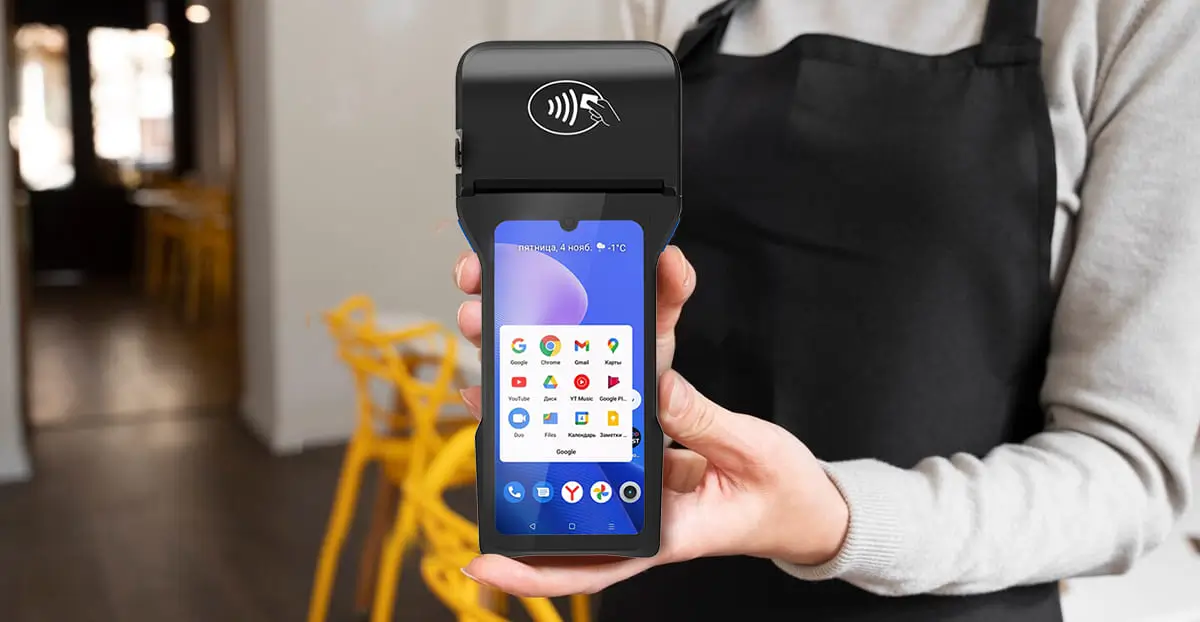
The checkout experience in a convenience store is defined by speed. Customers are not browsing — they have already decided what they want, and they are measuring the interaction in seconds. A slow POS does not just frustrate customers; it directly reduces throughput during the peak windows (morning commute, lunch, after-work) where a significant portion of daily revenue is concentrated.
The right system addresses this at several layers.
Barcode scanning speed and reliability is the baseline. A POS terminal with a fast, accurate scanner reduces per-item scan time and eliminates the manual lookups that slow queues. For items sold by weight, integration with in-counter scales removes a common source of delay and pricing error.
Hotkeys and quick-access product shortcuts allow cashiers to ring up high-frequency items — coffee sizes, lottery tickets, standard tobacco products — with a single tap rather than a search. This matters most during rush periods when cashier cognitive load is highest.
Multi-payment method handling without mode-switching is increasingly essential. Customers pay with cash, chip card, contactless, and mobile wallets within the same rush hour. A system that requires different workflows for each payment type slows the queue; one that handles all methods through the same interface keeps things moving.
Customer-facing display reduces checkout friction by letting customers confirm item prices and totals in real time, cutting down disputes and corrections at the register.
Offline transaction capability is a practical requirement in any 24/7 operation. When connectivity drops — and it will — a system that can store and process transactions locally ensures the queue does not stop.
Inventory is where most convenience store operators feel the operational pain most acutely. Convenience stores typically carry thousands of SKUs with high product turnover, limited backroom storage, a mix of perishable and non-perishable goods, and categories that require compliance tracking.
The core inventory functions a convenience store POS must handle:
Real-time stock updates at the point of transaction. Every sale should immediately update inventory levels — not in a nightly batch. When an item rings up, the count goes down. This is the foundation for everything else, including reorder alerts and shrinkage detection.
Automated reorder triggers. When stock for a high-velocity item falls below a defined threshold, the system should generate a reorder alert or purchase order automatically. Manual reordering based on visual shelf checks is too slow and too error-prone for a store moving hundreds of transactions a day.
Expiry and near-expiry alerts. Perishable items need date-based tracking. A system that flags products approaching expiry enables proactive markdowns rather than write-offs — directly protecting margin.
Regulated product tracking. Tobacco and alcohol require age verification at the point of sale and, in many jurisdictions, excise compliance tracking. A POS built for convenience stores should handle automated age-check prompts and maintain the transaction records required for regulatory audits. According to the National Retail Federation, shrinkage represented about 1.6% of retail sales in recent years — a figure that integrated POS and inventory controls can reduce significantly through real-time tracking and loss detection.
Supplier integration. Direct connection between the POS back office and supplier ordering systems removes a manual step from the replenishment cycle and reduces the risk of ordering errors.
For operators running more than one location — whether two stores or twenty — the POS system is either a centralization asset or a fragmentation problem. Running separate systems per store means pricing inconsistencies, inventory blind spots, and reporting that requires manual aggregation before it becomes useful.
A multi-site capable POS provides:
Centralized pricing and promotion management. When you adjust a price or run a promotional offer, that change should propagate to all locations instantly — without requiring a separate update at each register. A modern cloud-based back-office system manages all pricing centrally: once you change an item's price, it automatically syncs to POS terminals across all locations.
Cross-location inventory visibility. Knowing that one store is overstocked on a fast-moving item while another is running low makes stock transfers possible and avoids both waste and lost sales. Multi-location inventory software connects data across stores, maintaining a unified view of business performance.
Centralized employee management. Staff permissions, shift schedules, and access levels set at the back-office level and pushed to all terminals means consistent access controls without configuring each store separately. Updates sync across all connected terminals as managers make changes, keeping staff on the same page regardless of location.
Remote reporting and dashboards. Operators should be able to review sales performance, inventory status, and exception reports across all locations from a single interface — without being on site. This is the difference between managing your stores and having your stores manage you.
Standardized procedures across locations. Consistent checkout workflows, pricing rules, and product taxonomies ensure that a staff member can move between locations without relearning the system.
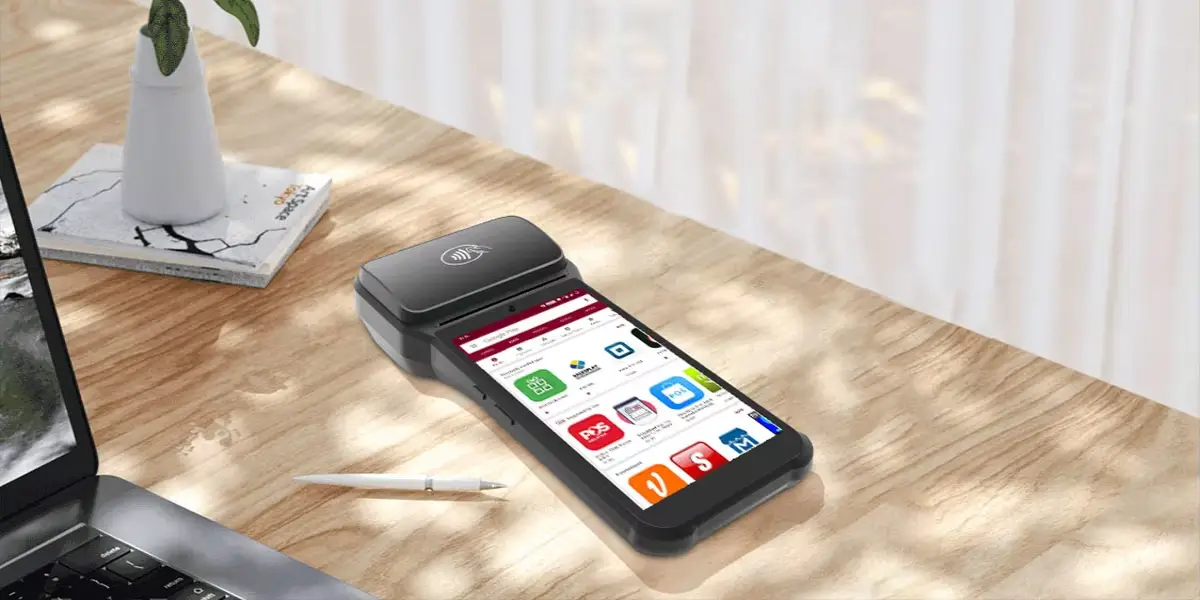
The ROI of a convenience store POS is not just in the headline features — it compounds in the operational details that add up across every shift. To illustrate what these features look like in practice on purpose-built hardware, this section references the ZCS Z93, an Android 14.0 handheld POS terminal designed for high-frequency retail environments. The Z93 runs on an open Android platform with SDK support and TMS fleet management, meaning it functions as a hardware foundation for whichever POS application and payment provider the operator deploys on top of it.
Employee permissions and role-based access. Different staff roles — cashier, supervisor, manager — should have clearly differentiated system access. Restricting voids, discounts, and "no sale" drawer opens to authorized personnel removes one of the most common vectors for employee theft and honest error. A good POS automatically flags and logs these events with employee IDs and timestamps, generating exception reports that surface suspicious activity. The Z93 supports an optional fingerprint scanner — compliant with FBI and STQC standards — which replaces PIN-based staff login with biometric identity verification, closing the shared-credential gap that role-based software controls alone cannot address.
Shift reconciliation and end-of-day accounting. Shift changeovers should be systematic: the outgoing cashier closes their session, the system reconciles the drawer against transaction totals, and any discrepancies are flagged immediately. The Z93's 3,600mAh battery sustains full-day operation across overlapping shifts without requiring a recharge mid-service — removing one of the common reasons handheld terminals get swapped out and reconciliation records become fragmented.
Flexible promotion and discount engine. Convenience stores run multi-buy offers, time-limited discounts, and bundle deals that change frequently. A POS that requires manual price changes for each promotion — or that cannot apply a "2 for $3" rule automatically — creates both operational overhead and margin leakage. The system should handle rule-based promotions cleanly, apply them at the point of sale without cashier intervention, and revert them automatically when the promotion ends. Because the Z93 runs standard Android 14.0, promotional logic and pricing updates pushed from the back office via TMS apply to all devices simultaneously — no per-terminal configuration required.
Sales and category reporting. Understanding which categories drive margin versus volume, which hours generate the most revenue, and which products are underperforming helps operators make better purchasing and pricing decisions. Access to detailed analytics and reports enables data-driven decisions about restocking, promotions, and product placement. The Z93's 4G LTE and dual-band Wi-Fi ensure real-time data sync back to the reporting dashboard even when the device is in use on the floor — sales data does not queue up and reconcile in batches at end of day.
Queue-busting and flexible deployment. High-traffic periods call for checkout capacity that extends beyond the fixed counter. The Z93's 6.26-inch touchscreen and 80mm built-in thermal printer give it the functionality of a full checkout terminal in a handheld form factor — cashiers can process complete transactions, print receipts, and accept NFC contactless payments anywhere on the floor. For stores where the rush hits hard between 7–9am and 12–1pm, adding a roving cashier with a Z93 directly reduces queue length without requiring a second fixed register installation.

Before committing to a system, run through these questions. The answers will quickly separate genuinely suitable options from systems that look adequate in a demo but create friction in daily operations.
Does it handle your regulated categories out of the box? Age verification prompts, tobacco excise tracking, and alcohol compliance logging should be native functionality — not add-ons that require configuration. Ask specifically how the system handles these at the point of sale.
How does it perform when the internet goes down? A 24/7 convenience store cannot pause transactions for connectivity issues. Confirm that the system supports offline operation with local transaction storage and syncs automatically when the connection restores.
What does multi-site management actually look like? Ask for a demo of centralized pricing updates, cross-store inventory views, and remote reporting. Many systems claim multi-site capability but deliver it through clunky workarounds. The workflow should be simple enough that an operator without technical staff can use it.
How are shifts and cash reconciliation handled? Walk through the actual shift-close process. Is drawer reconciliation automated? Are discrepancies flagged immediately? Is there a clear audit trail per employee?
What is the total cost of ownership over three years? Hardware is a one-time cost. Software licensing, transaction fees, support contracts, and training are ongoing. A system that appears cheaper upfront may carry higher long-term costs through per-transaction fees or expensive support tiers.
Does the hardware match your deployment? Fixed countertop terminals, customer-facing displays, handheld devices for queue-busting, and self-checkout kiosks all serve different functions. Confirm the hardware lineup is compatible with your store layout and staffing model — and that the system's open architecture allows you to scale without replacing everything when your needs change.
The convenience store POS market is growing at a CAGR of 15.4% because operators across the industry are making this upgrade. The question is not whether to modernize — it is choosing a system that delivers on the operational specifics of how your store actually runs.
Q1: Why do generic retail or restaurant POS systems fail in convenience stores?
A: Convenience stores operate on an entirely different model: they require lightning-fast transaction speeds for low-ticket items, real-time tracking across thousands of diverse SKUs, and embedded regulatory workflows. Generic systems lack native features for age verification (for tobacco/alcohol), automated multi-buy promotion engines, and robust 24/7 offline processing, leaving operators to constantly play catch-up with manual workarounds.
Q2: How does a purpose-built convenience store POS speed up checkout during rush hours?
A: It reduces lines by optimizing every second of the transaction. A dedicated c-store POS supports high-speed barcode scanning, direct scale integrations for weighted items, and custom hotkeys for quick-access items like lottery or coffee. Crucially, it processes multiple payment options (cash, EMV chip cards, mobile wallets) within a unified interface without requiring slow manual mode-switching by cashiers.
Q3: What inventory capabilities are essential for managing a c-store’s high SKU volume?
A: Your POS system must provide real-time stock updates per transaction rather than nightly batch processing to prevent shrinkage. It should feature automated reorder triggers based on minimum velocity thresholds, date-based tracking with expiry alerts for perishables, and direct supplier integrations to automate the replenishment loop without human error.
Q4: How do multi-site convenience store operators benefit from cloud-based POS platforms?
A: For multi-location networks, a modern POS acts as a central operational anchor. It allows managers to deploy global price adjustments or complex multi-buy promotions to all stores instantly via a centralized back-office dashboard. It also delivers cross-location inventory visibility—allowing stock transfers to maximize margins—and syncs employee permissions and scheduling matrices across your entire fleet automatically.
Q5: What security features should I look for to minimize internal loss and cashier errors?
A: Look for tight, role-based access controls that restrict operations like voids, discounts, and "no sale" drawer openings to managers, with all events logged via timestamped audit trails. Incorporating hardware with biometric identity verification (such as the fingerprint scanner featured on open Android platforms like the ZCS Z93) eliminates PIN sharing among employees. Additionally, automated, systematically enforced shift-reconciliation tools ensure the drawer balances perfectly at every changeover.
Related Posts
1. Why Convenience Stores Need a Smart POS Cash Register: ZCS Solutions for High-Volume Checkout
2. Why an Intuitive POS Interface with Touchscreen is Essential for Small Retailers
3. Top 5 Affordable POS Software Solutions for Small Retail Stores in 2025
4. The Rise of Mobile POS Systems






 Home
Home  Handheld POS Systems for Restaurants: Faster Tables, Fewer Mistakes, Happier Guests
