
2026-04-20 Author : ZCS
In today’s dynamic retail landscape, selecting the right Point of Sale (POS) system is more than a purchasing decision—it’s a strategic investment that directly impacts operational efficiency, customer satisfaction, and long-term profitability. For retailers of all sizes, navigating the evolving POS market requires a balance of cost awareness, feature alignment, and forward-thinking planning. As industry expert John Martinez of Retail Solutions Inc. emphasizes, “The value of a POS system lies not just in its price tag, but in how well it aligns with your business goals.” This insight underscores the importance of moving beyond surface-level cost comparisons to make informed, future-ready choices.
POS pricing varies dramatically, driven by hardware capabilities, software functionality, brand reputation, and custom business needs. Entry-level models may offer immediate cost savings, but they often lack critical tools like inventory tracking or secure payment processing—gaps that can hinder growth over time. Conversely, high-end systems, while more expensive upfront, deliver advanced features such as AI-driven analytics, seamless omnichannel integration, and scalable infrastructure that can adapt as your business expands. The key is to identify your “sweet spot”: a system that meets your current needs without overpaying for unnecessary features or sacrificing future scalability.
When evaluating POS options, forward planning is non-negotiable. Ask yourself: What is my 3-year growth trajectory? How will emerging tech trends—such as biometric authentication, cloud-based operations, or digital currency compatibility—reshape my industry? The investment you make today will influence your ability to adapt to changing consumer expectations and market demands. True POS value isn’t measured by upfront cost alone; it’s about the long-term ROI, including improved efficiency, reduced downtime, and enhanced customer loyalty.

POS machines are the backbone of modern retail and service operations, serving as the central hub for processing transactions, managing inventory, and gathering customer insights. According to Industry Research data, the global POS terminal market is projected to reach $20.45 billion in 2026 and grow at a CAGR of 12.63% through 2035, reflecting the rising demand for streamlined, data-driven payment solutions. Unlike traditional cash registers, modern POS systems integrate hardware (touchscreens, card readers, receipt printers) and software to deliver a holistic operational tool.
Today’s POS systems go far beyond transaction processing. They offer real-time inventory management, sales reporting, customer relationship management (CRM), and even marketing automation—capabilities that help retailers operate more efficiently and deliver personalized experiences. However, adoption remains a challenge for many small businesses, with a National Retail Federation survey finding that 40% of retailers feel underprepared to transition to modern POS technology. This gap highlights the need for tailored solutions that match a business’s size, industry, and technical capacity.
Data security is another critical consideration. As cybersecurity threats become more sophisticated, POS systems are frequent targets: a 2022 study found that POS breaches cost affected companies over $100 million annually. To mitigate risk, retailers must prioritize systems that offer end-to-end encryption, compliance with industry standards (such as PCI DSS), and regular security updates. Equally important is employee training—experts emphasize that even the most secure technology is only effective if staff understand how to use it safely.
With the POS market evolving rapidly, focusing on the right features ensures your system delivers long-term value. Here are the non-negotiables for 2026:
When evaluating POS brands, prioritize three core factors: usability, reliability, and support. A sleek, feature-rich system is useless if it’s difficult to use or prone to malfunctions. User feedback is invaluable here—look for brands with positive reviews for hardware durability and ease of navigation. While some brands prioritize design, usability should always come first: a system that requires extensive training will slow down operations and frustrate staff and customers alike.
Hardware reliability is another make-or-break factor. A POS machine that frequently crashes or malfunctions can lead to lost sales, long checkout lines, and damaged customer trust. Brands with a reputation for durable hardware and minimal downtime are worth the investment, even if they come with a slightly higher price tag.
Customer support is equally critical. When your POS system goes down, every minute of downtime costs money. Look for providers that offer 24/7 support, fast response times, and comprehensive troubleshooting resources. Brands with dedicated account managers or local service teams can resolve issues more quickly, minimizing disruption to your business. Remember: no POS system is perfect—each brand has trade-offs, so prioritize the factors that matter most to your operation (e.g., support speed for 24/7 retailers, scalability for growing chains).
POS pricing in 2026 is shaped by technological innovation, market demand, and evolving business needs. According to industry data, average POS costs range from $100 for basic, standalone systems to over $800 for advanced, cloud-integrated solutions—but the gap between entry-level and high-end systems is widening as new features are introduced. Key trends driving pricing include:
A common mistake retailers make is choosing the cheapest option upfront. While basic systems may save money initially, they often lack scalability and require costly upgrades down the line. For small businesses, mid-range systems ($300–$800) often offer the best balance of features and cost, including inventory management, basic reporting, and reliable support.

When budgeting for a POS system, it’s essential to consider both upfront and ongoing costs. Here’s a breakdown of what to expect:
To calculate ROI, consider how the POS system will improve efficiency: Will it reduce checkout time? Minimize inventory waste? Increase customer retention? A system that costs more upfront but reduces long-term expenses (e.g., through automated inventory management) may deliver a higher ROI than a cheaper, less capable alternative. Transparency is key—ask providers to outline all costs upfront to avoid unexpected expenses.
The best POS system for your business depends on your size, industry, and goals. Here are tailored recommendations based on common business needs:
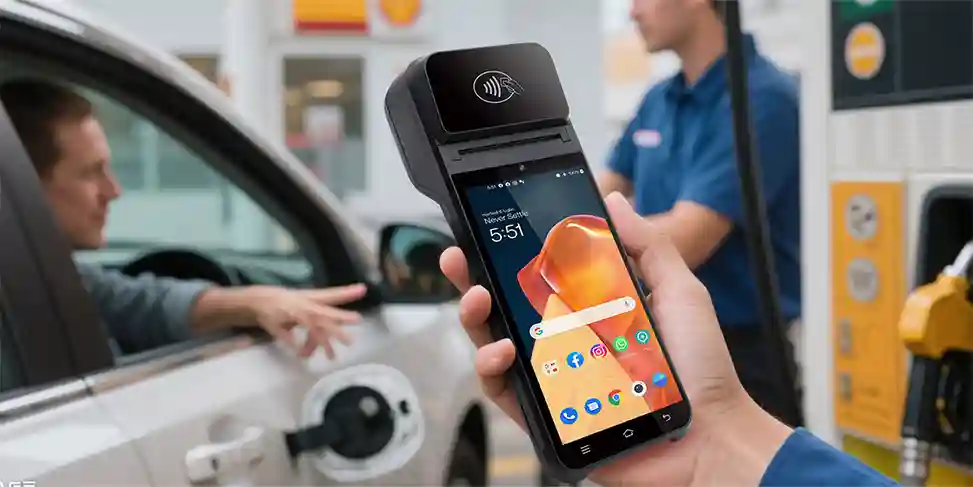
A POS system is only as good as the support behind it. When evaluating providers, prioritize these support and service features:

Q1: What’s the most important factor when choosing a POS system? A: Alignment with your business goals. A system that works for a small café may not be suitable for a multi-location retail chain. Prioritize features that solve your specific pain points (e.g., inventory management, customer engagement).
Q2: How often should I upgrade my POS system? A: Every 3–5 years, or when the system no longer meets your needs (e.g., it can’t support new payment methods or integrate with other tools). Cloud-based systems often update automatically, extending their lifespan.
Q3: Are cloud-based POS systems more secure than on-premise systems? A: Generally, yes. Cloud providers invest heavily in security measures (e.g., encryption, regular updates) that small businesses may not be able to afford with on-premise systems. Always choose a provider with strong security credentials.
Q4: How can I reduce long-term POS costs? A: Choose a scalable system to avoid costly upgrades, negotiate transaction fees with providers, and invest in training to minimize errors and downtime. Regular maintenance can also extend hardware lifespan.
Q5: What’s the difference between a POS system and a cash register? A: A cash register only processes payments, while a POS system integrates payment processing with inventory management, sales reporting, CRM, and other operational tools—making it a holistic business management solution.
In 2026, a POS system is more than a transaction tool—it’s a strategic asset that drives efficiency, customer satisfaction, and growth. By focusing on feature alignment, pricing transparency, and long-term ROI, retailers can select a system that meets their current needs and adapts to future changes. Whether you’re a small boutique or a large chain, the key is to look beyond the price tag and prioritize value: a well-chosen POS system will pay for itself through improved operations, reduced costs, and enhanced customer loyalty.
As the retail industry continues to evolve, staying informed about POS trends and best practices is essential. By following the guidance in this guide, you can make a confident, data-driven decision that sets your business up for success in 2026 and beyond.
Related Posts
1. Best Budget Smart POS 2026 How SMBs Can Avoid Pitfalls When Choosing Terminals
2. Top 10 POS Terminals in China You Should Know About?
3. How to Choose the Right Countertop Payment Terminals for Your Store?
4. How to Choose a Credit Card Terminal Machine for Your Small Business?






 Home
Home  What Is Palm Biometrics for Identity Verification?
