
2026-05-28 Author : ZCS
Picking the right POS cash register for your small business really matters, especially in 2026 when things are changing so fast. Small business owners are facing some pretty unique challenges right now. As market trends shift and evolve, having a reliable and efficient system to handle your cash flow isn't just a nice-to-have anymore—it’s essential.
Investing in a good POS system can really help things run smoother. It makes tracking sales, managing inventory, and giving your customers a better experience way simpler. But honestly, choosing the right one can feel kinda overwhelming. There are so many options out there, each claiming to have all these features, but you really gotta find one that suits your specific needs.
You’ll want to think about what’s most important for your business—things like how easy it is to use, whether it’s compatible with other systems you have, and of course, how much it costs. Every POS has its strengths, so understanding what they are can help you make smarter decisions. In this ever-changing landscape, staying updated and flexible is the way to go if you want to succeed in 2026 and beyond.
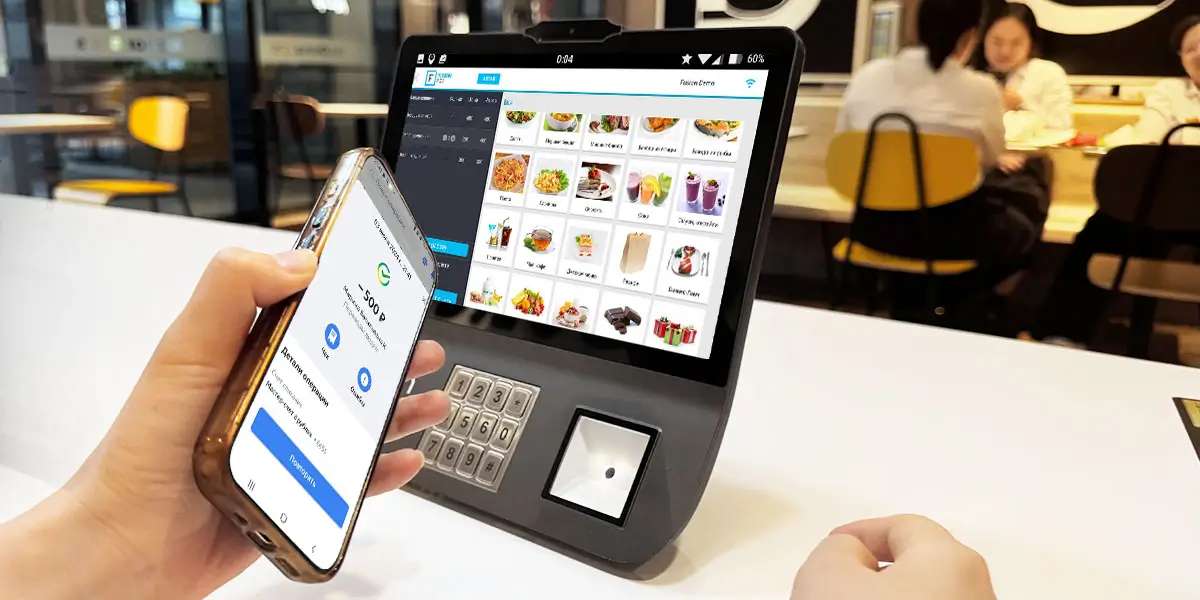
Choosing the right POS cash register is crucial for small business owners. In 2026, there are specific features that can enhance your operations. One key aspect is ease of use. Systems with intuitive interfaces minimize training time for staff. This can significantly reduce errors during transactions, creating a smoother experience for both staff and customers.
Another important feature is mobility. A portable POS system allows for transactions anywhere in the store. This flexibility is particularly beneficial for businesses with high foot traffic. Consider a POS that can integrate with mobile payment methods. This caters to the preferences of modern consumers, who increasingly lean towards digital payments.
Inventory management is also vital. Robust POS systems provide real-time inventory tracking. This helps in understanding what products are performing well, ensuring that stock levels are optimal. However, the reliability of these systems can vary. It’s essential to evaluate multiple options. Consider user reviews and feedback, as they provide insights into potential drawbacks. Some systems might lack certain functionalities, leading to inefficiencies in the long run. Ensure you choose a system that aligns with your specific business needs.
Using POS cash registers can greatly enhance the efficiency of small business operations. These systems streamline transactions, reducing wait times for customers. Small business owners can track sales more accurately, helping them make informed decisions. Real-time data on inventory levels allows for timely restocking, preventing losses from stockouts.
POS cash registers offer various functionalities that small businesses find invaluable. They can generate sales reports, helping identify trends and peak times. Additionally, integrated payment solutions simplify customer interactions, supporting various payment methods. This flexibility meets customer preferences, enhancing satisfaction.
However, not all systems are perfect. Some may require extensive training for employees, causing initial disruptions. Others might use outdated technology, leading to compatibility issues. Owners should thoroughly research and analyze their specific needs. Balancing features with cost is crucial for long-term success. Investing in the right POS system can lead to improved operational efficiency and customer experience.
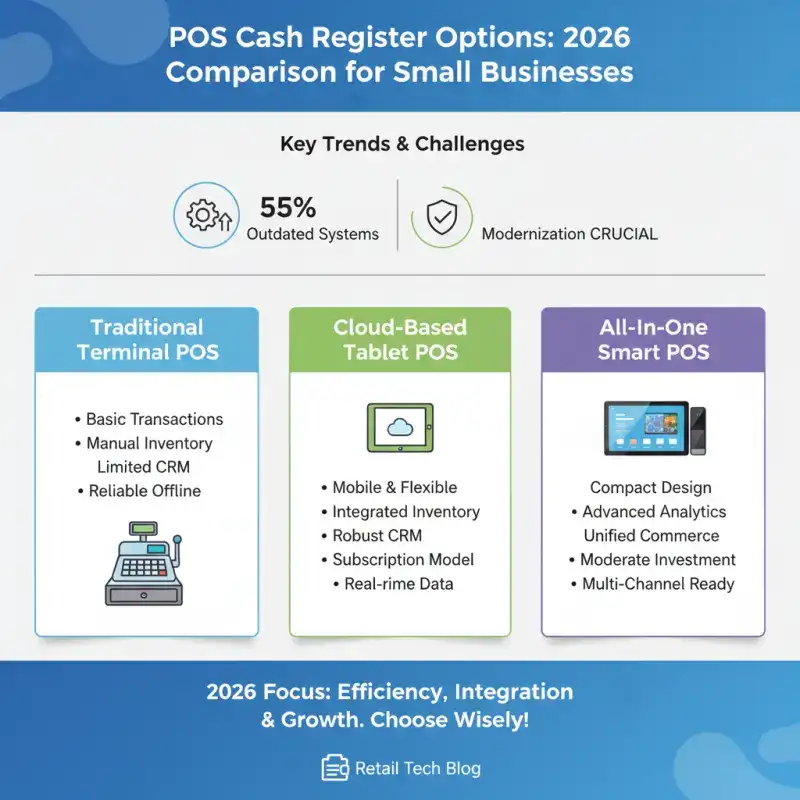
In 2026, small business owners face unique challenges. As retail technology evolves, choosing the right POS cash register is crucial. A recent industry report indicated that 55% of small businesses struggle with outdated systems. Modern POS systems offer more than simple transactions. They integrate inventory management and customer relationship features.
Leading options now emphasize cloud-based solutions. These tools allow for remote access and real-time data analysis, which improves decision-making. According to research, implementing an integrated system can enhance sales by up to 30%. However, despite these advantages, many small businesses remain hesitant to upgrade. Cost concerns and a fear of complexity often hinder progress.
User experience is critical when selecting a cash register. A good POS should be intuitive, enabling staff to learn quickly. Some systems try to be all-in-one solutions but often miss the mark. It's essential for owners to weigh functionality against user-friendliness. With the right choice, businesses can streamline operations and improve customer satisfaction significantly.
When selecting a POS cash register for your business, consider your unique needs. Think about the size of your business, your sales volume, and your industry type. A small café will require different features compared to a retail store. Customizing your search will lead to better results and efficiency in daily operations.
Look for systems that offer easy transaction management. User-friendly interfaces are essential for quick employee training. Ensure you choose a register that integrates smoothly with your inventory management software. This connection can reduce the risk of errors and save time. Assess the customer support offered as well. Reliable support can be a saving grace in hectic situations.
Additionally, consider the hardware. Touchscreen systems can streamline the checkout process. However, some businesses may find traditional buttons more intuitive. Evaluate whether mobile payment options are essential for your clientele. Balancing features with your budget is crucial. Don't overlook the importance of features that align with your long-term growth. Each decision should lead to improved customer satisfaction and operational success.

When using POS cash registers, common issues may arise. One frequent problem is connectivity. If your register often loses connection to the internet or database, ensure the network is stable. A slow connection can disrupt transactions and lead to customer frustration.
Another issue is software glitches. These can cause the system to freeze or run slowly. Regular updates are crucial. Updates can fix bugs and improve performance. Monitor the software, and schedule updates during off-peak hours to minimize disruptions.
If your cash register experiences issues, these troubleshooting tips may help. Restart the device if it freezes. Regular cleaning of hardware can prevent dust-related problems. Additionally, keep a log of recurring issues. This record can highlight patterns and help in identifying root causes. A proactive approach can save time and improve efficiency for small business owners.
As we approach 2026, several trends in POS technology are emerging. The integration of artificial intelligence is leading the way. This innovation can enhance customer experience through personalized recommendations. According to industry reports, over 70% of small businesses plan to implement AI solutions in their POS systems by 2026. Such advancements could streamline operations and improve customer satisfaction.
Another key area of development is mobile payment solutions. Customers increasingly prefer faster, contactless transactions. A recent study found that nearly 60% of consumers would choose a business that accepts mobile payments over one that does not. This shift is prompting small business owners to adapt their payment processing systems accordingly. However, the challenge remains in ensuring security for these transactions.
Furthermore, data analytics will play a critical role in business decisions. By leveraging customer data, small business owners can make informed choices. Yet, many still struggle to utilize this data effectively. Approximately 40% of small businesses report difficulty in interpreting analytics. Continuous education and support in this area are essential to harness the full potential of POS technology in 2026.
When investing in a POS cash register, cost is a crucial factor. Many small business owners often overlook the total cost of ownership. This includes initial purchase price, software, and maintenance. It's not just about upfront costs. Ongoing expenses can eat into your profits. For example, subscription fees for POS software can significantly add to your budget.
Another aspect to consider is the hardware. Basic systems might handle transactions, but do they support your future needs? Investing in a more advanced system can seem expensive. However, it may save money in the long run by offering features such as inventory management and customer analytics. Understand what your business truly requires.
Don't forget about training costs. Employees may need training to use new systems effectively. This can lead to temporary drops in productivity. Reflect on these considerations before making a purchase. The right cash register should align with your business goals without creating financial strain.
Best POS Cash Registers for Small Business Owners in 2026
| Feature | Description | Estimated Cost | Recommended Business Type |
|---|---|---|---|
| Touchscreen Interface | User-friendly touchscreen for quick transactions. | $300 - $600 | Retail Stores |
| Inventory Management | Tracks stock levels and manages orders. | $400 - $800 | Restaurants and Boutiques |
| Cloud-Based System | Access data remotely and back up automatically. | $200/month | E-commerce Businesses |
| Customer Management | Offers loyalty programs and customer analytics. | $250 - $500 | Service Industries |
| Payment Processing | Supports various payment methods including mobile payments. | $0 - $100 per transaction | Any Business Type |
In 2026, a POS cash register for small businesses is essential for optimizing operations and enhancing customer service. When selecting a system, small business owners should prioritize features such as ease of use, inventory management, and integration capabilities. Understanding the key benefits—like improved transaction speed and real-time reporting—can significantly impact overall efficiency and profitability.
In addition, it’s vital to compare popular options available that cater specifically to small business needs and to consider cost implications carefully. As technology evolves, staying aware of trends in POS systems can help future-proof investments. Common issues may arise, but having troubleshooting tips at hand can alleviate potential disruptions. By assessing these aspects, small business owners can choose the right POS cash register to support their growth and streamline their daily operations.
Q1. How should I select a POS cash register for my business?
Consider your business size, sales volume, and industry type. Tailor your search accordingly.
Q2. What features should I look for in a POS system?
Look for easy transaction management and a user-friendly interface. This aids in employee training.
Q3. How important is integration with inventory management?
Integration reduces errors and saves time. It’s essential for smooth operations.
Q4. What types of hardware should I consider?
Touchscreen systems can improve speed, but some may prefer traditional button interfaces.
Q5. Are mobile payment options necessary for my business?
Evaluate if your customers need mobile payment. This can enhance customer satisfaction.
Q6. What common issues do POS cash registers face?
Frequent problems include connectivity issues and software glitches. Both can frustrate customers.
Q7. How can I troubleshoot connectivity issues?
Ensure your network is stable. Slow connections disrupt transactions.
Q8. What should I do if my POS system freezes?
Restart the device. Regular maintenance helps prevent these problems.
Q9. Why are software updates important?
Updates fix bugs and enhance performance. Schedule them during slow hours to avoid disruptions.
Q10. How can I identify recurring problems with my cashier system?
Keep a log of issues. This approach allows you to spot patterns and find root causes.
Related Posts
1. Are Handheld POS Devices Right for High-Traffic Stores?
2. Best Budget Smart POS 2026 How SMBs Can Avoid Pitfalls When Choosing Terminals
3. How Can POS Systems Improve Checkout Efficiency?
4. How to Choose the Right Countertop Payment Terminals for Your Store?






 Home
Home  Grocery Store POS: Smarter Checkout & Inventory Guide
