
2026-05-28 Author : ZCS
A typical supermarket handles between 5,000 and 30,000 SKUs, making manual inventory tracking nearly impossible at any serious volume. Add fresh produce with expiry windows measured in days, bulk bins priced by weight, EBT compliance requirements, and a checkout line where every extra second compounds into real revenue loss — and the operational demands of a grocery store become clear very quickly.
The right point-of-sale system is not a peripheral tool for a food retailer. It is the operational spine that connects checkout speed, inventory accuracy, pricing compliance, and supplier reordering into a single coherent workflow. This guide explains what a purpose-built grocery POS actually does, how it differs from generic retail and restaurant platforms, and what features separate a system that works from one that just processes transactions.
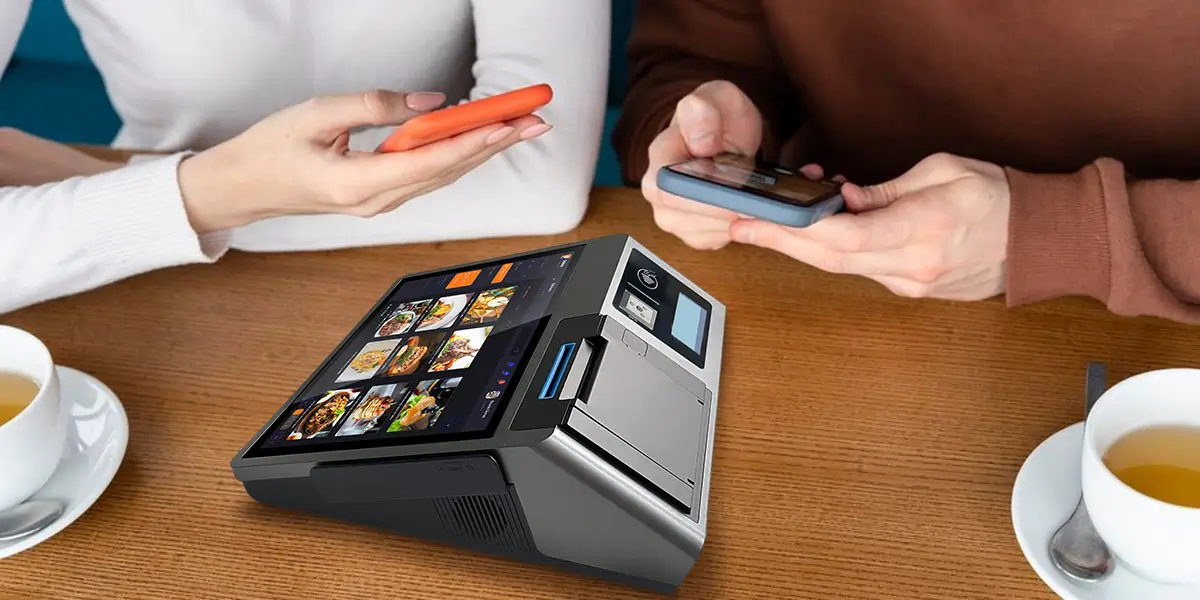
Most general-purpose POS platforms are designed for one of two scenarios: a retail store with stable, barcoded inventory and predictable checkout flows, or a food service environment focused on tables and menu items. A grocery store fits neither model.
The friction shows up immediately with produce and bulk items. A customer buying 0.73 lbs of heirloom tomatoes needs a POS that talks to a connected scale, pulls the live price-per-pound, and applies the correct weight-based total without manual entry. A customer buying from the bulk bins needs a PLU code lookup for an item that has no barcode at all. Generic retail systems often have no native scale integration and handle PLU-based items as workarounds rather than first-class functionality.
EBT and SNAP compliance creates another hard boundary. In 2024, 41.7 million people across 21.6 million households received SNAP benefits — representing 12.3% of the US population. In neighborhoods where a significant portion of shoppers rely on EBT, a POS that cannot handle split-tender transactions (part EBT, part cash or card), correctly flag SNAP-eligible versus non-eligible items, and maintain the audit records required by USDA is not just inconvenient — it is a compliance liability. EBT configuration requires USDA FNS authorization linked directly to the POS system; the software must meet specific technical certification requirements that most general retail POS platforms do not address natively.
Fresh produce introduces a third layer of complexity: spoilage tracking, date-based inventory rotation, near-expiry markdown management, and waste reporting that connects to both purchasing decisions and P&L analysis. Fresh produce already dominates retail food waste at 31.3% of all surplus, and grocery shrinkage broadly runs between 2% and 3% of total sales — a rate that sounds modest until it is measured against the thin margins food retailers actually operate on. A POS that tracks inventory by unit count but cannot flag near-expiry items or generate department-level shrinkage reports is not solving the grocery problem; it is just creating a faster cash register.
A grocery-specific point-of-sale system is an integrated platform that handles the full operational scope of food retail: not just payment processing, but scale connectivity, variable-weight item management, PLU and barcode lookup, EBT and split-tender compliance, fresh product date tracking, and inventory management across thousands of SKUs simultaneously.
At checkout, the difference from a generic terminal is felt immediately. A cashier at a well-configured grocery POS can handle a mixed basket — barcoded packaged goods, weight-based deli items, bulk bin selections, and SNAP-eligible and non-eligible items in the same transaction — in a single fluid workflow. When the terminal is connected to a compatible external scale, weight is captured and priced automatically; the system applies the correct price rule for each item type, calculates EBT eligibility at the cart level, and processes a split-tender payment (EBT for eligible items, debit for the rest) without requiring the cashier to manually categorize anything.
Beyond checkout, a grocery POS functions as the inventory control layer for the entire store. Every sale updates stock levels in real time. Every receiving event from a supplier logs against expected delivery quantities. Every markdown on a near-expiry item is recorded against the original cost to calculate actual margin impact. Reorder alerts fire automatically when items fall below defined thresholds — before the shelf goes empty and before a cashier has to handle a scan that returns zero inventory.
For stores with multiple departments — produce, deli, bakery, general grocery — the system should handle each with the appropriate logic: unit-based counting for packaged goods, weight-based tracking for fresh categories, recipe-based depletion for prepared foods. This is the operational breadth that separates a true grocery POS from a general retail system with a few food-specific add-ons.
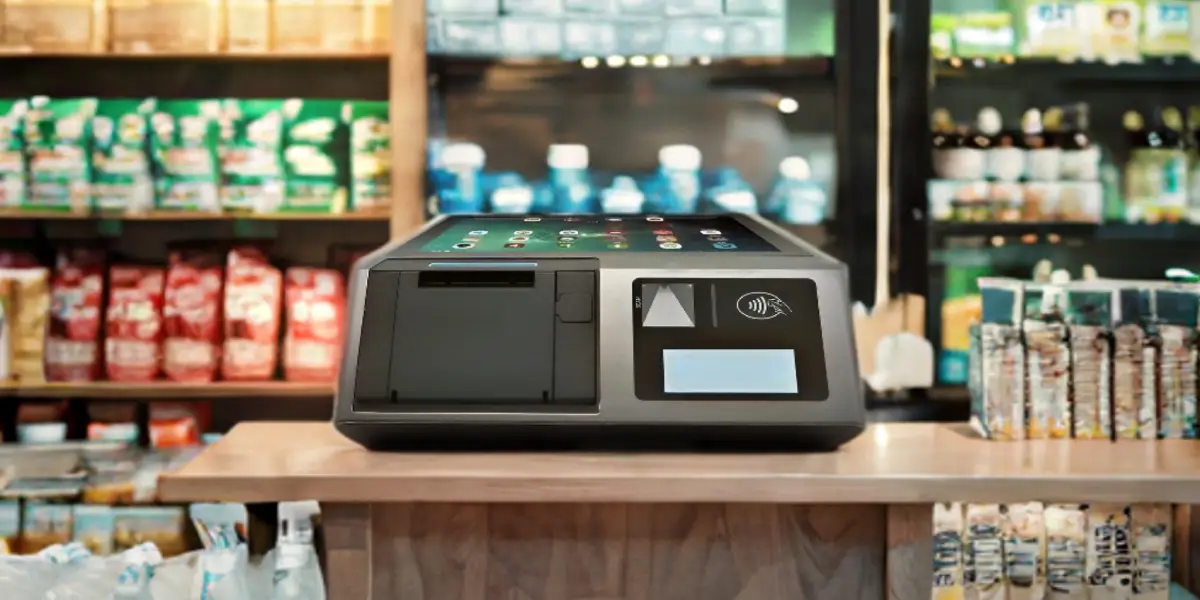
Inventory management is where grocery retailers lose the most money that they cannot easily see. The industry hemorrhages an estimated $1.7 trillion annually from inventory distortion — the combined effect of stockouts (empty shelves that cost sales) and overstocks (capital tied up in product that either spoils or gets marked down). Stockouts alone cost retailers 4.1% of sales; proper inventory systems can prevent up to 8% revenue loss from poor product availability.
Real-time stock updates at the point of sale are the foundation. Every transaction should decrement inventory immediately, not in a nightly batch. When a customer buys the last two cans of a house-brand tomato sauce, the system knows the shelf is empty before the cashier has finished the transaction — and a reorder alert fires if that SKU has fallen below its defined threshold.
Dual-mode inventory tracking handles the fundamental split in grocery product types. Packaged, barcoded goods are tracked by unit. Weight-based items — loose produce, deli cuts, bulk goods — are tracked by weight, with the POS reading weight data from a connected external scale per transaction. Both modes feed into the same inventory database, so variance reporting and reorder logic work consistently across the full product range.
Near-expiry and date-based alerts are essential for any store carrying fresh categories. When a product approaches its sell-by date, the system flags it for markdown or removal — proactively, before spoilage becomes write-off. Modern inventory systems with specialized produce management can reduce produce waste by up to 40% through automated markdown strategies and precise demand forecasting. For a department where shrinkage runs highest and margins are thinnest, this is not a convenience feature; it is a direct P&L lever.
Supplier integration and automated reordering close the loop between what the POS knows and what the store actually stocks. When a SKU triggers a reorder alert, the system should generate a suggested purchase order to the relevant supplier based on historical velocity, not a manual count. DSD (direct store delivery) receiving should be logged against expected quantities, flagging discrepancies at the receiving dock rather than discovering them at the next inventory count.
Department-level shrinkage reporting translates inventory variance into actionable information. Theft, operational errors, and spoilage each have different signatures in the data and different corrective actions. A POS that generates shrinkage reports by department and by SKU — comparing theoretical inventory based on sales to actual physical count — makes it possible to identify whether a shrinkage problem is localized to produce, deli, or a specific cashier station, rather than averaging it across the store and missing the source.
One of the most time-consuming workflows in grocery operations is price labeling — and one of the most error-prone when done manually. A staff member who hand-writes a price tag for a bulk item, or transcribes a weight-based price from a scale to a sticker by hand, introduces a point of failure between the POS pricing database and the physical shelf label. When that label is wrong, the error propagates to every customer who picks up that item until someone catches it.
A portable grocery POS terminal with an integrated label printer eliminates that gap entirely. Staff can take the device to the receiving area when a new shipment arrives, scan or look up each item, confirm the current price from the POS database, and print an accurate label on the spot — without returning to a fixed terminal, without manual transcription, and without the lag between receiving and pricing that leaves unlabeled goods sitting in the backroom.
For bulk bins and loose produce, the workflow is equally direct. Staff weigh the item using a connected scale or enter the quantity, the device pulls the current price-per-unit or price-per-weight from the system, and a label prints immediately. If the store runs a promotional price on a specific item — a weekend discount on organic apples, for example — the label reflects the current active price rather than whatever was printed on the last label roll.
This portable labeling capability is also valuable for markdown workflows on near-expiry items. Rather than printing markdown stickers at a back-office printer and carrying them to the shelf, staff can handle the full process from the floor: confirm the item, apply the markdown in the POS system, and print the updated label in one step. The markdown is recorded in inventory immediately, the physical label is accurate, and the whole interaction takes under a minute per SKU.
For grocery stores looking to streamline both fixed-counter checkout and floor-based labeling within the same hardware ecosystem, the ZCS Z100 desktop POS covers the fixed checkout position — a 10.1-inch operator screen with a 3.95-inch customer-facing display, integrated thermal printer (58mm or 80mm), and Android 14.0 platform — while its open SDK allows integration with handheld labeling devices running the same back-end pricing data. Like ZCS's full terminal range, the Z100 is an open Android platform: POS software, payment processing, and EBT certification are handled by the operator's chosen software vendor and payment service provider; ZCS provides the hardware infrastructure, SDK, and TMS for remote device management.
When evaluating grocery POS platforms, the gap between adequate and genuinely useful shows up not in the headline features but in how specific operational requirements are actually handled. The checklist below targets the decision points that matter most.
Scale compatibility — confirm before you commit. Weight-based selling is a daily core workflow for produce, deli, and bulk categories, not an edge case. The POS software layer should support connectivity with standard commercial scales, reading weight data automatically and applying the correct price-per-unit calculation without manual entry. Look for support for price-embedded barcode reading (where the UPC encodes item weight and price from a pre-packaged deli or produce label) and PLU-based lookup for unpackaged items with no barcode. Since the scale itself is a separate hardware purchase, verify which scale models your chosen POS software supports before finalizing either decision.
EBT and SNAP compliance — built in, not add-on. SNAP EBT processing requires USDA FNS authorization, a certified EBT processor, and POS software configured to handle SNAP-eligible item flagging, split-tender transactions, and compliant receipt formatting. eWIC handling — where the POS must check a state Authorized Product List in real time to validate item eligibility — adds another compliance layer that many general systems cannot manage. Verify that the platform handles both SNAP and eWIC natively, and that its EBT configuration has been tested against current USDA technical requirements.
Fresh category management. Date-based expiry tracking, near-expiry alerts, automated markdown triggers, and waste recording should be native inventory functions for fresh departments, not manual processes. For stores planning to expand their fresh footprint — 63% of retailers plan to allocate more space to fresh produce — this is a capability that will grow in importance, not shrink.
Promotional pricing engine. Grocery promotions are complex: BOGO deals, mix-and-match offers, spend-threshold discounts, member pricing, and weekly specials often run simultaneously across hundreds of SKUs. The POS should apply these rules automatically at the cart level without requiring cashier intervention, and should prevent incorrect pricing from reaching the customer when a promotion has expired or does not apply to a specific item.
Multi-tender and payment flexibility. A grocery checkout handles cash, credit, debit, EBT, gift cards, and mobile wallets — often in split combinations within a single transaction. The system's payment handling should be seamless across all methods, with automatic EBT eligibility calculation and split-tender support that does not require cashier manual calculation.
Reporting that connects inventory to financials. The most valuable grocery POS reports are the ones that close the gap between what was sold and what was ordered — shrinkage by department, pour cost equivalent for deli and prepared foods, supplier performance on received quantities versus invoiced quantities, and sales velocity by SKU to drive reorder quantities. If the reporting layer requires manual export and spreadsheet work to answer basic operational questions, it is not doing its job.
Hardware matched to the grocery environment. A fixed checkout counter needs a stable, fast terminal with a customer-facing display for price confirmation — essential for weight-based items and promotional pricing where the customer benefit from seeing the calculation. A floor staff member pricing bulk bins or managing receiving needs a portable device with a label printer. Confirm that the POS platform supports both deployment contexts within a unified back-end, so pricing data, inventory counts, and promotional rules stay consistent whether a transaction happens at the checkout counter or a shelf-side labeling device.
Q1: Why do standard retail terminals break down in a grocery store environment?
A: Standard retail systems are designed for static, barcoded inventory. They fail behind a grocery counter because they lack native scale integration to process variable-weight bulk items and cannot handle high-speed PLU code lookups for loose produce. This forces cashiers into slow, manual workarounds that create long lines during peak hours.
Q2: How does a Grocery Store POS ensure compliance with EBT, SNAP, and eWIC?
A: With over 12.3% of the US population utilizing SNAP benefits, a specialized system natively categorizes eligible vs. non-eligible items at the cart level. It automates complex split-tender transactions (separating EBT balances from standard credit/debit) and references real-time state Authorized Product Lists (APL) for seamless eWIC verification.
Q3: Can a dedicated Grocery Store POS actually reduce fresh produce waste?
A: Yes. Fresh categories account for a staggering 31.3% of retail food surplus. A purpose-built grocery system uses real-time, date-based tracking to trigger automated near-expiry markdowns and precise demand forecasting. This optimization can slash fresh department inventory waste by up to 40%.
Q4: What is the advantage of deploying a portable labeling POS alongside a fixed counter setup?
A: It eliminates the error-prone gap between the back-office pricing database and the physical shelf. Using a portable Android terminal with an integrated label printer, floor staff can handle Direct Store Delivery (DSD) receiving, check real-time SKU costs, and print accurate price stickers right at the bulk bins or markdown racks.
Q5: What is the absolute most critical integration to check before buying a Grocery Store POS?
A: Scale and price-embedded barcode compatibility. Since grocery stores lose 4.1% of sales to inventory stockouts, the software must instantly read weights from connected external scales and correctly parse pre-packaged deli labels that encode both weight and total price into a single barcode. Always verify supported scale models in writing before signing hardware contracts.
Related Posts
1. Why Smart Retail Checkout Terminal Systems Are Becoming the New Standard in 2026?






 Home
Home  Best POS System for Liquor Stores: The 2026 Operational Guide
