
2026-08-17 Author : ZCS
Tap to Pay on Android only runs on hardware that clears five specific gates: GMS certification, integrated NFC support, a hardware-backed keystore, a minimum Android version with a current security patch, and a passing device integrity check. Most coverage of Tap to Pay explains how a merchant uses it. This guide explains what the hardware underneath actually has to support — the requirements an ISV or payment facilitator needs to verify before building a softPOS product on a given device, rather than after.
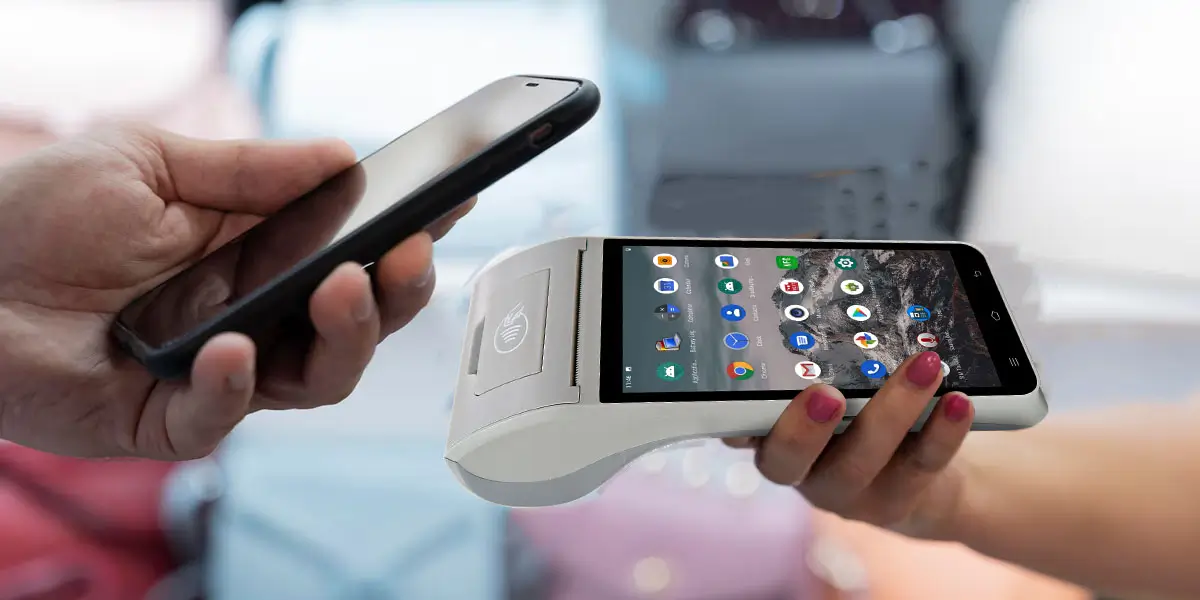
A device without GMS certification cannot run Tap to Pay on Android, regardless of its other specs. GMS stands for Google Mobile Services — the licensed suite that includes the Play Store and the underlying compatibility testing Google requires before approving a device.
Certification failures are common enough that payment platforms document the exact error. According to Stripe's Terminal documentation, attempting to connect a non-GMS-certified device returns an explicit ATTESTATION_FAILURE: Device is not Google Mobile Services (GMS) certified error — meaning the failure surfaces at the SDK level, not as a vague compatibility issue.
Certification applies to a specific device model, not a manufacturer's entire lineup. This is the same principle covered in our guide to why GMS-certified Android POS terminals give merchants more software freedom: certification status has to be confirmed per model before assuming any device in a product family qualifies.
Tap to Pay on Android requires a functioning, integrated NFC sensor paired with an ARM-based processor. This isn't a software-configurable feature — it's a physical component that has to be present and correctly integrated at the hardware level.
Host Card Emulation (HCE) support is required alongside the NFC sensor itself. HCE is what lets the device emulate a contactless card in software, which is the mechanism Tap to Pay on Android relies on to receive a tap from a customer's card or phone.
A hardware-backed keystore is a mandatory requirement, confirmed directly in Visa's developer documentation for Tap to Phone. A software-only key storage implementation does not meet this bar.
Hardware-backed keystores are typically implemented through a Trusted Execution Environment (TEE), a secure, isolated processing area inside the device's main chip. Some devices instead use a dedicated Secure Element (SE) — a separate hardware component built specifically for key storage — though a TEE-based implementation is the more common path for GMS-certified Android devices.
Either implementation exists to keep cryptographic keys isolated from the main operating system. If the main OS is compromised, keys stored in a TEE or SE remain protected, which is the core security property Tap to Pay on Android depends on to treat a standard smartphone-class device as a payment acceptance terminal.
The Android version requirement for merchant-facing Tap to Pay is stricter than the consumer-facing Google Wallet requirement. Per Visa's documentation, Tap to Pay on Android as a merchant acceptance solution requires Android 12 or later, with a security patch dated May 2022 or newer.
Consumer Google Wallet tap-to-pay, by contrast, works on Android 9 and above. This gap matters for ISVs specifically: a device that supports basic consumer contactless payments doesn't automatically qualify as a certified merchant acceptance device.
Devices that stop receiving security updates fall out of compliance over time. An Android 12 device is only compliant as long as it continues receiving patches — a device frozen on an old patch level, even if it originally shipped compliant, can fail certification later.
A rooted device, an unlocked bootloader, or a custom ROM disqualifies a device from running Tap to Pay on Android. According to Fiserv's Carat documentation, devices must be GMS-certified and must not be jailbroken, rooted, or running custom operating systems.
Device integrity is verified through Google's Play Integrity API, which returns a DEVICE_INTEGRITY verdict. This check runs at connection time, confirming the device's software hasn't been modified since it left the factory in a compliant state.
This requirement exists because a modified device can bypass the very protections a hardware-backed keystore is meant to provide. An unlocked bootloader creates a path around the isolation a TEE or SE is supposed to guarantee, which is why Google treats it as an automatic disqualifier rather than a configurable risk.
An ISV building a softPOS product needs to verify hardware compliance before committing to a device family, not after integration work is underway. Discovering a GMS certification gap or a missing hardware-backed keystore after development has started means re-sourcing hardware mid-project.
This overlaps directly with the broader question of tap-on-phone technology generally. Our guide to what tap-on-phone POS actually is covers the category this fits into for ISVs weighing Tap to Pay on Android against other softPOS approaches.
GMS-certified Android POS terminals are built against the same baseline Google requires for Tap to Pay compatibility, since GMS certification itself involves compatibility testing tied to Android's security architecture. For ISVs and payment facilitators evaluating hardware to build against directly, our open SDK for custom terminal development covers how that integration process works on top of already-certified hardware.

Q1. Does every Android phone support Tap to Pay on Android?
No. A device needs GMS certification, integrated NFC hardware, a hardware-backed keystore, Android 12 or later with a current security patch, and a passing device integrity check. Many budget or non-GMS-certified devices don't meet all five conditions.
Q2. What's the difference between the Android version requirement for consumers and for merchants?
Consumer Google Wallet tap-to-pay works on Android 9 and above. Tap to Pay on Android as a merchant acceptance solution requires Android 12 or later with a security patch from May 2022 or newer — a stricter bar.
Q3. Can a rooted Android device ever run Tap to Pay on Android?
No. Rooting, unlocking the bootloader, or installing a custom ROM disqualifies a device automatically, since these modifications can bypass the hardware-backed key isolation the system depends on.
Q4. Is a Secure Element always required, or does a Trusted Execution Environment count?
A hardware-backed keystore is the requirement, and it can be implemented through either a TEE or a dedicated Secure Element. A TEE-based implementation is more common across GMS-certified Android devices generally.
Q5. How can an ISV confirm a specific device model is GMS-certified before building on it?
Check directly with the device manufacturer for certification status on the exact model and firmware version, rather than assuming certification carries across an entire product line. Certification is issued per device configuration, not per brand.






 Home
Home  Building a SoftPOS Product? Why Your Hardware Platform Still Matters
