
2026-07-28 Author : ZCS
Most point-of-sale hardware locks a merchant into whatever software the manufacturer decided to preinstall — swapping to a different POS platform, adding a delivery app, or plugging in an ERP system means replacing the hardware entirely. A GMS-certified Android POS terminal breaks that pattern in one specific way: it can install software directly from the Google Play Store, the same way a consumer Android phone does, rather than being restricted to a single vendor's closed ecosystem. This article explains what GMS certification actually means on a POS device, why that matters for merchants juggling multiple software tools, and what to still check before assuming "Android" automatically means "open."
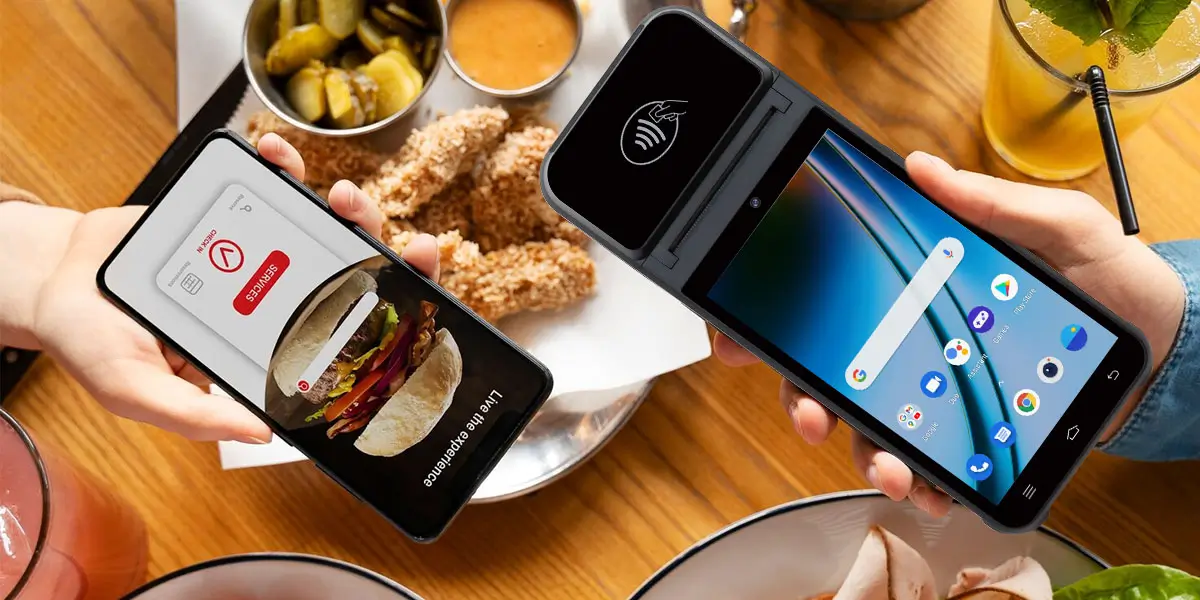
GMS stands for Google Mobile Services — the licensed suite of Google apps and APIs (Play Store, Play Services, and the underlying compatibility APIs many third-party apps depend on) that isn't part of the open-source Android codebase itself. According to Android Authority, manufacturers need a license from Google to bundle GMS, and each device has to pass a defined set of compatibility tests before Google approves it — a process formalized through what's known as the Mobile Application Distribution Agreement. According to TechTarget's definition of Google Mobile Services, any device sold with Google Play access has to carry this certification — it isn't optional bolt-on branding, it's a prerequisite for the Play Store to function on that specific device at all.
That last detail matters more than it sounds: GMS certification is issued against a specific device model and firmware build, not a manufacturer's product line as a whole. A terminal that's certified on one Android version isn't automatically certified after a firmware update to a newer one — which is worth keeping in mind when evaluating any specific model rather than assuming "the brand is GMS-certified" covers every unit it sells.
Traditional POS hardware — including plenty of Android devices that technically run the OS without carrying GMS certification — ships with a fixed software environment controlled by the manufacturer or a single software vendor. Installing anything outside that environment typically isn't possible without a custom firmware build or isn't supported at all. That model works fine for a merchant who only ever needs one function from the terminal. It breaks down the moment a business needs to run more than one piece of software on the same device — a delivery aggregator app alongside a POS system, or an ERP tool alongside both.
A GMS-certified terminal removes that constraint at the OS level. Because it carries genuine Play Store access, a merchant (or the reseller setting the device up) can install additional apps the same way they would on any Android phone, without needing the hardware manufacturer to build custom support for each one individually.
In practice, this opens the door to running several categories of software side by side on one device rather than needing separate hardware for each: delivery and food-ordering platforms such as Grab, GrabFood, Shopee Food, and GoFood Merchant; POS and retail management software such as Loyverse and Square; and back-office or ERP tools such as Odoo and other smart ERP POS systems. A restaurant taking both in-store orders and delivery orders, for instance, can run a delivery aggregator app and a POS app on the same certified terminal instead of operating two separate devices at the counter. For merchants specifically integrating delivery-platform workflows, our breakdown of choosing the right Android POS terminal for Grab merchant integration goes deeper into what that setup actually requires. Businesses building around a unified back-office system have a similar consideration — see how Android POS terminals plug into an Odoo-based unified commerce stack for that side of the equation.
Certification status varies by model and by which Android version a given device ships on, which is worth checking explicitly rather than assuming across an entire product range. As an illustration of how this plays out across a single manufacturer's lineup:
| Model | Android Version |
|---|---|
| Z91 | Android 11 |
| Z92 | Android 13 |
| Z108 | Android 15 |
| Z92S | Android 16 |
For a closer technical look at what GMS certification and Android version support mean for one specific model, our Android 14.0 GMS certification deep dive covers ZCS's optimization work on that release in detail.
GMS certification solves the software-installation problem, but it doesn't automatically override every other restriction a merchant might run into. Payment security requirements — PCI DSS scope, an acquiring bank's own approved-app policies — can still limit what gets installed on a device that's actively processing card payments, regardless of whether the underlying hardware is GMS-certified. In other words, "the Play Store is available" and "your acquirer allows arbitrary apps on payment-processing hardware" are two separate questions, and merchants should confirm the second one with their payment provider rather than assuming certification alone settles it. Software openness is only one line item, though — before committing to any model, it's worth working through a full retail POS hardware specs checklist covering processor, display, connectivity, and payment-certification requirements alongside GMS status. For businesses that need more control than a stock configuration offers — custom firmware branding, specific app whitelisting, or hardware modifications tailored to a particular software stack — our guide to open SDK and custom ODM options covers how that flexibility works on top of a GMS-certified base.
The clearest beneficiaries of this openness are merchants running more than one type of software simultaneously — a café taking counter orders through a POS app while also fulfilling GrabFood and Shopee Food orders through their respective apps, or a retailer syncing sales data into Odoo while processing payments through Square. On a closed terminal, that setup usually means multiple devices crowding the counter, each doing one job. On a GMS-certified Android terminal, it can mean one device running all of it, switching between apps the same way a phone does — which is less about any single feature and more about not needing to negotiate with a hardware vendor every time the software stack changes.

Q1. Is every Android POS terminal automatically GMS-certified?
No. Plenty of Android-based terminals run without GMS certification, which means no Google Play Store access even though the device technically runs Android. Certification is a separate licensing and testing process manufacturers have to complete deliberately.
Q2. Does GMS certification cost more or slow down getting a POS terminal to market?
Generally yes — it's a licensing agreement plus a compatibility testing process, which adds both cost and time compared to shipping a non-certified device. Manufacturers weigh this against the software flexibility it unlocks for the devices they sell.
Q3. Can a GMS-certified POS terminal run any app from the Play Store without restriction?
Technically yes, but practically it depends on the merchant's payment compliance requirements. An acquiring bank or payment processor may still restrict which apps can run on a device actively handling card transactions, separate from what Google's certification permits.
Q4. Why would a POS terminal need Grab, Shopee Food, and a POS app installed at the same time?
Merchants running both in-store and delivery-platform sales often need to manage orders from multiple channels without switching hardware. Installing all the relevant apps on one GMS-certified terminal avoids running separate devices for each channel.
Q5. Does upgrading a terminal's Android version affect its GMS certification?
It can. Certification is tied to a specific device and firmware combination, so a major OS upgrade may require recertification rather than automatically carrying over from the previous version.






 Home
Home  What Should Global Buyers Know About China's POS Manufacturing Industry in 2026?
