
2026-11-06 Author : ZCS
The difference between POS and cash registers in Turkey is mainly a difference in responsibility. Sales software manages the commercial order, a bank POS accepts the card payment, and a GİB-approved cash register or YN ÖKC produces and records the fiscal output required for the transaction. The broader EFTPOS terminal guide explains the payment side; this article focuses on how that payment function fits beside Turkey's fiscal-device rules.
The terminology becomes easier once the word *POS* stops being treated as one single machine.
POS vs cash registers in Turkey compares four connected functions: retail software creates the sale, a bank POS requests card authorization, a cash register records taxable retail activity, and a YN ÖKC performs approved fiscal functions under GİB technical rules. One physical terminal may combine several functions, but the legal and technical roles remain distinct.
The practical question is not “Which box looks more modern?” It is which system owns the order, payment and fiscal record at each step of the checkout.
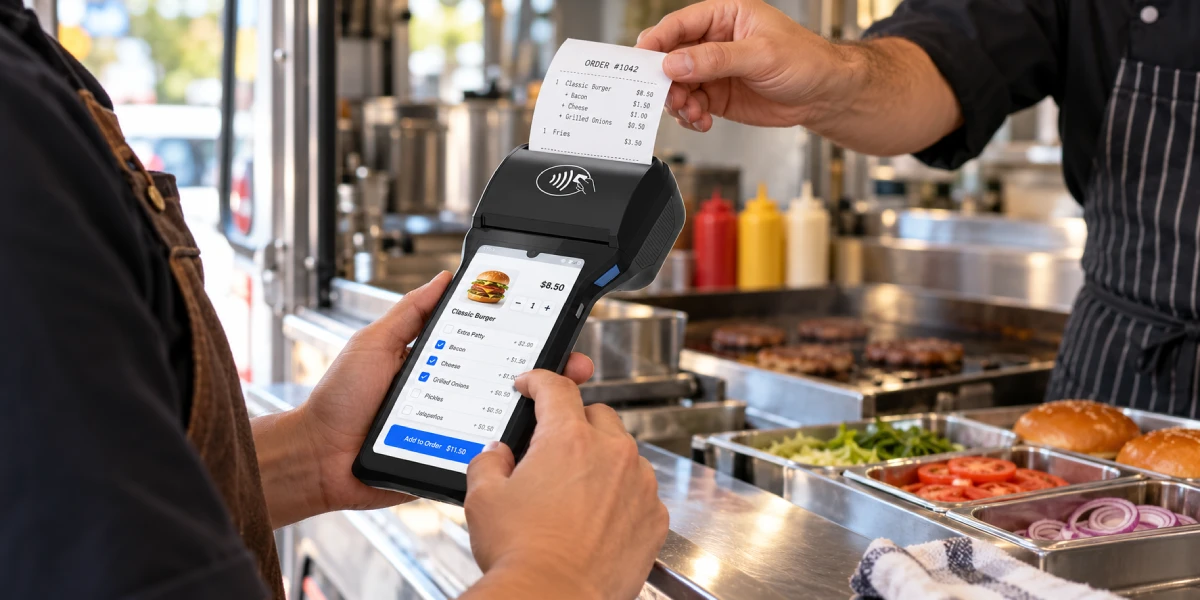
The word POS can describe payment hardware, sales software or an entire checkout system. A bank may call its card terminal a POS device. A retailer may call the inventory and cashier application a POS system. A hardware seller may call an Android touchscreen with a printer a smart POS. Those products can overlap physically without having the same fiscal status.
Four terms should be separated before comparing products:
| Term | Main job | Typical output | What it does not prove |
|---|---|---|---|
| Sales or restaurant POS software | Creates orders, prices items, applies discounts and updates inventory | Order record, sales report or kitchen ticket | GİB approval as a fiscal device |
| Bank POS / EFT-POS | Reads a card or wallet and sends a payment request through the acquiring route | Approval, decline and bank payment slip | Fiscal recording of the retail sale |
| Cash register / ÖKC | Records qualifying retail sales and produces fiscal receipts under applicable rules | Fiscal receipt and fiscal reports | Card acceptance unless payment capability is included or connected |
| YN ÖKC | Performs GİB-defined new-generation payment-recording functions and communicates securely through the required infrastructure | Fiscal receipt, reports and prescribed data communication | Automatic compatibility with every bank, POS app or external system |
Hardware appearance does not resolve the terminology. A handheld device may contain a card reader, printer and Android sales application but still lack approval as a YN ÖKC. A countertop YN ÖKC may look like an ordinary register while performing regulated fiscal recording and secure communication functions that a generic POS terminal does not provide.
A bank POS terminal handles electronic payment acceptance. The merchant receives the device or payment application through a merchant agreement with a bank or another authorized payment provider. The terminal reads the customer's card or mobile wallet, transmits the amount and credentials, and returns an approved or declined result.
The payment path normally includes:
The EFTPOS transaction guide explains the authorization path in more detail. Turkey adds a separate fiscal question: how the approved payment becomes part of the merchant's compliant sales record.
A bank POS slip documents the payment operation, while an ÖKC receipt documents the fiscal sale. The documents can be printed together or combined in an integrated flow, but their information comes from different responsibilities.
A card approval tells the merchant that the payment request was accepted. It does not necessarily describe every sold item, tax treatment or fiscal requirement. The fiscal system must receive the correct sales data and generate the required receipt or information slip under the applicable transaction type.
A standalone terminal can accept the correct amount and still remain disconnected from the order record. The cashier may need to type the total into the bank POS manually. That creates a risk of amount-entry errors and leaves the merchant to reconcile the POS application, bank terminal totals and fiscal records afterward.
Integration reduces that gap by sending the amount electronically and returning the result to the sales system. Integration does not remove the need to confirm that the YN ÖKC and external systems follow GİB's permitted communication method.
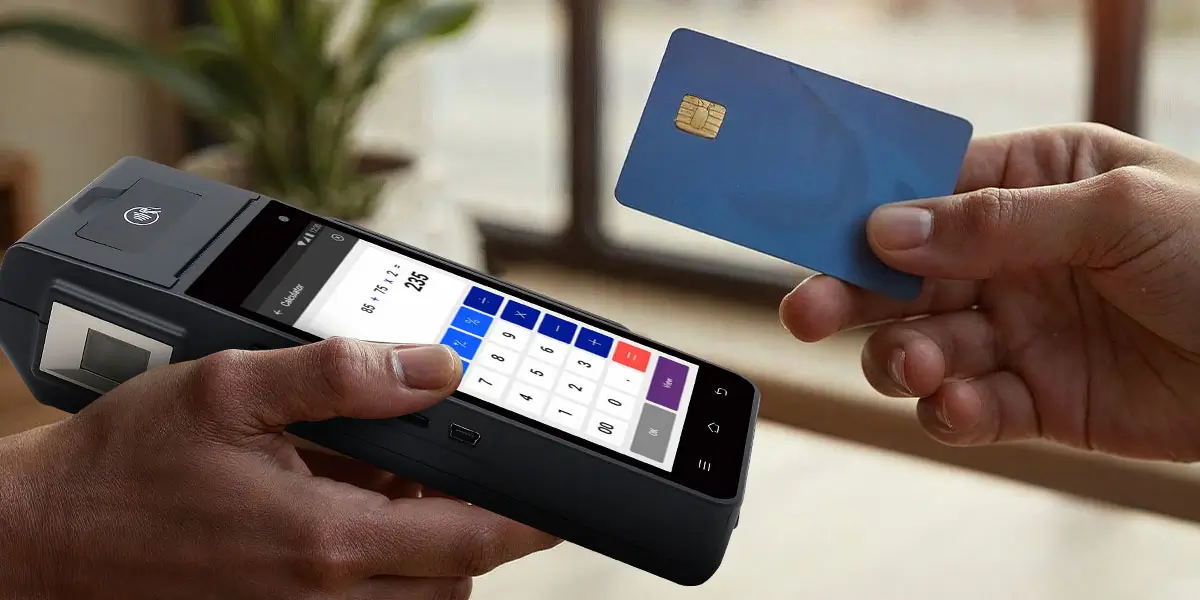
An ÖKC is a payment-recording device used to document qualifying retail sales under Turkey's fiscal framework. The category includes devices designed to generate sales receipts and fiscal reports while protecting the integrity of recorded transaction data.
The term *yazar kasa* is the everyday Turkish expression for a cash register. In a compliance discussion, the more useful question is whether the device is an approved ÖKC or YN ÖKC for the merchant's activity and transaction flow.
The fiscal function—not the cash drawer—defines the regulated role. A merchant can accept cash without opening a payment-network connection, yet the retail sale may still need to be recorded and documented. The register calculates or receives the sale data, generates the fiscal output and retains or transmits the required records.
A cash drawer is only a physical storage component. A receipt printer is only an output component. Neither component becomes a fiscal cash register merely because it is attached to a POS computer.
Retail software can manage the entire commercial workflow without becoming the approved fiscal device. Item files, barcode lookup, table management, kitchen routing, promotions, inventory and staff reports belong to the business-software layer. Fiscal recording belongs to the approved device and its regulated communication path.
The two layers can be connected. GİB guidance describes external sales applications, computer hardware, bank POS devices and peripherals being matched or integrated with YN ÖKC infrastructure. The connection must preserve the required fiscal result for each sale rather than allowing the external software to bypass the register.
YN ÖKC stands for Yeni Nesil Ödeme Kaydedici Cihaz, or New Generation Payment Recording Device. GİB defines the category as computer-based payment-recording equipment whose technical and functional characteristics are set by the Revenue Administration and which can securely communicate and transfer data over the internet.
The current GİB YN ÖKC FAQ identifies two main device types:
The difference is not whether both devices record fiscal sales. The difference is whether card acceptance sits inside the same approved device or connects as an external payment component.
An EFT-POS-enabled YN ÖKC combines payment acceptance and fiscal recording in one integrated device. The customer can pay by card through the incorporated payment function, and the system can produce the fiscal receipt and bank payment information through the coordinated workflow.
GİB states that the POS and cash-register sections of an EFT-POS-enabled YN ÖKC cannot simply be separated so that only the payment section is used. The purpose of the integrated design is to convert payment activity into the corresponding fiscal receipt flow.
This does not mean one provider performs every task. Bank applications, acquirer parameters, fiscal software, terminal management and GİB communication can still involve several organizations behind the device.
A simple or computer-connected YN ÖKC keeps fiscal recording in the approved cash register while allowing an external bank POS to handle card acceptance. The external device must be connected and configured through the permitted architecture rather than operated as an unrelated second system where integration is required.
This model can suit a counter where the merchant already uses business software or a separate payment device. The buyer must still confirm the authorized service process, communication protocol and exact supported bank POS configuration. GİB's 2025 YN ÖKC guide repeats the two-device classification and explains that purchases occur through authorized ÖKC firms or their service and sales dealers.
The architecture can be summarized in one sentence.
An EFT-POS-enabled YN ÖKC contains bank payment acceptance and fiscal recording in one approved device, while a simple or computer-connected YN ÖKC keeps the fiscal function in the register and connects an external bank POS through the specified interface. Both models depend on approved hardware, software and service arrangements.
That distinction is more reliable than asking whether the device is “all-in-one,” because marketing language does not establish fiscal approval.
A POS system and a cash register answer different operational questions. The POS system asks what was sold and how the business should manage it. The bank terminal asks whether the customer can pay electronically. The fiscal register asks how the sale must be recorded and documented.
| Question | Sales POS software | Bank POS / EFT-POS | YN ÖKC cash register |
|---|---|---|---|
| Builds the basket or restaurant order | Yes | Usually no | May receive or support sales input, depending on model |
| Manages items and prices | Yes | No | Records fiscal sale data; detailed catalog capability varies |
| Tracks inventory | Commonly | No | Not the primary regulatory function |
| Accepts card payments | Only through an integrated payment service | Yes | Yes when EFT-POS-enabled; otherwise through an approved external connection |
| Requests issuer authorization | Through the connected payment component | Yes | Through the incorporated or connected EFT-POS component |
| Produces a bank payment slip | Not by itself | Yes | Can coordinate or combine payment information in the approved flow |
| Produces the fiscal receipt | Not unless it is part of an approved fiscal solution | No, not by card acceptance alone | Yes, under the applicable YN ÖKC workflow |
| Communicates with GİB infrastructure | Not as ordinary retail software | No, not as a fiscal device | Yes, through the prescribed architecture |
| Requires merchant acquiring setup | Only for card acceptance | Yes | Yes for the payment component, separate from fiscal approval |
| Requires GİB-approved model status | Not for generic sales management alone | Bank/provider approval governs payment use | Yes for YN ÖKC status and fiscal use |
A modern touchscreen can sit in any of the three columns. Form factor, Android, a printer, NFC and a barcode scanner describe hardware capabilities. They do not determine whether the terminal is approved as a bank POS, a fiscal device or both.
The clearest comparison follows one order from basket creation to its final records. A sale can produce commercial, payment and fiscal records even when the customer sees one receipt and one terminal.
A cash sale does not use the bank POS, but it still uses the sales and fiscal layers. Consider a shop selling two items for a total of TRY 500.
The example shows why “POS” cannot mean only card payment. The commercial POS can operate during a cash transaction even though the EFT-POS is not used.
A card sale adds payment authorization to the same commercial and fiscal sequence. Consider the same TRY 500 basket on an EFT-POS-enabled YN ÖKC.
One printed document can display both fiscal receipt and bank payment information when the approved design combines them. The underlying records still serve different purposes.
A multi-device checkout needs controlled communication between systems. A restaurant may use order software on a computer, a simple or computer-connected YN ÖKC for fiscal recording and an external bank POS for card payment.
The order application should send the correct amount into the approved fiscal and payment flow. The bank POS returns the transaction result, and the YN ÖKC produces the required fiscal output. The restaurant application then closes the correct table and records the tender type.
Manual re-entry creates three possible mismatches:
Integration should prevent those errors and expose a recoverable status when one component loses connection.

The word receipt can refer to several documents with different purposes. Merchants should label them by function rather than by which printer produced them.
| Record | Main purpose | Typical source |
|---|---|---|
| Order or sales record | Shows items, quantities, discounts and operational details | Sales POS or restaurant software |
| Bank POS slip | Shows the card-payment transaction and authorization information | Bank POS / EFT-POS application |
| ÖKC fiscal receipt | Documents the qualifying retail sale under fiscal-device rules | Approved ÖKC or YN ÖKC |
| Information slip | Supports prescribed cases where another fiscal document, such as an invoice, is used | YN ÖKC under the relevant technical rules |
| Invoice or e-document | Provides the legally required invoice record when applicable | Authorized invoicing or e-document process |
One printer can output information from more than one layer. Integrated EFT-POS-enabled YN ÖKC devices can place bank payment information and fiscal receipt information on a coordinated document. That printing arrangement does not make the bank slip and fiscal record conceptually identical.
This article intentionally stops at that boundary. The separate Turkey e-document integration guide covers how e-Fatura and e-Arşiv capabilities relate to approved devices and authorization. Merchants should consult current GİB materials and their tax adviser for the document required in a particular transaction.
The correct configuration depends on the merchant's activity, mobility and integration needs. The examples below describe architectures, not universal legal conclusions for every taxpayer.
An EFT-POS-enabled YN ÖKC can reduce the number of devices at a small counter. The same unit can coordinate card acceptance and fiscal receipt generation. The merchant still needs the relevant acquiring relationship, bank application setup, fiscal activation and authorized support.
This design is operationally simple when one checkout lane handles a limited product catalog. The trade-off is dependence on the approved device ecosystem for both payment and fiscal operation.
A larger store may keep inventory and cashier operations in separate retail software. The application manages products, promotions, staff and stock while passing sales data to the YN ÖKC and payment components.
The integration should identify the lane, order, terminal and receipt consistently. A fiscal receipt must not be attached to the wrong basket simply because two checkouts processed the same total.
Restaurants need special attention because the order may originate at a table and payment may occur away from the main counter. GİB's FAQ discusses mobile EFT-POS use and integrated fiscal-device requirements for relevant merchants. A generic international handheld payment terminal should not be assumed to satisfy the Turkish setup.
The restaurant should verify whether the intended workflow requires an EFT-POS-enabled YN ÖKC, how table orders reach the fiscal device, and how the resulting receipt reaches the customer. This article does not replace a current activity-specific assessment.
Not every business transaction follows the same retail-receipt path. Invoice requirements, e-commerce processes and e-document rules can change which output is produced and whether the YN ÖKC generates an information slip.
The merchant should classify the transaction before selecting hardware. Buying a “fiscal POS” first and asking how it handles every document afterward reverses the correct order of analysis.
A generic Android POS cannot be treated as a Turkish YN ÖKC without model-specific GİB approval and the required fiscal architecture. Android, NFC, EMV card acceptance, printing and remote management may help an integration project, but none of those capabilities alone establishes YN ÖKC status.
The distinction protects buyers from a common procurement error. An international device may be suitable as business POS hardware, an order-entry terminal or part of a payment project. It may still need to connect to a separately approved YN ÖKC, be localized through an authorized program, or remain outside the fiscal-device role altogether.
GİB publishes approved manufacturers and models through the official YN ÖKC portal. Buyers should verify the exact brand, model and approval entry, not a product-family marketing claim. A device described as “fiscal-ready” in another country is not automatically approved in Turkey because fiscal regimes are jurisdiction-specific.
The same limit applies to ZCS. No ZCS Android POS should be described as a Turkish YN ÖKC unless the exact model appears in the applicable GİB approval records and the local fiscal integration is confirmed. ZCS hardware may provide Android sales, printing, connectivity or SDK capabilities for an integration project, but those features do not substitute for Turkish fiscal authorization.
A useful procurement check begins with the required records, not the terminal specifications. The merchant should map each transaction type and identify which component creates its sales, payment and fiscal outputs.
Contactless configuration belongs to the payment layer rather than the fiscal-device definition. Merchants reviewing current terminal parameters can use the separate Turkey contactless payment limit guide without confusing a cardholder-verification setting with YN ÖKC approval.
Most mistakes come from assuming that one visible feature proves a broader compliance role. The following claims should trigger additional verification.
A thermal printer does not make a terminal an ÖKC. The printer can output order tickets, ordinary receipts or bank slips. Fiscal status depends on the approved device architecture and records, not paper width.
Card acceptance confirms payment activity, not the complete fiscal sale. The approved amount must connect to the correct sales and fiscal record.
A tax calculation in software is not the same as approved fiscal recording. The application may supply data to the fiscal device, but it should not be assumed to replace that device.
All-in-one is a marketing description, not a GİB approval category. The buyer should verify whether the model is an EFT-POS-enabled YN ÖKC, a simple/computer-connected YN ÖKC, a bank payment terminal or ordinary Android POS hardware.
EMV and PCI payment credentials do not replace Turkish fiscal authorization. International payment security and local fiscal recording address different risks and are assessed through different processes.
No. “POS terminal” may mean a bank payment terminal or a broader sales system, while a cash register performs fiscal recording. An EFT-POS-enabled YN ÖKC can combine the functions in one approved device, but the roles remain distinct.
YN ÖKC means Yeni Nesil Ödeme Kaydedici Cihaz, or New Generation Payment Recording Device. GİB defines it as a computer-based fiscal device with prescribed technical functions and secure internet communication.
A bank POS slip does not automatically replace the fiscal receipt. Integrated devices can coordinate both sets of information, but payment authorization and fiscal documentation remain separate requirements.
GİB identifies EFT-POS-enabled YN ÖKC devices and simple or computer-connected YN ÖKC devices. The first contains the payment function; the second can connect to an external bank POS under the applicable architecture.
External sales software can be connected when the setup follows the applicable technical and communication rules. The software should pass the correct transaction data and cannot simply bypass the fiscal device.
No. NFC, printing and Android do not establish YN ÖKC approval. The exact model and fiscal solution must be verified against current GİB resources and the authorized local implementation.
The absence of a card payment does not remove the fiscal-recording question. A qualifying retail cash sale can still require the appropriate ÖKC receipt or other applicable document.
Merchants should start with GİB's YN ÖKC portal, current communiqués, technical guides and approved-device records. Activity-specific questions should also be confirmed with an authorized ÖKC provider and qualified Turkish tax adviser.
POS vs cash registers in Turkey is not a choice between old and new hardware. It is a division of responsibilities across the sales, payment and fiscal layers. Sales software builds the order. A bank POS authorizes electronic payment. A YN ÖKC records and communicates the fiscal result under GİB's approved framework.
Turkey permits these responsibilities to be combined in an EFT-POS-enabled YN ÖKC or coordinated through a simple/computer-connected YN ÖKC and an external bank POS. The correct arrangement depends on the merchant's activity, transaction documents, mobility and integration design.
The safest buying rule is precise: verify the exact GİB-approved model, bank application, software connection and receipt flow before treating any device as a Turkish fiscal POS. Contactless limits and newer e-document capabilities matter after that foundation is understood; they do not change the basic distinction between taking payment and fiscally recording the sale.







 Home
 How PopID and J.P. Morgan Connect Face Verification, Loyalty and In-Store Payments?

