
2026-11-04 Author : ZCS
A POS cash drawer is a lockable cash-storage peripheral that opens under software control and closes by hand. It forms one physical component of a wider point of sale system, alongside the sales application, receipt printer, payment terminal, barcode scanner and customer display.
The category is defined by the opening mechanism and connection path rather than by the shape of the metal box.
A POS cash drawer contains a removable till, mechanical latch, lock and electrically operated release mechanism. Printer-driven models receive a short kick pulse through a receipt printer. USB and serial models add interface electronics so the POS host can address the drawer directly through a supported driver or command protocol.
The practical rule is straightforward: the POS application must reach the correct release circuit through compatible hardware, wiring and software.
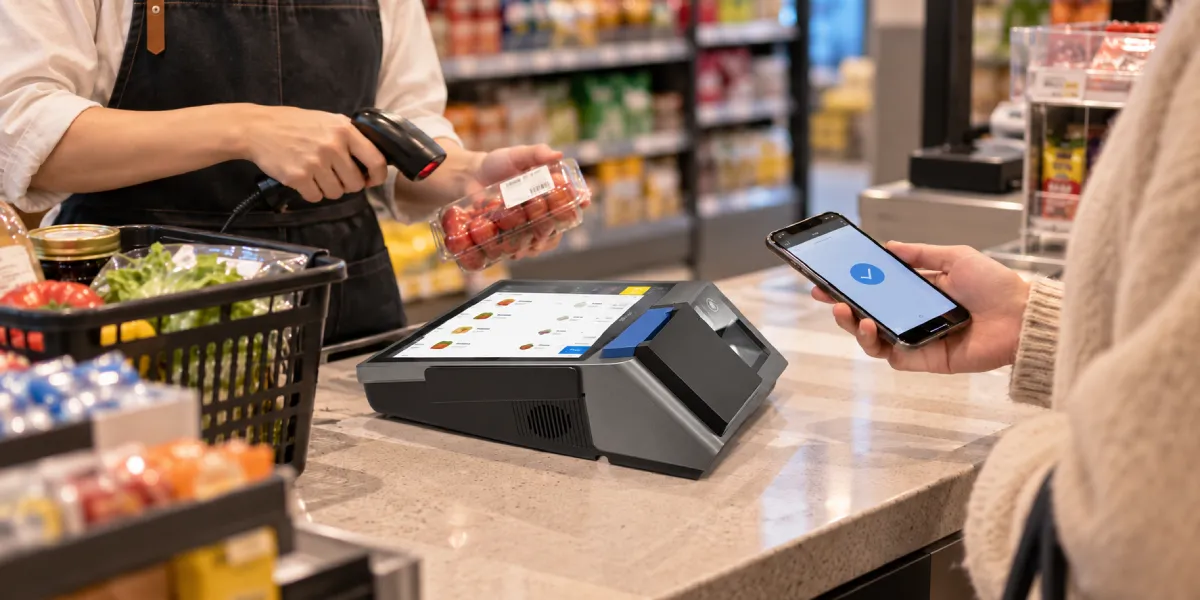
A POS cash drawer combines a mechanical cash box with a small electromechanical release system. The drawer body protects the till, while the release mechanism allows an authorized software event to unlock the front tray.
The main parts usually include:
The opening pulse normally releases the latch only once. The cashier still closes the drawer manually. A continuous motor is unnecessary because the spring starts the opening movement and the operator resets the mechanism by pushing the tray closed.
The mechanical lock determines whether the drawer can respond to normal operation. Depending on the model, key positions may include locked closed, electronically enabled, manually open and locked open. The labels and number of positions vary, so the drawer’s own manual remains authoritative.
The electronic release operates only when the lock and latch are in a compatible state. A correctly configured POS command cannot open a drawer that has been mechanically locked closed. Conversely, a key left in a manual-open position can defeat the control expected from the POS software.
An open/closed switch reports physical state but does not supply the release force. The switch can tell the printer or controller that the tray is open, yet a separate output circuit still has to energize the release actuator.
This separation matters during troubleshooting. A POS may successfully open the drawer without being able to read its status. Another system may read the sensor correctly while failing to deliver the release pulse. Treating both functions as one signal can hide the real fault.
A normal cash transaction opens the drawer through a chain of software and hardware events. The exact implementation varies, but the following sequence describes the common printer-driven workflow.
Receipt printing and cash-drawer control can share one printer without becoming the same function. The thermal printer operating guide explains the heat-based printing path, while the sections below focus on the printer’s separate drawer output.
The cash drawer should not be treated as proof that the sale completed correctly. A configuration can open the drawer when receipt printing starts, before the transaction record is committed. Another configuration can open only after the cashier selects cash. Merchants need to choose the event that matches their operating and audit policy.
The opening event also differs from card authorization. A card sale usually does not require access to notes or coins, so many POS applications suppress the drawer command for card and wallet tenders. Refunds, paid-outs, cash drops and no-sale access may use separate permission rules.
A printer-driven cash drawer uses the receipt printer as the electrical controller between the POS host and the drawer. The POS communicates with the printer through USB, Ethernet, serial, Bluetooth or another printer interface. The drawer then connects to the printer’s dedicated drawer-kick port.
The connection path looks like this:
`POS application → printer driver or command → receipt printer → drawer-kick pulse → cash drawer latch`
The drawer does not need a separate USB connection to the POS computer in this design. The printer supplies the correct drawer output when it receives a supported command.
This arrangement is common because the receipt printer already participates in most cash sales. The drawer circuit is an additional peripheral function built into compatible POS printers.
A drawer-kick pulse is a brief electrical output that energizes the release actuator. The pulse needs sufficient voltage, current and duration for the intended drawer, but it should not remain active continuously.
Epson’s TM-H6000VI technical reference illustrates one manufacturer-specific implementation. That printer uses an RJ12 modular connector, provides a 24 V output on a defined pin and specifies load and current conditions for compatible drawers. Those figures describe that printer family, not a universal standard for every POS drawer.
The short pulse protects the printer output and the drawer actuator from continuous energization. Software should use values supported by the printer and drawer documentation rather than repeatedly increasing pulse length to overcome a mechanical problem.
The POS application, printer driver or POS device service can generate the drawer command. Some printer drivers offer settings such as “open before printing” or “open after printing.” Other systems expose a dedicated cash-drawer object through OPOS, JavaPOS, UnifiedPOS or a vendor SDK.
Low-level printer languages can also include drawer instructions. Epson’s documented `ESC p` command, for example, selects an output pin and pulse timing on supported printers. Direct command use requires careful model testing because command support, output selection and timing limits can differ.
The software owner should document which layer controls the drawer. Enabling both a POS application command and an automatic printer-driver setting can produce two pulses for one sale, while disabling both leaves the drawer closed even though receipts print normally.
Some printer-driven systems can read a switch signal from the cash drawer. Epson’s cash-drawer control documentation describes pulse output on designated pins and status monitoring through another connector pin for compatible configurations.
Status reporting depends on the drawer cable, internal switch, printer input and software support working together. A two-wire release-only connection cannot provide the same information as a cable and drawer designed to return an open/closed state.
A USB cash drawer connects to the POS host through its own USB interface instead of relying on a receipt printer. The drawer or an external adapter contains electronics that convert a host command into the release pulse required by the latch.
The direct connection path is:
`POS application → operating-system driver or device protocol → USB controller → release pulse → cash drawer latch`
USB changes the controller location, not the basic mechanical action. The drawer still needs a short electrical release event and a compatible lock state.
A USB connector does not guarantee that every POS application can control the drawer. The device may require a vendor driver, OPOS service object, virtual COM port, HID command, serial-over-USB protocol or application-specific integration.
The buyer should confirm:
HP’s cash drawer user guide separates its printer-interface and USB models. The USB version connects to a host computer or powered USB hub, while the printer-driven version uses a printer-specific interface cable. That distinction is a useful procurement check across brands even though implementation details differ.
The presence of USB does not establish how the release actuator is powered. A drawer may obtain power through its USB interface, use a powered adapter, or rely on a separate controller. The installation guide must answer that question for the exact model.
Low-power USB ports and unpowered hubs may not support devices that expect a particular power arrangement. Using an undocumented adapter can also change the output voltage or pin assignment reaching the drawer.
USB control is useful when the checkout has no compatible receipt printer or needs the drawer managed as a separate device. Examples include digital-receipt counters, tablet POS stations, shared network printers and systems where drawer access must remain independent of receipt printing.
USB also removes one dependency: a failed or offline printer does not necessarily block cash access. The tradeoff is another driver, cable and host port that must be deployed, monitored and supported.
Direct cash drawers can also use serial, proprietary multi-interface or network controllers. A serial model may connect to an RS-232 port or present a virtual serial interface through an adapter. A network controller can expose one or more drawers to authorized POS stations.
The word *serial* still does not define a universal command set. The POS application needs the correct port parameters and protocol, while the interface hardware needs to supply the release circuit expected by the drawer.
Smart cash-management devices go further by counting notes, validating deposits or controlling access through a secure service. Those systems should not be grouped with a basic pulse-open drawer merely because both store cash. Their integration, audit and maintenance requirements are materially different.
A modular plug describes physical shape, not voltage, pin assignment or electrical purpose. Cash-drawer connectors often resemble telephone plugs and may be described as RJ11, RJ12, 6P6C or by a vendor-specific drawer-kick name. The contacts behind those shapes can be wired differently.
The compatibility question comes down to measurable electrical details.
Two POS cash drawers with identical modular plugs can require different supply voltages, output pins, ground pins, pulse timing and status-switch wiring. The printer, drawer and cable must agree on every relevant value; connector fit alone cannot establish compatibility and may expose either device to damage.
Cash-drawer voltage is model-specific. Some common printer-driven designs use 24 V, while other controllers or drawers can use different arrangements. Buyers should never infer voltage from the port label or cable shape.
The HP guide provides a concrete warning: the documented HP cash drawers support 24 V connections, and a 12 V connection may cause unreliable operation or damage. That statement should not be generalized into “all drawers use 24 V.” It demonstrates why the exact manuals must agree.
Pinout determines which contact carries power, release output, ground and drawer status. Reversing or shifting those functions can prevent opening, produce incorrect status or damage an output circuit.
An adapter cable is not automatically a passive extension. Some printer-to-drawer combinations need a crossover or manufacturer-specific cable that maps the printer’s contacts to the drawer’s expected pins. A telephone cable that clicks into both sockets may have the wrong number of conductors, reversed wiring or no shielding.
Pulse duration must be long enough to release the latch but short enough to protect the actuator and controller. Repeated pulses also need an adequate interval. A drawer that opens only after unusually long or repeated commands may have friction, low voltage, a weak cable connection or an incompatible load.
Epson’s technical manuals publish model-specific pulse controls and duty limits because the printer output is not a general-purpose power supply. Installation should use documented settings rather than trial-and-error values copied from another printer model.
A drawer-kick connector should not be connected to a telephone line. Epson documentation explicitly warns against placing a telephone line in a drawer connector because the similar modular form does not mean the circuits are compatible.
The same caution applies in the other direction. A cash-drawer cable should not be routed into a network, telephone or unrelated serial port merely because the plug can be inserted.
The key lock provides a physical override and operating-state control. Managers may need manual access during setup, power failure or equipment replacement, but key use should remain governed by store policy.
Common positions include:
The exact positions, key-removal rules and labels vary by model. A key that can be removed in the manual-open state creates a different control risk from a design that retains the key.
Emergency opening should not become an ordinary checkout method. Frequent key use can hide driver, printer, cable or application faults and removes the transaction-linked record that an electronic command can provide.
The opening rule should match the cash-control event, not merely the printing event. A store can configure the drawer to open when a cash sale is completed, when change is due, during an authorized no-sale event or for controlled cash-management actions.
Opening for every printed receipt is simple but broad. A receipt may be printed for a card transaction, reprint, quotation or training action that requires no cash access. Linking the drawer to the cash tender event usually gives more precise control, provided the POS application supports it reliably.
The software should separately control:
Permission and logging matter as much as the pulse. A good setup records the operator, terminal, reason, timestamp and related transaction for sensitive drawer openings. The drawer hardware itself cannot create that audit trail; the POS application and management process must do so.
Troubleshooting should follow the connection path from the mechanical lock back to the POS application. Randomly replacing the drawer first can miss a disabled printer setting, wrong cable or unsupported USB driver.
Confirm that the drawer is fully closed, the till is seated correctly and nothing blocks the latch. Set the key to the documented electronically enabled position. Test the manual key release only to separate a mechanical jam from an electrical problem.
Determine whether the drawer is printer-driven, USB, serial or connected through an adapter. Star Micronics’ cash-drawer troubleshooting guidance begins with this distinction because each interface has a different control path.
Do not assume that a cable leading toward the printer proves printer-driven control. An adapter or controller may be mounted out of sight beneath the counter.
For a printer-driven drawer, verify that the receipt printer is powered, connected and able to print a test receipt. Use the printer utility’s drawer test when available. Successful printing proves the host-to-printer path but does not prove the printer-to-drawer output.
For a USB or serial drawer, confirm that the operating system detects the device and that the correct driver or service object is installed. Check whether the device identifier or COM port changed after reconnection.
Inspect the cable for crushed sections, broken latches and loose plugs. Confirm the required cable part number, conductor count, pinout and voltage against both manuals. Replace the cable only with a documented compatible type.
The broader retail POS hardware checklist treats peripheral compatibility as a procurement requirement because a port name alone does not define a working checkout configuration.
Verify which event should open the drawer and which software layer sends the command. Test a completed cash sale, a permitted no-sale action and the printer or drawer utility separately. This comparison can show whether the problem sits in business rules, the application integration or the physical output path.
Disable duplicate control paths if the drawer opens twice or at the wrong time. A printer driver may be configured to open before printing while the POS application also sends its own command.
Unexpected opening can also result from an incorrect cable, voltage mismatch, unstable controller, shared buzzer output or software rule. Disconnecting random wires is not a safe diagnostic method; use the documented port and test utility.
A replacement drawer should be selected as part of an interface system, not as a standalone metal box. The existing printer, POS host, operating system and application determine which connection options can be used.
Check the following before ordering:
| Requirement | What to verify |
|---|---|
| Connection architecture | Printer-driven, USB, serial or managed controller |
| Physical connector | Exact plug type and conductor count |
| Electrical interface | Voltage, current/load limits, ground and release pins |
| Cable | Manufacturer part number, straight-through or mapped wiring |
| Command support | Printer command, driver, OPOS/JavaPOS service or vendor API |
| Operating system | Supported Windows, Android, Linux or other versions |
| Drawer status | Whether open/closed sensing is required and supported |
| Lock | Positions, key control and replacement-key policy |
| Mechanical fit | Width, depth, height, mounting and counter clearance |
| Till layout | Note and coin compartments for the operating market |
| Duty cycle | Expected transactions and drawer construction |
| Serviceability | Replaceable cable, till, lock, slides and actuator |
Testing should use the final printer, cable, application and tender rules. A successful bench pulse from a utility does not prove that a cash sale will produce the right audit record, and a successful software demonstration does not prove that the drawer will remain reliable under a full shift of openings.
Not always. A printer-driven cash drawer commonly receives its release power from a compatible printer’s drawer-kick port. A USB or direct-connect drawer may use USB power, an external supply or a powered controller. The exact model documentation determines the correct arrangement.
No. The printer and drawer must match in connector, voltage, pinout, load, pulse timing and cable wiring. An RJ11- or RJ12-shaped plug fitting the socket does not prove compatibility.
No. The modular plugs may look similar, but conductor count and wiring can differ. A telephone cable can reverse contacts or omit required connections, and a telephone line must never be connected to a drawer-kick port.
Yes, when the software and hardware support a separate drawer command. A POS application can send an explicit command through the printer, USB controller or serial interface without printing. The store should restrict and log no-sale openings.
The printer driver may be configured to send a drawer pulse before or after each print job. That setting can be useful for cash-only environments but may open the drawer during card receipts and reprints. Tender-based control is more precise when supported.
Receipt printing and drawer output are separate printer functions. The likely causes include a locked drawer, disabled pulse setting, wrong output pin, incompatible cable, unsupported command, voltage mismatch or failed release actuator.
Only when the complete setup supports status sensing. The drawer needs an open/closed switch, the cable must carry the signal, the printer or controller must read it, and the POS software must request and interpret the status.
Normally no cash access is required for a card-only sale. The POS should open the drawer only when the merchant’s process requires cash handling, such as cash back, mixed tender or a controlled cash-management action.
A POS cash drawer is a simple mechanical device whose reliability depends on an exact electrical and software chain. Printer-driven models use the receipt printer to generate the release pulse. USB and serial models move that control function into a direct interface or external controller.
The most important compatibility lesson is that connector appearance proves very little. The printer or controller, cable and drawer must agree on voltage, pinout, pulse timing, load and status wiring. The POS application must then send the command at the correct business event and record sensitive openings under appropriate permissions.







 Home
 Mastercard Biometric Payments Explained: Device Passkeys Versus In-Store Biometric Checkout

