2026-07-30 Author : ZCS
Odoo's Point of Sale module isn't a native Android app in the way most POS software is — it's a web application that runs inside a browser, which means the terminal's job is fundamentally different from running a standalone installed program. The Android device isn't the application; it's the platform hosting the browser that renders it. That distinction shapes almost every hardware decision that follows, from how much processing power actually matters to how peripherals like barcode scanners and receipt printers get connected. This guide covers what a terminal needs to run Odoo POS smoothly, how peripheral integration actually works for a browser-based system, and how the terminal functions as a live front-end node for the rest of an Odoo-run business.
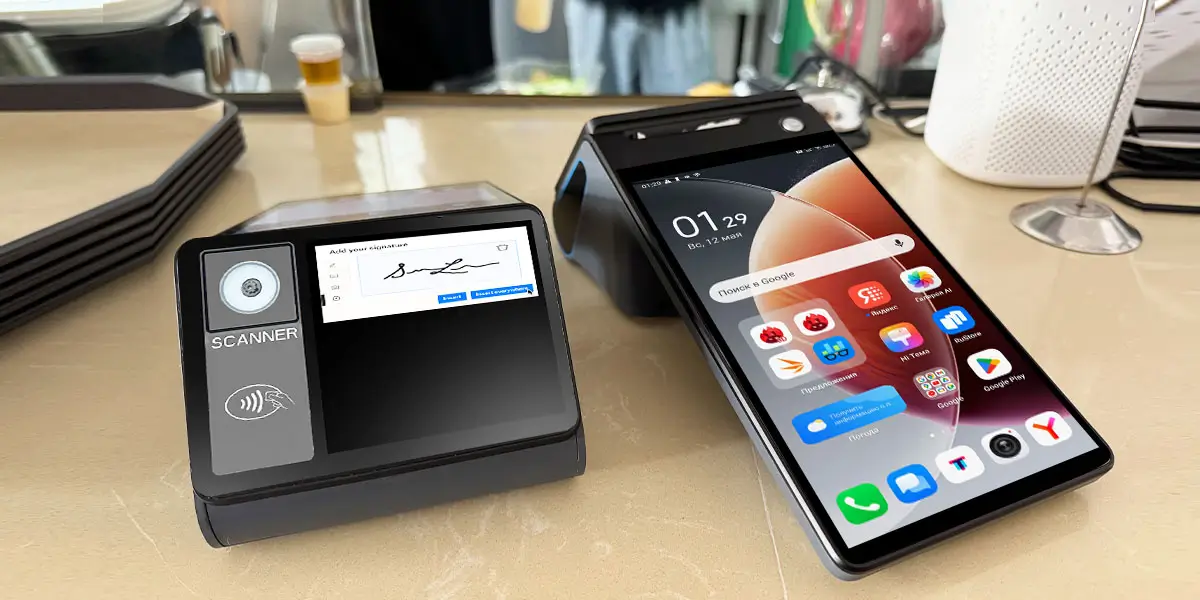
Processing power for browser rendering. Because Odoo POS runs as a web app, the terminal's CPU and RAM are spent rendering and updating a browser session rather than running a lightweight native interface. A product catalog with images, real-time cart updates, and background data sync all add rendering load — on underpowered hardware, this shows up as lag between tapping an item and it appearing in the cart, which is a much bigger problem at a checkout counter than it sounds.
Screen size suited to the interface, not just the device category. Odoo's own documentation notes that the POS module runs on any device with a modern browser — desktop, tablet, or phone — but the interface itself is designed around a tablet-scale layout: product grids, category tabs, and an order summary panel all competing for space. On a small handheld screen, that layout gets cramped fast, which matters more for a primary checkout terminal than for a secondary order-taking device.
A stable network connection. Odoo POS is built to keep working during a connectivity drop — it caches transactions locally and syncs them once the connection returns, so a brief outage doesn't stop sales. But that resilience is a safety net, not a replacement for stable connectivity day to day. The entire "front counter as ERP node" value only holds up if sales data actually makes it back to the central database promptly; a terminal that's frequently offline is a terminal whose inventory and accounting numbers are frequently stale.
Peripheral integration works differently for a browser-based POS than for a native Android application, and it's worth understanding both paths before assuming any terminal "just works."
Barcode scanners are the simpler case. Most scanners operate in HID keyboard-emulation mode — to the operating system, they look like a keyboard rapidly typing characters, not a specialized device requiring drivers. That means a barcode scan lands directly in whatever field is focused in the Odoo POS browser session, the same way typing would. Any terminal with USB or Bluetooth scanner support handles this without special integration work.
Receipt printers are more nuanced. Odoo supports two paths: standard printing through the browser's native print dialog, which relies on the device having a working print driver for the target printer, or Odoo's IoT Box — a small bridge device that connects printers, scales, and other hardware to the POS session over the local network and is specifically required for label printers. For a terminal with a built-in thermal printer, such as ZCS's Z93 with its 80mm printer, the practical question is whether the printer is properly registered as a print target the browser can reach directly — when that's set up correctly, receipt printing works through the standard print dialog without needing a separate IoT Box in the loop, which simplifies the setup for a single-terminal or small-count deployment.
This is where an Odoo deployment differs structurally from a standalone POS system, and it's the real differentiator worth understanding before hardware selection. Odoo's Point of Sale isn't a separate application that exports data into an ERP system later — it's a module running against the same underlying database as inventory, purchasing, and accounting. Every sale processed at the terminal decrements stock in the same instance the warehouse team uses; every session close reconciles against the same accounting ledger finance runs reports from. The terminal, in effect, becomes a live front-end node writing directly into the business's core operational data rather than a silo that gets reconciled with everything else at the end of the day.
That structure is exactly what the broader unified commerce model is built around — a single source of truth across every sales channel rather than fragmented systems syncing on a delay. Our breakdown of omnichannel POS architecture across retail, food service, and subscription models goes further into how that architecture holds up across different business types beyond a single Odoo deployment.
Hardware fit depends on which role a given terminal plays in the deployment, since a primary checkout station and a mobile order-taking device have different priorities.
| Role | Model | Why It Fits |
|---|---|---|
| Primary checkout terminal | Z100, Z108 | Larger tablet-scale screens suited to Odoo POS's product-grid interface and full checkout workflow |
| Mobile order-taking | Z92 | Smaller handheld form factor for tableside or floor-based order entry feeding into the same Odoo session |
| High-volume receipt/ticket printing | Z93 | Built-in 80mm thermal printer suited to busy counters printing frequent receipts or kitchen tickets |
ZCS has tested and confirmed that the Z100, Z108, Z92, and Z93 all support running the Odoo POS web interface directly, which covers both the primary-checkout and mobile order-taking roles a typical Odoo deployment needs across a single store.
Even though Odoo POS itself runs in a browser rather than as an installed app, the terminal underneath still needs to be genuinely open at the OS level for a business running more than just Odoo. A merchant using Odoo for inventory and back-office operations often needs to run other software on the same device too — a delivery aggregator app being a common example. That's a direct extension of the same software-openness question covered in our guide to why GMS-certified Android POS terminals give merchants more software freedom: a certified terminal can run the browser session hosting Odoo POS and a separate installed app side by side, without one requiring different hardware than the other. For merchants specifically balancing Odoo with delivery-platform integration, our guide on choosing the right Android POS terminal for Grab merchant integration covers that adjacent scenario in more depth.

Q1. Does Odoo POS have specific hardware certification requirements?
No — Odoo doesn't run a hardware certification program the way payment networks do. The practical requirements are a modern, up-to-date browser, sufficient processing power for smooth rendering, and compatible peripherals (via HID scanners, a working print driver, or Odoo's IoT Box for more advanced hardware like label printers).
Q2. Which ZCS models support Odoo POS?
ZCS has tested and confirmed the Z100, Z108, Z92, and Z93 for running the Odoo POS web interface, covering both fixed checkout and mobile order-taking use cases.
Q3. Can the same terminal run both Odoo's inventory module and the POS module at once?
Technically yes, since both run through the same browser session against the same Odoo instance — but in practice, most deployments keep the POS module as the primary front-facing screen during business hours and handle inventory adjustments through a separate back-office session, since switching between the two mid-shift isn't a typical checkout-counter workflow.
Q4. Does a terminal need an internet connection at all times to run Odoo POS?
Not continuously — Odoo POS is designed to keep functioning during a temporary connectivity drop, caching transactions locally and syncing once the connection returns. Stable connectivity is still important for keeping inventory and accounting data current in near real time rather than delayed.
Q5. Do I need an IoT Box to connect a receipt printer to Odoo POS on an Android terminal?
Not necessarily. Standard printing can go through the browser's native print dialog if the terminal's printer is properly set up as a print target. An IoT Box becomes specifically necessary for label printers and for bridging certain other hardware like scales or some payment terminals.






 Home
Home  What Does Turkey's 2026 Contactless Payment Limit Change Mean for POS Hardware?
