
2026-05-12 Author : ZCS
Most POS terminals in active deployment today still run Android 10 or 12 — operating systems that no longer receive security patches, leaving payment hardware exposed to known vulnerabilities and increasingly out of step with enterprise compliance requirements. For IT teams managing fleets of devices across retail, food service, or field operations, this isn't a future risk. It's a daily one.
The Z93 is built on Android 14.0, making it one of the most current Android 14.0 POS terminals available in its class. Paired with ZCS deep-level performance optimization and full GMS certification, it addresses the three issues that matter most to enterprise buyers — security, ecosystem access, and sustained operational performance — not as add-ons, but at the platform level.
This guide walks through what Android 14.0 actually delivers on POS hardware, how ZCS optimization and GMS certification translate into real deployment advantages, and what the Z93's full specification set means for retail, hospitality, and field service environments. Whether you're evaluating your first Android 14 deployment or benchmarking the Z93 against existing hardware, you'll find the information you need to make a confident decision. For a broader look at ZCS hardware capabilities including SDK and ODM options, see the Full-Stack ZCS Android POS Terminals: The Open SDK & Custom ODM Guide.
For most enterprise buyers, an OS version number on a spec sheet is easy to overlook. Android 14.0 is worth paying attention to — it changes how a POS terminal handles security and transaction performance at the platform level, not just on paper.
The most practical change is how Android 14 handles app installation. According to the Android Developers documentation , apps targeting API levels below 23 can no longer be installed — because older API levels are a known entry point for malware bypassing permission controls. For POS operators, this matters because it blocks unvetted payment middleware from being sideloaded onto the terminal, a vulnerability that has existed on older Android versions for years.
Android 14 also gives IT teams two new controls that directly apply to payment hardware. According to Google's Android Enterprise Help page, administrators can now disable 2G connectivity at the modem level on managed devices, cutting off a common attack vector where terminals are forced to downgrade to unencrypted 2G connections. The same update introduced enforced credential manager controls — IT teams can now specify exactly which credential store employees are allowed to use, preventing work credentials from being saved in unsanctioned apps.
On device access, according to Google's Android 14 for Business blog, the default PIN length increased from 4 to 6 digits, taking possible combinations from 10,000 to 1 million — a straightforward but meaningful improvement for unattended terminals on a shop floor.
According to TechCrunch's coverage of the Android 14 developer preview, Android 14 introduced memory management improvements that more aggressively push background apps out of active memory once they stop being used. On the Z93's Octa-Core 2.0GHz processor with 4GB RAM, this keeps the payment application in the foreground where it belongs — less background interference means more consistent transaction speeds during busy periods.
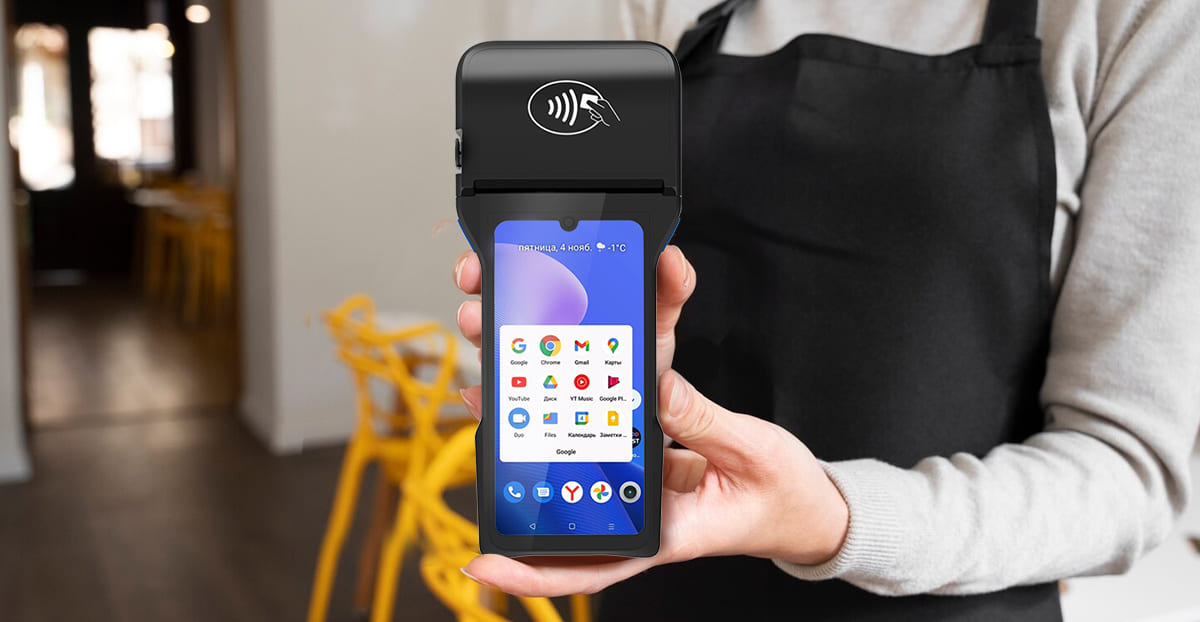
Android 14 sets the foundation. What ZCS adds on top is what makes the Z93 behave differently from a generic Android device with the same spec sheet.
ZCS builds custom firmware on top of Android that adds hardware-based encryption and performance tuning calibrated specifically for payment terminal use cases. In practice, this covers three things that standard Android builds leave unoptimised: how fast the device boots, how quickly it wakes from standby, and how fast peripherals — the printer, card reader, and NFC module — respond when a transaction starts. In a busy retail environment where a cashier is processing hundreds of transactions a day, these delays add up.
The bigger concern over a full shift isn't raw speed — it's consistency. Android devices slow down when the processor gets hot, a process called thermal throttling. ZCS addresses this with custom thermal management profiles embedded in the firmware, keeping the processor running at stable clock speeds even during peak periods. Combined with Android 14's background process controls, the Z93 maintains consistent checkout times in a way that generic Android hardware on the same chipset often doesn't.
GMS (Google Mobile Services) is Google's licensed bundle of apps and APIs — the Play Store, Play Protect, Google Maps, Firebase, and more. A device either passes Google's certification process and gets GMS, or it runs a plain AOSP build without it. The difference is significant for enterprise deployments.
According to Jason Bayton's Android Enterprise certification guide, only organisations that have signed a formal agreement with Google — and there are roughly 100 approved partners globally — can submit a device for GMS testing. It is a meaningful bar to clear, not a rubber stamp.
For POS buyers, losing GMS means losing three things. First, app access: according to Embien Technologies' GMS analysis , the Play Store hosts over 3 million apps, and many mainstream payment and inventory management applications depend on GMS packages like SafetyNet and Firebase Cloud Messaging to function — they simply won't work on non-GMS hardware. Second, security updates: according to Esper's GMS comparison, GMS-certified devices receive monthly security patches under a Google-enforced schedule; non-GMS devices update on the vendor's own timeline. Third, device management: according to AirDroid's enterprise documentation , Android Enterprise — the management framework used by MDM platforms like Workspace ONE and Microsoft Intune — only works on GMS-certified hardware. Without it, IT teams lose remote wipe, policy enforcement, and zero-touch enrollment across their terminal fleet.
The Z93's NFC reader supports ISO/IEC 14443 A&B, Mifare, and Felica card standards. This broad compatibility covers the foundational contactless technologies used across international markets and the Asia-Pacific region. This ensures the terminal can interact with a wide range of contactless smart cards, transit cards, and mobile wallet protocols used for identification and non-payment service applications.
Real-world deployment scenarios
1. The Z93's combination of connectivity, print capability, and portable form factor makes it a practical fit across several different operating environments.
2. In supermarkets and convenience retail, the 80mm thermal printer, NFC reader, and 4G/Wi-Fi connectivity cover the essentials for fixed-counter checkout — fast processing, printed receipts, and a stable network connection.
3. In restaurants and quick-service food, the 6.26" touchscreen and handheld design support table-side ordering, split bills, and tip entry without needing a fixed terminal at every table.
4. In prepaid top-up and airtime services, the dual SIM configuration allows real-time carrier authentication directly from the device — a common deployment pattern across Southeast Asia, Africa, and Latin America where airtime resellers operate at high transaction volume.
5. In parking and access control, the NFC reader's Mifare and Felica support covers the card standards used by the majority of transit and facility access systems globally.
6. In field service and logistics, the rear camera (5MP standard, 13MP optional) handles barcode and document scanning, while GPS, 4G, and BLE 5.0 support remote data collection and real-time asset tracking without fixed infrastructure.
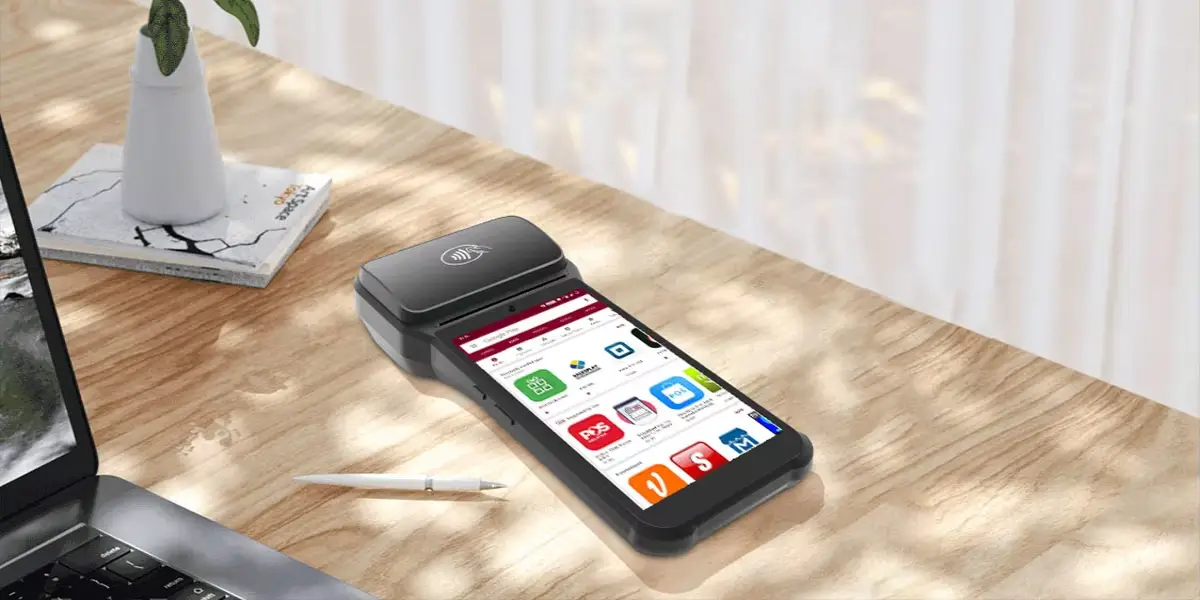
The Z93 makes most sense when three things are true at once: the deployment needs a current, patched operating system with enterprise MDM support; transaction/task volume is high enough that hardware-optimized performance matters; and the project calls for GMS-certified hardware rather than software workarounds.
It is less suited to static kiosk installations where the handheld form factor adds no value, or to low-volume environments where the simplest Android device will do the job.
For procurement teams comparing options, the differentiators worth checking across competing devices are GMS certification status, PSAM slot presence, fingerprint module availability, and whether the manufacturer ships custom firmware or a stock Android build. According to ZCS's market overview, the global POS terminal market reached over USD 113 billion in 2024, driven by merchants replacing legacy hardware with cloud-connected devices. GMS-certified Android 14 hardware sits at the current leading edge of that transition — and the Z93 is positioned squarely within it.

Q1: Does the Z93 support Google Play Store and standard Android apps?
Yes — because the Z93 is GMS-certified, it has full access to the Google Play Store and the broader Google ecosystem. This means you can install mainstream inventory management tools, business apps, and logistics software directly from the Play Store without sideloading. Apps that depend on Google services like SafetyNet or Firebase Cloud Messaging will also work normally.
Q2: What is the difference between a GMS-certified POS and a standard Android POS?
The core difference comes down to security updates, app compatibility, and device management. A GMS-certified device like the Z93 receives monthly security patches on a Google-enforced schedule, supports Android Enterprise for MDM platforms like Microsoft Intune and VMware Workspace ONE, and can run apps that depend on Google's service layer. A non-GMS device runs a plain AOSP build — it loses these capabilities, which matters significantly for enterprise deployments managed across large terminal fleets.
Q3: Can the Z93 handle high volumes during peak hours without slowing down?
Yes, and this is where ZCS firmware optimization makes a practical difference. Generic Android devices can slow down during sustained use because the processor throttles its clock speed to manage heat. The Z93 uses custom thermal management profiles embedded in its firmware to keep the Octa-Core 2.0GHz processor running at stable speeds under load. Combined with Android 14's improved memory management, the device maintains consistent performance even during busy periods.
Q4: Which contactless card standards does the Z93 support?
The Z93's NFC reader supports ISO/IEC 14443 A&B, Mifare, and Felica card standards. In practice, this means the terminal is compatible with most transit cards, membership cards, facility access cards, and many mobile-based identification methods used globally.
Q5: Is the Z93 suitable for businesses outside of retail, such as logistics or field services?
Yes. While the Z93 is well suited to retail and restaurant environments, its hardware covers field service and logistics use cases directly. The rear camera handles barcode scanning and document capture. GPS support enables real-time location tracking. BLE 5.0 and 4G connectivity allow for remote data synchronization without fixed infrastructure. The dual SIM configuration also makes it practical for operators working across different carrier networks.
Related Posts
1. Android 14.0 POS Terminal Deep Integration: ZCS Optimization and GMS Certification
2. ZCS Z93 Mobile POS: Unlock Data Power for Retail 2025
4. Android POS: The Complete System Selection Guide
5. POS System with Touch Screen: What to Look for Before You Buy






 Home
Home  Top 10 Epos Terminals in China You Should Know About?
