2026-11-24 Author : ZCS
Clover occupies the same integrated-POS category as Square, but its hardware range, financial-institution distribution and App Market create a different buying process. Our Square POS system guide explains the closest useful comparison before a merchant chooses between the two platforms.
A Clover POS system is a connected package of payment acceptance, Android-based devices, merchant software and cloud services. The platform records orders and payments, manages business data and extends through approved applications. Clover controls the device environment and payment path, while merchants select hardware and service plans for retail, restaurants or services.
The key decision is therefore not whether Clover can accept a card. The key decision is whether Clover's integrated operating model fits the merchant's business, payment agreement and future software requirements.
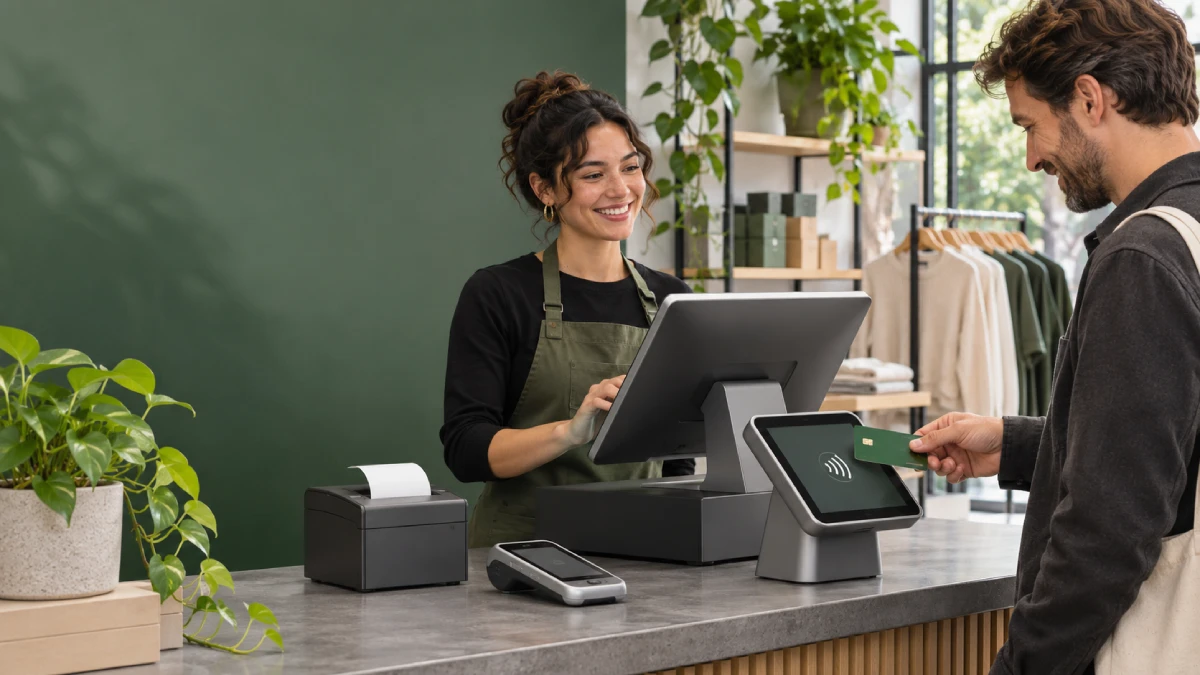
Clover POS combines checkout and merchant operations inside one managed platform. A Clover device can accept chip, swipe and contactless payments, while the connected software manages orders, inventory, employees, customers and reports according to the selected plan.
Clover is owned by Fiserv and distributed through Clover Direct, banks and other merchant-service partners. This channel model matters because two merchants can use similar Clover hardware but receive different processing rates, contract terms, support arrangements or equipment offers.
Clover calls its software platform open because developers can build apps and integrations through Android tools and Clover APIs. The Clover developer architecture supports native Android apps, REST integrations, ecommerce services and approved App Market distribution. That openness applies to application development. It does not mean a merchant can freely move Clover hardware to any unrelated payment processor.
A Clover transaction connects four operating layers. Each layer handles a separate part of the sale:
The Clover Dashboard extends management beyond the counter. Owners can review transactions, run reports, manage items and adjust business settings without standing at the register. Available functions depend on the business type, software plan and installed applications.
The Clover App Market fills gaps that the base plan does not cover. Merchants can add accounting, payroll, scheduling, loyalty, ecommerce, inventory and industry-specific tools. The Clover App Market also means total software cost can rise as a merchant adds paid subscriptions.
Clover hardware ranges from a simple payment terminal to a full dual-screen counter. The correct device depends on whether the merchant needs a fixed checkout, customer interaction, mobile ordering or card acceptance only.
| Clover device | Main role | Important hardware | Best fit |
|---|---|---|---|
| Station Duo | Full dual-screen checkout | 14-inch merchant screen, 8-inch customer screen, receipt printer and cash drawer | Busy retail counters and restaurants |
| Station Solo | Single-screen fixed POS | 14-inch merchant display, printer and cash drawer | Staff-operated checkout without a dedicated customer screen |
| Mini | Compact all-in-one POS | 8-inch touchscreen, built-in printer and integrated card acceptance | Small counters, salons and service desks |
| Flex | Handheld full POS | Nearly 6-inch screen, built-in printer, camera and barcode scanner | Tableside payment, line busting and mobile service |
| Compact | Payment terminal | 3.6-inch touchscreen and built-in printer | Merchants needing payments rather than complete POS operations |
| Go | Phone-connected card reader | Small mobile reader used with the Clover Go app | Pop-ups, mobile sellers and occasional payments |
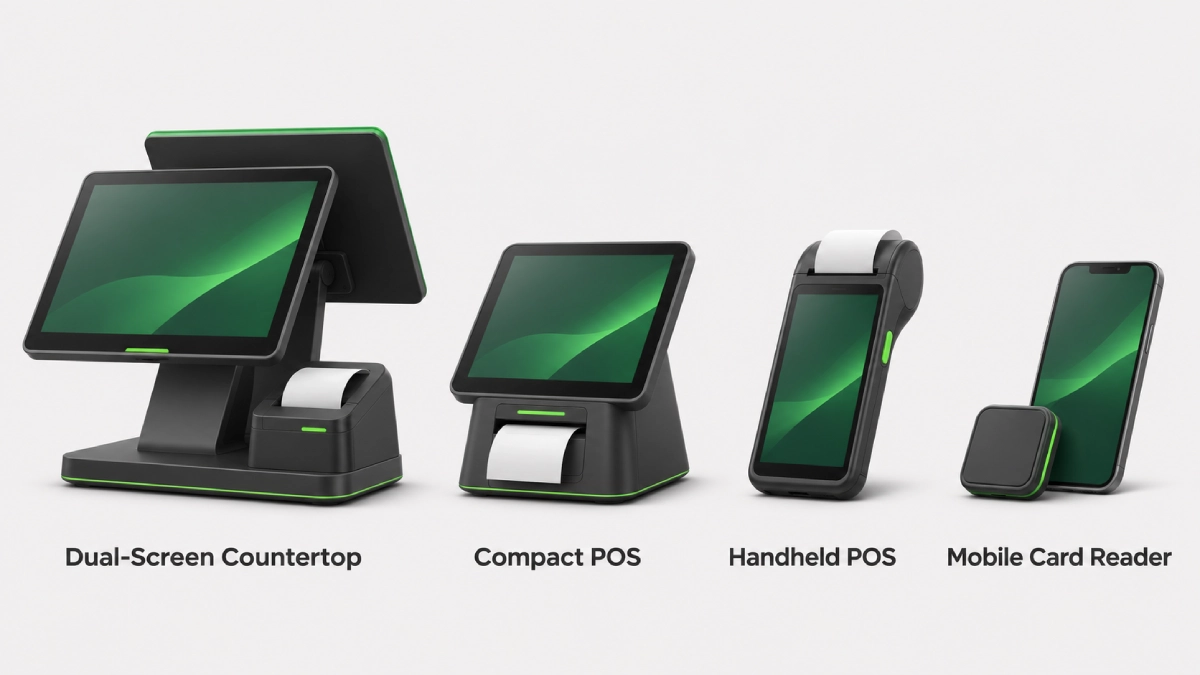
Clover Station Duo is the strongest counter configuration in the current Clover range. The 14-inch staff screen handles orders and management, while the 8-inch customer touchscreen displays the order, accepts payment, supports tipping and can collect receipt preferences.
Station Duo includes a high-speed receipt printer and cash drawer in the standard full-counter configuration. Wi-Fi, Ethernet and cellular connectivity support different store layouts. The system also connects to selected scanners, printers and other Clover devices.
The dual-screen workflow is useful when customers need to verify items or complete payment without turning the merchant display. Our customer-facing display guide explains when that second screen adds operational value rather than occupying counter space.
Clover Mini compresses payment, printing and basic business operation into an 8-inch countertop device. The integrated chip, contactless and magnetic-stripe interfaces face the customer, while the built-in printer removes the need for a separate receipt unit.
Mini suits a salon reception desk, small boutique, professional-service counter or secondary register. It can also connect to a cash drawer or external printer. The smaller display creates less working space than Station Duo, so complex restaurant menus or high-volume retail catalogs require a careful workflow test.
Clover Flex moves ordering, scanning, payment and receipt printing away from the fixed counter. The device has a nearly 6-inch screen, integrated payment acceptance, a camera and 1D/2D barcode scanning. Clover states at least eight hours of typical SMB use for the current Flex battery.
Restaurants can use Flex for tableside ordering and payment. Retailers can use it for queue reduction, stock lookup or mobile checkout. Flex can operate alone or as part of a larger Clover location.
Clover Compact is a payment terminal rather than a full-featured POS. Clover's current U.S. page lists Compact at $349 or $16 per month for 36 months, with payment rates advertised as low as 2.6% plus 10 cents for eligible new merchants. Compact does not provide the complete menu, inventory and order-management functions available on Station, Mini or Flex.
Clover Go serves the lightest mobile use case. A merchant connects the reader to a compatible phone and runs transactions through the Clover Go app. Go works for markets, events and occasional off-counter payments, but it does not replace a full store workstation.
The official Clover device specifications provide the current hardware generations, operating-system versions and port details. Buyers should match the exact quoted generation because older and newer Clover devices can look similar while using different internal platforms.
Clover software starts with payments and expands into daily business management. Core functions include transaction records, sales reporting, item management, employee profiles and customer engagement. Higher business plans add more capable retail, restaurant or service workflows.
Clover App Market is the platform's main customization layer. A merchant can add QuickBooks connections, employee scheduling, advanced inventory, ecommerce synchronization, loyalty tools and specialized restaurant functions. Developers can also publish approved apps for defined industries.
The app model creates both flexibility and dependency. A merchant gains access to many specialized tools without commissioning custom software, but each paid app adds another subscription, data connection and support relationship. A complete buying comparison must list which functions come from Clover and which require third-party apps.
Clover fits small and midsize retailers that want integrated checkout, inventory and customer tools. Current retail functions include SKU and variant management, barcode scanning, stock alerts, returns, sales reporting, loyalty and online-store connections.
Boutiques, bookshops, jewelry stores and convenience retailers can select a counter or handheld configuration. Retailers with complex purchasing, warehouse management or multi-country tax rules should test those specific processes rather than assume that general inventory features replace an ERP.
Clover supports both counter-service and full-service restaurant workflows. Restaurant software covers orders, modifiers, table maps, coursing, tips, kitchen routing and online ordering. Station Duo can anchor the counter, Flex can handle tableside service and Clover KDS can display orders in the kitchen.
The integrated restaurant setup reduces the number of systems a small operator must coordinate. Our Toast POS overview provides a useful restaurant-specific comparison because Toast places even more emphasis on food-service software and operations.
Clover fits service businesses that combine appointments, invoicing and in-person payment. Salons, spas, repair shops, healthcare offices and professional services can use Mini or Flex at reception, in a treatment room or during mobile service.
Appointment booking and deeper industry functions depend on the selected plan or app. A service provider should demo the full sequence from booking to deposit, final payment, refund and staff commission before signing a contract.
Clover Flex and Go support sellers that do not stay behind one counter. Food trucks, market vendors, pop-up retailers and event businesses can accept payments through cellular or phone-connected configurations.
Mobile operation still depends on network coverage, battery planning and receipt requirements. A merchant should also confirm whether offline payment acceptance is enabled, what transaction limits apply and who carries the risk if a stored transaction later declines.
Clover POS cost has five separate components. A low hardware offer does not represent the full operating cost.
Clover pricing must be read from the exact quote, not a generic review table. The current Clover pricing explanation states that payment processing is priced separately from monthly hardware and software packages. It also states that partner contract terms and termination fees can vary.
The payment agreement matters as much as the screen or printer. Our merchant services guide explains how the processor, merchant account, terminal and settlement service connect behind the monthly bill.
| Area | Clover advantage | Decision boundary |
|---|---|---|
| Setup | Coordinated hardware, software and payments | Merchant must accept the supported payment relationship |
| Hardware range | Fixed, compact and handheld devices work together | Proprietary devices are not general-purpose Android tablets |
| Industry software | Retail, restaurant and service plans | Complex workflows may need paid apps |
| Development | Android SDK, REST APIs and App Market | Apps must follow Clover platform rules and approval processes |
| Support | One ecosystem with direct and partner support channels | Contract owner and escalation path depend on the seller |
| Expansion | Add devices, KDS, ecommerce and apps | Subscription and integration costs rise with scope |
Clover's main strength is operational coordination. A merchant can buy compatible hardware, payment acceptance and business tools through one ecosystem instead of assembling every component independently.
Clover's main limit is controlled portability. Clover's own pricing page states that its devices cannot be used with unrelated payment processors. A merchant can build or install approved software, but the hardware and acquiring model remain part of the Clover environment.
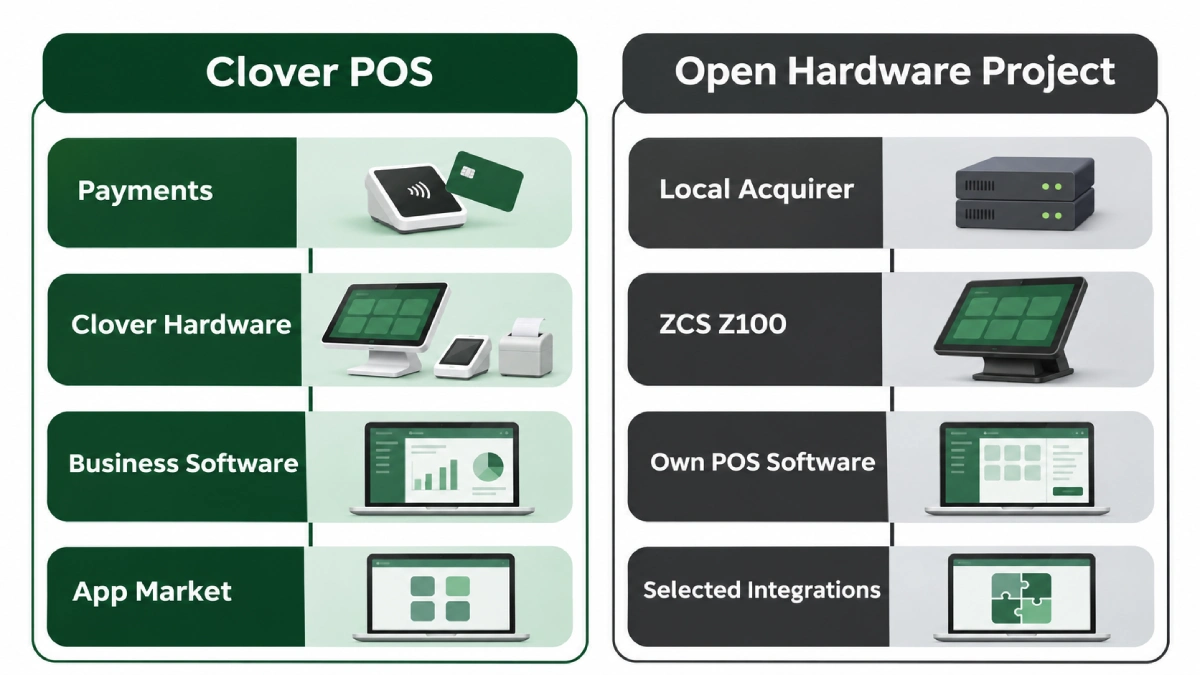
Clover POS and an open hardware project solve different procurement problems. Clover sells a coordinated merchant system. An open project starts with software, acquiring and regional requirements, then selects hardware to support that design.
| Supply model | Merchant controls | Provider controls | Best fit |
|---|---|---|---|
| Integrated payment POS | Store configuration, products and selected apps | Payment path, device environment and supported platform | SMBs wanting one coordinated provider |
| Uncertified white-label POS | Branding and basic configuration | Responsibilities may be unclear | Projects to avoid unless ownership and certification are documented |
| Pure-hardware ODM/OEM POS | Software, acquiring, deployment and branding | Hardware production and device-level integration | ISVs, distributors and multi-market projects |
Clover is an integrated payment POS with a developer platform. Clover gives merchants and software developers meaningful application flexibility, but the payment relationship remains controlled within the supported Clover channel.
ZCS Z100 is a pure-hardware ODM/OEM POS for teams that already own the software or payment design. Z100 provides a 10.1-inch capacitive touchscreen, a customer-facing secondary display, camera-based barcode and QR scanning, and integrated 58mm printing with an optional 80mm configuration. The 80mm printer supports printing up to 160mm per second.
ZCS Z100 supports a complete counter layout through physical interfaces. Four USB-A ports, USB-C, RJ45, RJ11 and RJ12 connections support scanners, a cash drawer, a PIN pad and other project peripherals. NFC, magnetic-stripe and IC-card interfaces are available for software and payment integrations defined by the buyer's solution.
The ZCS Z100 POS terminal fits ISVs, distributors and deployment teams that need OEM/ODM customization, their own application and a local acquiring relationship. Clover remains the better fit when a merchant wants an established all-in-one service rather than managing several project partners.
A Clover demo should reproduce the merchant's real operating day. Use this checklist before accepting a device bundle or processing agreement:
The complete quote should name every recurring and one-time charge. Hardware discounts can be valuable, but processing rates, app subscriptions and contract obligations determine long-term cost.
Clover POS is a strong all-in-one choice for small and midsize merchants that want integrated payments, purpose-built devices and expandable business software. Station Duo provides the complete dual-screen counter, Mini handles compact checkout, Flex supports mobile service, and Compact covers payment-only requirements.
Clover is less suitable when payment-processor freedom or unrestricted hardware reuse is the primary requirement. The platform is open to approved development, but Clover devices remain connected to the Clover payment environment.
The final choice depends on the operating model. Merchants that want one coordinated ecosystem should evaluate Clover's exact device, software and processing quote. ISVs and distributors building their own solution should evaluate the ZCS Z100 pure-hardware ODM/OEM POS route.

Clover POS is an integrated merchant platform combining card acceptance, Android-based hardware, business software, cloud reporting and an app marketplace.
Clover devices operate through supported Clover merchant-service channels. Clover states that its hardware cannot be moved to an unrelated payment processor.
Clover Station Duo fits busy stores that need a full counter and customer display. Clover Mini fits smaller counters, while Flex supports mobile checkout and stock lookup.
No. Clover Compact accepts payments and provides basic reporting, but it does not include the complete menu, inventory and order-management functions of Station, Mini or Flex.
Selected Clover devices support Ethernet or cellular connectivity, and Clover documents offline payment capability for supported retail configurations. Offline rules and risk limits depend on the merchant setup.
Yes. Clover supports native Android apps, REST APIs, ecommerce integrations and App Market distribution. Applications must meet Clover's technical and publication requirements.
Yes. Clover supports counter-service and full-service workflows, including modifiers, table management, kitchen routing, online ordering and tableside payment.
A pure-hardware ODM/OEM POS lets an ISV or distributor combine its own software, local acquirer and selected hardware. ZCS Z100 supports this project model.






 Home
 Top Alternatives to Bottle POS for Liquor, Wine and Spirits Retail

