2026-11-20 Author : ZCS
The best register with a customer-facing display is the one that fits both your checkout workflow and your software ownership model. Square Register is a straightforward choice for a small retailer that wants one provider. Toast is better aligned with restaurant operations. Clover Station Duo 2 provides an integrated two-screen counter. Lightspeed offers a flexible retail setup. ZCS Z100 and Z108S suit projects that already have POS software, a payment partner or a regional deployment plan.
A customer display should do more than make the register look modern. It should let the shopper check items, quantities, discounts, tax and the final amount without turning the cashier screen. The broader dual-display Android POS guide explains the category; this guide focuses on choosing the right system.
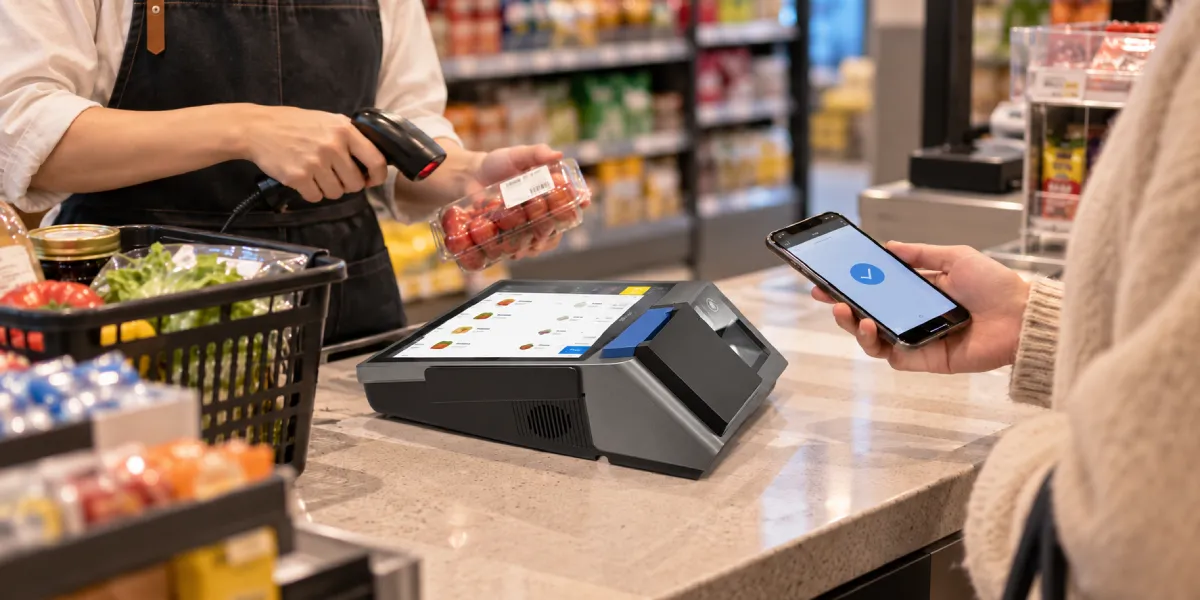
There is no single winner for every store. These five options solve different problems.
| Register or setup | Best fit | Customer-facing experience | Main tradeoff |
|---|---|---|---|
| Square Register | Small and midsize retailers wanting a managed all-in-one system | Dedicated display for basket review and payment | Tied closely to the Square software and payment ecosystem |
| Toast Flex with guest-facing display | Restaurants, cafés and quick-service counters | Order review, tipping and payment within a restaurant workflow | Best value comes from using the wider Toast platform |
| Clover Station Duo 2 | Service counters and merchants wanting integrated customer payment interaction | 8-inch customer screen paired with a 14-inch merchant screen | Application and payment choices depend on the Clover ecosystem and market |
| Lightspeed customer display setup | Retailers that prioritize inventory and software flexibility | Can use supported display arrangements around the retail POS | Hardware experience varies with the selected configuration |
| ZCS Z100 or Z108S | POS software companies, distributors, chains and custom Android projects | Mirrored or independent customer content on configurable dual-screen hardware | The project owner supplies or integrates the POS and payment services |
For a merchant buying a ready-to-use service, the software platform often matters more than the screen specification. For an integrator building a branded solution, hardware control, Android support, interfaces and display behavior become more important.
The right register becomes easier to identify once the customer screen has a defined job. Most deployments need one or more of the following:
Order visibility is the core function. A customer who can see the basket can catch a wrong quantity or missing discount before payment. That is more useful than filling the idle screen with advertisements while hiding the live order.
The screen also needs the correct software behavior. A second panel can mirror the cashier screen or show separate customer content. Independent content is normally better because staff controls stay private and the customer sees a simpler layout. The guide to how dual-screen POS terminals work explains how one basket updates both views.
Android provides a dedicated Presentation API for associating content with a secondary display. The existence of that API does not make every Android app dual-screen ready; the POS application must deliberately create and maintain the customer view.
Registers with customer-facing displays are sold through three different commercial models. Two devices can look similar while giving the buyer very different control over software, payments and support.
| Category | What the buyer receives | Best for | Main limitation |
|---|---|---|---|
| Integrated Payment POS | Register hardware, POS software, payment service and managed support | Merchants that want one provider and a faster setup | Less freedom to change the processor, operating environment or core software |
| Uncertified White-Label POS | Generic hardware with limited product-level evidence or support | Price-led projects with few requirements | Greater uncertainty around revisions, documentation, security and lifecycle |
| Pure-Hardware ODM/OEM POS | Configurable hardware for the buyer's application, payment partner and brand | ISVs, distributors, chains and regional solution providers | The project owner must assemble and support the full solution |
Square, Toast and Clover are examples of the integrated payment POS approach. Their strength is coordination: the register, payments and core application are designed to work together. The tradeoff is ecosystem dependence.
An uncertified white-label POS may advertise two screens at a low price, but a product image says little about software control, production consistency or customer-display recovery. This category is difficult to support across a fleet.
A pure-hardware ODM/OEM POS gives the buyer direct control over the application and device configuration. ZCS operates in the pure-hardware ODM/OEM POS category, supplying Android dual-screen hardware for solutions built around the buyer's software, payment arrangement and market requirements. This is the practical route when a company wants its own checkout experience rather than another provider's complete merchant platform.
Square Register is the strongest simple answer for a small retailer that already wants Square software and payment processing. It combines a large cashier display with a detachable customer display and keeps the checkout experience inside one product family. The merchant does not need to design a dual-screen application or coordinate several hardware vendors.
This simplicity has a clear boundary. The customer display is part of the Square Register system, not a general-purpose monitor for an unrelated POS. Replacement-display compatibility also depends on the exact Register generation and version. A business changing software, processor or country should therefore evaluate the complete Square service, not only the screen.
Lightspeed is a better software-led retail choice when product catalog, inventory and multistore operations drive the decision. Its customer-display options can be built around supported retail configurations rather than one fixed all-in-one register design. That flexibility helps a retailer that already prefers Lightspeed's operational software.
The tradeoff is hardware consistency. A register, payment terminal and separate customer display can create more cables, power supplies and support relationships than a single body. The store should document which component owns the basket, which device accepts payment and what appears when a connection fails.
For a small shop, the final choice is straightforward:
Toast Flex with a guest-facing display is the best fit in this comparison for a restaurant that wants the customer screen connected to ordering and payment. The guest side can follow the order and support the customer-facing steps that matter at a restaurant counter. Toast's wider platform also addresses restaurant-specific work such as menus, modifiers and service flows.
That makes Toast a better restaurant recommendation than a generic retail register. A café or quick-service restaurant usually has more modifier complexity than a boutique: size, milk choice, extras, dining method, tax and tips can all change one order. The customer screen should reflect those changes immediately.
Clover Station Duo 2 is a strong alternative for a service counter that wants a large customer screen and integrated payment interaction. Its 14-inch merchant screen and 8-inch customer screen create a clear two-sided checkout. Clover can fit cafés, salons and other counter-service businesses whose required applications are available in the supported ecosystem.
The decision between them should follow the operating model:
Restaurant chains should also consider kitchen routing, menu updates, offline behavior and site support. A customer display cannot compensate for an ordering platform that does not match the service format. The restaurant and QSR dual-screen guide covers that wider operational context.
ZCS Z100 is the best fixed-counter option in this comparison for an Android POS project that needs customer-facing display control. It combines a 10.1-inch operator touchscreen with a 2.6-inch or 3.95-inch customer display. The dual screens support mirrored or independent content, allowing the POS application to show the cashier interface on one side and a focused basket, amount or QR code on the other.
The ZCS Z100 Android POS supports Android configurations, integrated receipt printing and multiple physical interfaces for counter peripherals. Its fixed form suits retail stores, cafés, pharmacies and service desks that need a stable register position.
ZCS Z108S is the better compact choice when the register must move or fit a smaller counter. It uses an 8-inch main display and a 3.95-inch customer screen, runs Android 14, and combines wireless connections, Ethernet and integrated receipt printing in a portable desktop form. The customer screen supports mirrored or independent content, with touch available for customer interaction.
The ZCS Z108S dual-screen POS is well suited to pop-up stores, food counters and software deployments that need more mobility than a conventional desktop register. Its 58 mm and 80 mm printer options also let the hardware configuration follow the receipt format.
A pure-hardware ODM/OEM POS is especially useful when the buyer needs:
This is not the same buying decision as choosing Square, Toast or Clover. Those platforms sell an integrated merchant service. ZCS supplies the hardware foundation that lets the project owner build and operate its own service.
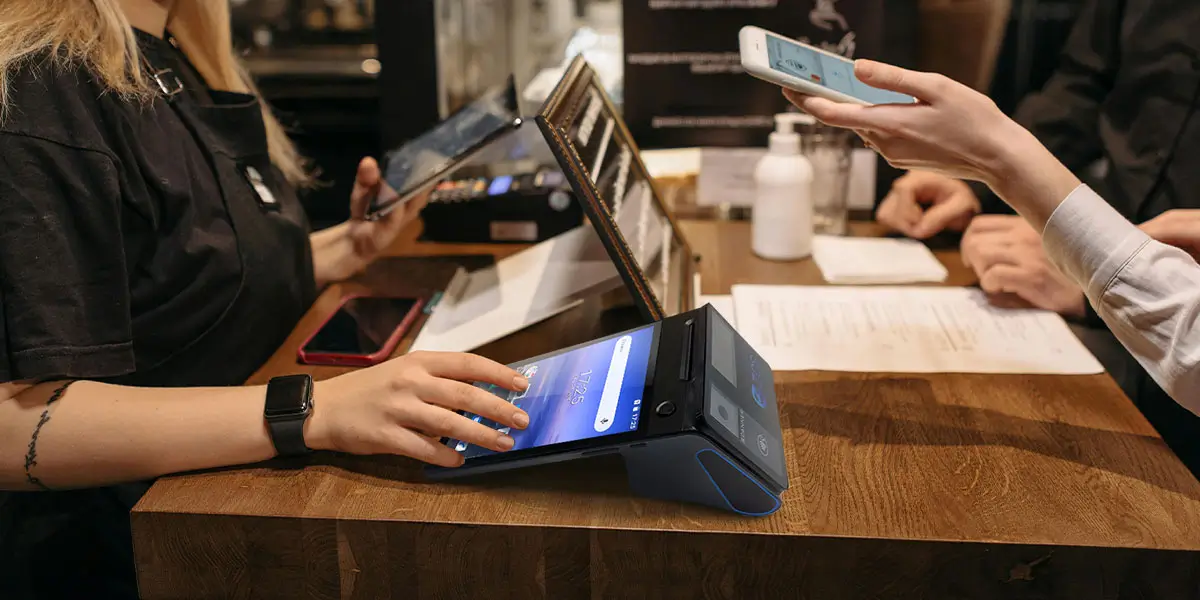
The screen should be large enough for its assigned task, not simply as large as possible. A compact display can show a total, a short basket, a QR code and payment status. A larger display is more comfortable for long baskets, tips, loyalty enrollment, signatures or several customer choices.
| Customer-display task | Practical display approach |
|---|---|
| Amount and payment status | Small non-touch display can be sufficient |
| QR code and short order summary | Compact square or rectangular display works well |
| Full basket with tax and discounts | Medium display with readable line items |
| Tipping, receipt choice or loyalty | Touch display with clear, spaced controls |
| Rich self-service or long forms | Larger customer touchscreen with dedicated interface design |
Touch is useful only when the software expects customer input. A touch panel adds no value if the POS application sends a static total. When touch is used, buttons need enough size and spacing for quick operation. The W3C guidance on minimum target size provides a useful interface reference for reducing accidental taps.
The viewing angle matters too. The customer should be able to read the display from the normal standing or seated position without reaching across the counter. Glare, screen brightness, counter height and cable direction can make a technically adequate display awkward in daily use.
A customer-facing display and a payment terminal are not automatically the same component. A display may show the amount and payment result while a separate reader handles card entry. In another system, the customer panel may include the payment interface. The buyer must understand the actual transaction path.
Before purchase, identify:
The PCI Security Standards Council's Guide to Safe Payments shows why payment risk depends on the complete system, including terminals, networks and connected business devices. A second touchscreen should not be treated as secure PIN-entry equipment unless it belongs to the approved payment design.
Use this short purchasing test before selecting a register:
For a deeper hardware review, use the dual-screen POS terminal specification checklist. It covers display architecture, interfaces, power, serviceability and sample acceptance.

Square Register is the simplest choice for a small retailer that wants one integrated provider. Toast fits restaurant operations better. A ZCS Z100 or Z108S is the better route when the business or its software partner needs a configurable Android register.
Yes, when customers need to verify products, quantities, modifiers, discounts or the final amount. It is less important for a business with one fixed-price service and no interactive checkout steps.
Yes. A dual-screen register can show independent content when both the hardware and POS application support it. ZCS Z100 and Z108S support mirrored or independent display configurations.
Not reliably. The POS software must recognize and control the display, and packaged systems may accept only supported hardware. A normal monitor also lacks the payment, touch and mounting features of a purpose-built customer display.
Toast Flex with a guest-facing display is the strongest restaurant-focused option in this comparison. Clover Station Duo 2 is a good alternative for counter service. Custom restaurant software can run on configurable Android hardware such as ZCS Z100 or Z108S.
ZCS Z100 is the stronger fixed-counter choice, while ZCS Z108S suits compact or mobile deployments. Both provide dual-screen Android hardware without forcing the project into one merchant software and payment ecosystem.
Some integrated systems combine customer display and payment interaction, while others use a separate card reader. The product's payment design, supported provider and exact hardware determine what the customer side can accept.
Choose the register by business model, not by screen count. Square Register is the practical all-in-one retail choice. Toast Flex with a guest-facing display is the restaurant choice. Clover Station Duo 2 suits integrated counter interaction. Lightspeed works well for software-led retail configurations. ZCS Z100 and Z108S are the best fit for custom Android POS projects that need control over hardware, software and regional integrations.
The customer display should have a clear purpose at every stage: welcome, basket, payment and result. Once that workflow is defined, the best register is the system that can deliver it consistently without forcing the business into the wrong software, payment or support model.







 Home
 How Healthcare Payment Solutions Connect Patient Billing, Digital Payments and Hospital Cashiers?

