2026-11-17 Author : ZCS
Square POS combines payment acceptance with sales software, product or menu management, reporting and optional business tools. A seller can run the software on a compatible phone or tablet, connect a reader, or buy a dedicated Square device.
The important point is that Square POS is more than a cash-register application.
Square POS is an integrated point-of-sale ecosystem in which the seller account, checkout software, payment processing, dashboard and supported hardware share one operating model. Each sale updates the payment record, item catalog, configured inventory, customer history and reports. The selected plan, business mode and country determine which functions are active.
That integration reduces setup work, but it also means buyers must evaluate the whole system rather than one device.
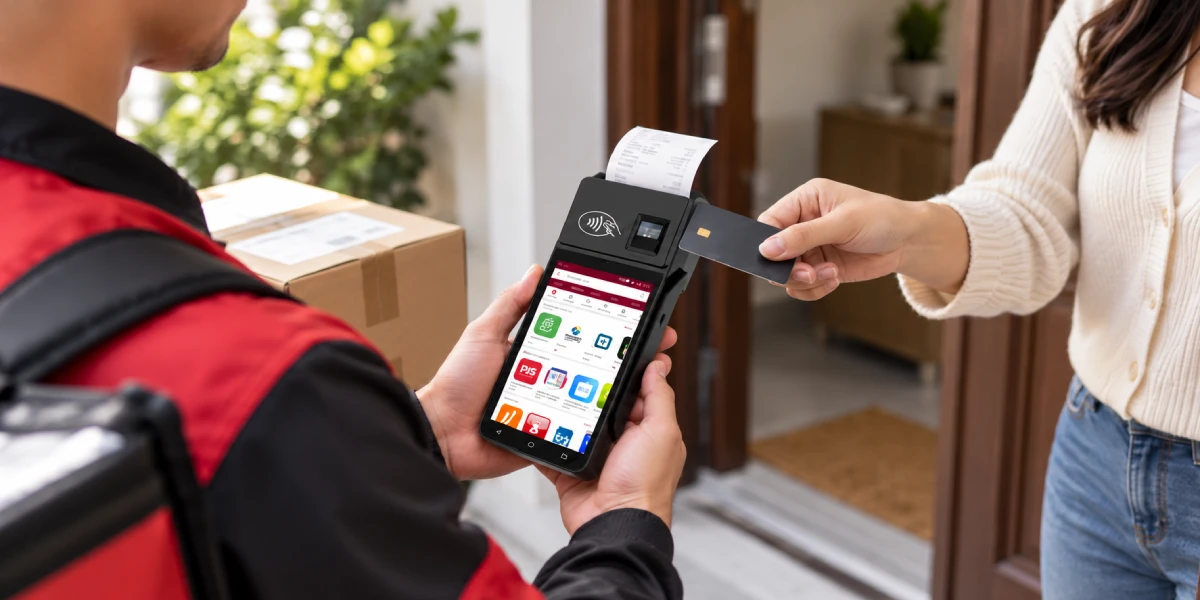
Square POS is Block, Inc.’s seller platform for recording sales, accepting supported payments and managing connected business operations. The core application handles product catalogs, checkout, discounts, refunds, receipts, sales reports and customer records. Optional products extend the system into restaurants, retail, appointments, online sales, loyalty, marketing, payroll and banking.
Square describes the product as a cohesive ecosystem rather than a standalone terminal. Block’s 2025 Form 10-K, filed with the U.S. Securities and Exchange Commission in February 2026, defines Square as managed payment services, software solutions, hardware and financial services offered to sellers. The Block 2025 Form 10-K therefore provides a useful corporate-level confirmation of the system’s structure.
Four connected layers make Square POS work:
| Layer | Main role | What the merchant controls |
|---|---|---|
| Square account and Dashboard | Business identity, locations, catalog, reports and settings | Users, items, taxes, locations and permissions |
| POS software | Builds orders and records sales at checkout | Business mode, screen layout, discounts and workflows |
| Payment service | Processes eligible card and digital payments | Accepted tenders and some risk or receipt settings |
| Hardware | Captures staff input, customer payment and optional printing or scanning | Device placement, accessories and supported configurations |
A Square device does not operate like an unrestricted generic payment terminal. Its value comes from the connection among the Square account, Square software and Square payment service. Buyers who require an unrelated POS application or a different acquirer need another architecture unless Square explicitly supports that configuration.
A Square POS transaction starts as an order and becomes a payment record only after the customer selects a tender and the system receives a result. The checkout flow links software actions with payment processing, but each stage still has a separate purpose.
Cash sales use the POS record without Square card processing. The cashier still closes an order and the software can update reports and inventory, but the physical cash must be counted and reconciled separately.
Online, invoice, keyed and in-person transactions carry different fees and risks. Merchants need a separate cost and control map for each sales channel.
Square POS software covers a broad general checkout layer and adds workflows for specific business types. Feature packages change by country and plan. Buyers must use the local product page instead of applying the U.S. feature list globally.
The general Square POS workflow supports item creation, custom amounts, taxes, discounts, receipts, refunds and sales reporting. Square Dashboard provides centralized access to sales, fees, payouts, locations and other enabled services.
The software can also record cash and other tenders. Recording a tender does not mean Square processed that money. This distinction matters during settlement and reconciliation because card payouts, cash in the drawer and external payments follow different paths.
Square for Retail adds inventory-oriented functions such as SKU management, purchase orders, stock counts, vendor information and more detailed cost reporting at supported plan levels. Basic shops often need only item counts and low-stock alerts. Larger catalogs benefit from paid retail functions or a specialized inventory integration.
Square for Restaurants adds food-service functions such as menu organization, open checks, coursing, seat handling, kitchen routing and table-service workflows. Add-ons such as kitchen display or kiosk software can create additional per-device costs.
Test real modifiers, split checks, voids, refunds and printer routing before deploying the software across every restaurant station. A plan-comparison checkmark does not validate a specific kitchen layout.
Square Appointments combines booking, calendars, reminders, customer records and payment collection. Salons, studios, consultants and repair businesses use Square POS without a traditional retail checkout counter.
Square publishes its POS software for supported Apple and Android devices. The Square POS App Store listing identifies iPhone and iPad support and describes business modes for general selling, restaurants, retail and services.
The host device changes the practical checkout experience. An eligible iPhone supports mobile selling and Tap to Pay, while an iPad gives staff more room for item grids, tables and order details. Every deployment needs a charging routine, controlled user access and an operating-system update policy. A personally owned phone works for a solo seller but creates weak control across a staffed store.
Peripheral support is separate from app installation. Phones and tablets differ in reader connection, printer support, barcode-scanner compatibility, Tap to Pay eligibility and offline behavior. Match Square’s current compatibility documentation to the exact model, operating-system version and country before purchasing devices in volume.
Android availability does not make every Android terminal compatible. Google Play access, operating-system version, regional app availability, NFC hardware and accessory support all matter. The Square POS Google Play listing confirms the consumer Android distribution channel, but a buyer still needs Square’s current device-compatibility guidance for the exact phone or tablet.
Square’s hardware range moves from a small reader to complete fixed and self-service systems. The right device depends on whether staff need mobility, printing, barcode scanning, a customer display or a fixed checkout position.
The following figures are Square’s listed U.S. hardware prices accessed on November 11, 2026, before tax, accessories and financing. Other countries use different pricing and availability.
| Device | Listed U.S. price | Main role | Important boundary |
|---|---|---|---|
| Square Reader for contactless and chip | $59 | Portable tap and chip acceptance with a compatible phone or tablet | Relies on a separate host device and supported Square app |
| Square Stand | $149 | Converts a compatible iPad into a countertop POS | iPad, payment configuration and peripherals must be budgeted separately |
| Square Terminal | $299 | Compact payment terminal with built-in receipt printing | Smaller screen and workflow than a full register |
| Square Handheld | $399 | Mobile ordering, payments and barcode scanning | Best for staff mobility; not a substitute for every counter peripheral |
| Square Register, second generation | $899 | Fixed dual-screen counter with integrated payments | Larger upfront commitment to Square’s hardware and software setup |
| Square Kiosk with counter stand | $1,999 | Customer self-ordering with integrated payments | Kiosk software and operational supervision add recurring and staffing considerations |
Square Reader provides the lowest-cost path to dedicated card acceptance. It suits market stalls, mobile services, pop-ups and low-complexity counters where a merchant already owns a compatible phone or tablet.
The host device remains part of the checkout system. Battery condition, operating-system updates, Bluetooth or physical connection, staff notifications and personal-device policies affect daily use. Add the host device and accessories before comparing the Reader’s $59 price with a complete register.
Square Stand suits merchants that prefer an iPad-based counter. The larger screen supports a fuller item grid and clearer customer interaction while retaining the familiarity of a tablet.
The stand is one component of the setup. A complete station also includes the iPad and any required receipt printer, cash drawer, barcode scanner, networking equipment and counter mount. Match the exact Square Stand and iPad generations before purchase.
Square Terminal combines payment acceptance and receipt printing in a compact device. It fits a small counter, mobile checkout within a venue or payment handoff from another Square workflow.
The built-in printer reduces peripheral count, but paper supply, charging, connectivity and staff handoff still need operating procedures. Large catalogs and complex order entry work better on a larger staff screen.
Square Handheld is designed for staff who move through the business. Square lists integrated tap and chip acceptance, a barcode scanner and camera, making the device relevant to tableside ordering, line busting and stock tasks.
Mobility changes the failure points. Wi-Fi coverage, device charging, drop protection, user sign-in and printer routing become more important than counter footprint. Restaurants need a tested kitchen-routing and connection-recovery procedure before using Handheld during peak service.
Square Register is the most direct fixed-counter Square POS configuration. The second-generation model combines a staff display, separate customer-facing screen and integrated tap and chip acceptance.
The two screens do not merely duplicate each other. The cashier manages the order while the customer can view totals and complete payment on the customer display. A separate explanation of dual-screen POS workflows shows how same-content and different-content display modes affect software design.
Generation compatibility matters when a display is damaged or a used unit is purchased. A replacement screen must match the Register generation rather than simply fit the connector.
Square Kiosk moves order entry to the customer and reduces cashier interaction for suitable quick-service menus. Self-service creates new work around menu design, queue monitoring, receipt handling, accessibility, refunds and customer assistance.
The hardware price is only one part of the decision. Square’s U.S. plan page lists separate kiosk software charges by plan and kiosk product. Restaurants need the full recurring cost per device and a tested production-routing workflow.
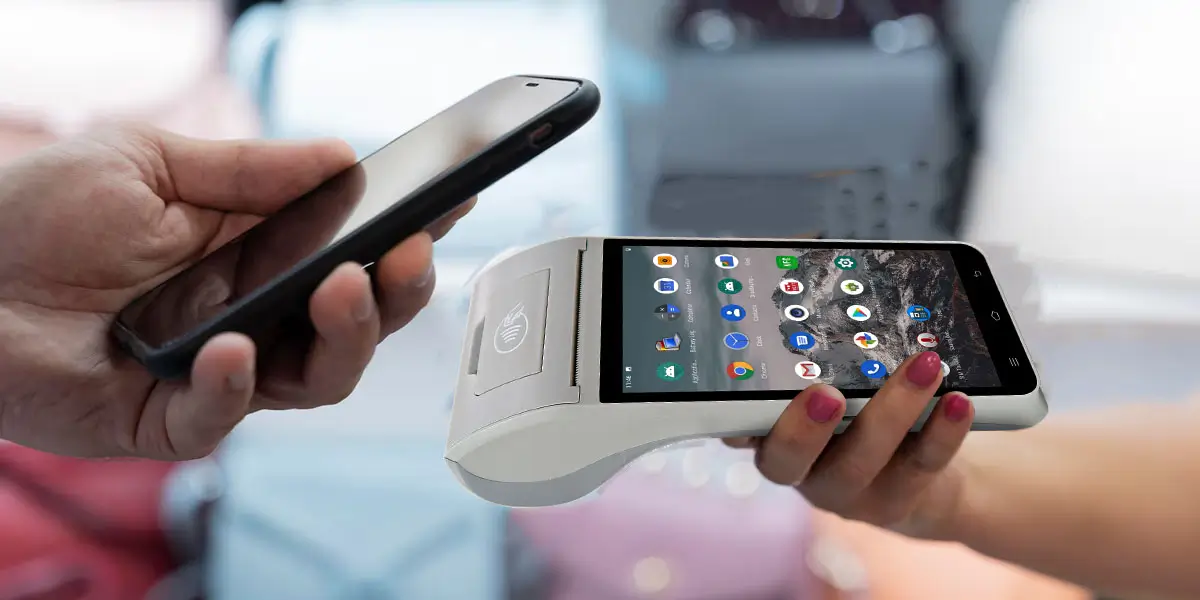
Square POS does not require dedicated Square hardware for every checkout. Supported sellers accept payments through Tap to Pay on compatible phones, payment links, invoices and virtual terminal without buying a full register.
That flexibility creates three practical starting points:
| Starting point | What the merchant supplies | What Square supplies |
|---|---|---|
| Tap to Pay | Compatible phone and network connection | App, payment service and account |
| App plus Reader | Compatible phone or tablet | Reader, app and payment service |
| Dedicated Square hardware | Power, network and optional peripherals | Purpose-built device, software and payment integration |
Hardware-free does not mean cost-free. Processing fees still apply, and paid software or add-ons remain separate expenses. A personal checkout phone also creates staff-access, notification, battery, loss and business-continuity risks.
Dedicated hardware becomes the stronger choice when the business needs a predictable counter, receipt printing, customer-facing interaction, scanning or managed staff access. Choose from the workflow, not the lowest device price.
Square POS cost has four components: hardware, software, payment processing and add-ons. Comparing only the monthly software price hides the largest variable for many merchants—the fee applied to each payment.
Square’s U.S. general POS pricing page accessed on November 11, 2026 listed:
The same U.S. page listed in-person tap, dip or swipe fees of 2.6% + 15¢ on Free, 2.5% + 15¢ on Plus and 2.4% + 15¢ on Premium. Online, manually entered, ACH, international card and other payment types follow different rates or additional charges.
These figures are a dated U.S. reference, not a global quote. Other countries use different products, fees and tax treatment.
Calculate Square POS cost from the merchant’s actual payment mix and location count. Use this model:
Annual cost = hardware and accessories + software subscriptions + payment fees + add-ons + connectivity + support and replacement cost
Payment-fee calculations need the actual average ticket size and transaction count because the fixed amount per transaction affects low-value sales more heavily. A coffee shop with many small tickets produces a different effective rate from a furniture store processing the same annual value through fewer large transactions.
The lowest subscription tier works only when its workflow and fee structure fit the business. Free fits new or seasonal sellers. Plus and Premium justify their monthly cost only through lower listed processing rates, required features or support.
Compare the extra annual subscription with the processing-fee reduction and the value of required functions. Unused features are not savings.
Operational modules create costs beyond the base POS plan. Kitchen display, kiosk, loyalty, marketing, payroll, advanced inventory, online ordering and third-party applications use separate pricing where listed.
Peripherals also matter. Printers, cash drawers, barcode scanners, paper, mounts, network equipment and spare devices often cost more than a basic reader. Budget one complete working station, not the headline product alone.
Square POS serves businesses of different sizes, but the right configuration changes as locations, employees and workflows increase. “Small business POS” describes a common entry point, not a hard limit on the platform.
Solo sellers benefit most from Square’s low setup threshold. A supported phone with Tap to Pay or a Reader handles basic payments, receipts and sales records without a permanent counter.
The merchant still needs a response for poor connectivity, phone failure and customer support. A second device or alternative tender is more valuable than advanced software when checkout continuity is the priority.
A small shop chooses among an iPad counter, compact Terminal and full Register. Product count, receipt needs, cash handling and customer-display requirements determine the hardware.
Square’s integrated catalog and reports reduce the need to assemble separate payment and checkout vendors. The tradeoff is that hardware, payment processing and operational software become closely connected to one provider.
Restaurants need to evaluate the complete order path, not only payment acceptance. Test table layout, modifiers, courses, kitchen routing, bar tabs, split checks, tips, refunds and offline recovery.
Square Handheld supports tableside service, while Register or Stand anchors the main counter. KDS, printers and kiosk devices add station and subscription costs.
Multi-location operators can centralize catalogs, reports and device settings, but scale increases configuration work. Each location needs controlled taxes, menus or items, permissions, printers, network coverage and exception handling.
Per-location software fees materially change the cost comparison. Test centralized changes, local overrides, staff transfers, consolidated reporting and support response before approving a full rollout.
A larger business must judge Square by requirements rather than employee count. Square fits high-volume operations with standardized workflows. Regulated or highly customized businesses often need deeper integration than the platform provides.
The evaluation must cover API depth, identity management, complex inventory, fiscal requirements, acquirer choice, custom device applications, data export and service-level commitments. A proof of concept must include the hardest workflow, not only a successful card payment.
Square card processing is market-specific. Square’s U.S. support page accessed on November 11, 2026 listed card payment acceptance through the Square app in the United States, Canada, Australia, Japan, the United Kingdom, Republic of Ireland, France and Spain.
Square also states that a seller must be located in the country where the account was activated to process card payments. Account country determines currency presentation, and an existing account’s country cannot simply be changed.
This boundary affects international buyers in three ways:
A Square device should not be imported on the assumption that payment service will follow it. The acquiring relationship and supported account country matter more than whether the device powers on.
Square’s main advantage is the reduction of integration work for common merchant workflows. One provider supplies the seller account, POS application, payment processing, reporting and a range of first-party devices.
Specific strengths include:
The integration is especially useful when a merchant accepts standard payment methods and wants a short route from account creation to checkout. A pre-integrated system reduces the number of vendor contracts and interfaces the merchant must coordinate.
Square’s limits come from the same integration that makes it easy to deploy. A buyer receives a coordinated ecosystem but has less freedom to separate hardware, payment processing and core software.
Square hardware is designed around Square’s services. Merchants that must retain a specific acquirer, use multiple acquirers or route payments by country need written confirmation that Square supports the required model.
Square does not process card payments in every country. International projects require confirmed account eligibility, settlement, currency, local methods and hardware availability before procurement.
First-party hardware simplifies support, but replacement parts and accessories must match supported models and generations. A visually similar display, stand or reader may not be interchangeable.
The guide to Square Register display compatibility explains how to identify a Register generation and why a customer display should not be treated as a generic monitor.
Transaction fees become a large annual cost at high volume. Paid plans lower listed rates or add functions, but the total still needs comparison with negotiated alternatives.
Square offers developer tools and integrations, but its devices are not general-purpose Android terminals. Businesses that install their own checkout application, control the operating system or deploy a different payment stack need a different hardware architecture.
Square supports offline payments on eligible devices and configurations, but offline acceptance shifts risk to the seller. Square’s U.S. pricing page states that eligible offline payments must reconnect within the defined period and warns that expired, declined or disputed offline payments remain the seller’s responsibility.
Offline mode requires transaction limits, staff instructions, reconnection checks and reconciliation procedures. It preserves checkout continuity but does not guarantee later approval.
Square represents an integrated software, payment and hardware architecture. Compare it with alternatives based on who controls the system after deployment.
| Architecture | Main strength | Main constraint | Best fit |
|---|---|---|---|
| Integrated Square ecosystem | Fast setup and coordinated software, payments and hardware | Provider, geography and supported-device boundaries | Merchants prioritizing a managed all-in-one system |
| Tablet plus modular peripherals | Flexible screen and peripheral selection | Merchant or integrator manages more compatibility | Shops with a preferred tablet workflow |
| Software-independent POS hardware | Greater control over app, device image and payment integration | Requires an ISV, processor and deployment plan | Integrators, software vendors and customized multi-market projects |
No architecture is automatically better. Square’s integrated model reduces assembly work. A software-independent deployment creates more choice but transfers integration and support responsibility to the buyer and its partners.
The decision becomes clear when the business writes down its non-negotiable controls: payment provider, application ownership, supported countries, device management, peripherals, certifications and update policy.
A Square POS pilot must reproduce a full operating day. A successful tap payment proves only that one payment worked.
The pilot should test:
The first rollout belongs in a representative location with manageable risk. A quiet test site hides queue, network and kitchen problems, while the busiest flagship makes recovery unnecessarily difficult.
A separate payment terminal migration checklist explains how to stage old and new devices, verify payment status and preserve a recovery path during store conversion.

Square POS is a strong candidate for merchants that want one provider to coordinate payments, software and supported hardware. Mobile sellers, small shops, restaurants, appointment businesses and standardized multi-location operators can each select a different device while remaining in the same account ecosystem.
Square POS deserves closer scrutiny when the project requires unsupported countries, independent payment acquiring, custom device software, unusual fiscal workflows or full control over hardware configuration. Those requirements do not make Square inadequate; they describe a different system architecture.
The most reliable choice follows this sequence:
Square POS is an integrated seller system combining checkout software, payment processing, reporting and supported hardware. Optional products extend the platform into retail, restaurants, appointments, online sales and other business functions.
Square offers a U.S. Free plan with no monthly per-location software charge, but payment processing and optional products still cost money. Hardware, paid plans, add-ons, accessories and other transaction types can create additional costs. Pricing differs by country and date.
Square POS can run on supported phones and tablets, and eligible merchants can use Tap to Pay without a separate reader. Dedicated Square hardware becomes useful for chip acceptance, printing, scanning, customer displays and fixed counter workflows.
A small shop should choose hardware from its workflow. Reader suits basic mobile acceptance, Terminal adds integrated printing, Stand supports an iPad counter, and Register provides a fixed dual-screen checkout.
Square POS offers restaurant-oriented software and hardware, including open checks, kitchen workflows, handheld ordering and self-service options at supported plan levels. Restaurants should test modifiers, printer routing, split checks, refunds and offline recovery before rollout.
Square POS can manage multiple locations, users, devices and reports, but each location needs controlled configuration. Paid-plan charges may apply per location, and larger groups should test centralized changes, local exceptions and consolidated reporting.
Square hardware is designed for the Square ecosystem and does not support an unrelated processor by default. Buyers requiring a specific acquirer or multi-acquirer routing need a confirmed architecture before buying devices.
Square card processing operates in selected countries rather than worldwide. Confirm the supported-country list, account requirements, currency, fees and hardware availability before deployment.
Square POS works best when a merchant values integration more than independent control of each system layer. The platform can start on a phone and expand through readers, tablets, handhelds, full registers and kiosks, which gives businesses several ways to match hardware to the checkout.
The purchase decision should cover more than device price. Square account eligibility, software plan, processing fees, add-ons, peripherals, country support and exit options determine whether the complete system fits. A controlled pilot remains the fastest way to discover whether the promised simplicity survives the merchant’s real orders, refunds, reports and payout process.






 Home
 How AI Fraud Detection Monitors Payments, Scores Risk and Flags Suspicious Transactions?

