
2026-10-15 Author : ZCS
The correct dual screen POS terminal starts with a defined customer workflow, not a preferred screen size. The broader dual display Android POS guide explains the operational case for two displays; this checklist converts that case into an RFQ, sample test and production specification.
The category boundary must be clear before a buyer compares individual models.
A dual screen POS terminal is one transaction workstation with an operator display and a separate customer-facing display. Integrated Payment POS, Uncertified White-Label POS and Pure-Hardware ODM/OEM POS suppliers can all offer this layout, but the screen architecture does not by itself establish independent applications, secure PIN entry or payment approval.
That distinction prevents a second LCD panel from being mistaken for a complete customer-interaction or payment solution.
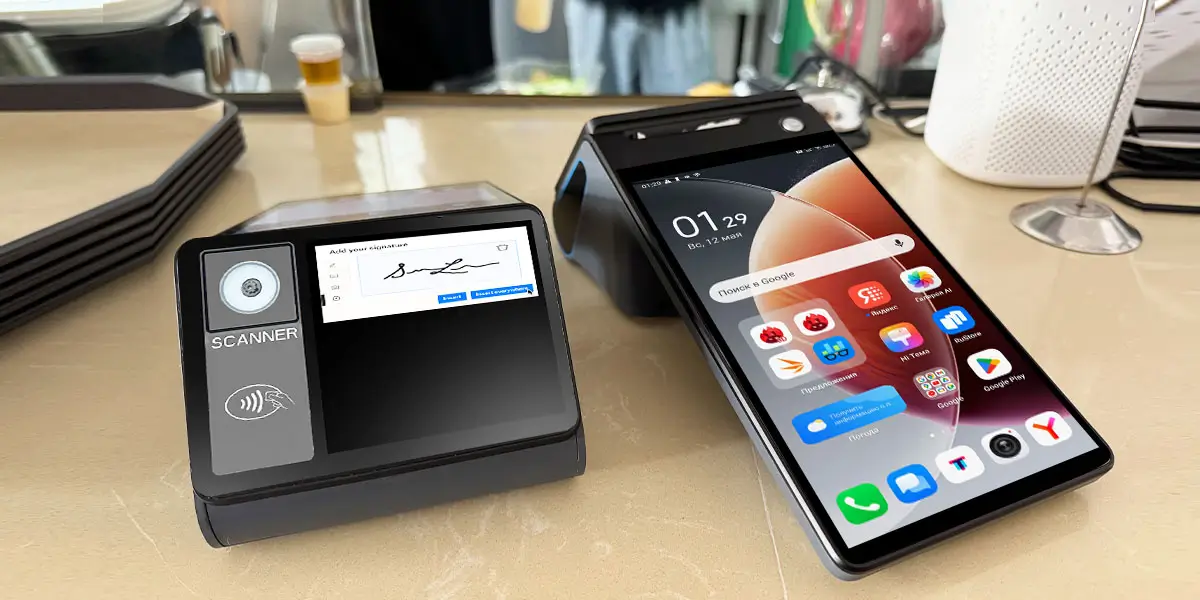
The phrase “dual screen” should describe display behavior, not merely the number of panels. A product photo cannot show whether the customer display mirrors the cashier screen, receives a separate application window or accepts independent touch input. The RFQ should identify the required behavior in plain operational terms.
Three implementations cover most projects:
Mirroring suits demonstrations and simple status displays but exposes everything shown to the cashier. Staff menus, customer records, stock notes and administrative prompts may become visible unless the POS application creates a restricted customer view.
An extended display gives the software team control over customer-visible content. The customer can see items, prices, tax, discounts and payment status while the operator retains private controls. This architecture is the practical baseline for most retail and hospitality deployments.
An interactive display adds input ownership to the specification. The buyer must determine which screen receives a tap, whether both displays can accept input simultaneously, how focus changes and what happens when the customer screen disconnects during an action.
Display architecture determines software effort more directly than diagonal size. A 15.6-inch mirrored screen can require less engineering than a 3.95-inch touch display that runs a separate loyalty, signature or QR workflow.
The technical difference can be expressed as one compact rule.
A mirrored dual screen POS sends the same frame to both panels, an extended display renders a separate customer view, and an interactive display also manages customer input. Screen size does not establish these capabilities; the operating system, display driver, application architecture and vendor SDK determine the usable mode.
The buyer should therefore approve a working software demonstration before accepting a specification-sheet answer.
| Requirement | Mirrored display | Extended display | Interactive customer display |
|---|---|---|---|
| Different cashier and customer content | No | Yes | Yes |
| Customer touch input | Usually no | Optional | Required |
| Privacy control | Weak | Stronger | Stronger with tested workflow |
| Typical use | Simple status or duplicate view | Order confirmation and promotions | Loyalty, tipping, signature and confirmation |
| Development effort | Low | Medium | Medium to high |
| Critical test | Hidden staff data | Correct content routing | Touch focus and transaction state |
The RFQ should name the required mode and prohibit silent substitution. “3.95-inch second display” is incomplete; “3.95-inch capacitive customer display showing an independent order-confirmation view through the supplied Android SDK” is testable.
The customer screen should have one documented job at every transaction stage. A buyer can map the flow as idle, item entry, order review, payment requested, payment processing, approved, declined, cancelled and receipt complete.
Order confirmation needs item-level rules. The specification should state whether the customer sees product names, modifiers, quantity, discounts, tax, service charges and the running total. Multilingual projects should define text expansion and fallback behavior rather than assume the cashier layout will fit a smaller display.
Promotional content must yield to transaction content predictably. Advertising video should stop or move when a cashier adds an item, and the customer should never need to wait for a campaign loop before seeing the amount. The existing guide to dual-screen customer transparency covers the commercial uses; the acceptance test should verify the content-priority rules behind them.
Interactive tasks need explicit completion and cancellation states. Loyalty enrollment, tipping, signature and consent should return a clear result to the cashier application. A customer timeout cannot leave the operator screen waiting indefinitely or cause the next customer to inherit the previous session.
Privacy rules should be written as a deny list. The customer display should not reveal staff credentials, internal notes, inventory costs, administrative menus, other customers' details or diagnostic messages. Error handling must replace technical stack traces with a neutral customer-facing state.
Customer-display size should follow viewing distance, content density and interaction method. A small screen can show an amount or QR code clearly but cannot present a long basket, large touch targets and advertising at the same time.
| Customer-display class | Suitable tasks | Main limitation |
|---|---|---|
| 2.6–4 inches | Amount, payment state, QR code, short confirmation | Limited item detail and touch space |
| 7–10.1 inches | Basket review, loyalty, tipping, signature | Larger footprint and power demand |
| 15.6 inches | Full catalog, self-ordering, rich media | Counter space, glare and installation cost |
Resolution must be evaluated with the real interface rather than a static image. A square 480 × 480 display and a widescreen 1280 × 800 display require different layouts even when their diagonal measurements appear close. The software team should test the smallest supported text, longest product name and largest basket.
Brightness and viewing angle belong in the installed-position test. A screen that looks clear directly in front of a laboratory bench can wash out beneath a shop light or become unreadable when the customer stands to one side. The sample review should record the mounting angle, ambient lighting and expected customer height range.
Touch capability creates maintenance and accessibility obligations. The buyer should specify touch technology, number of touch points, target size, cleaning method, wet-finger behavior and whether the screen remains usable with a protective film. A non-touch screen avoids those variables when its only job is to show information.
Android compatibility means the application survives dynamic display changes, not simply that a demo can open on two panels. According to Android connected-display guidance updated in September 2026, display size, resolution, refresh rate and density can change, and disconnecting a display can recreate an activity unless the application saves and restores its state.
The recovery requirement is more important than the initial launch.
An Android dual screen POS application must discover the customer display, create a display-specific context, adapt to its density and preserve transaction state through disconnection or recreation. A successful first launch does not prove production readiness because cable events, sleep, reboot and remote updates can all rebuild the display session.
For a buyer, that translates into a repeatable test rather than a software promise.
The application team should document whether it uses Android framework APIs or a vendor SDK. Android's Presentation API provides a dialog-style window on a secondary display and has been available since API level 17. A vendor SDK may simplify display selection, brightness, touch routing or device-specific behavior.
Framework support does not eliminate hardware variation. A terminal manufacturer may expose the customer panel as a standard Android display, a proprietary service or a fixed system component. The buyer should request sample code, API documentation, supported OS versions and a working build for the exact hardware revision.
Display discovery should use runtime capabilities rather than a hard-coded model or display ID. Android's DisplayManager reference exposes connected displays and display-change events. A production application should detect addition, removal and configuration changes without assuming that one numeric ID remains permanent.
Lifecycle testing should begin in the middle of a transaction. Engineers should disconnect the customer screen during basket review, confirmation and payment status, then reconnect it and confirm that the correct state returns without duplicating the order or exposing the cashier interface.
Touch routing must be tested with both users acting at once. A customer tapping “confirm” should not move focus away from the cashier's quantity field, trigger an unintended shortcut or open an operator menu. The test should include rapid input, long presses and simultaneous touches where the hardware supports them.
Two independent applications need an explicit data contract. The cashier application should send a versioned basket and transaction state to the customer application, then receive an acknowledged response. Shared files, unprotected broadcasts or timing assumptions create faults that appear only under load or after an update.
Processor and memory requirements should come from a workload test. A static amount display uses far fewer resources than a terminal running cashier software, a customer application, a database, device management and looping high-definition video.
The sample build should reproduce peak checkout conditions. Test a large basket, rapid barcode input, receipt printing, customer animation, network synchronization and payment handoff together. Record response time, dropped frames, memory pressure, application restarts and surface temperature instead of accepting “octa-core” as a performance result.
Graphics testing should use production media formats. Video resolution, codec, frame rate and file size affect decoding load. A promotional clip that plays smoothly alone may stutter when the POS application recalculates tax, searches inventory or prints a receipt.
Thermal stability matters during long shifts. A 15-minute demonstration cannot represent an eight-hour counter deployment. The buyer should run the sample at the intended brightness with wireless connections, printer and customer content active, then repeat the transaction script after the enclosure reaches a stable temperature.
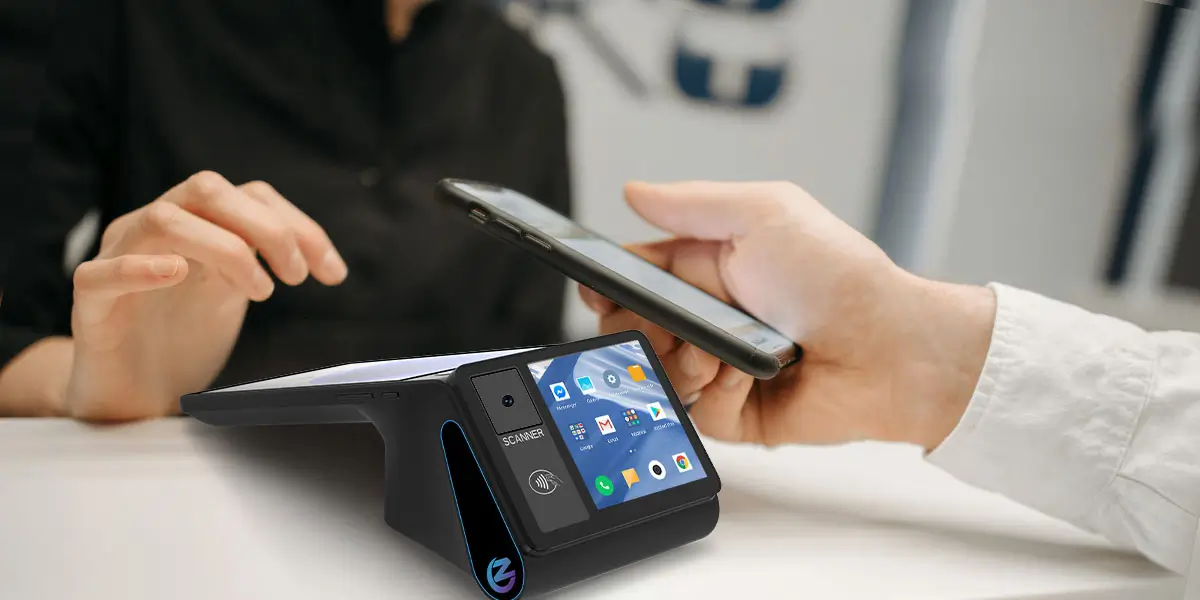
A port list becomes useful only when every connector has an assigned device and cable path. The buyer should create an interface matrix covering USB scanners, scales, keyboards, receipt printers, cash drawers, Ethernet, serial equipment, NFC modules and the customer display itself.
| Peripheral | Typical interface question | Acceptance evidence |
|---|---|---|
| Barcode scanner | USB host, serial or built-in camera? | Scan during printing and network activity |
| Cash drawer | RJ11/RJ12 pinout and voltage? | Open only after authorized event |
| Scale | USB or RS232 protocol? | Stable weight and error recovery |
| Ethernet | 10/100 or Gigabit; fixed or DHCP? | Reconnect after cable removal |
| Customer display | Internal bus, USB, HDMI or proprietary? | Hot-plug and reboot recovery |
| Receipt printer | 58mm or 80mm; cutter and roll size? | Continuous print and cover-open recovery |
Connector naming is not enough for electrical compatibility. RJ11 and RJ12 sockets can use different pinouts and voltages; USB ports can be host-only, service-only or power-limited. The supplier should provide the pinout, supported protocol and maximum power for each production configuration.
Power testing should include the highest-load combination. Maximum brightness, video playback, printing, scanner illumination, network transmission and device charging can occur together. The acceptance plan should verify that the adapter, internal regulator and battery configuration remain stable without screen dimming or peripheral resets.
A customer-facing touchscreen is not automatically a secure PIN-entry device. Touch support, NFC hardware and a payment logo do not establish PCI PTS approval, EMV approval or acquiring acceptance for the exact model and software combination.
The security boundary can be stated in one procurement rule.
A customer display may present an amount, signature or consent without becoming an approved PIN-entry device. Secure PIN entry depends on the evaluated hardware, firmware, payment application and certification scope; ordinary Android touch input must not be treated as protected merely because it appears on a payment-related screen.
That rule tells the buyer when a separate payment terminal or certified payment architecture is required.
PCI evidence should identify the exact approval tuple. The buyer should record the model, hardware version, firmware, approval class, approval number and listing status. The PCI PTS POI 7.0 announcement, published in May 2025, describes updated controls for physical tampering, malware, biometric interfaces, third-party applications and stronger terminal-security keys.
EMV and acquiring checks remain separate from the display decision. A project can use a non-payment dual screen POS with an external certified terminal, or a payment-capable POS whose exact configuration follows a formal approval path. The RFQ should assign responsibility for terminal certification, payment application, acquirer onboarding and production activation.
The supply model determines who owns software, certification and post-deployment changes. Dual-display hardware can look similar while the commercial and technical responsibilities differ substantially.
| Supply model | What the buyer receives | Main strength | Main constraint |
|---|---|---|---|
| Integrated Payment POS | Hardware, payment software, acquiring path and managed ecosystem | Faster deployment under a supported commercial stack | Less freedom to replace software, processor or market configuration |
| Uncertified White-Label POS | Low-cost generic hardware with limited traceable evidence | Low initial unit price | Higher risk around revisions, documentation, security and lifecycle support |
| Pure-Hardware ODM/OEM POS | Configurable hardware, SDK access and manufacturing support for the buyer's software stack | Greater control over form factor, peripherals, branding and software ownership | Buyer or integration partner must own application validation and payment architecture |
Integrated Payment POS fits merchants that want one provider to control the transaction stack. PAX-, Square- or Toast-style ecosystems can simplify deployment, acquiring support and field operations where their commercial model and geographic coverage match the project.
Uncertified White-Label POS requires the strictest evidence review. A low price cannot compensate for an unidentified factory, untracked motherboard revision, missing Android update policy or certificates that do not name the proposed model.
Pure-Hardware ODM/OEM POS fits software vendors, distributors and project integrators that already control the application or acquiring relationship. ZCS operates in this category: the hardware can be configured around a buyer's software and peripheral plan, but that flexibility does not transfer the buyer's application, certification or acceptance responsibilities back to the factory.
Counter geometry determines whether a dual screen POS remains usable after installation. The sample review should measure the base footprint, operator reach, customer viewing angle, hinge range, cable exit and the clearance needed to replace receipt paper.
A detachable customer display can solve one layout problem and create another. Extension cables allow a screen to face a customer across a wide counter, but they need strain relief, protected routing and a replaceable connector. The buyer should specify maximum cable length and verify signal stability at that length.
Service access should isolate common failures. A technician should be able to replace the customer display, power adapter or printer component without disassembling unrelated parts. The supplier should state whether the secondary screen is a stocked spare, how it is paired and whether replacement changes touch calibration or software configuration.
Cleaning requirements belong in the hardware review. Restaurant grease, disinfectant, paper dust and spilled drinks affect hinges, vents and touchscreens differently. The operating guide should identify approved cleaning materials and areas where liquid must not collect.
Each business format places a different workload on the customer display. The recommended configuration should follow the required transaction rather than copy a generic retail installation.
| Deployment | Appropriate customer-display task | Priority test |
|---|---|---|
| Convenience retail | Item and price confirmation | Fast basket updates and barcode throughput |
| Café or QSR | Order review, loyalty and tipping | Modifier accuracy and simultaneous touch |
| Full-service restaurant | Bill confirmation and signature | Privacy, split-bill state and cleaning |
| Supermarket | Long basket and promotion display | Sustained performance and readability |
| Hotel desk | Deposit, consent and signature | Guest privacy and transaction recovery |
| Franchise chain | Standardized content across locations | Remote configuration and revision control |
Restaurant deployments need hardware and workflow decisions to be evaluated together. The restaurant POS hardware guide covers printers, handhelds and service formats beyond the customer display. A dual-screen requirement should fit that wider order, kitchen and payment architecture.
A compact screen is sufficient when the customer only confirms an amount or scans a QR code. A larger touch display becomes justified when the workflow includes a long basket, modifiers, loyalty enrollment, tipping or signature. Buying the largest screen without a defined workflow increases footprint and software work without guaranteeing a better checkout.
A comparable RFQ asks every supplier for the same evidence. The request should separate mandatory requirements, acceptable options and information that must be demonstrated on a sample.
Chain deployments also need configuration governance. The article on customizable franchise POS systems explains why consistent interfaces matter across locations. The procurement version of that requirement is a locked configuration, a version record and written approval before any hardware substitution.
The sample test should reproduce failures as deliberately as successful checkouts. A ten-minute sales demonstration cannot validate display lifecycle, peripheral concurrency or recovery behavior.
Use the following acceptance sequence:
Every test needs a measurable pass condition. “Works normally” should be replaced with outcomes such as “customer display restores the current basket within five seconds without duplicating the transaction” or “operator input remains active while the customer confirms the order.” Project-specific thresholds should be agreed before testing, not invented after a failure.

Ambiguous display language is the first warning sign. A supplier that cannot state whether the second panel is mirrored, extended or independently interactive has not provided enough information for software estimation.
Missing SDK evidence creates schedule risk. A claim of “open SDK” should be backed by an index, sample application, version record, supported Android releases and a named technical support process.
Certificate logos without model references do not establish approval. Certificates should identify the exact product, hardware or software version and applicable scope. Company-level management certificates cannot substitute for product-level payment or radio evidence.
Inconsistent specifications require resolution before purchase. Website, datasheet, sample firmware and quotation should agree on Android version, memory, display, printer, wireless modules and interfaces. The final purchase specification should override marketing pages and freeze the approved configuration.
Missing change control is a production risk. Display panels and Android boards can change during a product lifecycle. The supply agreement should require advance notice, regression samples and buyer approval for any change that can affect the enclosure, driver, SDK or application.
A compact dual-display device should be judged against its intended customer workflow. Manufacturer specifications for the Z108 dual screen POS list an 8-inch, 800 × 1280 capacitive main display and 3.95-inch or 2.6-inch customer-display options, with customer touch available as an option.
The Z108 display proportions favor confirmation-focused workflows. Amounts, payment status, QR codes and short order summaries fit the smaller customer area more naturally than a full catalog or dense self-ordering interface. A buyer seeking signature, large touch targets or long basket review should validate the actual UI before treating the screen as equivalent to a 7- or 10.1-inch customer panel.
The Z108 printer configuration also needs to be frozen in the quotation. The local manufacturer parameter document lists 58mm and 80mm printer options with a 50mm paper-roll diameter. The approved sample, mechanical drawing and purchase order should identify the chosen printer because paper path, counter clearance and power load differ.
A mirrored display shows the same image as the operator screen, while an extended display shows customer-specific content. Extended mode is better for order confirmation and privacy because the application can hide staff controls, but it requires dual-display software support.
Two applications can run on separate displays only when the Android build, device configuration and vendor implementation support that architecture. Buyers should test activity launch, touch focus, inter-application messaging, reboot recovery and display disconnection on the exact production hardware.
A customer touchscreen needs payment-security approval only when it enters or handles protected payment credentials within the relevant architecture. A screen used for basket confirmation, loyalty or ordinary consent is not automatically a PIN-entry device, and touch capability alone does not make PIN entry secure.
A 2.6–4-inch display suits amounts, QR codes and short confirmation; 7–10.1 inches suits detailed baskets, loyalty and signature; 15.6 inches suits rich self-service content. Viewing distance, interface density and touch targets should decide the final size.
A buyer should test different content, simultaneous touch, large baskets, display disconnection, reboot, network loss, payment cancellation, peripheral concurrency and remote updates. Every test needs a measurable pass condition tied to the production application.
Separate replacement depends on the mechanical design, cable, firmware pairing and spare-parts policy. The RFQ should require a replacement procedure, part number, lead time and confirmation that a new display does not require factory-only calibration.
An external certified payment terminal can simplify the security boundary when the dual screen POS is not approved for secure payment input. Safety still depends on the exact approved model, firmware, payment application, integration and acquiring acceptance.
A dual-screen POS RFQ should specify display mode, sizes, touch behavior, Android support, SDK, ports, peripherals, payment boundary, mechanical drawings, certifications, change control, warranty and acceptance tests. The quotation should identify one exact production configuration rather than a family of possible options.
A dual screen POS terminal should reach production only after the buyer freezes the workflow, architecture, configuration and acceptance record. Screen count and diagonal size are discovery filters; they are not adequate purchase specifications.
The procurement sequence is straightforward:
The strongest RFQ turns marketing claims into observable pass conditions. That discipline reduces software surprises, protects checkout privacy and makes later replacements or updates easier to control across a fleet.






 Home
Home  How POS Buyers Should Verify PCI PTS Certification, Versions and Expiry?
