
2026-07-14 Author : ZCS
Ask three different vendors what a pocket pos is and you'll likely get three slightly different answers — the term gets used loosely across the industry, sometimes as a marketing label, sometimes as a genuine hardware category. This guide gives it a precise definition: what a pocket POS actually is, how it differs from the broader mobile POS (mPOS) category it sits inside, how the transaction flow works, and where this specific form factor tends to get deployed.
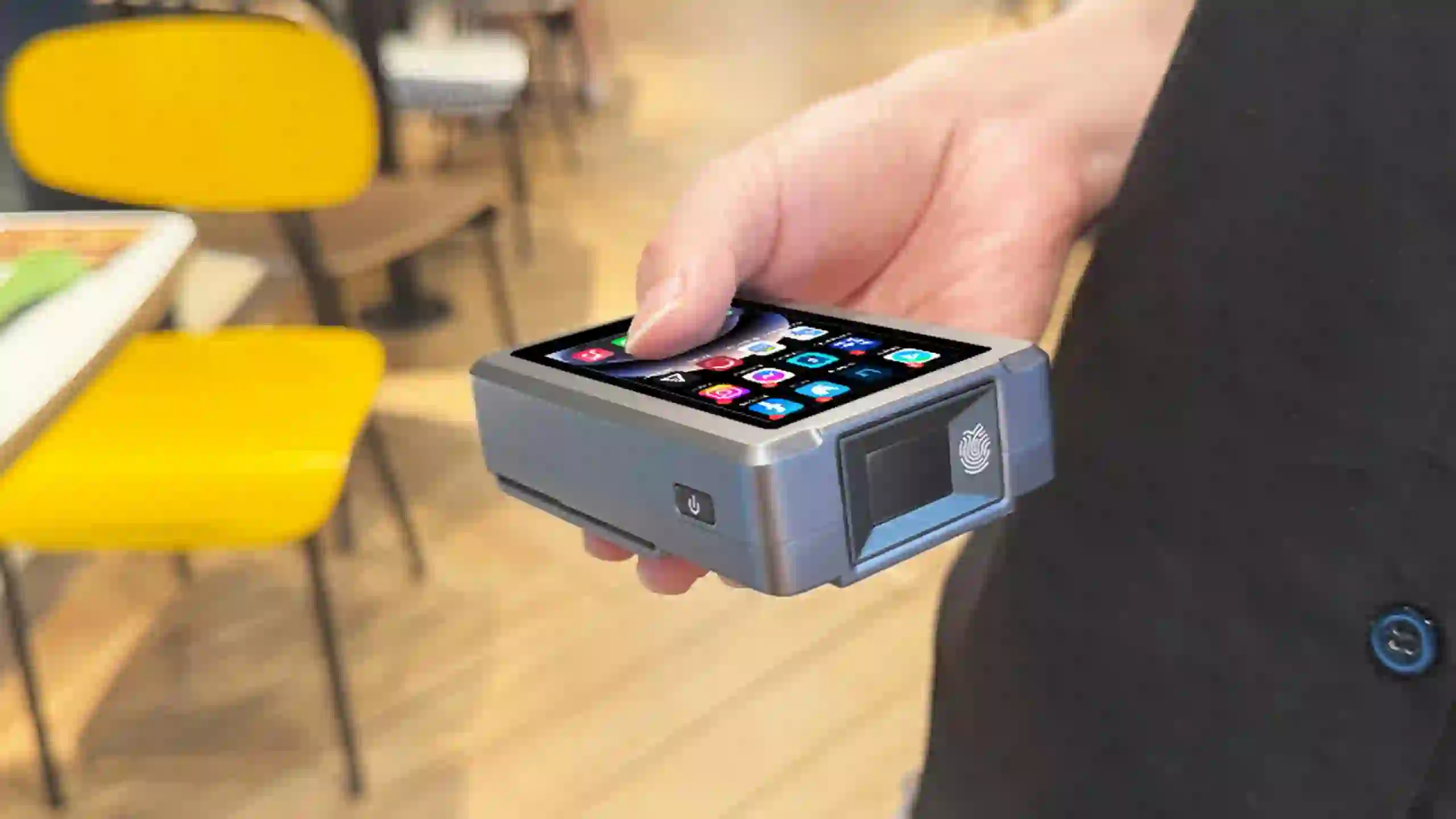
Before defining pocket POS specifically, it helps to place it inside the category it belongs to. Mobile point-of-sale, or mPOS, is a well-established term with a consistent industry definition: a smartphone, tablet, or dedicated wireless device that performs the functions of a cash register or electronic POS terminal wirelessly, as opposed to a traditional POS built around a fixed countertop terminal. mPOS is a broad category — it includes everything from a card reader plugged into a personal smartphone, to a tablet mounted at a checkout counter, to a dedicated handheld terminal carried by staff. Our guide on mobile POS versus traditional POS covers that broader distinction in more depth for businesses still deciding whether to move off a fixed counter setup entirely.
A pocket POS is a sub-category within mPOS, distinguished specifically by its size: a device small and light enough to be carried in a pocket or single hand for an entire shift, rather than a tablet-based or larger handheld unit that still requires two hands or a shoulder strap to manage comfortably. There's no single standards body that formally codifies "pocket POS" the way analysts define mPOS as a whole — it's a form-factor descriptor rather than a certified category — but the term is in active industry use; hospitality POS provider GoTab, for instance, markets a dedicated "Handheld Pocket POS" specifically to distinguish it from its standard tablet-based handheld option. The consistent thread across how the term gets used is size and weight relative to other mPOS hardware, not a difference in what the device can process.
| Dimension | Traditional POS | Mobile POS (mPOS) | Pocket POS |
|---|---|---|---|
| Location | Fixed counter | Anywhere on-site | Anywhere, carried all shift |
| Typical form factor | Terminal + peripherals | Tablet, phone, or handheld | Compact handheld, single-hand size |
| Setup complexity | Higher — wiring, peripherals | Moderate | Low |
| Best suited for | High-volume fixed checkout | Table service, sales floor | Continuous mobility, small-footprint counters |
Pocket POS and mPOS aren't competing categories — every pocket POS is a mobile POS, but not every mobile POS is small enough to qualify as a pocket POS. A 10-inch tablet running POS software is mobile in the sense that it isn't wired to a counter, but it doesn't fit the pocket-carried, single-hand profile that defines this specific tier.
The terms overlap enough to cause confusion. "Mini POS" is generally used more broadly to describe any smaller-than-standard POS terminal, including compact countertop units that still stay in one place. Pocket POS is narrower — it specifically implies portability and pocket-scale size, not just a smaller footprint on a counter. Our breakdown of what a mini POS is and how it benefits a business covers that broader category in more detail, including configurations that stay fixed rather than move with staff.
The transaction flow mirrors any POS system, just compressed into smaller hardware. Staff scan or enter an item, the device calculates the total, and payment is accepted via card, NFC tap, or QR code. What differs at this size tier is the supporting hardware: a pocket POS typically runs on a smaller battery than a full handheld terminal, connects via cellular data or Wi-Fi rather than staying tethered to a fixed network point, and often includes fewer built-in peripherals (a printer, for instance, may be an optional add-on rather than standard) to keep the device small enough to carry comfortably all day.
| Industry | Typical Use Case |
|---|---|
| Retail & Chain Stores | Checkout, QR payment, barcode scanning, POS billing |
| F&B & Restaurants | Order taking, table billing, kitchen communication |
| Public Transport | Bus fare collection, QR code scanning, ticket validation |
| Parking & Tolling | Gate control, real-time mobile payment, NFC ticketing |
| Logistics & Field Sales | Delivery confirmation, receipt printing, real-time order entry |
| Convenience & Apparel | Storefront sales, promotions, loyalty card programs |
The common thread across these use cases is limited counter space or no counter at all — a bus fare collector, a food truck operator, or a delivery driver benefits from a device that fits in a pocket between transactions more than one that needs to be set down on a surface.
As a concrete illustration of what fits into this category, ZCS's Z81 is an Android POS terminal built around a 3.1-inch screen — noticeably smaller than the 5.5-inch-and-up handhelds common elsewhere in the mPOS space — which places it toward the compact end of the pocket POS tier.
| Specification | Detail |
|---|---|
| Display | 3.1-inch capacitive touchscreen |
| CPU | Quad-core, up to 2.0GHz |
| Memory | 2GB/3GB RAM + 16GB/32GB Flash |
| OS | Android 13.0 |
| Battery | 3.7V / 2800mAh |
| Connectivity | 3G/4G, WiFi 2.4G+5G, Bluetooth 5.0, GPS |
| NFC | Android NFC |
| Card slots | 2×SIM (1 SIM + 1 PSAM optional), eSIM, TF card |
| Optional modules | Barcode scanner, terminal management system |
| OEM/ODM | Supported |
Applications for a device at this size skew toward exactly the scenarios described earlier — parking payment, mobile recharge kiosks, public transport fare collection, and small business counters where a larger handheld would be inconvenient to carry continuously.

Q1. Is a pocket POS the same as an mPOS?
A pocket POS is a type of mPOS, not a separate technology. mPOS is the broader category covering any portable point-of-sale device; pocket POS refers specifically to the smallest, most compact tier within that category.
Q2. Can a pocket POS handle full POS functionality, or just payments?
Most pocket POS terminals handle full point-of-sale functionality — checkout, sales recording, inventory tracking, and payment processing — not just payment acceptance. The smaller size affects battery life and peripheral options more than core functionality.
Q3. What's the difference between a pocket POS and a mini POS?
Mini POS is a broader term for any smaller-than-standard terminal, including compact units that stay fixed at a counter. Pocket POS specifically implies a device small enough to carry in a pocket or one hand for continuous mobile use.
Q4. Do pocket POS terminals need an internet connection to work?
Most rely on cellular data or Wi-Fi for real-time payment authorization, similar to other mPOS devices. Some support limited offline transaction queuing, but full functionality generally requires connectivity.
Q5. Is a pocket POS durable enough for outdoor use?
This depends on the specific model and its housing. Many pocket POS terminals are built for general retail or hospitality use rather than rugged outdoor conditions, so businesses operating outdoors should confirm the device's temperature rating and housing durability before deployment.
Related Posts
1. Choosing the Right Mobile mPOS Card Reader Device for Your Small Business
2. China Leading MPOS Mobile Payment Solution
3. What is a Mobile Credit Card Machine and How Does It Work?






 Home
Home  What Is a Parking POS System, and How Does It Work in 2026?
