2026-11-18 Author : ZCS
Square Reader provides a compact way to accept tap and chip payments through Square. Its appeal comes from the connection between a small reader, the Square Point of Sale app and Square’s payment service.
The broader Square POS hardware and software guide explains the full ecosystem. This article focuses on the Reader itself: what the device does, what it still needs, how fees work and when another hardware path fits better.
The product boundary is straightforward.
Square Reader is an external card reader that sends chip or contactless payment data to the Square Point of Sale app on a compatible phone or tablet. The host device creates the order and displays the result, while Square processes the payment and records the transaction in the merchant account.
That design keeps the hardware small, but the phone, application, account and network connection remain part of every checkout.
The current Square Reader for contactless and chip is a 56-gram payment accessory for compatible Apple and Android devices. It accepts EMV chip cards, contactless cards and NFC wallets without adding a separate cashier screen or receipt printer.
Square also offers a magstripe reader in some markets. The two products should not be treated as equivalent. The contactless and chip model handles the payment methods customers now use most often, while the magstripe model is limited to swiped cards and depends on the applicable Square offering.
Square’s official Reader technical specifications list NFC cards, Apple Pay, Google Pay, Samsung Pay and EMV chip cards. The same page lists support for devices running iOS 16 or later and most Android devices running Android 7 or later, subject to Square’s specific compatibility check.
The Reader is not a standalone POS terminal. It has no item-entry screen, cellular connection, built-in printer or independent payment application. The seller supplies a compatible phone or tablet, installs Square Point of Sale, signs into an active Square account and keeps both devices charged.
This difference matters when comparing prices. The Reader’s purchase price covers the card-acceptance accessory, not the complete checkout station.
A Square Reader transaction begins in the Square Point of Sale app, not on the Reader. The seller selects items or enters an amount on the phone or tablet, then sends the total to the connected Reader.
The checkout follows five steps:
A phone fingerprint or face check and a bank authorization perform different jobs. Device authentication unlocks a mobile wallet. The issuer still decides whether to approve the underlying card transaction.
The Reader also does not determine when the merchant receives a bank payout. It captures payment input, while Square’s processing and funding services manage the later transaction and deposit records.
A working Square Reader setup includes more than the white reader. The merchant needs a compatible host device, Square software, an active account, power and a supported connection.
| Required component | Role at checkout |
|---|---|
| Compatible phone or tablet | Runs Square Point of Sale and displays the order |
| Square account | Connects the seller, location, payments and reports |
| Square Reader | Accepts supported tap and chip credentials |
| Internet connection | Sends payment requests and synchronizes records |
| Charging cable or powered dock | Keeps the Reader available through the selling period |
Compatibility must be checked by exact device model. An Android version number alone does not confirm reliable Bluetooth, USB, NFC or Square app support. Bulk buyers should test the exact phone or tablet, operating-system build and Square Reader generation before ordering every unit.
A fixed counter also needs a stable position for the customer interaction. Square lists an optional dock, while third-party stands and mounts can keep the Reader visible and charged. The customer still needs enough space to insert a chip card and see the indicator lights.
Printers, barcode scanners, scales and cash drawers are separate decisions. The host device and Square configuration determine which accessories work. A merchant that needs several peripherals should compare the cost and cable layout of a complete station rather than adding accessories one by one without a checkout design.
Square Reader cost has three layers: the device, the Square software plan and payment-processing fees. Accessories, the host phone or tablet and replacement hardware add a fourth layer.
Square’s U.S. pages accessed on November 12, 2026 list hardware options starting at $59 and the following tap, dip or swipe rates:
| Square plan | Monthly location price | U.S. in-person fee |
|---|---|---|
| Free | $0 | 2.6% + 15¢ |
| Plus | $49 | 2.5% + 15¢ |
| Premium | $149 | 2.4% + 15¢ |
The current Square U.S. pricing page is the source for these plan and processing figures. Online payments, manually entered cards, Afterpay, international cards and other payment methods follow different rates or additional charges.
A lower transaction rate does not automatically reduce total cost. Consider one U.S. location processing $10,000 through 400 in-person card sales in one month. Using the listed rates, payment fees equal $320 on Free, $310 on Plus and $300 on Premium. Adding the monthly location charge produces totals of $320, $359 and $449 before hardware and add-ons.
This example isolates payment and subscription charges. A real comparison also includes the phone or tablet, dock, printer, cash drawer, mobile data, paid Square tools, replacement devices and the merchant’s actual mix of payment methods.
Country also changes the answer. Square hardware, account availability, pricing and supported cards differ by market. A U.S. price should not be reused as a global quotation.
Square Reader fits merchants that value fast setup and mobile card acceptance more than a complete dedicated terminal. The strongest use cases have simple orders, modest peripheral needs and an existing compatible phone or tablet.
A temporary seller can carry the Reader and phone without building a permanent checkout counter. This works for craft fairs, seasonal stands, exhibitions and community events where space and transport matter.
The merchant still needs a charging plan, mobile data coverage and a fallback for device failure. A small Reader reduces equipment size but does not remove operational dependencies.
Service businesses can bring checkout to the customer. Repair teams, consultants, beauty professionals and appointment-based sellers can create the sale and accept a card from the same phone used for scheduling or customer records.
Business use should remain separated from personal phone activity. Staff permissions, notifications, device loss and account access become harder to control when a personal phone serves as the checkout terminal.
A small counter can use Square Reader when the seller does not need a built-in customer display or printer. The phone or tablet handles the product list, and digital receipts reduce the peripheral count.
The complete card-payment setup process still applies. The merchant must open the account, connect supported hardware, test approvals and declines, confirm refunds and verify the first payout before relying on the setup in production.
The Reader becomes less suitable as checkout complexity increases. High-volume counters benefit from a fixed staff screen, stable power, clear customer interaction and fewer handoffs between separate devices.
Restaurants and busy retailers also need faster item entry, receipt printing, scanning, cash-drawer control and predictable staff access. Adding each requirement around a phone can cost more and create more failure points than choosing dedicated hardware.
Square Reader for contactless and chip can support offline card payments under Square’s device, application and time limits. Offline mode stores eligible transactions in the Square app and submits them after the device reconnects.
The recovery policy should be written before an outage because staff make poor credit decisions when a queue is already forming.
Square’s current offline payment guidance lists the second-generation Reader and first-generation v3 Reader as supported. The same guidance excludes older first-generation v1 and v2 Readers from offline payments.
The merchant must reconnect and upload pending offline payments within Square’s stated window. Square recommends uploading within 24 hours, and pending payments expire after 72 hours. An expired offline payment cannot be retrieved or reprocessed through that stored transaction.
Offline acceptance transfers more risk to the merchant. The issuer has not approved the stored transaction at the moment of sale. A payment can later be declined, expire or become disputed after the goods or service have already been delivered.
Offline mode also excludes several payment methods and workflows, including Tap to Pay on iPhone or Android, manually entered cards, Afterpay, Cash App Pay and Square Gift Cards. Merchants should train staff on the allowed transaction types and set an offline amount limit that matches the business’s loss tolerance.
The best alternative depends on which part of the Reader setup creates the problem. Removing the Reader, adding a screen or changing the entire payment provider are three different decisions.
| Hardware path | Best fit | Main trade-off |
|---|---|---|
| Tap to Pay on phone | Lowest hardware count for compatible devices | No separate Reader and restricted offline support |
| Square Reader | Mobile tap and chip payments | Requires a phone or tablet |
| Square Terminal | Dedicated screen and built-in receipt printer | Higher purchase price and continued Square dependency |
| Square Stand or Register | Fixed counter and clearer customer interaction | Larger footprint and hardware commitment |
| Integration-oriented card reader | Custom software and broader card-reading requirements | Integrator owns software and payment connections |
| Android POS terminal | One device for app, screen, connectivity and peripherals | Requires deployment, certification and support planning |
A 2026 independent Square hardware comparison reaches the same practical conclusion: checkout flow, sales volume and mobile versus fixed use matter more than the lowest headline device price. The source lists Reader for basic mobile payments, Terminal for compact all-in-one use and Register for higher-volume fixed checkout.
Tap to Pay fits sellers who want to remove a separate reader. The compatible phone becomes both the cashier interface and contactless acceptance point. This path does not accept a physical chip card through a slot and carries Square’s stated offline restrictions.
Square Terminal fits merchants that want fewer separate components. Its screen and printer reduce dependence on the seller’s phone. Square Stand and Register move further toward a fixed counter with a larger interface and stronger customer-facing workflow.
A dedicated counter also changes staff control. The cashier keeps item entry on assigned business hardware, while customers receive a consistent payment interface without handling an employee’s phone or tablet.
The Square Register customer display guide explains the fixed-counter end of that range, including version compatibility and the difference between replacing a Square component and changing the complete POS architecture.
Square Reader and a general smart-card reader solve different purchasing problems. Square Reader gives a merchant a direct path into Square’s software and payment service. An integration-oriented reader gives a developer more control over card types, data output and application logic.
| Requirement | Square Reader | Integration-oriented reader |
|---|---|---|
| Ready-made merchant payment service | Included through Square account | Supplied separately |
| Host software | Square Point of Sale | Buyer’s application or integration |
| Primary bank-card input | EMV chip and contactless | Depends on reader modules and project software |
| Membership or access cards | Limited by Square workflow | Can support additional card technologies |
| Developer control | Within Square’s supported ecosystem | SDK, protocol and application dependent |
| Acquirer choice | Square payment service | Project-specific acquiring integration |
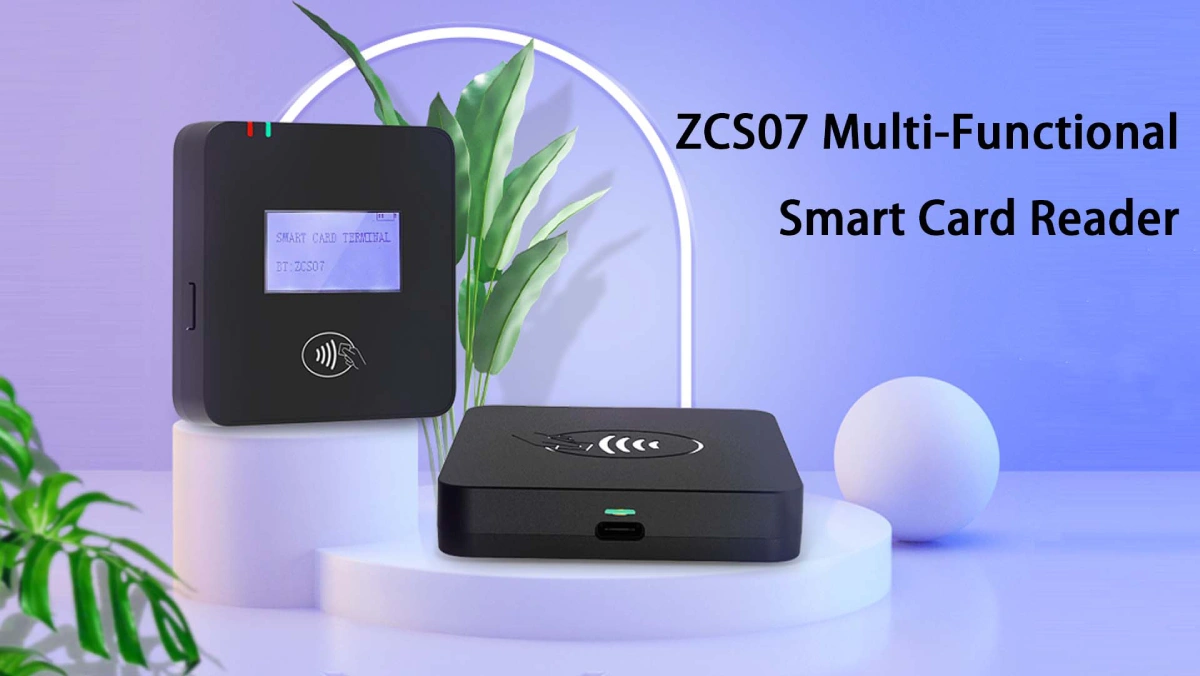
ZCS07 belongs to the second category. The ZCS07 smart card reader uses USB communication and supports CCID or keyboard-emulation output. The product page lists magnetic stripe, ISO 7816 contact IC, 125 kHz ID, 13.56 MHz RFID/NFC and PSAM card functions, along with SDK support for custom integration.
ZCS07 becomes the more relevant option when a system integrator needs one USB device to read several card families for payment, membership, access, identity or stored-value workflows. Square Reader remains the simpler option for a merchant that wants Square payments without building those integrations.
A short pilot should test the complete checkout rather than the Reader alone. Use the production phone or tablet, Square account, network and accessories.
Confirm these items before rollout:
A multi-location rollout needs a device record. Track the Reader serial or hardware version, assigned phone or tablet, store, Square location, charging equipment and last successful test. This record prevents a working device from being paired with the wrong host or diagnosed without its configuration history.
No. Square Reader for contactless and chip needs a compatible phone or tablet running Square Point of Sale. Square Terminal and Square Register are dedicated alternatives with their own displays.
Yes. The current contactless and chip Reader accepts supported NFC cards and mobile wallets as well as EMV chip cards.
Yes. Square lists Apple Pay, Google Pay and Samsung Pay among the supported contactless payment methods for the second-generation Reader.
The U.S. in-person fee depends on the Square plan. Square’s November 2026 pricing lists 2.6% + 15¢ on Free, 2.5% + 15¢ on Plus and 2.4% + 15¢ on Premium for tap, dip or swipe payments.
Supported Reader versions can store eligible offline payments under Square’s limits. The merchant must reconnect within the required period, and later declines or expired payments remain the merchant’s risk.
Square Reader is designed for Square’s supported software and payment service. A merchant needing another processor should select hardware approved by that processor or acquirer.
Square Terminal is better for merchants that need a dedicated screen and built-in receipt printer. Square Reader costs less and fits mobile sellers who already have a compatible phone or tablet.
ZCS07 can replace the hardware category only inside a newly designed integration. It does not provide a documented connection to Square accounts, Square Point of Sale or Square payment processing.
Square Reader is the clearest choice for a merchant that wants portable tap and chip acceptance inside the Square ecosystem. The device is small and inexpensive because the phone or tablet supplies the screen, application, connectivity and much of the checkout workflow.
Square Terminal, Stand or Register fits a business that needs a more permanent checkout with fewer separate components. An integration-oriented reader such as ZCS07 fits a different buyer: a developer or system integrator building its own software, card workflows and payment connections.
The correct decision starts with ownership. Choose Square Reader when Square should own the payment stack. Choose configurable hardware when the project team is prepared to own the integration stack.







 Home
 How Payment Processing Moves a Card Transaction From Checkout to Merchant Payout?

