
2026-10-10 Author : ZCS
The central distinction in mobile POS vs mPOS is device dependency, not portability. Businesses comparing outdoor or roaming deployments can first review this mobile POS deployment guide for the environmental constraints that affect every portable checkout.
The category lines become clearer once the host device, payment component and software owner are identified.
Mobile POS describes any portable point-of-sale deployment. mPOS usually describes software running on a smartphone or tablet, with either a connected card reader or Tap-to-Phone acceptance. Handheld POS describes a dedicated portable business terminal. Smart POS describes an application-capable terminal and may be handheld or countertop.
Those definitions explain why two products sold as mPOS can have completely different batteries, printers, certification paths and support models.
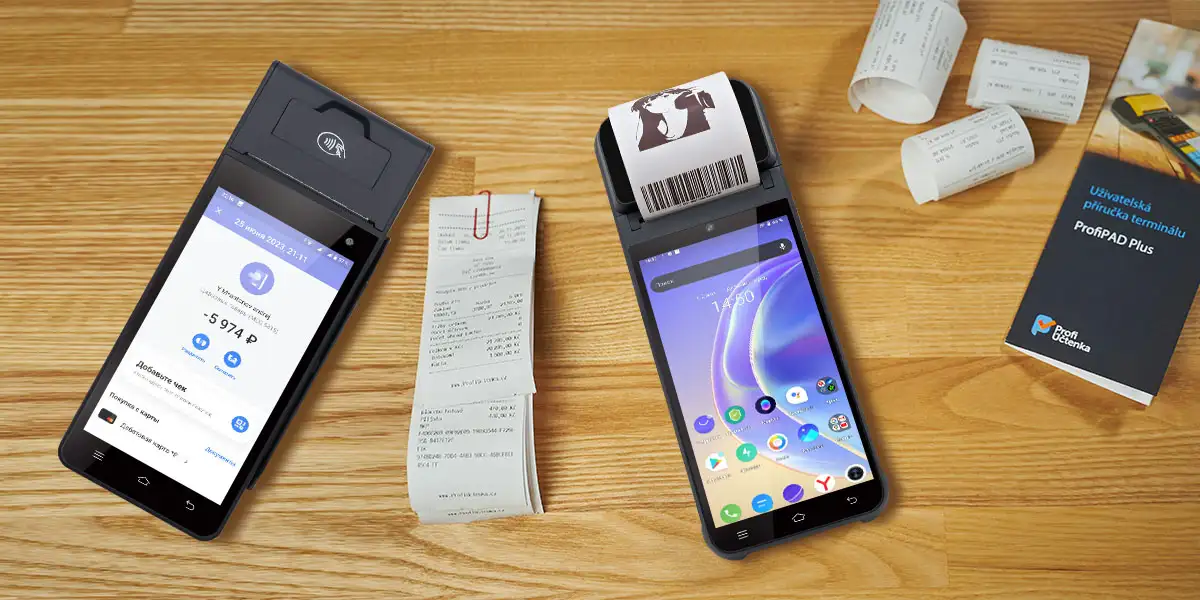
Mobile POS defines where checkout can happen rather than one fixed device design. A mobile POS system moves order entry, payment acceptance or both away from a permanent checkout counter. The hardware may be a consumer smartphone, a tablet, a compact reader, a dedicated handheld terminal or an Android smart POS.
The phrase "mobile POS system" also refers to more than card acceptance. A complete point-of-sale workflow may calculate tax, retrieve products, record inventory, apply discounts, capture customer data and issue receipts. A portable card reader can participate in that workflow without performing every function itself.
Marketing language often collapses mobile POS and mPOS into the same term. That usage is understandable because mPOS expands to mobile point of sale. Technical buyers still need a narrower definition because a phone-and-reader kit has different operational dependencies from a self-contained handheld terminal.
Classic mPOS uses a smartphone or tablet as the main computer. The merchant installs a POS or payment application on the host device, then connects a compact reader through Bluetooth, USB-C or another supported interface. The host device provides the display, network connection, application storage and merchant login.
A connected mPOS reader creates a two-device operating chain. The phone and reader both need power, supported firmware and a reliable connection. Bluetooth pairing, operating-system updates and application permissions become part of payment availability. The arrangement remains attractive for occasional sellers because existing consumer hardware reduces the amount of dedicated equipment.
SoftPOS removes the external reader but not the payment platform. An approved Tap-to-Phone application uses the NFC hardware in a compatible commercial off-the-shelf phone or tablet. The merchant still depends on the payment application, device-security controls, acquiring relationship and regional availability.
Handheld POS runs business applications on a self-contained portable terminal. A typical device combines a touchscreen, processor, battery, Wi-Fi and cellular connectivity. Configurations may also include a thermal printer, barcode scanner, camera, NFC reader, smart-card slot, magnetic-stripe reader or customer-facing display.
Dedicated hardware removes several consumer-device dependencies. An employer can standardize the operating-system build, application package, charging accessories and device-management policy. Staff do not need to pair a separate reader with a personal phone before each shift.
The word handheld proves only that a terminal can be carried. A handheld ordering device may scan products and print receipts without being approved to accept payment cards. A handheld payment terminal may process cards but lack the inventory, menu or peripheral APIs expected from a full POS system.
Smart POS usually identifies an application-capable payment or commerce terminal. Android is common because software vendors can deploy ordering, loyalty, inventory and payment applications on the same device. The term does not define a screen size, printer width or certification level.
A smart POS can be handheld, countertop or convertible. A portable Android payment terminal and a desktop Android cash register can therefore belong to the same smart POS category. The decisive question is whether the product combines an extensible application environment with the required transaction hardware.
The fastest comparison starts with the host computer. A phone-based mPOS distributes the workflow across consumer hardware and a payment component. A dedicated handheld POS consolidates the workflow into one managed device. An Android smart POS adds a broader application and peripheral layer, but may or may not carry payment certification.
| Comparison point | Phone-based mPOS | Dedicated handheld POS | Android smart POS |
|---|---|---|---|
| Main computer | Smartphone or tablet | Built into the terminal | Built into the terminal |
| Typical operating-system control | Phone owner and app provider | Employer, vendor or TMS operator | Employer, ISV, vendor or MDM operator |
| Card acceptance | Connected reader or SoftPOS | Optional, depends on configuration | Optional, depends on configuration |
| Receipt printing | Digital receipt or external printer | Often built in | Built in or external |
| Cellular connection | Usually supplied by the phone | Common through SIM or eSIM | Common on portable models |
| Barcode scanning | Phone camera or accessory | Camera or scan engine | Camera, scan engine or external scanner |
| SDK scope | Payment-app and phone APIs | Printer, scanner and device APIs | Device, peripheral and payment APIs |
| Fleet management | Consumer management or EMM | TMS or MDM | TMS, MDM or vendor application store |
| Main failure points | Battery, pairing, app compatibility | Firmware, network, printer, battery | Integration, certification, version control |
| Typical buyer | Solo merchant or small seller | Restaurant, delivery, field service | ISV, chain operator, PSP or systems integrator |
The physical differences translate directly into support workload.
Phone-based mPOS separates the host, reader and receipt path across two or three devices. Dedicated handheld POS consolidates the host, network and common peripherals into one enclosure. Android smart POS adds application and management flexibility, but certification, SDK quality and firmware governance remain model-specific rather than category-wide guarantees.
That consolidation reduces pairing problems, but it also makes a failed integrated printer or depleted terminal battery more consequential.
Printer requirements often eliminate the smallest mPOS option. Email and SMS receipts may be sufficient for consultants, market sellers or appointment-based services. Restaurants, delivery operations and regulated receipt environments may need a built-in 58mm or 80mm thermal printer to keep the transaction and receipt on one device.
Cellular connectivity changes the practical meaning of mobility. A Wi-Fi-only handheld can move around a restaurant but cannot operate independently at a delivery address. A SIM-equipped terminal can maintain a direct data connection, subject to carrier coverage, supported frequency bands and the software's offline behavior.
SDK access matters more than processor specifications for custom deployments. An independent software vendor needs documented control over the printer, scanner, NFC interface, card slots, customer display and device settings. A fast processor cannot compensate for a missing API, an undocumented error code or firmware that changes peripheral behavior.
Fixed checkout remains the better reference point for some operations. Supermarkets with scales, cash drawers, multiple scanners and wired networks may use handheld terminals for queue busting without replacing the primary lane. The separate mobile POS versus fixed checkout decision should be made after the portable-device category is clear.
An NFC specification does not confirm contactless bank-card acceptance. The same 13.56 MHz interface can read tags, employee cards, loyalty media or supported contactless payment cards. Each task depends on protocols, software, security controls and approvals beyond the antenna itself.
Payment acceptance contains several separate layers. Hardware may need EMV contact or contactless evaluation. A secure terminal may need PCI PTS approval. The payment application, kernel, acquiring host and card-scheme configuration may require additional testing before a merchant processes live transactions.
A product certificate must match the purchased model and configuration. A manufacturer-level claim does not prove that every terminal, NFC module or operating-system build carries the same approval. Procurement teams should request certificate identifiers, expiry dates and the exact hardware or software versions covered.
The compliance boundary is easier to understand when consumer devices and purpose-built terminals are separated.
PCI MPoC covers payment acceptance solutions on commercial off-the-shelf devices and builds on PCI CPoC and SPoC. MPoC can support contactless card data and PIN entry on the same eligible device. Purpose-built payment terminals instead follow terminal, kernel, application and acquiring approval paths tied to specific configurations.
That distinction means a merchant cannot convert any NFC phone into a compliant payment terminal by installing an arbitrary application.
SoftPOS moves contactless acceptance into a compatible phone or tablet. The PCI Mobile Payments on COTS standard defines a security framework for solutions deployed on commercial off-the-shelf devices. The approved solution includes more than the handset because monitoring, software integrity and backend controls also contribute to security.
SoftPOS is a deployment model inside the wider mPOS category. Classic mPOS may use a separate Bluetooth reader; SoftPOS uses the host device's NFC interface. Both models remain dependent on a payment application and acquiring service, but the physical hardware chain differs.
SoftPOS works best when contactless acceptance covers the intended transaction flow. Chip insertion, magnetic-stripe fallback, specialized PIN requirements or local scheme rules can still justify a dedicated payment terminal. The target market and acquiring partner must define what the merchant can accept.
EMVCo describes TapToMobile as contactless acceptance directly on NFC-enabled consumer or enterprise devices. The official EMVCo TapToMobile testing process explicitly addresses operation without an additional connected reader, dongle or attachment.
EMV evaluation focuses on interaction between the acceptance device and payment instrument. Contactless performance includes communication behavior and the physical reading field. Software-level security and solution management remain separate parts of the complete deployment.
A smartphone-only setup therefore has fewer physical components but not fewer stakeholders. The device manufacturer, operating-system provider, SoftPOS vendor, acquirer and merchant still own different parts of the transaction path. Support contracts should identify which party handles device incompatibility, application failure, disputed transactions and security updates.
A responsibility matrix prevents a certification gap from appearing after hardware purchase. Each procurement document should assign the following checks before a pilot begins.
| Responsible party | Evidence to verify |
|---|---|
| Hardware manufacturer | Exact terminal model, reader interfaces, hardware certificates and supported OS build |
| Payment application provider | Approved payment application, kernel versions, supported devices and update policy |
| Acquirer or PSP | Merchant onboarding, regional availability, card schemes, settlement and routing |
| Merchant or deployment operator | PCI DSS scope, device inventory, staff access, incident handling and physical control |
Approval databases should be checked instead of relying on brochure logos. The EMVCo acceptance-device guidance published in October 2025 explains how traditional POS terminals and TapToMobile devices enter EMV evaluation and approval processes. Buyers should repeat the check whenever the hardware, kernel or payment application changes.
Hardware shape does not reveal who controls the commercial ecosystem. Two Android handhelds with similar screens can follow completely different supply models. One may arrive with acquiring, software and support bound together; another may be a configurable hardware platform for an independent software vendor.
| Supply category | Commercial structure | Main strength | Main limitation | Representative examples |
|---|---|---|---|---|
| Integrated Payment POS | Hardware, payment service and software operate as one ecosystem | Fast onboarding and one support path | Regional, processor and software choices may be restricted | Square, Toast, PAX deployments through PSPs |
| Uncertified White-Label POS | Low-cost generic hardware with limited evidence or support | Low acquisition price and basic customization | Certification, firmware maintenance and SDK continuity may be unclear | Unbranded regional devices |
| Pure-Hardware ODM/OEM POS | Hardware supplier supports customer software, branding and integration | Control over applications, peripherals and product configuration | Buyer or solution partner owns more integration and approval work | ZCS and other Android hardware manufacturers |
The supply model changes which team must solve integration and compliance problems.
Integrated Payment POS combines hardware, merchant onboarding and payment services under a controlled platform. Uncertified White-Label POS prioritizes low-cost generic hardware without consistent evidence. Pure-Hardware ODM/OEM POS, represented by manufacturers such as ZCS, supplies configurable Android hardware for customer-controlled software, certification and deployment stacks.
That flexibility is useful only when the buyer has an ISV, PSP or internal technical team capable of owning the additional decisions.
Integrated Payment POS reduces the number of commercial handoffs. A merchant receives approved hardware, payment activation, software updates and support through a defined ecosystem. Square Reader and Toast Go 2 illustrate different versions of that approach: one extends a phone or tablet, while the other is a dedicated restaurant handheld.
Platform integration can limit portability between providers. A terminal optimized for one payment account, restaurant platform or application marketplace may not support a buyer's preferred acquirer or custom APK. That tradeoff is often acceptable for merchants that value rapid activation over software control.
White-label hardware requires evidence rather than assumptions. Branding flexibility and a low unit price do not establish poor quality, but neither proves a stable firmware path, open SDK or valid payment approval. The buyer should request model-specific documentation before comparing the device with a certified payment terminal.
The lowest purchase price can transfer cost into integration and support. Missing sample applications, inconsistent peripherals and undocumented firmware changes force the software team to retest functions that a mature device program controls through versioning and change notices.
Pure-Hardware ODM/OEM POS separates hardware procurement from payment and commerce software. The buyer can deploy a proprietary application, select regional service partners and request branding or hardware options. The model suits software vendors, distributors and solution integrators more than merchants seeking a ready-to-activate account.
Customization creates a larger validation scope. Changes to the motherboard, antenna, card interface, enclosure or operating-system build may affect regulatory or payment approvals. Procurement teams should freeze the production configuration and record which party pays for retesting after a change.
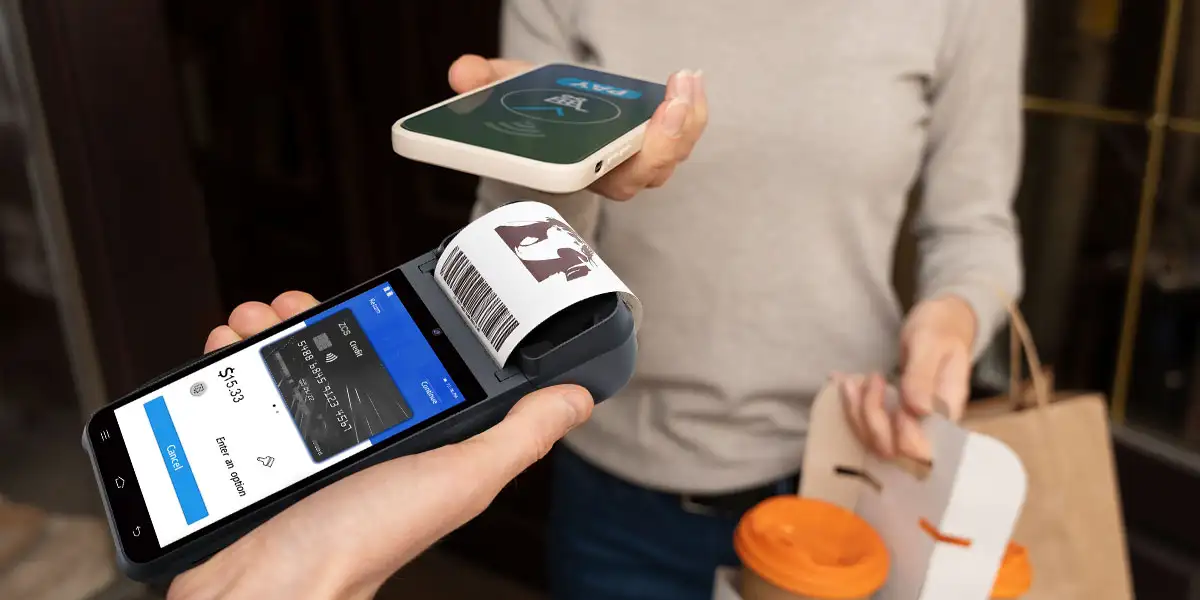
Representative products show why device names alone are unreliable. The table classifies products by host dependency and supply model rather than ranking them.
| Product | Practical category | Host dependency | Integrated printer | Primary deployment characteristic |
|---|---|---|---|---|
| Square Reader for contactless and chip | Connected mPOS reader | Requires a compatible phone or tablet | No | Compact payment extension for the Square application |
| Toast Go 2 | Dedicated handheld Integrated Payment POS | Standalone within the Toast environment | Uses the Toast restaurant hardware ecosystem | Tableside ordering and payment in supported markets |
| PAX A920 MAX | Android smart payment terminal | Standalone terminal | Yes | Certified payment hardware distributed through acquirers and PSPs |
| SUNMI V2s | Android handheld smart POS | Standalone terminal | Yes | Printing, scanning and business applications; payment capability depends on configuration |
| ZCS Z92 | Pure-Hardware ODM/OEM handheld POS | Standalone Android terminal | 58mm printer | Customer-controlled applications, peripherals and deployment integration |
The correct mobile POS architecture follows the operating constraint. Transaction volume matters, but connectivity, receipt requirements, device ownership and software control usually eliminate unsuitable options faster than headline processor specifications.
| Business scenario | Best starting category | Why it fits | Main risk to test |
|---|---|---|---|
| Restaurant tableside ordering | Dedicated handheld POS | One device can handle menu, order and payment workflows | Wi-Fi coverage, charging and printer workflow |
| Delivery collection | Cellular handheld POS | Direct SIM connectivity avoids dependence on the customer's network | Carrier coverage, battery replacement and drop damage |
| Weekend market or solo service | Phone-based mPOS or SoftPOS | Low device count and fast merchant onboarding | Phone battery, OS compatibility and receipt method |
| Banking or merchant agent | Certified smart payment terminal | Card, PIN and scheme requirements favor controlled hardware | Regional approvals, key management and acquirer support |
| Retail queue busting | Handheld smart POS | Scanner, inventory and payment can move onto the sales floor | Real-time stock sync and peak Wi-Fi capacity |
| Multi-country ISV rollout | Pure-Hardware ODM/OEM POS | Software, branding and peripheral behavior remain under buyer control | Certification ownership, SDK stability and change control |
Restaurant handhelds must complete more than payment. Menu modifiers, table assignment, kitchen routing, tips, split bills and receipt handling determine whether a device removes steps or creates new ones. An integrated platform offers a shorter setup path; an open Android handheld offers more software choice but requires tested integration.
Delivery collection favors a terminal with its own cellular connection. A phone-dependent mPOS can work when the courier already carries a managed smartphone, but Bluetooth pairing and two battery states increase the number of failure points. A standalone terminal simplifies the kit at the cost of another managed asset.
Small sellers should compare the full 24- to 36-month cost. Hardware price, transaction fees, software subscriptions, SIM service, printer supplies, replacement batteries and support all change the result. The existing mobile card reader checklist provides the next purchasing step once the device category has been selected.
Banking-agent deployments should begin with the acquirer and target schemes. The required card interfaces, PIN method, biometric module, SIM configuration and payment approvals must be fixed before hardware selection. A generic Android handheld with NFC cannot substitute for a certified financial terminal.
Agent-network procurement also needs a controlled replacement process. Lost devices, failed batteries, damaged card slots and SIM changes can interrupt service outside a branch. The operating plan should define spare ratios, remote suspension, key handling, asset reassignment and the evidence required before a repaired terminal returns to service.
Retail queue busting turns a portable device into enterprise infrastructure. The operator must enroll devices, distribute applications, control settings, rotate credentials, monitor health and recover lost units. Android supports fully managed dedicated-device deployments through the Android Enterprise device-management framework, but actual support depends on the terminal build and management provider.
A short procurement questionnaire exposes category mismatches before a pilot. Each answer should identify a responsible vendor, document or test case.
A high-traffic pilot should reproduce the busiest operating period. Battery endurance, Wi-Fi roaming, printer temperature, queue synchronization and staff handoff should be measured under the expected workload. The broader handheld POS for busy stores assessment can then address throughput and store-floor placement.

Mobile POS and mPOS are often used interchangeably, but mobile POS works better as the broader category. mPOS can then describe a phone- or tablet-based setup using a connected reader or SoftPOS application. A dedicated handheld POS also belongs to mobile POS without depending on another mobile device.
mPOS usually describes a deployment architecture, while handheld POS describes a dedicated form factor. Classic mPOS relies on a phone or tablet as the host. A handheld POS contains its own processor, screen, battery and network interfaces, with optional printing, scanning and payment hardware.
SoftPOS is one implementation of mPOS. SoftPOS uses the NFC interface of an approved commercial phone or tablet without an external reader. Other mPOS deployments use a separate Bluetooth or wired card reader connected to the host device.
A handheld POS is not automatically a payment terminal. A portable Android device can take orders, scan products and print receipts without the hardware security, EMV evaluations, payment application and acquiring approvals needed for card acceptance.
A standalone Android smart POS normally does not need a separate phone. The terminal provides its own processor, display, connectivity and application environment. Cloud services, payment accounts and remote-management infrastructure may still be required for the complete workflow.
Dedicated handheld POS and Android smart POS are the categories most likely to include a printer. Phone-based mPOS usually relies on digital receipts or a separate Bluetooth printer. Printer presence, paper width and print speed remain model-specific.
A fully managed dedicated terminal is usually easier to standardize across a large fleet. Phone-based mPOS can also scale when the phones are company-owned and enrolled in enterprise management. The decisive factors are enrollment, application control, update policy, telemetry and replacement workflow.
Three questions resolve most mobile POS vs mPOS decisions. First, decide whether the checkout must operate without a personal phone. Second, list mandatory peripherals such as printing, scanning, SIM connectivity and card interfaces. Third, verify who owns payment approval, software integration and fleet management.
Phone-based mPOS fits low-complexity selling and fast onboarding. Dedicated handheld POS fits mobile staff who need one controlled device for orders, data capture and receipts. Certified smart payment terminals fit regulated card acceptance. Pure-Hardware ODM/OEM POS fits ISVs, PSPs and integrators prepared to own software and deployment decisions.
No category removes the need for operational testing. The selected system must survive the actual shift length, network conditions, transaction mix, receipt workflow and support model. Hardware mobility solves only the physical checkout location; the deployment architecture determines whether the complete service remains reliable.






 Home
Home  Why Palm Biometrics Scale Faster in Welfare Systems?
