
2026-10-10 Author : ZCS
The right handheld POS terminal starts with the receipt and workflow, not the longest specification list. Buyers planning mobile checkout, delivery, or outdoor service can use this broader guide to mobile POS hardware requirements before narrowing the decision to printer-equipped devices.
The category lines are drawn by payment responsibility and supply model, not by the word “POS” printed on a product page.
A handheld POS terminal with printer combines an Android business computer, wireless connectivity, and a thermal print mechanism. Market supply spans integrated payment POS from providers such as PAX, Square, and Toast; uncertified white-label POS; and pure-hardware ODM/OEM POS configured around the buyer’s software and target-market requirements.
That definition separates a portable business terminal from a payment-acceptance device: the same enclosure can print orders, labels, or receipts without necessarily holding approval to capture cardholder PINs.
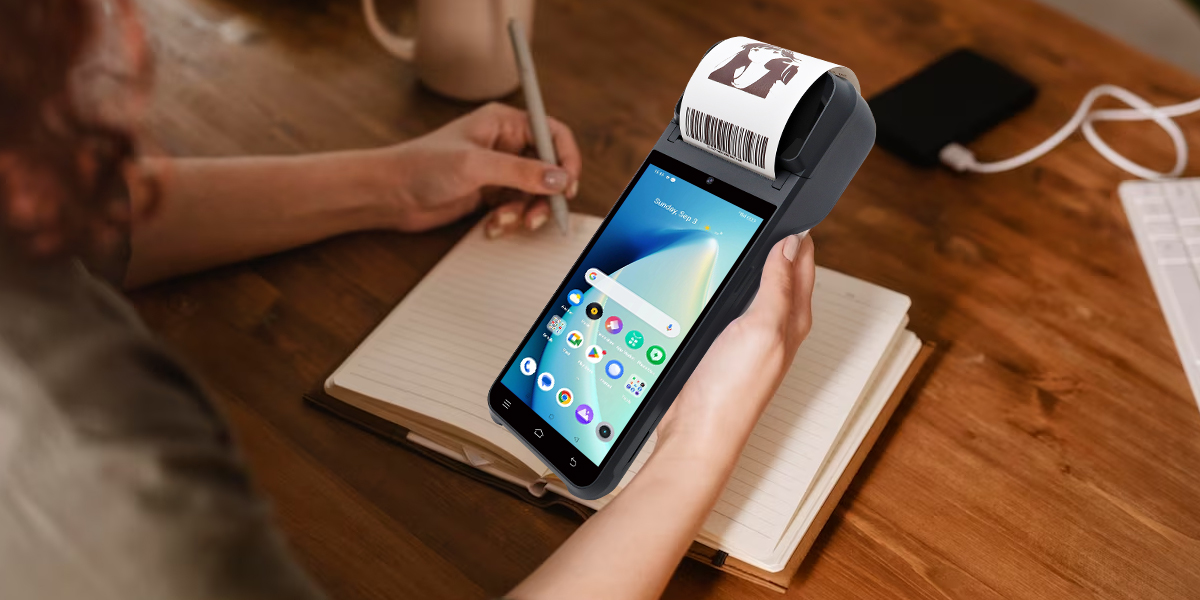
A handheld POS terminal with printer is a battery-powered computer designed to run a point-of-sale or field-service application and produce paper output without a separate printer. The usual hardware stack includes a touchscreen, Android operating system, thermal print mechanism, Wi-Fi or cellular radio, Bluetooth, camera, and optional NFC or barcode-scanning hardware.
The word terminal describes the form factor more reliably than the commercial role. A restaurant may use the device only for tableside ordering and kitchen tickets. A delivery company may use the same form factor for proof-of-delivery receipts. A bank agent needs a different configuration because card data capture, PIN entry, cryptographic keys, and acquiring approval add a regulated payment layer.
An all-in-one design removes the Bluetooth printer, its separate battery, its charger, and the pairing step. Fewer components simplify daily setup and reduce the chance that a server or courier starts a shift with a disconnected peripheral.
The same integration creates a single hardware failure domain. A broken paper-door latch, worn platen roller, or damaged thermal head can take the entire ordering device out of service even when the Android computer still works. A serious deployment therefore needs spare-unit planning, not just spare paper.
Business POS hardware runs ordering, inventory, ticketing, loyalty, or delivery applications. Payment POS hardware adds a secure PIN-entry device, protected cryptographic functions, approved payment kernels, and the software or acquiring relationships required for card acceptance.
NFC does not erase that distinction. An ISO/IEC 14443 reader can identify a tag, membership card, transit card, or contactless credential. Card acceptance depends on the exact reader, secure hardware, payment application, certification scope, and acquirer approval working as one evaluated configuration.
| Supply model | Typical examples | Main strength | Main procurement question |
|---|---|---|---|
| Integrated Payment POS | PAX, Square, Toast | Payment, software, and support can arrive as a coordinated service | Does the processing model, country coverage, and software ecosystem fit the deployment? |
| Uncertified White-Label POS | Regional or anonymous rebranded devices | Low entry price and broad catalog availability | Who owns firmware maintenance, quality control, and documentary evidence for every claimed approval? |
| Pure-Hardware ODM/OEM POS | ZCS and other customization-focused manufacturers | The buyer can control applications, branding, peripherals, and market-specific configuration | Which party owns integration, certification, device management, field support, and change control? |
Integrated payment POS suits merchants that value a coordinated acquiring and software package. Pure-hardware ODM/OEM POS suits distributors, software vendors, and enterprise buyers that already control more of the commercial stack. Neither model removes due diligence; each model moves responsibility to a different party.
Printer width should follow the document design. A narrow customer receipt with a total, tax line, and QR code creates a different requirement from a kitchen ticket containing modifiers, allergen notes, table numbers, and routing information.
The advertised width is only the first measurement.
Standard handheld POS printers commonly use 58mm or 80mm thermal paper. A 58mm mechanism favors a narrower chassis and short receipts, while an 80mm mechanism provides more horizontal print area for itemized bills, kitchen tickets, wide barcodes, and multilingual layouts. Actual printable width still depends on mechanism, margins, font, and resolution.
The practical decision appears on the paper: a receipt that constantly wraps product names and modifiers is using the wrong layout or the wrong printer width.
A 58mm printer is the logical starting point for delivery receipts, queue-busting, mobile ordering, market stalls, and short customer bills. The narrower paper path can support a slimmer grip and lower paper mass, which matters when an employee carries the terminal for an entire shift.
A 58mm format still needs a real receipt test. Long product names, tax identifiers, tip fields, refund policies, and QR codes can turn a compact receipt into an excessively long strip. The software team should render the longest realistic order in every required language before approving the enclosure.
The reviewed Z92 configuration shows how a compact design translates into measurable constraints. The internal specification lists 58mm paper, a 40mm maximum roll diameter, 364g device weight, and a 7.4V 3020mAh battery.

An 80mm printer is easier to justify when the paper is an operational document rather than a simple proof of purchase. Restaurant kitchens, mobile ticketing teams, field-service crews, and retailers with long SKU descriptions can use the wider line to reduce wrapping and make barcodes or routing instructions easier to scan.
An 80mm mechanism does not automatically mean a longer-lasting paper supply. Paper width and roll diameter are independent measurements. An 80mm terminal limited to a 40mm roll may still require frequent roll changes during dense, graphics-heavy printing.
The reviewed Z93 specification provides the contrasting hardware example. The supplied parameter sheet lists 80mm paper and a 40mm maximum roll diameter for the evaluated configuration. The same sheet records Android 12 and a 3020mAh battery, while public product revisions may carry different operating-system or battery specifications. Procurement documents must therefore identify the exact hardware revision rather than relying on the family name alone.
| Decision factor | 58mm printer | 80mm printer |
|---|---|---|
| Handheld ergonomics | Usually supports a narrower body | Requires a wider paper path and typically a larger grip |
| Best document type | Short receipts, delivery slips, queue tickets | Itemized receipts, kitchen tickets, service reports |
| Text wrapping | More frequent with long names or modifiers | More horizontal room for complex layouts |
| Barcode and QR layout | Adequate after testing size and quiet zones | More room for codes plus human-readable text |
| Paper consumption | Narrower paper, but receipt length may increase | Wider paper, with potential for shorter layouts |
| Primary buying risk | Choosing compact hardware before testing content | Paying a size and weight penalty without using the width |
Printer specifications need a common measurement method. Epson’s official technical documentation, for example, distinguishes paper width, printable width, dot density, font, and characters per line instead of treating “58mm” or “80mm” as a complete performance claim. The same separation should appear in a supplier’s sample report and can be checked against an official printer reference.
Paper-roll diameter determines service frequency. A larger roll holds more paper but also adds height, weight, and a larger paper compartment. Buyers should ask for the maximum roll diameter, core requirements, recommended paper thickness, and the number of real receipts produced by the final template.
Print speed stated in millimeters per second describes feed rate under defined conditions. Logo density, QR codes, multilingual fonts, voltage, thermal protection, and battery state can change the observed result.
A useful sample test prints 100 copies of the longest real receipt at full charge, 50% charge, and low-battery warning. The test should record first-page time, continuous-print time, pauses, fading, cutter or tear-bar behavior, enclosure temperature, and remaining battery percentage.
Receipt printing uses continuous thermal paper. Label printing may require adhesive media, gap or black-mark detection, different heat settings, and a paper path that prevents adhesive buildup.
A product page that says “label supported” is not enough for deployment approval. The supplier should print the buyer’s actual label stock and demonstrate registration accuracy, feed recovery, media removal, and cleaning procedures. A failed label test can damage the platen or produce cumulative alignment errors even when ordinary receipts print correctly.
Paper-door design influences uptime more than a brochure suggests. A recessed latch may resist accidental opening but slow gloved workers. A thin hinge may make loading easy but become a high-wear component. A badly placed serrated tear bar can produce paper dust or uneven cuts.
The acceptance test should measure the time required for a new employee to replace a roll, close the door, feed paper, and print a clean receipt. Ten repeated changes reveal latch, alignment, and training problems that a single demonstration can hide.
Thermal printers eliminate ink cartridges, but thermal paper remains sensitive to heat, light, friction, plasticizers, and storage conditions. Businesses that must retain a legible tax or warranty record should verify the media grade and archival process instead of assuming every thermal receipt has the same life.
Digital receipt storage can reduce dependence on paper retention. The POS application should still preserve transaction identifiers, refund references, timestamps, and a reproducible receipt layout under the organization’s legal and accounting requirements.
NFC is a radio interface, not proof of payment approval. A terminal can read contactless cards or tags and still lack the secure PIN-entry design, evaluated firmware, approved payment kernel, or acquiring authorization required for a live card transaction.
Payment deployment depends on the exact device identity and approval scope.
Card acceptance on a handheld POS depends on secure hardware, PCI PTS status, EMV contact or contactless testing, payment-application approval, and acquirer acceptance. An NFC reader alone confirms none of those layers. Buyers must match the quoted model, hardware revision, firmware, PIN capability, and regional payment configuration to documentary evidence.
That verification step prevents a common procurement failure: receiving a capable Android reader that can run business applications but cannot legally or operationally enter the intended payment environment.
PCI PTS approval evaluates point-of-interaction devices used to capture payment-card data and validate a cardholder’s use of the card. The PCI Security Standards Council advises merchants to use approved PTS devices and maintains an Approved PTS Devices directory.
The directory check must match more than the manufacturer name. Buyers should compare model, hardware version, firmware, approval number, approval class, expiry information, and any deployment conditions. A certificate attached to a different member of the same product family does not establish approval for the quoted unit.
EMV contact and contactless capabilities include several layers. Level 1 concerns the physical and electrical interface. Level 2 concerns the payment kernel. The final payment application, terminal integration, host connection, acquirer testing, and regional scheme requirements remain separate workstreams.
The safest request is not “Does the terminal support EMV?” The safer request asks for the exact L1 and L2 evidence, kernel versions, supported card brands, payment-application status, acquirer references, and configuration included in the quotation.
Battery capacity is an input, not a runtime promise. Screen brightness, cellular signal, print density, print frequency, application CPU load, GPS, scanner use, ambient temperature, and battery age all affect shift life.
Battery comparisons should use voltage and capacity together. A 3020mAh battery at 7.4V stores a different amount of energy from a 3020mAh battery at a lower voltage. The procurement sheet should therefore record voltage, amp-hours, replaceability, charge time, charging-base support, spare-battery availability, and behavior during charging.
Recovery design matters more than an optimistic “all-day” claim. A removable battery, charging cradle, hot-spare terminal, or power-bank policy can restore service. A sealed unit without a backup plan can turn one degraded battery into a full device outage.
A radio list does not prove reliable mobility. The terminal should be tested while moving between access points, leaving Wi-Fi coverage, entering a weak cellular zone, restoring connectivity, and submitting queued orders.
The application must also define offline behavior. Ordering data may be safe to queue locally, but offline payment acceptance introduces risk rules, floor limits, synchronization controls, and acquirer requirements. Hardware storage alone does not create a compliant offline-payment function.
A rear camera can handle occasional QR codes and clean retail barcodes. A professional scan engine usually provides faster aiming, better motion tolerance, and more consistent reading of small, damaged, reflective, or poorly lit codes.
The pilot should include the worst labels in the real operation: curved packaging, low-contrast print, cracked phone screens, glossy courier labels, dense QR codes, and barcodes presented at awkward angles. Scan success rate and time-to-first-read matter more than camera megapixels.
Device management prevents staff from changing critical settings, installing uncontrolled applications, or leaving an ordering app during service. Android supports fully managed dedicated-device deployments, application allowlisting, and lock task mode through its enterprise-management framework, as described in the Android dedicated-device guidance.
A serious supplier evaluation should cover enrollment, kiosk policy, application deployment, remote logs, firmware rollout, staged updates, device location policy, factory-reset recovery, and end-of-support dates. The latest Android number has limited value when the supplier cannot describe how security patches and fleet updates reach deployed units.
The operating document determines the starting format. Every scenario should still complete a receipt-layout test, a mobility test, and a payment-scope review before volume purchase.
| Scenario | Recommended starting point | Reason | Critical validation |
|---|---|---|---|
| Tableside ordering | 58mm | Narrower grip and shorter customer receipts | One-hand use, tip flow, modifier layout |
| Kitchen ticket printing | 80mm | More room for items, modifiers, and routing | Heat, grease, paper changes, readable type |
| Last-mile delivery | 58mm | Compact proof-of-delivery output | Cellular recovery, rain exposure, signatures |
| Queue busting | 58mm | Portability matters more than wide documents | Battery, roaming, drop protection |
| Mobile retail | 58mm or 80mm | SKU and tax detail determine width | Longest basket and return receipt |
| Ticketing and events | 80mm | More room for codes and event details | Scan rate, paper capacity, peak throughput |
| Banking agent | Certified configuration first | Payment approval outranks paper width | PTS, EMV, application, acquirer approval |
Restaurant mobility creates two different paper jobs. A customer receipt prioritizes totals, tax, payment, and optional tip fields. A kitchen ticket prioritizes item sequence, modifiers, allergy information, station routing, and type size readable at a distance.
Food-truck hardware also faces heat, moisture, grease, tight counters, and inconsistent power. A device should not receive an outdoor-use label without documented operating temperature, ingress protection where claimed, charging recovery, and a test under the actual service-window conditions. The related analysis of mobile POS hardware failures explains why environmental limits deserve the same attention as processor and memory specifications.
Delivery work favors compact paper, fast cellular recovery, a secure hand strap, and a case that does not block the printer door or scanner. The receipt may need an order identifier, collected amount, delivery time, customer acknowledgment, return instructions, and a QR code rather than a wide list of retail items.
Field-service work may justify 80mm paper when technicians print parts, labor, serial numbers, warranty terms, or inspection results. A digital record should remain the system of record because a portable thermal printout can be damaged after the technician leaves.
Queue-busting succeeds only when the handheld completes the same controlled transaction as the main checkout. Inventory, price rules, promotions, tax, customer identity, payment, and receipt data must synchronize without creating duplicate or incomplete orders.
An 80mm mobile terminal can reproduce a conventional retail receipt more comfortably, but the wider enclosure may reduce one-hand use. An existing Z93 deployment article shows one implementation of 80mm mobile POS hardware; buyers should treat the example as a workflow reference and revalidate every specification against the quoted revision.
Supply-model choice determines operational ownership. Integrated payment providers can deliver acquiring, applications, hardware, and support through one commercial relationship. That coordination can shorten deployment for merchants prepared to use the provider’s supported countries, processors, software, and fee structure. The responsibility shift becomes clearest when the buyer already owns the commercial stack.
Pure-hardware ODM/OEM POS gives software vendors, distributors, and enterprise buyers more control over application images, branding, peripherals, and market-specific configurations. ZCS represents this category in the current article, but customization also transfers more responsibility for integration testing, certification selection, fleet policy, and support boundaries to the buyer and its partners.
That flexibility creates value only when the contract assigns every integration and lifecycle obligation. Uncertified white-label POS creates a different risk profile: a low price can be rational for non-payment tasks, prototypes, or controlled business applications, but unsupported payment, durability, or lifecycle claims cannot justify a regulated or large-scale rollout.
A purchase order should name the accountable party for each layer:
Purchase price is only the first cost line. The useful comparison is a three-year deployment cost covering hardware, spares, consumables, accessories, software integration, device management, certification, logistics, repair, and operational downtime.
An integrated printer removes a peripheral but increases the consequence of printer failure. A fleet with 100 active devices may need spare terminals, paper-door assemblies, platen rollers, or a swap-and-repair process even when the Android electronics show low failure rates.
The comparison should assign a cost to lost service time. Ten minutes of pairing support for an external printer is visible labor. A three-day depot repair for an integrated printer is a less frequent but larger interruption. Both costs belong in the model.
Printer SDK quality affects engineering time. Buyers should test status callbacks, paper-out alerts, temperature errors, bitmap printing, barcode functions, code pages, Unicode handling, and recovery after the application or printer service crashes.
Lifecycle cost also includes Android version support and component substitutions. A manufacturer may update memory, camera, battery, or operating-system configuration under the same family name. Change-control clauses should require advance notice, a new sample, regression testing, and updated certification documents where the change affects an approved configuration.
A handheld printer terminal may be the right peripheral and still be the wrong POS system. Inventory architecture, reporting, integrations, processor contracts, data ownership, and multi-location controls can outweigh the paper format.
Small operators should therefore place the handheld decision inside a complete small-business POS selection. The bridge prevents a hardware feature from determining a software and payments commitment that the wider business cannot support.
A pilot should reproduce the busiest hour, worst network, longest document, and least experienced operator. A quiet office demonstration cannot expose paper changes under pressure, weak-signal retries, scanning failures, thermal throttling, or confusing recovery messages.
The final purchase order should attach the approved sample record. Photos, serial numbers, component versions, firmware hashes, accessory lists, packaging, labeling, paper specification, test results, certificates, and warranty terms reduce disputes when production units arrive.
Change control should cover more than the motherboard. Printer mechanisms, thermal heads, batteries, screens, cellular modules, cameras, scan engines, NFC antennas, and Android builds can alter field behavior or certification scope.

A 58mm printer is better for portability and short receipts, while an 80mm printer is better for itemized bills, kitchen tickets, and documents that need more horizontal space. The correct choice comes from printing the longest real document and checking device ergonomics, roll capacity, and change frequency.
An Android handheld POS can print labels only when the mechanism, sensors, paper path, firmware, and SDK support the intended label media. “Thermal printer included” does not establish gap detection, black-mark positioning, adhesive compatibility, or reliable registration.
An NFC POS terminal does not automatically qualify for contactless payment acceptance. The deployment still needs the correct secure hardware, payment kernels, payment application, certifications, processor integration, and acquirer approval for the exact device configuration.
No mAh figure guarantees a full shift. Buyers should test the production application with realistic screen brightness, 4G signal, printing volume, scanning, and temperature, then define a charging, spare-battery, or spare-terminal recovery plan.
A handheld POS with cellular connectivity can operate away from Wi-Fi, but each application defines what continues during a network outage. Order capture may queue locally. Offline card payments require separate risk controls and approval from the payment provider or acquirer.
A camera suits occasional clean QR codes and barcodes. A dedicated scan engine is the stronger choice for continuous scanning, damaged labels, reflective packaging, low light, movement, or long working distances. A real label set should decide the purchase.
An OEM buyer should test receipt layouts, paper loading, continuous printing, battery recovery, Wi-Fi and cellular transitions, scan performance, SDK behavior, device management, certification evidence, component change control, and the complete repair-and-replacement workflow.
The buying sequence should start with the document, continue through compliance and workflow, and finish with the supplier contract. Buyers can use the following order:
A handheld POS terminal with printer succeeds when paper, software, payment responsibility, and field support fit the same operating model. No single specification can substitute for that alignment, and no product-family name can substitute for testing the exact revision being purchased.






 Home
Home  Mobile POS, mPOS and Handheld POS Compared by Hardware and Deployment Model
