
2026-10-26 Author : ZCS
MMQR payments in Myanmar give shops one interoperable QR acceptance route, but the visible code is only the start of the transaction. The wider QR code payment workflow still needs customer authorization, network processing, merchant-side confirmation and later reconciliation.
The category becomes easier to understand when the QR code, payment status and bank credit are treated as separate records.
MMQR is Myanmar’s merchant-presented national QR standard for interoperable retail payments. A participating bank or mobile wallet scans one merchant code, routes the payment through the connected payment system, debits the customer account and sends transaction information to the merchant’s designated acceptance channel.
That definition explains why a screenshot on the customer’s phone cannot replace confirmation on the shop’s own system.
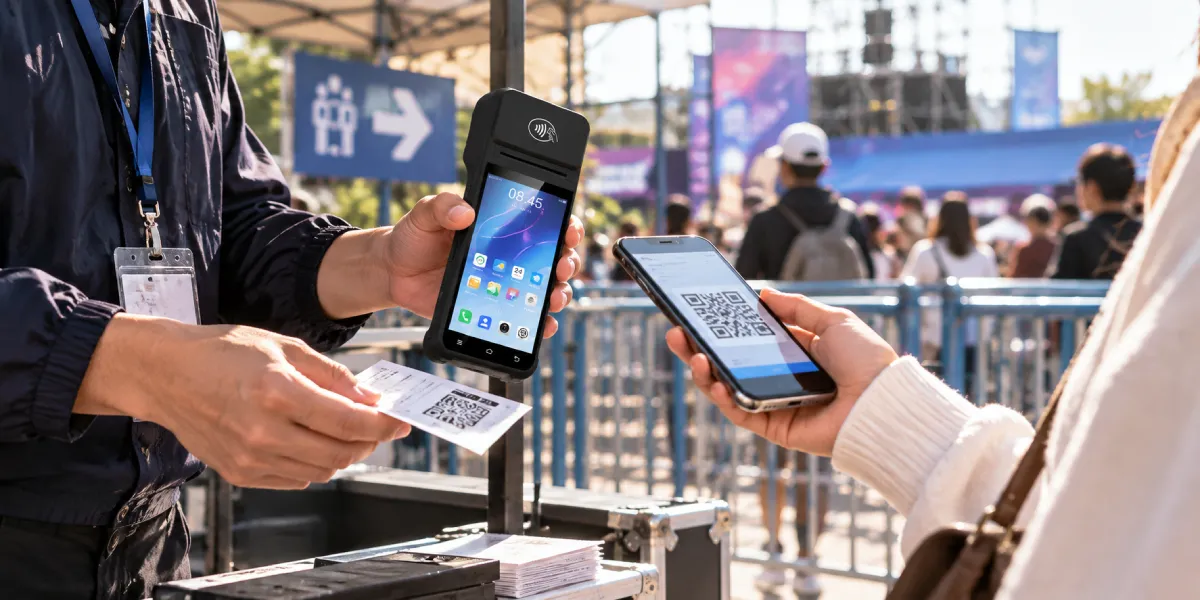
MMQR is a common retail-payment QR format supervised by the Central Bank of Myanmar. The system connects participating banks, mobile banking applications and mobile wallets so a merchant does not need a separate printed code for every provider.
The official Myanmar QR specification defines merchant-presented mode using the EMV QR framework as a reference. The customer scans a QR generated from merchant details, authorizes the transaction through a supported issuer application, and the payment service operator processes the transfer to the designated merchant account.
MMQR standardization started before the public service launch. The specification says the Central Bank of Myanmar formed a technical working group in April 2018, and its May 2023 document defines the code structure for both static and dynamic merchant-presented QR codes.
The specification also localizes merchant identity for Myanmar users. English merchant name and city fields sit in the root payload, while the merchant-information language template provides Myanmar Unicode details for local display. Checkout testing should therefore verify both scripts instead of checking only whether the QR image scans.
The national MMQR launch took place in February 2025. A Ministry of Information launch report published on 28 February 2025 describes MMQR as a national-level standard designed to connect banks and mobile financial service providers for everyday payments.
MMQR interoperability does not mean every bank or wallet offers an identical merchant interface. The acquiring institution or merchant service provider still controls onboarding, alerts, reports, support procedures, fees and settlement terms. A shop should therefore read its own provider agreement instead of treating one bank’s conditions as a network-wide promise.
An MMQR payment passes through six operational stages. The customer sees only the scan and approval screens, while the shop must monitor the acceptance and recordkeeping stages.
The fifth and sixth stages are the control point for releasing goods. Staff should wait for a successful status in the shop’s own merchant channel and match it to the sale. A customer’s animation, screenshot or verbal statement does not provide independent merchant-side evidence.
The shop should match at least the amount, merchant identity, transaction time and reference before closing the order. A larger or multi-lane store should also match the checkout, terminal or invoice identifier when its acquiring setup exposes those fields.
Static MMQR and dynamic MMQR use the same national standard but create different checkout controls. A static code remains reusable, while a dynamic code is generated for one transaction.
The technical distinction determines who supplies the amount and how easily the payment can be linked to an order.
Static MMQR uses point-of-initiation value 11 and displays the same code for multiple transactions. Dynamic MMQR uses value 12 and creates a new code for each transaction. Transaction Amount field 54 may carry the payable amount; without that field, the customer application prompts for manual amount entry.
That difference changes the shop’s error and reconciliation workload.
| Checkout question | Static MMQR | Dynamic MMQR |
|---|---|---|
| Is the same code reused? | Yes | No, a new code is generated |
| Who normally enters the amount? | The customer when the code omits the amount | The checkout application can encode it |
| Can the code carry an order reference? | Possible, but basic counter stickers may not use one | Better suited to invoice and reference fields |
| Main operational risk | Wrong amount, wrong merchant code or weak order matching | Integration failure, expiry or callback mismatch |
| Best fit | Low-volume shop with supervised confirmation | POS checkout, multiple lanes or online orders |
Static MMQR is inexpensive to deploy because a shop can display a printed code and use a merchant application for confirmation. The cashier must still check the amount carefully because the customer may type MMK 5,000 instead of MMK 50,000.
Dynamic MMQR reduces manual entry because the checkout system can encode the amount. The national specification also provides optional fields for bill number, store label and reference label. Those fields can help a POS or merchant platform connect the network transaction to a specific order.
Dynamic QR generation does not remove failure states. The POS must handle pending, expired, failed and duplicated requests without marking the sale paid too early. The integration should also stop a late callback from completing an order that has already been cancelled or paid another way.
The device form factor becomes relevant only when the shop moves beyond a printed sticker. Our guide to QR code POS terminals explains how a customer-facing screen, scanner and receipt printer can participate in a connected checkout without replacing the payment provider.
A shop confirms MMQR through its own merchant-side system, not the customer’s screen. The exact interface depends on the merchant acquirer or payment service provider.
Three merchant confirmation channels are common:
The confirmation rule can be expressed in one sentence.
An MMQR sale is confirmed only when the merchant-controlled app, portal or integrated POS shows a successful transaction matching the order amount and reference. A customer-side receipt can support troubleshooting, but a screenshot alone should never authorize release of goods or a cash refund.
That rule protects both small shops and integrated retailers from the same basic mistake.
Wave Money provides a local example of merchant-side confirmation tooling. Its MMQR merchant service describes instant payment alerts, merchant-app transaction management, real-time transaction reports and merchant-portal monitoring. Those features describe Wave’s merchant offering, not a guarantee that every MMQR provider uses the same interface.
Cashiers should read the merchant record instead of relying only on notification sound or banner text. A notification may arrive late, be muted or disappear from the lock screen. The transaction history provides a more durable record and lets staff compare the amount and time with the open order.
An integrated POS should use the provider’s status response as a state change, not as decorative messaging. A successful event can close the order and print a receipt. A pending event should keep the order open. A failed or expired event should offer a controlled retry without creating a second completed sale.
Customer screenshots are weak evidence because the shop does not control their source or freshness. A static image can be edited, reused from an earlier purchase or displayed while the current transaction remains pending.
The risk also exists without deliberate fraud. A customer application may show that authorization was submitted while the merchant channel has not received a final successful status. Network delay, a timeout or an exception between providers can create different screens for several seconds or longer.
Shop staff should use a simple hierarchy of evidence:
| Evidence | Merchant action |
|---|---|
| Merchant app or portal shows successful payment with matching amount | Complete the sale |
| Integrated POS shows a validated successful status and matching reference | Complete the sale |
| Merchant channel shows pending | Keep the order open and recheck |
| Customer shows a receipt but merchant has no matching record | Do not treat the sale as paid; follow provider support procedure |
| Merchant channel shows failed or expired | Retry through a new transaction or use another payment method |
A missing merchant record should not trigger an immediate cash refund. The shop should first determine whether the transaction failed, remains pending or later completed. The provider’s dispute and support process should control the outcome because refund timing and reversal handling can vary.
Most counter disputes fit into six repeatable failure patterns. A written response for each pattern prevents cashiers from improvising under pressure.
A static MMQR code can leave amount entry to the customer. The cashier should compare the successful merchant record with the order total before releasing goods. Underpayment requires a documented second payment or cancellation process, while overpayment requires the provider’s approved refund process.
A customer debit without merchant confirmation is an exception, not a completed sale. Staff should record the time, amount, provider, visible customer reference and order number, then check the merchant transaction history before contacting support.
The shop should not promise a universal reversal time. Resolution and settlement rules depend on the participating institutions and the transaction state. Staff should give the customer a case reference and follow the merchant provider’s escalation procedure.
A delayed alert does not always mean a failed payment. The cashier should refresh or search transaction history rather than asking the customer to pay again immediately. A second payment can create a duplicate that later requires manual refund work.
Duplicate successful payments require reference-level review. Staff should link both network transactions to the same order, retain both records and use the authorized refund channel for the duplicate. A cash refund creates a separate risk because the original digital transaction may later be reversed or disputed.
A printed static code is a physical payment credential and needs inspection. Shops should attach it securely, compare the merchant name shown in the customer application with the store identity, and check for stickers placed over the original code.
Broader controls for device access, applications and staff procedures are covered in our POS payment security guide. The MMQR-specific control is straightforward: the merchant name and receiving account must remain under the shop’s control.
MMQR confirmation depends on connected payment systems. A scanned code does not prove that processing completed during an outage. The shop should define whether staff wait, move to a backup connection, accept cash or create a pending order for later collection.
Recovery procedures should preserve the original order and payment reference. Replacing a pending order with an unlinked cash sale may resolve the queue but leave an unexplained digital transaction later. Staff need one case record that follows the event until the provider confirms failure, success or reversal.
Real-time payment confirmation and settlement reconciliation answer different questions. Confirmation tells the cashier whether a transaction succeeded. Reconciliation checks whether every successful transaction matches an order and appears in the expected merchant account or settlement report.
The official MyanmarPay merchant map displayed 4,888 merchant listings when checked on 23 October 2026. That live directory total shows the network’s visible merchant footprint at one moment, but it does not prove transaction volume, active status or uniform operating quality across every listing.
A shop should retain one row per MMQR transaction. The record should include:
Daily control totals should compare POS orders, merchant transactions and bank-side credits. The shop should investigate missing references, duplicated amounts, successful payments without orders and paid orders without successful payment records.
Settlement timing, fees and transfer availability are provider-specific. A merchant should not copy another institution’s same-day credit claim into its own operating procedure. The signed agreement and actual merchant report define when funds become available and how adjustments appear.
A POS integration is valuable when the shop needs amount accuracy, order references and automatic status updates. A printed static QR remains adequate for some low-volume counters, while multi-lane retail and delivery workflows benefit from dynamic codes linked to individual orders.
The software boundary matters more than the screen size. Our Android POS SDK integration guide explains how local hardware services differ from cloud payment APIs. MMQR status normally comes from the approved payment provider, while the device SDK controls functions such as customer displays and printers.
A reliable integration should implement these transaction states:
The POS should make state transitions idempotent. Repeated callbacks for one transaction must not create repeated receipts, repeated stock deductions or multiple successful orders. The integration should also query transaction status after a timeout instead of assuming silence means failure.
Hardware selection comes after the software and acquiring path are defined.
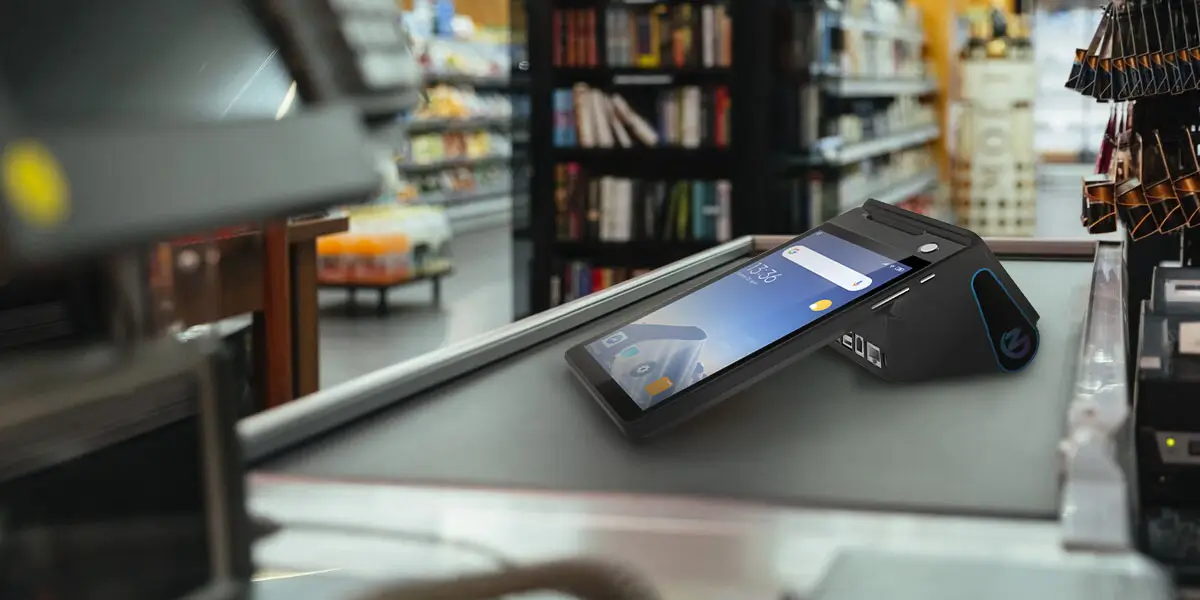
ZCS Z108 represents the customization-first Android POS hardware category for shops running their own checkout software. The dual-display format, Android 14 platform, network interfaces and optional QR scanner can support a merchant-presented workflow, but MMQR acceptance still requires an approved local payment application or acquirer integration.
That separation prevents a hardware specification from being mistaken for payment-network approval.
The Z108 Android POS terminal provides an 8-inch main display, an optional 2.6-inch or 3.95-inch customer display, Ethernet, Wi-Fi and cellular connectivity, plus 58 mm or 80 mm printer options.
An MMQR pilot should validate the complete stack. The test configuration includes the exact terminal, Android build, merchant application, provider API, network path, receipt logic and support ownership. A generic statement that a device “supports QR” proves only that it can display or scan a code.
A shop should approve MMQR only after the provider and checkout workflow pass an operational review. The following questions expose gaps before staff handle live money:
MMQR refers to Myanmar’s common QR standard for interoperable retail payments. Participating bank and wallet applications can scan one merchant-presented code instead of requiring a different code for every provider.
The shop should verify success in its own merchant application, merchant portal or integrated POS. The amount, merchant record and transaction reference should match the open order before goods are released.
No, a screenshot is not independent merchant-side confirmation. The shop should wait for a matching successful record in the merchant-controlled channel and follow provider support procedures when records disagree.
Static MMQR reuses the same code, while dynamic MMQR generates a code for one transaction. Dynamic codes can carry the amount and reference fields, which improves order matching.
Yes, a small shop can display a printed static MMQR code and confirm payments in a merchant application. A POS becomes useful for dynamic amounts, references, receipts, inventory updates and automated reconciliation.
No, QR-capable hardware can only display or scan the code. Live MMQR acceptance requires merchant onboarding and an approved application or integration from a participating local payment provider.
The cashier should keep the order unresolved, record the available references, search merchant transaction history and contact the provider. The shop should not promise an unverified reversal time or issue an immediate cash refund.
MMQR payments in Myanmar simplify acceptance by placing participating providers behind one merchant QR standard. The shop still needs a disciplined confirmation process because interoperability does not remove pending states, manual amount errors, network delays or settlement differences.
The safest operating rule is clear: release goods only after a successful merchant-side record matches the order amount and reference. Static MMQR suits simple counters with supervised checks. Dynamic MMQR suits POS-connected shops that need encoded amounts, transaction references and automated reconciliation.







 Home
Home  Why Odoo POS Cannot Directly Control Every Built-In Android Receipt Printer?
