
2026-09-15 Author : ZCS
A hotel mobile check-in terminal is a portable device that allows an authorized employee to complete arrival tasks away from a fixed front desk. Staff can meet a guest in the lobby, at a curbside arrival point, in a VIP lounge or inside a resort villa, then use the terminal to retrieve a reservation, capture identity information, confirm registration details, process a deposit and complete the arrival workflow.
The terminal is the physical interface, not the complete hotel system. Reservation data, room inventory, housekeeping status, rates and guest profiles remain in the property management system (PMS). Payment authorization is handled through the hotel's payment provider, while room keys require a compatible encoder or digital-key platform. The handheld device connects these systems to the employee at the point of service.
Oracle’s mobile check-in documentation illustrates the underlying sequence: the system reviews the reservation, validates room assignment and payment method, permits a room change when necessary and creates keys after check-in is completed. A hotel mobile check-in terminal should make that sequence easier to perform without separating staff from the guest.
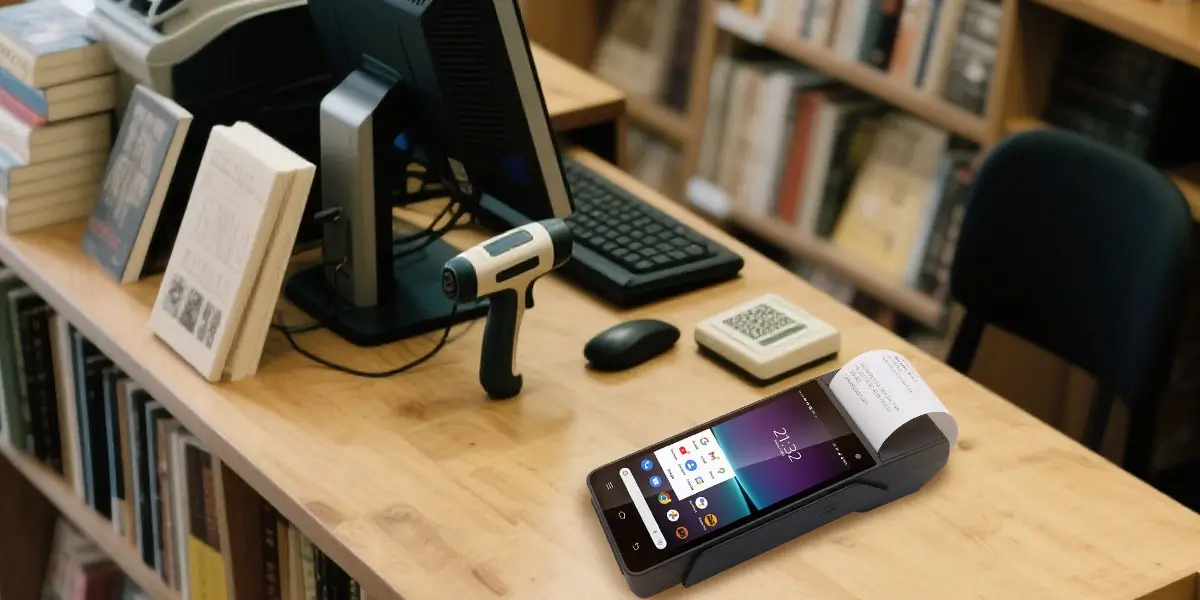
A traditional front desk concentrates every arrival at one location. That is manageable during quiet periods, but it creates queues when flights, coaches, conferences or wedding groups arrive together. A mobile workflow lets a hotel open temporary check-in positions without installing a complete counter at each one. Employees can serve guests in the queue, redirect arrivals whose rooms are not ready and complete VIP or accessible check-in where the guest is most comfortable.
Mobility also changes how a resort operates. A guest arriving at a large property may be checked in at a welcome pavilion, shuttle stop or private accommodation rather than walking back to reception. The same device can later support room-service payment, restaurant checkout or selected concierge transactions if the software and payment setup allow it. This gives the hotel more value from the hardware than a single-purpose lobby kiosk.
A successful deployment starts with the operational flow, because each step determines a hardware or integration requirement. The following model covers a typical assisted arrival; local registration laws and hotel policy may add or remove steps.
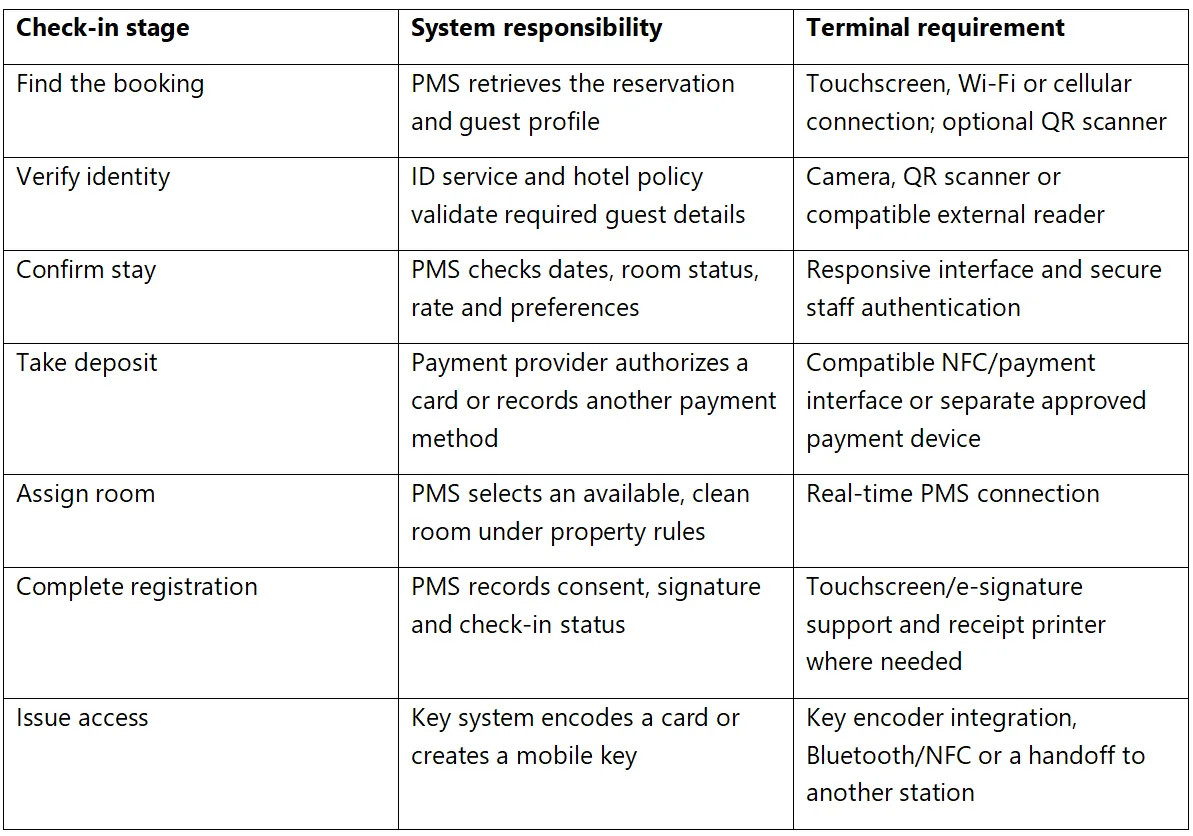
Hotels may need to collect names, document numbers, nationality, address or other information depending on the jurisdiction and guest type. A camera or scanner can reduce transcription errors by capturing a passport machine-readable zone, national ID barcode or reservation QR code. The software may then populate the registration record for an employee to review.
Scanning is not the same as verifying authenticity. Optical character recognition extracts text, while document verification may also inspect security features, query an identity service or compare a face with the portrait on the document. Hardware buyers should decide whether the terminal only captures an image, reads a code or must connect to a dedicated verification provider. The required workflow should be tested using the passports and identity cards most common among the property's guests.
The hotel should collect only the information it has a lawful and operational reason to retain. Full document images create more risk than a small set of verified fields. Access controls, encryption, retention periods and deletion rules must be agreed before mobile capture begins. A lost handheld should not expose a gallery of passports or allow an unauthorized person to open guest profiles. Local legal advice is necessary because guest-registration and document-copying rules vary by country.
Hotels commonly verify a payment method and place an authorization hold for accommodation, tax or incidentals. A pre-authorization reserves an amount against the cardholder's available funds; it is not the same as settling the final folio. The amount may later be completed, adjusted or released according to the payment provider's rules and hotel policy.
Oracle’s hospitality payment workflow shows a card-present check-in in which the employee selects a mapped payment terminal, the guest presents a card, and token and authorization information return to the reservation. The approval is then associated with the stay. This highlights an important procurement point: the mobile device, PMS, payment interface, processor and acquiring setup must be designed as one workflow.
An NFC reader alone does not make a handheld terminal ready to accept hotel deposits. The selected configuration needs a payment application and acceptance path approved for the target market. Card-present chip and contactless transactions, tokenization, reversals, incremental authorizations and final settlement should all be tested with the hotel's processor. The PMS should store only the token and permitted card details rather than raw card data whenever the integrated payment architecture supports that model.
Room assignment is primarily a PMS function. The mobile terminal displays the decision and allows the employee to act on it, but the PMS determines whether a room is clean, inspected, out of service, already assigned or compatible with the booking. Assigning from an old local list risks giving the same room to two guests or releasing a room that housekeeping has not finished.
Key issuance is a separate integration. Some properties hand a prepared key to the employee, some use a portable or nearby encoder, and others issue a digital credential through the guest's phone. The project team should confirm whether the terminal will encode cards directly, instruct another workstation to prepare the key or simply complete check-in before a separate handoff.
A hotel device should be light enough for repeated use and stable across lobby Wi-Fi, back-office networks and outdoor areas. Resorts may benefit from cellular fallback where property-wide Wi-Fi is inconsistent. Connectivity testing should cover lifts, arrival drives, conference spaces, villas and other places where employees will actually work. Offline mode should be limited to clearly defined functions because room status and payment authorization usually require current system data.
The camera must capture legible identity documents under lobby lighting, while QR scanning should work with printed confirmations and phone screens. A dedicated scanner can improve speed when codes are frequent. The touchscreen should support fast data review and an electronic signature if the registration process requires one. The interface matters as much as screen size: large controls and short forms reduce errors when an employee is standing beside a guest.

The ZCS Z92 Smart POS Terminal is a compact Android handheld that can provide the physical layer for an assisted hotel check-in application. It runs ZOS based on Android 13 and combines a 5.5-inch touchscreen, 2G/3G/4G connectivity, dual-band Wi-Fi, a rear camera, QR scanning and a built-in 58mm thermal printer in a 364g device. The 3020mAh battery, optional charging base, hand strap and protective case support mobile use around a property.
For hospitality projects, the Z92's camera and scanner can capture reservation codes or document information through compatible software, while the printer can issue a receipt without returning to the front desk. Optional NFC, fingerprint and front-camera configurations allow an integrator to match the device to a more specific identity or payment workflow. These options should be confirmed at quotation stage because they are not standard in every configuration.
The Z92 should be presented as hotel check-in hardware rather than a complete PMS, passport-verification product or room-key system. ZCS provides an Android platform and peripheral access for application integration; the hotel technology provider must connect it to the PMS, identity service, payment provider and key platform. If the terminal will accept card payments, the exact hardware, software and processor configuration should be checked for the required approvals before deployment.
Integration quality determines whether mobile check-in saves time or merely moves manual work onto a smaller screen. The application should retrieve the same reservation, room and payment status visible at the front desk. Updates made on the handheld must appear quickly in the PMS so another employee cannot make a conflicting decision.
An implementation normally uses the PMS vendor's APIs or approved hospitality integration platform. The project should define authentication, property and user permissions, rate limits, error handling and an audit record for every change. If the network fails after an employee assigns a room or requests a deposit, the application must query the authoritative system before repeating the action.
Peripheral integration also needs explicit testing. The Android application must be able to call the terminal's camera, scanner, printer and optional readers through supported interfaces. A demonstration application is helpful, but the hotel should test its own registration format, languages, receipt design and transaction volume. The same principle applies to digital keys: an API connection must be validated with the lock vendor rather than assumed from the presence of Bluetooth or NFC.
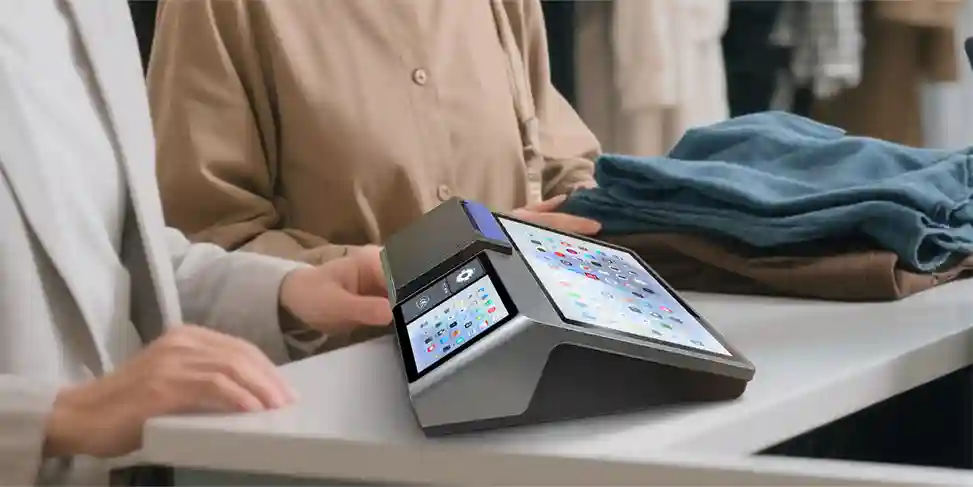
Hotel handhelds can access guest identity, stay details and payment workflows, so staff authentication and device controls are essential. Each employee should use an individual account with permissions appropriate to the role. Sessions should lock automatically, sensitive information should be masked, and the application should avoid storing passport images or card data locally unless required and protected.
A terminal management platform can enroll devices, distribute an approved hotel application, schedule updates, monitor versions and place the terminal in dedicated-app mode. Lost devices should be suspended promptly. Management logs can show device status and software changes, while the PMS and payment systems remain the authoritative sources for guest and financial transactions.
Start with one property and a limited set of trained employees. Test ordinary arrivals, walk-ins, early arrivals, room changes, declined authorizations, different payment methods, group bookings and guests whose documents cannot be scanned. Run the process during a real arrival peak and compare completion time, correction rate and guest waiting time with the existing desk workflow.
The pilot should also test technical failure. Disconnect Wi-Fi during room assignment, interrupt the payment response and let the battery fall to a realistic low level. Confirm that employees can see whether a request succeeded and know what to do next. Review whether printed and digital receipts show the correct deposit status and whether every change appears in the PMS audit history.

Q1.Can a mobile POS terminal replace a hotel PMS?
No. The terminal presents and captures information, while the PMS remains responsible for reservations, guest profiles, room inventory and check-in status.
Q2.Can a handheld terminal scan passports?
A camera or scanner can capture passport information through compatible software. Authenticity checking, registry access and legal retention rules require a separate verified workflow.
Q3.Can a hotel take a security deposit on a mobile terminal?
Yes, when the terminal is integrated with an approved payment application, processor and PMS workflow. Pre-authorization, settlement and release rules must be tested with the hotel’s provider.
Q4.Does the terminal assign the room?
The PMS normally applies room status and assignment rules. The handheld displays available choices and sends the employee’s authorized selection back to the PMS.
Q5.Can the ZCS Z92 issue a hotel key?
The Z92 can run an integrated Android application, but physical key encoding or mobile-key issuance requires a compatible lock system and integration. NFC or Bluetooth hardware alone does not create a room key.
Q6.Is every Z92 configuration the same?
No. NFC, fingerprint, front camera, memory and accessories may vary. The required configuration should be documented and tested before ordering.
A hotel mobile check-in terminal works best when it gives employees access to current reservation, identity and payment workflows wherever the guest arrives. The hardware should reduce movement and duplicate entry while keeping the PMS, payment provider and key system in control of their respective records.
Hotels, resort groups and hospitality software integrators can review the ZCS Z92 Smart POS Terminal as a configurable Android platform for assisted mobile check-in. Request a sample with the required camera, scanner, NFC, fingerprint and accessory options, then test it with the actual PMS and payment environment planned for the property.






 Home
Home  Agent Banking POS Terminal: Complete Hardware Guide for Banks and Microfinance Institutions
