2026-11-25 Author : ZCS
BOPIS turns a store into both a shopping destination and a local fulfillment point. The model can reduce delivery time and shipping cost, but only when online promises match what the store can actually pick and hand over.
BOPIS, also called buy online, pick up in store, in-store pickup or click and collect, is an omnichannel fulfillment method in which a customer orders through a digital channel and collects the goods from a selected physical location. The order moves through inventory checking, stock reservation, payment, store picking, staging, customer notification and pickup confirmation.
The rest of the workflow explains why each of those steps needs a separate status.
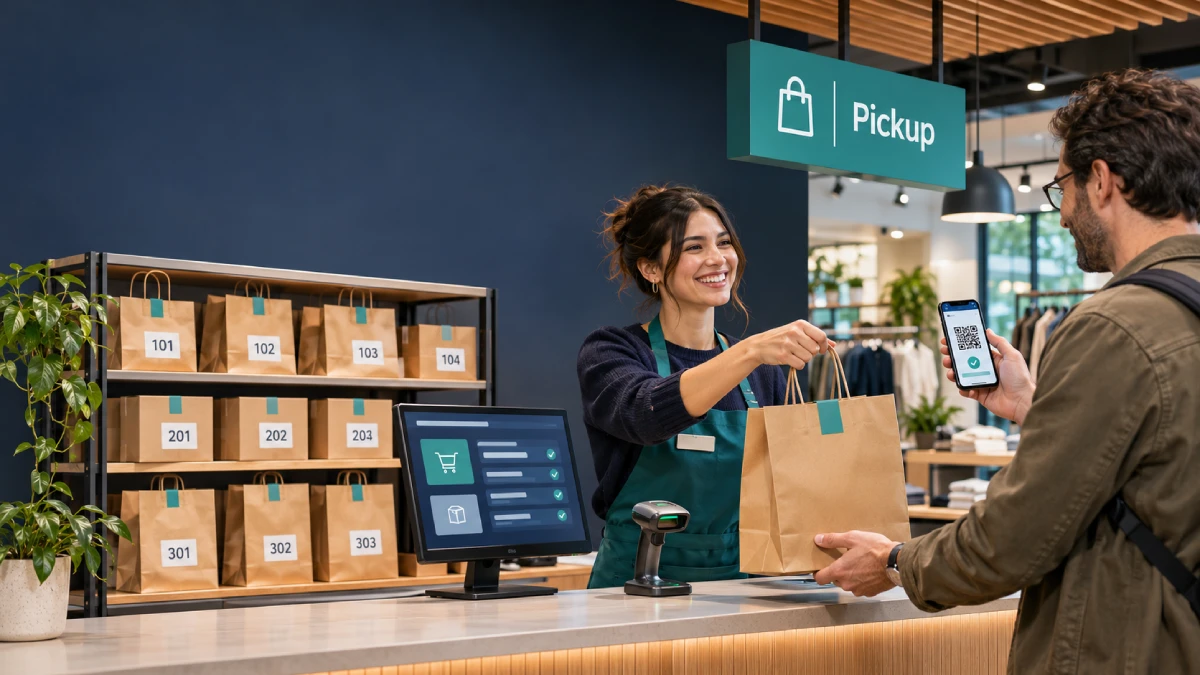
BOPIS connects ecommerce convenience with physical-store inventory. The customer browses online, chooses a pickup location, places the order and travels to the store only after receiving a ready-for-pickup message.
The store does more than hold a package. Store staff may have to locate products on the sales floor or in the stockroom, confirm quantities, reject damaged goods, manage substitutions and place the completed order in a secure pickup area.
BOPIS differs from several related services:
| Fulfillment method | Where the order starts | How the customer receives it |
|---|---|---|
| BOPIS | Website or app | Customer collects inside the store or at a pickup desk |
| Curbside pickup | Website or app | Staff bring the order to a vehicle or outdoor pickup point |
| Reserve online, pay in store | Website or app | Store holds the goods; payment happens at collection |
| Ship from store | Website or app | The store picks the order and a carrier delivers it |
| Store purchase | Physical store | Customer selects and pays for products during the visit |
The distinction matters because payment, fraud checks, stock ownership and customer identification differ between these models.
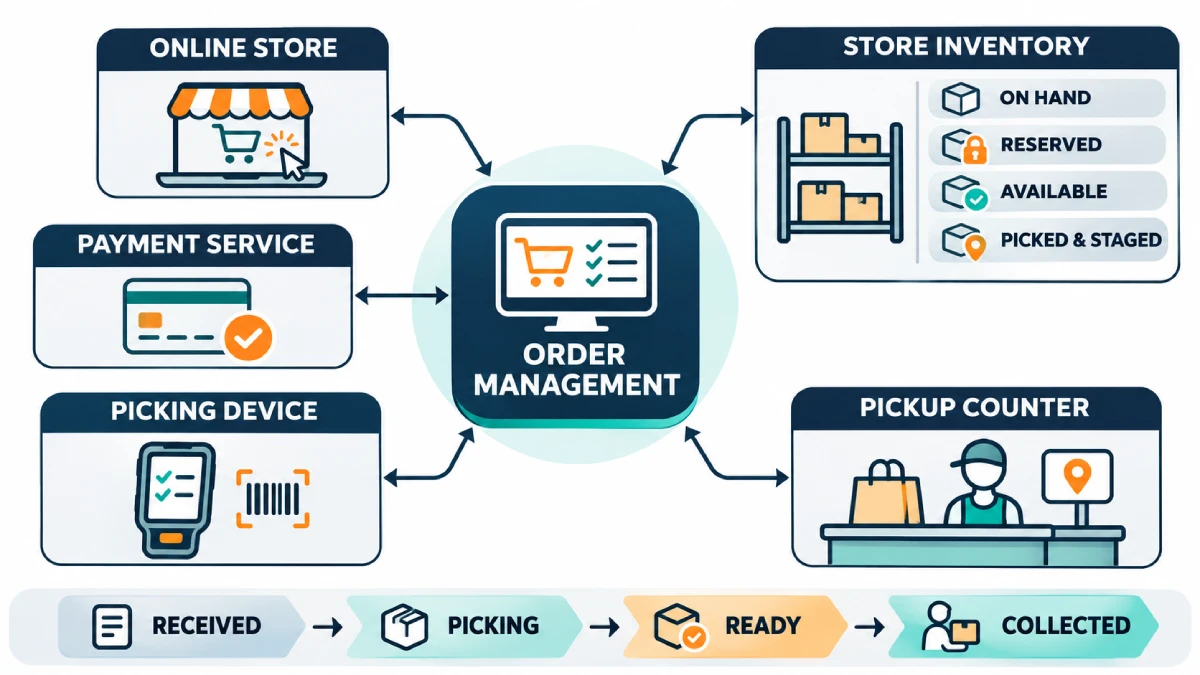
A BOPIS order passes through at least seven operational stages. Treating all seven as a single “processing” status makes customer messages and store work harder to manage.
The ecommerce system shows stores that can fulfill the basket. Each store result should reflect eligible products, pickup hours, order cutoffs and an inventory availability rule.
A simple “quantity greater than zero” check is rarely enough. The retailer may keep a safety quantity because the last unit could be in another customer’s cart, misplaced, damaged or already being picked for another order.
The order system checks the selected location and creates a reservation. That reservation reduces the quantity available to other digital orders even though the item has not yet left the shelf.
GS1’s 2026 retail systems playbook describes inventory and fulfillment management as the layer that combines inventory status with fulfillment logic across stores, distribution centers and digital channels. This is the operational core of BOPIS.
The customer enters contact details, selects pickup and submits payment or chooses a pay-at-pickup option. The ecommerce system creates an order number and records the promised location and pickup method.
The first confirmation should say that the order was received. It should not say the order is ready unless the store has already completed picking.
The store receives the order in a fulfillment queue. A staff member follows a pick list, scans each product and records missing or unsuitable items.
Barcode scanning links the physical item to the digital order. A well-designed POS barcode scanner workflow distinguishes product identification from payment-code scanning and explains how the software turns a code into an order line.
The completed basket moves to a labeled pickup shelf, locker, refrigerator or secure room. The staging record should include the storage location, completion time and employee or device that finished the task.
Perishable, high-value and age-restricted products need additional controls. The pickup area must protect product condition and prevent one customer from receiving another customer’s order.
The retailer sends a ready-for-pickup notification only after picking and staging are complete. The message should include the store address, pickup hours, collection instructions, deadline and required identification.
A second message can remind the customer before the holding period expires. Repeated reminders should stop immediately after pickup, cancellation or refund.
The customer presents an order number, QR code, name or approved form of identification. Staff verify the order, retrieve it and mark it as collected.
The pickup confirmation closes the fulfillment process and produces an auditable handover record. It can also trigger the final receipt, loyalty update and any remaining payment action.
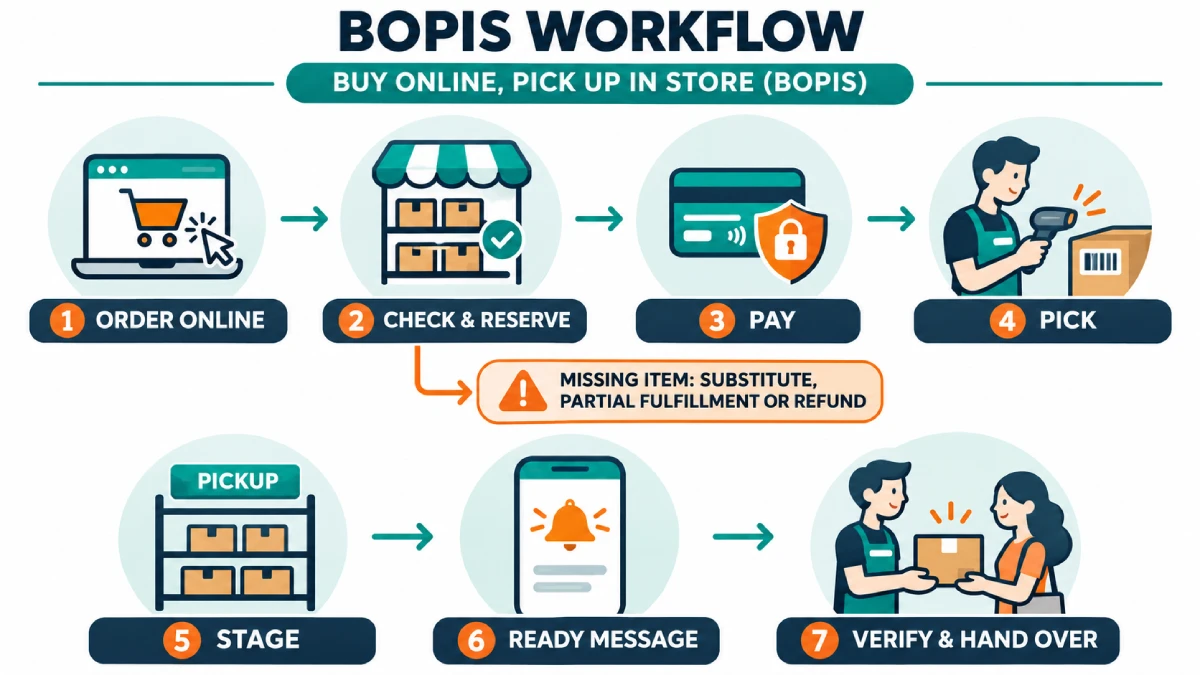
BOPIS depends on available-to-promise inventory rather than a delayed stock report. A retailer can show “in stock” online while the physical product is missing, damaged, reserved or sitting in another shopper’s basket.
Four inventory quantities should remain distinct:
The available-to-promise calculation usually starts with on-hand inventory, subtracts reservations and applies a safety quantity or eligibility rule. The exact formula depends on product value, sales speed and inventory accuracy.
Retailers can improve the data with receiving scans, cycle counts, shelf replenishment records, order-picking scans and immediate adjustment of damaged or missing goods. AI inventory management can improve demand forecasts and replenishment decisions, but accurate store events must come first.
GS1’s 2D barcode retail guideline also places online fulfillment inside the wider POS and inventory environment. Product identifiers, expiry data and store scans can support picking accuracy, especially for fresh goods and products with limited shelf life.
BOPIS can take payment online, at pickup or through a mixed authorization-and-capture process. The retailer must choose one model and make the timing clear to the customer.
The customer completes an ecommerce payment when placing the order. This creates a fast pickup because the store normally needs to verify the customer and hand over the goods rather than start a new sale.
Online payment also creates early exception work. A missing item, rejected substitution or abandoned order can require a partial refund, full refund or cancellation of an authorization.
The retailer may authorize an estimated amount when the order is placed and capture the final amount after picking. This model can handle variable-weight goods and substitutions more cleanly, provided the payment service supports the required adjustment and timing.
An authorization is not the same as a completed charge. The order system should display the payment state separately from fulfillment states such as picking, ready and collected.
The retailer reserves the order but collects payment in the store. This model supports customers who prefer cash or an in-person card payment, but it increases the cost of no-shows and keeps stock unavailable until the reservation expires.
The payment path should be chosen before implementation because payment processing affects authorization, settlement, refunds and reconciliation after the online order reaches the store.
PCI Security Standards Council’s ecommerce security guidance distinguishes online card-not-present activity from card-present collection. A pickup workflow may involve both channels, so payment data and transaction status should not be copied between systems without a defined purpose.
A store fulfillment screen should turn online orders into a clear work queue. Each order needs enough information to pick and hand over the goods without exposing unnecessary customer or payment data.
Useful fields include:
Role-based screens reduce errors. Pickers need product and location data. Pickup staff need order verification and staging location. Supervisors need aging orders, missing items, cancellations and refund exceptions.
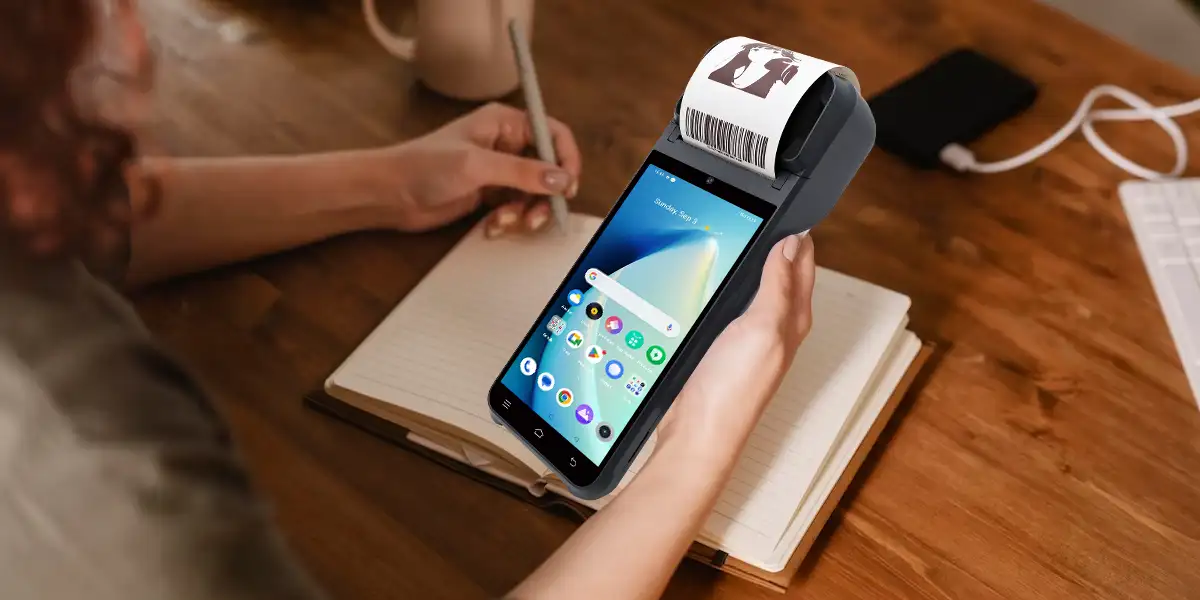
Mobile devices can help staff pick orders on the sales floor, while a fixed counter terminal can manage customer arrival and handover. Hardware selection follows the workflow: scanning, battery life, network coverage, screen readability and printer requirements matter more than whether the device is marketed as a “BOPIS terminal.”
Exception rules should be decided before the first BOPIS order. Store employees should not invent a refund or substitution policy while a customer is waiting.
The order system can cancel the missing line, suggest an approved substitute or transfer the order to another store. The customer should see the revised basket and amount before collection.
The retailer can allow the customer to collect available items and refund the rest. The order record must retain both the original request and the final fulfilled quantities.
Cancellation rules should depend on the order stage. An unpicked order is easier to release than an order already staged in a secure locker or prepared with perishable goods.
Every BOPIS order needs a holding period. When that period expires, staff return eligible goods to available inventory and start the defined payment reversal or refund process.
The return system should recognize the original online transaction and the pickup store. The retailer can then apply the correct return method without treating the item as an unrelated store purchase.
Pickup verification should be quick enough for customers and strong enough for the product risk. A low-value grocery order may use an order code and customer name. A high-value product may require a one-time code and photo identification.
Common verification methods include:
Retailers should avoid using full payment-card details as the main pickup identifier. Staff need proof that the collector is authorized, not access to the customer’s complete payment credentials.
The handover screen should also support an authorized alternate collector. The original customer can name that person before pickup, and the store can record who received the order.
BOPIS performance should be measured from order creation through collection. A single sales total cannot show whether inventory and store execution are working.
Track these metrics:
Metrics should identify the responsible stage. A long order-to-ready time may come from delayed store acceptance, inefficient picking, missing inventory or slow staging. One combined duration hides the cause.

BOPIS succeeds when the retailer treats store pickup as an end-to-end order flow rather than an ecommerce delivery option. The website must promise only inventory that the store can reserve, pick, stage and hand over.
Start with accurate inventory and explicit order statuses. Add payment rules, staff tools, pickup verification and exception handling around that foundation. Customers then receive a simple experience: order online, wait for the ready message and collect the correct goods without repeating the purchase at the counter.
BOPIS means buy online, pick up in store. A customer places an order through a website or app and collects it from a selected physical store.
The terms are commonly used for the same basic model. “Click and collect” is especially common in the United Kingdom and other markets, while BOPIS is widely used in North America.
Curbside pickup uses the same online-order and store-fulfillment foundation, but staff bring the order to an outdoor point or vehicle instead of completing the handover inside the store.
Either model can work. Retailers may charge online, authorize online and capture later, or collect payment at pickup. The selected method determines how cancellations, substitutions and refunds work.
Inventory should be reserved when the retailer accepts the order commitment defined by its system. The reservation must reduce availability for other channels before the same unit is promised twice.
The recorded quantity may include a misplaced, damaged, reserved or recently sold item. Receiving errors and delayed adjustments can also make system inventory differ from physical stock.
Customers normally need an order number, QR code or pickup code. High-value or regulated products may also require identification.
The retailer follows its holding-period policy, releases eligible goods back into inventory and processes the required authorization cancellation or refund.






 Home
 How an AI Vending Machine Recognizes Products, Takes Payments and Plans Restocking?

