2026-11-12 Author : ZCS
Biometric self-checkout can reduce repeated customer steps, but it does not turn one scan into an automatic approval for every store function. The palm biometric identity guide explains how an enrolled biological trait can identify a person; this guide follows what a checkout must do after that match.
The easiest way to understand the category is to separate the visible gesture from the decisions behind it.
Biometric self-checkout is a retail workflow in which a face, finger, palm or vein match retrieves an enrolled customer identity. Connected systems can then use permitted account links for payment, loyalty, age eligibility, receipts or purchase history. Each function still applies its own authorization, privacy and failure rules.
That separation determines whether the lane becomes faster or merely moves complexity into enrollment and support.
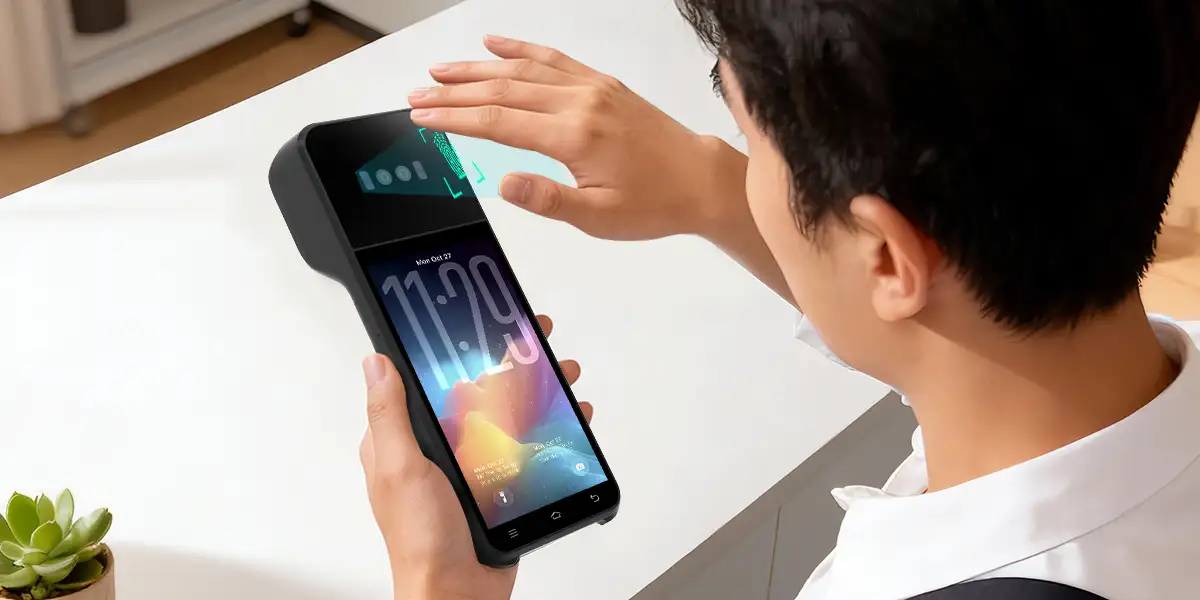
Biometric self-checkout replaces repeated account presentation, not the complete checkout stack. A customer still scans products, accepts the basket total and receives a payment result. The biometric step can replace presenting a loyalty barcode, payment card or age credential only when the retailer has already built and approved those links.
The phrase セルフレジ 生体認証 often sounds like the self-checkout camera or vein reader performs every task. A production design normally divides the flow among several components:
| Component | Main job | Result returned to checkout |
|---|---|---|
| Sensor or camera | Captures a fresh face, finger, palm or vein sample | Usable capture, retry or failure |
| Biometric service | Compares the sample with an enrolled reference | Customer ID, match confidence or no match |
| Identity profile | Stores permitted account and attribute links | Loyalty ID, verified-age flag, receipt account or payment reference |
| POS software | Owns the basket, prices, taxes and tender selection | Final amount and transaction record |
| Payment service | Submits the linked credential for authorization | Approved, declined or uncertain status |
| Staff console | Handles exceptions that automation cannot resolve | Manual approval, alternate tender or cancellation |
One scan can start several lookups, but the match result should not bypass their controls. A loyalty service may accept the customer ID immediately. An age-restricted item may require a current verified attribute. A payment processor may still decline the linked card. Receipt access should appear only after the system confirms that the account and sale belong together.
The architecture therefore resembles a set of connected doors opened by one identity key. The key proves who the enrolled customer is; each door still decides whether that identity may proceed.
Enrollment creates the relationships that a later biometric match can retrieve. A scanner cannot discover a customer’s payment card, loyalty number, date of birth or receipt preference from a finger or palm pattern. The retailer or identity provider must collect and verify the necessary information before checkout use.
A typical enrollment sequence contains six separate actions:
The SAKULaLa enrollment flow illustrates this distinction in a live Japanese retail setting. Customers first register personal details, a credit card and a loyalty ID, then complete identity confirmation and finger-vein enrollment at a store counter. A later finger match retrieves the established relationship rather than reading account details from the finger.
Enrollment quality sets the ceiling for checkout quality. A duplicate profile, expired card, mistyped loyalty ID or unverified birth date can produce a correct biometric match followed by the wrong operational result. Retailers need validation at registration, a way to update linked records and a support path for customers who lose access to the original phone number or email account.
The customer should also be able to enroll in one function without accepting every possible use. A person may want biometric loyalty recognition but prefer to tap a card. Another customer may accept payment linking but decline marketing based on purchase history. A modular account design supports those choices more clearly than one broad “agree to biometrics” switch.
A biometric match identifies the payment profile; it does not approve the charge. After the POS calculates the total, the identity platform retrieves a permitted payment reference, and the payment system submits that reference with the amount. The issuer, wallet or other funding service still returns the approval or decline.
The payment sequence should be visible in the transaction state:
`Basket confirmed → biometric match → payment reference retrieved → authorization requested → approved or declined → receipt created`
A no-match and a payment decline are different failures. A no-match means the identity service could not confidently find the enrolled profile. A decline means the profile was found but the linked payment method was not approved. Staff instructions and customer messages should name the correct problem because repeated scanning cannot fix an expired card, and inserting another card cannot repair a sensor-positioning problem.
The POS also needs protection against uncertain outcomes. A network interruption can occur after the payment request leaves the lane but before the result returns. The checkout should query transaction status before inviting another attempt, or the customer may be charged twice. A biometric interface does not remove the normal requirements for reversals, refunds, reconciliation and dispute evidence.
Hitachi’s published Tobu Store case gives one useful but narrow performance measure. The Hitachi project report says selected SAKULaLa deployments shortened the measured payment-stage time by an average of approximately 50%, to about 25 seconds. The measurement ran from the start of payment-terminal operation until the receipt printed, excluded product scanning, and compared biometric use with presenting the TOBU POINT app and inserting a credit card.
The 50% figure is project-owner data, not an independent benchmark for all biometric self-checkout systems. Hitachi co-operates and supplies technology for SAKULaLa, so the result shows what the named deployment reported under its stated method. It does not prove that every store, biometric type, basket or customer will complete an entire visit in half the time.
Loyalty identification is usually the simplest second use because it retrieves an account rather than authorizing money. After a biometric match returns the customer ID, the POS can request the linked membership number, apply eligible prices or coupons and send earned points after the sale.
The convenience gain comes from removing a separate app or card presentation. A frequent shopper no longer needs to scan a loyalty barcode before choosing a payment method. The system can also reduce forgotten point claims when the membership relationship is active and the shopper intends to use it.
Automatic loyalty recognition still needs customer control. A shared household may not want every purchase attached to one profile. A customer may choose guest checkout for a sensitive item. The interface should show which account was found, allow the customer to continue without it and prevent a low-confidence match from exposing a stranger’s name, balance or offers.
Loyalty rules remain the responsibility of the loyalty platform. The biometric layer should not decide whether a coupon can stack, whether points have expired or which price tier applies. It provides the identity link; the retailer’s promotion and membership systems calculate the benefit.
Retail operators should also test timing. Loyalty identification needs to occur before member pricing is finalized, while point accrual may happen only after payment succeeds. A late or failed lookup should not leave the basket showing a discount that the final receipt does not honor.
Biometric age verification at checkout should match a person to a previously verified age attribute. A finger-vein or palm-vein pattern contains no birth date. A face-recognition match also differs from software that estimates age from appearance. The retailer must know which model it is using and what evidence established eligibility.
The strongest account-linked flow has three stages:
Hitachi’s Tobu Store deployment description states that customers registered personal information and a credit card, then presented photo identification at a store counter before finger-vein enrollment. At checkout, the enrolled finger could support payment, loyalty points and age confirmation in one flow. That is an identity-linked age check, not an age guess derived from a finger.
Age estimation is a different design. A camera may estimate that a shopper appears older than a threshold, but estimation includes uncertainty and may not satisfy the operator’s legal or policy requirements. Some deployments use estimation only to route obvious cases while sending uncertain cases to staff. Others avoid estimation and rely on verified accounts, document readers or remote review.
Product rules also change the required evidence. Alcohol, tobacco, medicines and controlled-access goods can follow different thresholds, documentation duties and staff-override procedures even inside the same store. The POS should evaluate the rule attached to the item instead of treating “adult” as one universal account status.
Japanese retailers should not assume that one vendor workflow automatically satisfies every regulated sale. A METI self-checkout study examined several approaches to age-restricted goods, including reading an official identity document and checking its validity. The acceptable method depends on the product, operator, current law and store procedure.
The fallback must preserve the sale without weakening the age rule. A failed match should lead to staff verification or another approved evidence route, not a button that lets the shopper self-declare eligibility. The checkout should also handle changed legal thresholds, expired evidence and accounts created before the current verification standard.
Biometrics can retrieve receipts only when the customer identity is linked to the retailer’s transaction records. The biometric service does not create a receipt database. The POS or commerce platform records the sale, then associates the transaction reference with the authenticated customer account under the retailer’s rules.
This connection can support several practical tasks:
Receipt access needs stricter display controls than loyalty recognition. A customer-facing screen should not reveal a detailed purchase history immediately after a possible match. The system can require a second confirmation, show only the current receipt or move detailed history to a private account channel.
Returns also need the original transaction and refund rules. A biometric match can help locate the record, but it should not prove that the item is returnable, that the customer still owns it or that money should go to a new funding method. The POS must apply the merchant’s return window, item conditions and original-payment routing.
Privacy design becomes more important as services are combined. Japan’s Personal Information Protection Commission describes identifying biometric feature codes as personal information when they can identify a person. The PPC general guidelines also require businesses to specify and communicate purposes under the applicable rules. A retailer should not quietly turn payment enrollment into unlimited purchase profiling.
A production biometric lane needs a fallback for every dependency, not one generic error screen. The customer should be able to recover from a poor scan without being trapped, and staff should be able to distinguish identity, age, loyalty and payment failures.
| Failure point | Customer-facing response | Operational fallback |
|---|---|---|
| No enrollment found | Explain that no eligible profile was matched | Card, QR or cash; optional enrollment later |
| Poor capture or false rejection | Give one positioning prompt and a limited retry | Alternate biometric, account lookup or non-biometric checkout |
| Multiple or uncertain match | Do not display personal account details | Staff-assisted identity check or guest checkout |
| Loyalty service unavailable | Preserve basket prices clearly | Manual member lookup or continue without loyalty |
| Age attribute missing or stale | Stop only the restricted item flow | Approved document check or staff authorization |
| Linked payment declined | State that identity succeeded but payment did not | Another card, QR, cash or supported tender |
| Payment status unknown | Prevent an immediate duplicate attempt | Status inquiry, timeout handling and staff review |
| Receipt service unavailable | Complete an approved sale without losing its record | Paper receipt or later electronic retrieval |
Fallback should remain genuinely usable for customers who never enroll. A store that advertises biometric checkout as optional should not make card or cash users wait for a hidden staff menu. Equal access matters for visitors, minors, customers with disabilities, privacy-conscious shoppers and anyone whose biometric cannot be captured reliably that day.
The recovery path also needs an audit trail. The POS should record which step failed, whether staff intervened, which tender finally completed the sale and whether an age-restricted item was removed. That record helps support teams fix the correct component without collecting more biometric data than the investigation requires.
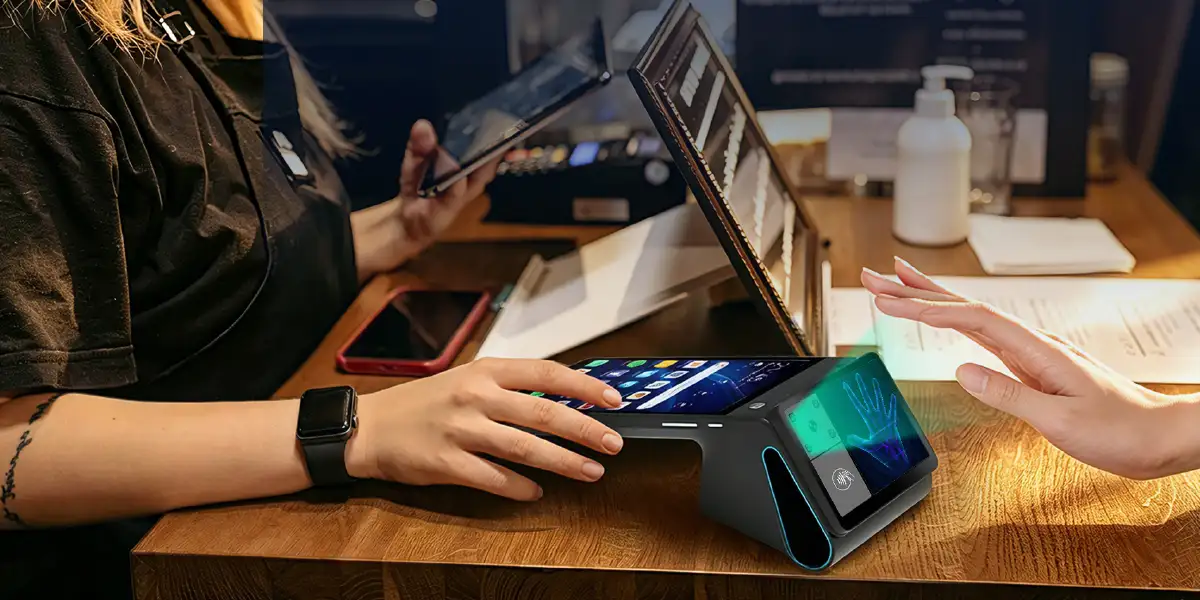
A camera or palm reader is only the capture endpoint of a biometric self-checkout deployment. The lane also needs checkout software, an enrollment and matching service, network controls, payment integration, age-rule logic, loyalty interfaces, customer messaging and a staff exception console.
The hardware checklist should cover:
ZCS’s Z108P palm-vein terminal is one example of a fixed Android integration endpoint with palm-vein capture and dual-screen options. ZCS documentation describes server-side matching and open integration support, but the hardware does not by itself supply a retailer’s age-verification policy, loyalty database, acquiring relationship or legal basis for biometric processing.
Integration evidence matters more than the sensor specification. A retailer should request a complete sequence diagram showing which component receives the biometric sample, customer ID, basket amount, payment reference, authorization result and receipt record. A demonstration that only recognizes a test user does not prove that refunds, age exceptions, duplicate payments and deletion requests will work.
Store equipment must also remain serviceable when the biometric function is unavailable. The lane should expose health checks for the sensor, network and matching service without giving technicians broad access to customer profiles. Device replacement should restore approved configuration and software without copying biometric records through an informal backup process. Those controls belong in the deployment plan, not in a post-launch support note.
The C8 smart-retail connection appears at this layer. A grocery POS workflow still has to manage barcodes, weighed items, promotions, restricted products, inventory and receipts. Biometrics can simplify customer identification inside that workflow, but it cannot replace the retail functions around it.
A pilot should measure complete customer outcomes rather than recognition speed alone. A one-second match has little value when enrollment takes too long, the loyalty price arrives late or staff must clear most age-restricted baskets.
The acceptance plan should include these cases:
| Test case | Pass condition |
|---|---|
| Enrolled shopper, ordinary basket | Correct profile, correct total and one approved payment |
| Enrolled shopper, restricted item | Current verified-age result or controlled staff review |
| Unenrolled shopper | Clear non-biometric route with no forced registration |
| Correct match, expired linked card | Payment decline shown without blaming recognition |
| No match after limited retries | Fast switch to another tender or assisted checkout |
| Loyalty service outage | Basket remains understandable and payment can continue |
| Network interruption after submission | Status checked before any second payment attempt |
| Wrong or uncertain profile | No private account details exposed; transaction stopped safely |
| Customer withdraws enrollment | Biometric use stops and linked services follow documented rules |
| Return with no paper receipt | Original sale found without bypassing return controls |
Checkout-time measurement should declare its start and end points. Retailers should report enrollment separately, product-scanning time separately and the payment-stage time separately. The SAKULaLa figure is useful precisely because Hitachi states what the timing excludes and which conventional steps formed the comparison.
Operational metrics should include match retries, staff interventions, payment declines, unknown payment states, restricted-item overrides, abandonment and fallback completion. Segmenting results by lane, time of day and customer experience can reveal whether the system helps regular users while slowing first-time users.
Customer research should also ask whether people understood what the scan did. A shopper who believes a palm stores money or a face automatically proves age has not received a clear explanation, even if the transaction succeeded.
No. A biometric match identifies an enrolled profile, then separate systems retrieve an allowed payment reference and an independently verified age attribute. The payment service can still decline the transaction, and the store can still require staff review.
No. The biometric reference is linked to an account that can contain or point to a payment credential. The payment credential remains in the relevant payment or identity system, not inside the biological trait.
Not automatically. Facial age estimation predicts an age range, whereas account-linked verification retrieves an attribute established from accepted evidence. Retailers must follow the law, product rules and risk policy that apply to the sale.
The lane should offer a limited retry with clear positioning guidance, then switch to an account lookup, another biometric or a non-biometric tender. Staff should not repeatedly rescan without identifying the failure.
Yes, when the retailer has linked the authenticated account to transaction records and clearly permits that use. Detailed history should receive stronger privacy controls than a simple loyalty lookup.
No. Repeat users can avoid presenting several credentials, but enrollment, retries, service outages and staff exceptions can offset the saved steps. Retailers should measure the complete flow under their own operating conditions.
Biometric self-checkout works best as an identity layer across several well-separated retail services. One enrolled face, finger, palm or vein can help retrieve payment, loyalty, age and receipt relationships, but each service must keep its own approval logic, privacy boundary and recovery path.
The strongest use case is a repeat-customer environment where one match removes several actions at once. Payment alone may save less time than a card tap, while payment plus loyalty plus verified-age retrieval can reduce repeated prompts and staff interventions. That value disappears when enrollment is unclear or fallback is difficult.
Retailers should treat vendor timing claims as deployment evidence, not universal promises. Hitachi’s approximately 50% result is useful because the project owner defines the measured stage and comparison. A new deployment still needs its own pilot, exception testing, legal review and customer choice before biometric checkout can be called ready.







 Home
 How Bar Tab Management Works From Opening a Check to Splitting and Closing Payments?

