
2026-05-19 Author : ZCS
The global smart POS terminal market was valued at approximately $50.3 billion in 2024 and is projected to reach $118.6 billion by 2033 at a CAGR of 10%. Android-based devices now account for nearly 68% of all smart POS shipments globally.
Yet "smart POS" has become one of the most overused labels in the industry — applied to everything from basic card readers to full enterprise terminals. For buyers, that makes the term nearly useless without a sharper definition. This guide clarifies what smart POS capability actually means, which platform features determine whether a terminal can grow with your business, why biometric authentication is worth serious consideration, and how to match the right hardware to the way you actually operate.
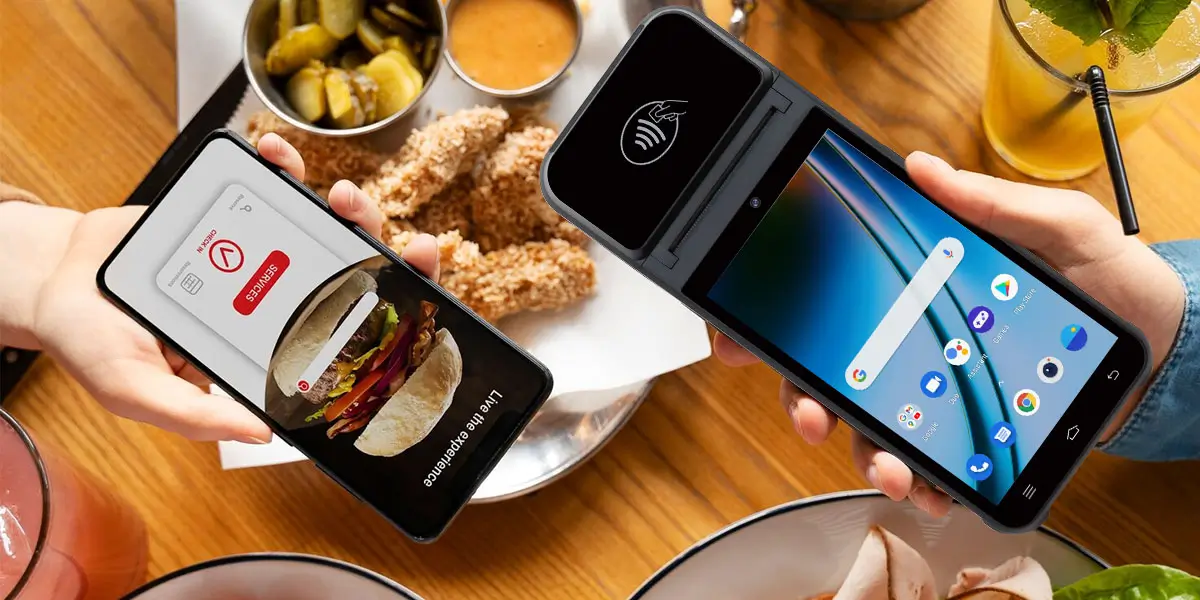
The distinction is not about having a touchscreen or Wi-Fi. A smart terminal is an open, programmable platform: it runs a full Android operating system, executes third-party applications, communicates with external services, and can be updated or customized without replacing the hardware. A traditional terminal processes a payment and passes the result elsewhere. A smart terminal is the system everything else connects to.
In practical terms, this means smart POS terminals integrate with cloud platforms, CRM systems, inventory tracking, and mobile wallets — supporting NFC, QR, EMV, and contactless payments across retail, hospitality, healthcare, and transportation.
Three questions cut through the marketing noise: Can it run third-party apps without a proprietary gatekeeper? Can it be managed and updated remotely at scale? Does it support advanced authentication as a native hardware capability? A "no" to any of these means the "smart" label is cosmetic.
One important distinction: a smart terminal is a hardware platform, not a payment processor. Payment certification sits with the PSP or ISV deploying their application on top of the device — not with the terminal itself. Buyers should evaluate both layers separately.
The real test of a smart terminal is not how it performs on day one, but whether it can support your business a year or two later — when you add locations, integrate new software, or need to push a compliance update to every device at once. Three infrastructure capabilities determine this.
Google Mobile Services certification means the device can access the Google Play Store, receive consistent Android security patches, and run the broader ecosystem of certified Android applications. Without GMS, a device depends on vendor-controlled software maintenance — inconsistent, potentially short-lived, and limiting for long-term deployments. With it, tools like inventory apps, loyalty platforms, and delivery integrations can be installed directly from Play Store, and Google Play Protect runs ongoing security scanning at the OS level.
A well-documented SDK is what makes hardware a platform rather than a product. It lets developers build directly against the terminal's hardware interfaces — NFC, printer, camera, biometric sensor — rather than working within whatever the manufacturer pre-configured. For payment providers and ISVs deploying their own certified applications, SDK quality often matters more than any individual hardware specification.
A Terminal Management System enables remote software updates, application deployment, device monitoring, and configuration changes — across any number of terminals, without on-site intervention. For multi-location operators, this removes the operational overhead of managing each device manually and closes the security gap created by inconsistent patch levels across a fleet.
ZCS builds its Android terminal range around all three: GMS support, an open SDK, and TMS-based fleet management — positioning the hardware as a deployable platform for payment providers, ISVs, and enterprise operators rather than a closed consumer device.

Payment-side security — encryption, tokenization, EMV compliance — addresses one layer of risk. The authentication layer on the terminal itself is a separate concern, and for many businesses a more immediate one. PIN and password access can be shared, observed, or abused by departing staff. In high-turnover environments like retail and hospitality, managing credential security at scale is both operationally difficult and inherently unreliable.
Biometric authentication solves this by making physical identity the credential. By 2025, fingerprint scanning accounts for approximately 69% of the biometric POS terminal market; palm vein recognition makes up the remaining 31%.
Fingerprint offers a practical entry point — fast, cost-effective, and well-suited to staff authentication in standard commercial environments.
Palm vein recognition operates at a higher security tier. Near-infrared light images the vascular patterns beneath the skin — internal, genetically unique, and impossible to lift from a surface or replicate from a photo. Commercial palm vein systems achieve a False Acceptance Rate (FAR) of 0.0001% or lower, versus 0.01%–0.1% for fingerprint and up to 1%–2% for facial recognition in uncontrolled settings.Built-in liveness detection requires active blood flow, making physical spoofing attempts ineffective. Scanned patterns are stored as encrypted templates, not raw images, keeping the data non-reversible.
For most retailers and food service operators, fingerprint is sufficient. For premium retail, financial services, healthcare, or any environment where identity assurance directly reduces business risk, palm vein is a meaningful upgrade.
ZCS offers both modalities across its biometric terminal lineup — a desktop configuration for fixed counters and a handheld model for mobile or tableside use — both running on the same Android platform with the same SDK and TMS infrastructure. Upgrading authentication does not mean changing ecosystems.
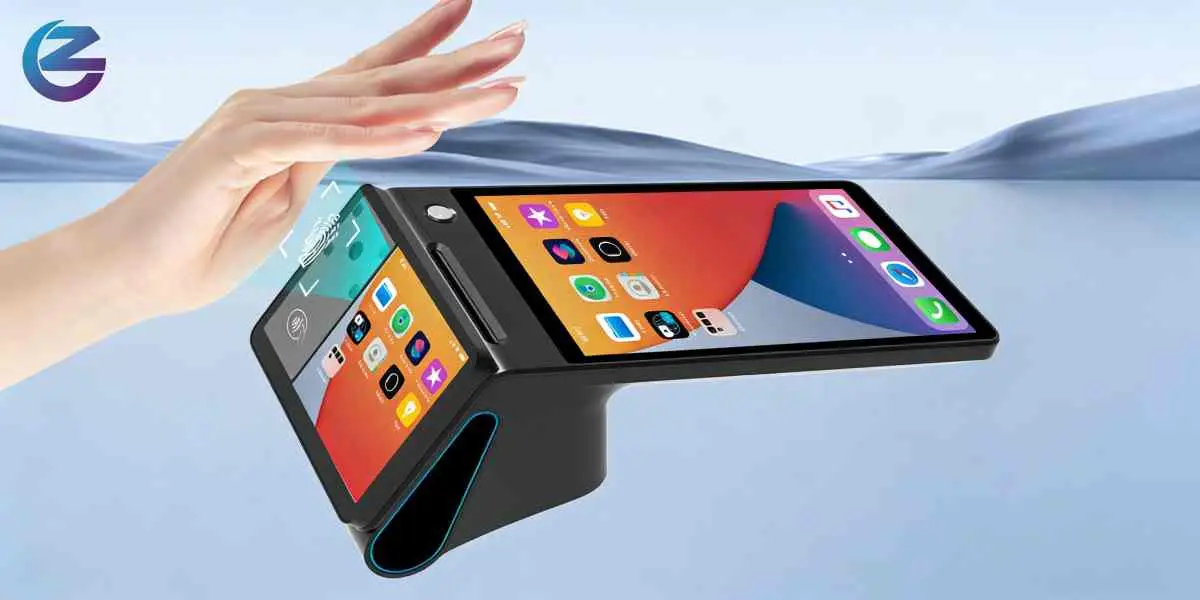
The retail sector accounts for approximately 30% of the global smart POS terminal market.In this context, a smart terminal earns its place by doing more than processing payment: it scans barcodes, surfaces loyalty data, displays promotions on a customer-facing screen, and syncs transactions to inventory in real time. GMS enables direct integration with the retail apps already in the market — no custom development required. For premium or member-only retail environments, biometric staff login adds access control that PIN entry cannot reliably provide.
Speed and reliability are the primary constraints. A smart terminal needs to handle tableside handoffs, split bills, and kitchen printer connections without friction. Cellular connectivity (4G) ensures payment can happen anywhere on the floor, not just at a wired counter. Consolidating delivery platform orders onto the same device removes the need for a separate tablet per channel. In high-turnover service environments, biometric staff authentication also reduces access control risk without slowing down service.
Wireless and handheld POS terminals represent approximately 43.2% of the total smart POS market, driven by food delivery, pop-up retail, and outdoor events. For mobile deployments, platform infrastructure matters as much as hardware portability: TMS remote management means a device can be configured, updated, and monitored without a technician on site — the same operational reliability as a fixed location.
ZCS's terminal range spans these deployment contexts, from dual-screen countertop configurations to compact handhelds built for all-day mobile use. The SDK, GMS environment, and TMS layer are consistent across form factors.
Worth it if:
Not the right time if:
The market direction is clear. Smart POS terminals already hold approximately 36% of the global POS market by product type — dominant due to Android architecture, cloud connectivity, and support for commerce applications beyond basic payment processing — and that share is growing.
The architecture to look for: open Android with GMS, a documented SDK, TMS fleet management, and biometric options that match your security requirements. That combination covers not just what your business needs today, but what it will need next.
Q1: What is the difference between a traditional terminal and a truly "smart" POS?
A traditional terminal only processes payments and passes data. A **smart POS** is an open, programmable platform running a full Android OS. It can run third-party apps without proprietary restrictions, connect directly to cloud/CRM systems, and be managed remotely.
Q2: Why does Google Mobile Services (GMS) certification matter for a smart POS?
GMS certification allows the terminal to securely access the Google Play Store for direct app integrations (like inventory or loyalty tools). It also ensures the device receives regular Android security patches and ongoing background scans via Google Play Protect.
Q3: What are the benefits of Terminal Management Systems (TMS) for multi-location businesses?
TMS allows businesses to perform remote software updates, deploy applications, and monitor device health across an entire fleet of terminals simultaneously. This eliminates the need for expensive, manual on-site maintenance.
Q4: Fingerprint vs. Palm Vein scanning: Which biometric authentication is right for my business?
Fingerprint scanning is fast and cost-effective, making it ideal for standard retail and hospitality staff management. **Palm vein recognition** offers much higher security ($FAR \le 0.0001\%$) and uses liveness detection, making it the better choice for premium retail, finance, or healthcare.
Q5: Who should consider upgrading to a smart POS system?
Upgrading is highly beneficial if you manage multiple locations, need to integrate third-party Android apps (for CRM or inventory), require stronger biometric access control for staff, or need a consistent platform that spans both desktop and mobile form factors.
Related Posts
1. How Android POS Systems Enable Rapid Multi-Payment Expansion?
2. Is an Android-Based Integrated Smart POS System Suitable for Small Shops?






 Home
Home  Best Retail POS Solutions for Global Buyers in 2026?
