
2026-01-13 Author : ZCS
For many small and medium enterprises (SMEs), investing in a modern POS — especially one that supports cloud synchronization, real-time inventory tracking, and omnichannel operations — is no longer optional. Yet, despite the proven value, many businesses make avoidable mistakes during POS deployment. These errors generate unnecessary costs, operational headaches, and delayed ROI.
As a leading POS manufacturer, ZCS has helped thousands of SME customers plan, implement, and scale their POS systems for optimal performance. In this article, we uncover the top 5 mistakes SMEs commonly make when deploying a POS system — and provide actionable strategies to avoid them.
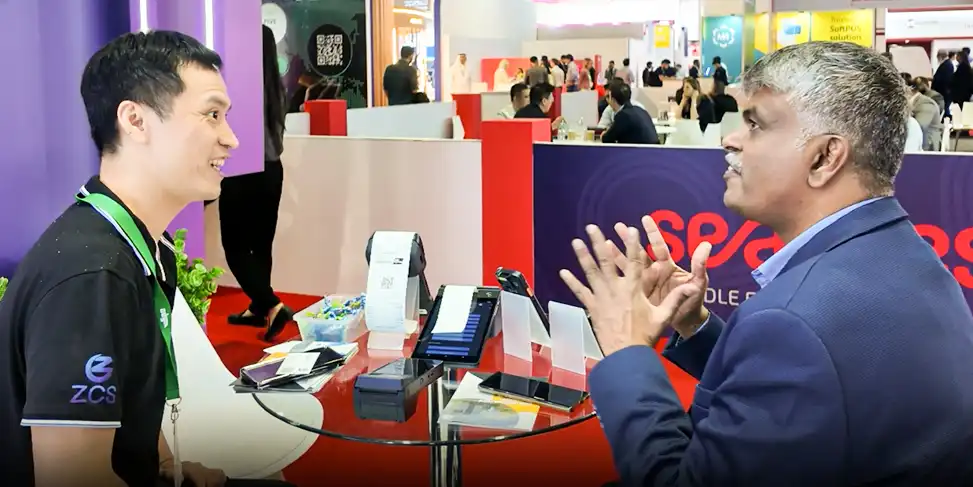
One of the most prevalent mistakes is choosing a POS solution without a clear analysis of your business needs.
Many SMEs opt for the cheapest or most popular POS system without evaluating whether it supports specific business workflows, industry requirements, or future expansion plans. This often leads to feature gaps, unnecessary customization costs, and integration challenges.
For example, lack of integration with CRM, inventory, or accounting systems can result in data silos, mismatched reports, and lost productivity.
Prioritize systems that support cross-platform multi-device integration
Choose a POS with strong APIs for seamless ERP, CRM, and e-commerce connections
ZCS’s POS solutions are designed with scalable interoperability, helping SMEs avoid costly system incompatibilities.
According to a common industry analysis, insufficient staff training on POS systems leads to operational errors, longer checkout times, and frustrated customers.
Simply rolling out a POS system doesn’t guarantee success. Staff need training on new workflows, software features, and troubleshooting processes. Without it:
Sales staff take longer to process sales
Inventory updates may be incorrect
Customer satisfaction drops due to slow service
Schedule ongoing POS training sessions
Create documentation and support channels
Use demo modes to help staff practice before going live
ZCS provides comprehensive training modules and tutorials tailored to your business model — ensuring smoother adoption and operational confidence.
Today’s smart POS systems aren’t standalone cash registers — they are the integration hub of your business. One serious mistake SMEs make is ignoring full integration with essential business tech stacks.
Inventory data may not synchronize in real time
Sales metrics don’t match across platforms
Accounting reconciliation becomes manual and error-prone
Industry reports indicate that businesses often find POS integration to be the most challenging deployment issue, largely due to unfamiliarity with technology and inadequate planning.
Best Practices
Configure integrations during the planning phase
Test data flows before going live
ZCS’s multi-device and cloud-ready POS systems help deliver real-time data sync strategies across inventory, CRM, and financial platforms — reducing operational friction.
Many SMEs underestimate how their business might grow — and how their POS should grow with them. This often leads to expensive upgrades or migration headaches later.
A POS system that lacks scalability can: Crash under peak traffic,Fail to support new modules or locations,Require complete replacements sooner than expected.
Scalability is fundamentally part of any future-proof deployment and should be considered a priority, not an afterthought.
Choose modular systems where hardware and software scale separately
Ensure the architecture supports future enhancements
ZCS POS solutions feature modular, scalable POS hardware architecture and cloud-driven upgrades, enabling businesses to expand without disruption.

Perhaps the least exciting, yet most critical aspect of POS deployment is security. A POS system handles sensitive payment data, customer records, and business insights — and vulnerabilities can damage both your brand and bottom line.
Ignoring compliance standards like PCI DSS
Not encrypting payment data
Using outdated software versions with known vulnerabilitie
A retail security report outlines that security lapses in POS systems can expose merchants to fraud and data breaches, potentially costing thousands in fees and reputation damage.
Choose POS systems with built-in encryption and secure payment compliance
Train staff on best security practices
Regularly update POS software and firmware
ZCS POS systems are designed with industry-standard security, helping SMEs manage risk while maintaining compliance.
To tie everything together, here’s a practical checklist to ensure your POS deployment succeeds:
Define your business workflows and needs,Train staff before and after deployment,Ensure integration with inventory, accounting, and CRM,Opt for scalable & modular POS hardware,Prioritize modern security measures,Test the system with real use cases before going live,Establish a maintenance and update schedule

Most SMEs overlook business needs, integration requirements, training, scalability, and security during POS deployment — all of which can lead to inefficiencies and higher costs.
Q2. How can proper POS integration improve my business?
Integrated POS systems ensure real-time data flow between inventory, sales, and financial systems, eliminating manual work and reducing errors.
Q3. Why is staff training essential for POS success?
Training reduces transaction errors, speeds up service, and increases staff confidence, which directly improves customer satisfaction and operational efficiency.
Q4. What are the security risks of a poorly deployed POS system?
Poorly deployed POS systems can expose payment data, lead to breaches, and violate compliance standards like PCI DSS, risking financial penalties and customer trust.
Q5. How do scalable POS solutions benefit growing SMEs?
Scalable POS solutions grow with your business, supporting new locations, increased transaction volume, and additional features without costly overhauls.
Successful POS deployment isn’t accidental — it takes thoughtful planning, scalable systems, and a partner who understands SME challenges. As a leading POS manufacturer, ZCS delivers cloud-ready, modular, and secure POS solutions designed to help enterprises avoid common pitfalls and maximize operational efficiency.






 Home
Home  Is Contactless POS Payment Secure? What Compliance Standards Are Required?
