
2026-07-15 Author : ZCS
Anyone who has sat behind a line of cars at a manual toll booth, waiting for an attendant to make change from a metal cash box, knows exactly what problem a parking pos system is built to solve. Modern parking payment hardware replaces that cash box and paper ticket with a purpose-built terminal that handles fee calculation, payment processing, and — in a growing number of deployments — identity or permit verification, all in one device. This guide breaks down what a parking pos system actually is, how the transaction flow works from entry to exit, the pricing logic behind the fee calculation, the different hardware configurations used across facility types, and what to look for when choosing one in 2026.

A parking POS system is point-of-sale hardware and software built specifically to process parking transactions — issuing entry tickets, calculating time- or session-based fees, accepting payment, and validating exit. It differs from a general retail POS in one structural way: the transaction isn't a single instant sale, but a session that opens at entry and closes at exit, with the fee calculated based on duration rather than a fixed price. A pos parking setup might be a single fixed terminal at a booth, a handheld unit carried by an attendant, or an unmanned kiosk — the underlying software logic (time-based billing, ticket-to-payment matching, exit reconciliation) stays consistent across all three, even though the hardware form factor changes considerably.
The mechanics of a parking transaction break into three distinct stages, each of which has to hand off cleanly to the next for the system to function without long queues or reconciliation errors. Getting this handoff right has a measurable payoff: automated, contactless-capable systems have been shown to cut the time drivers spend searching for and paying at a parking spot by as much as 43% compared to manual, cash-only setups — a difference that compounds quickly at facilities processing hundreds of vehicles a day.
At entry, the system issues a ticket or credential — a printed stub, a QR code, an RFID tag, or in permit-based facilities, a verified identity credential — and records the entry timestamp. That timestamp becomes the anchor point for every downstream calculation, which is why clock synchronization across multiple entry points in the same facility matters more than it might seem at first glance; a drifted clock on one lane can create billing disputes that are hard to resolve after the fact.
At payment, the system calculates the fee based on elapsed time, applies any relevant rate tier, validation, or discount, and processes payment through card, NFC, or mobile wallet. The specific pricing logic varies by facility — a flat fee for event lots, hourly tiers for a mall garage, demand-based dynamic pricing for an airport, or a subscription/permit model that skips per-visit payment entirely for enrolled users. Facilities frequently run more than one of these simultaneously — a corporate garage might combine subscription-based access for employees with hourly visitor rates handled through the same terminal — which is one of the more common configuration requirements operators run into when evaluating software.
At the exit point, the system verifies the ticket or credential against the entry record and, in automated facilities, sends a signal to the barrier or gate to open. This is the step where a parking pos system genuinely differs from a retail checkout — payment success alone isn't the end of the transaction; it has to be tied back to a physical access-control action, and a mismatch between the payment record and the exit credential is what typically triggers a manual attendant override.
Hardware choice depends heavily on traffic pattern, staffing model, and whether the facility needs to verify identity in addition to processing payment. Off-street facilities account for the large majority of smart parking deployments — garages, campuses, and mall lots rather than curbside metering — which is why most hardware on the market today is designed primarily around structured, gated environments. The table below gives a quick comparison before the detailed breakdown that follows.
| Setup Type | Best For | Staffing | Identity Verification |
|---|---|---|---|
| Fixed Booth Terminal | High-volume garages, malls, campuses | Attended | Optional — biometric-capable configurations available |
| Handheld Unit | Curbside enforcement, valet, temporary/event lots | Mobile attendant | Optional — biometric-capable configurations available |
| Unmanned Kiosk | Self-service lots, off-hours access | Unattended | Typically payment/credential only |
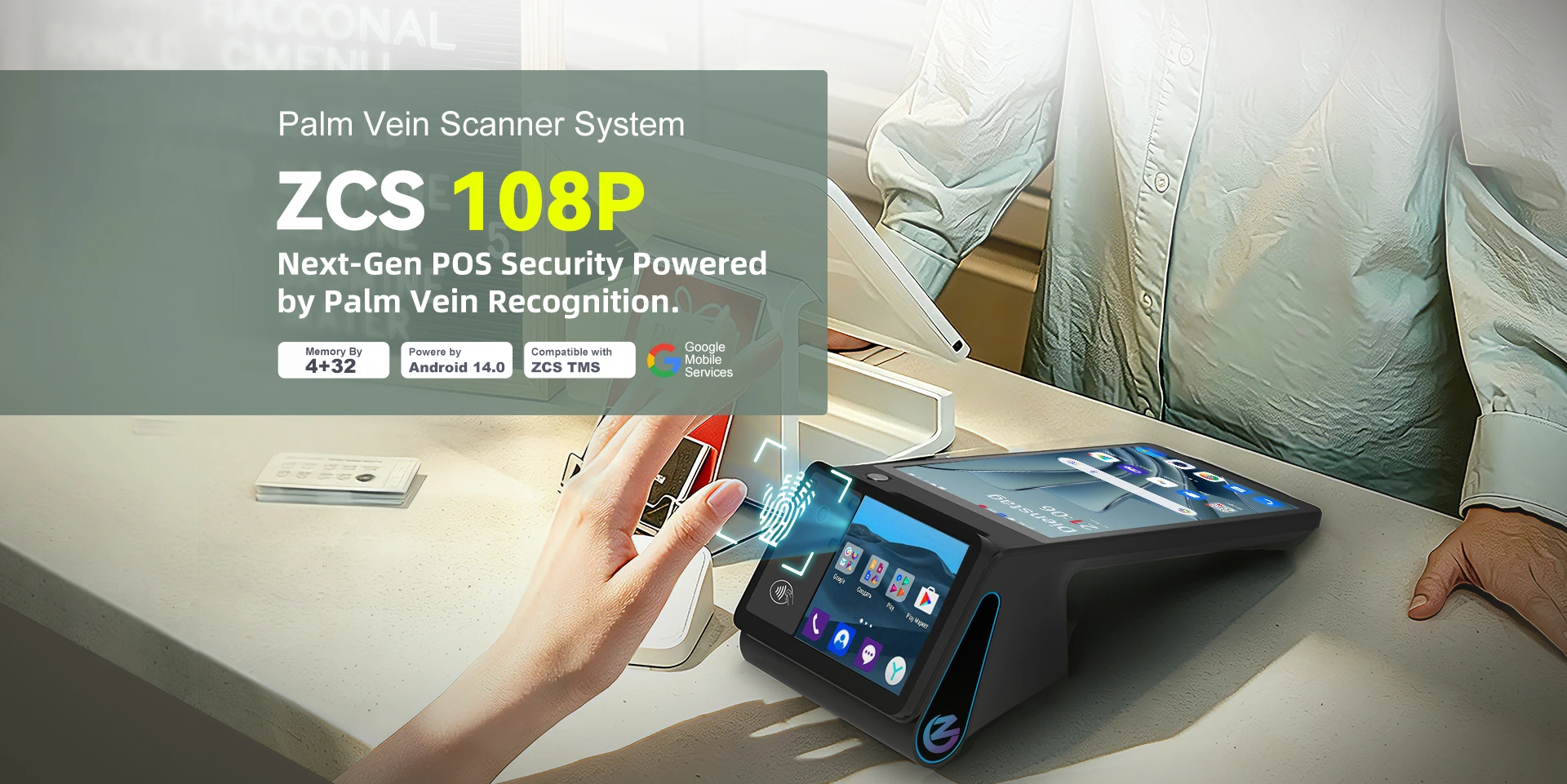
Fixed terminals suit large facilities — parking garages, shopping malls, corporate campuses — where a stationary station handles consistent, high-volume traffic. For facilities managing permit holders, staff, or subscription-based access rather than one-off visitors, identity verification becomes as important as payment. ZCS's Z108P, an 8-inch OEM palm vein recognition terminal, illustrates what this looks like at the hardware level: it performs server-side matching at 1:1,000,000 scale in under one second with liveness detection built in, which suits a monthly-permit garage where the goal is confirming "is this the authorized permit holder" rather than processing a new payment every time. A standard (non-biometric) Z108 configuration remains available for facilities that only need payment and ticketing at the booth without an identity layer. For operators still deciding whether biometric verification fits their facility, our comparison of palm vein, fingerprint, and face recognition for access control covers that decision in more depth.
Handheld units suit roving attendants — curbside enforcement, temporary lots, event parking, or valet operations — where staff move between vehicles rather than staying at a fixed point. Event-day parking in particular tends to share the same high-traffic, short-window pressure covered in our guide to managing high-traffic events with the right event POS system, since a stadium or festival lot often has to process most of its volume in a 30-to-60-minute window before the gates open.
ZCS's Z92P follows the fixed-terminal logic in a mobile form factor: it's a handheld palm vein scanner POS combining a NFC reader and — in its biometric configuration — palm vein verification at the same 1:1,000,000 matching scale, which is useful where an attendant needs to confirm a staff member's or subscriber's identity on the move rather than just process a card payment. The underlying vein-matching technology behind both devices is covered in more technical depth in our guide to palm vein recognition and secure biometric authentication. As with the fixed terminal, a non-biometric Z92 configuration exists for deployments that only need ticket printing and payment, without identity verification.
Self-service kiosks handle entry and payment without staff present, relying on card/NFC payment, license plate recognition, or app-based prepayment to open the barrier. These suit facilities where staffing a booth around the clock isn't cost-effective, and increasingly overlap with the broader shift toward unattended retail hardware — the same operational logic (remote monitoring, cashless-only design, tamper-resistant housing) that governs vending and self-checkout deployments applies here too.
| Dimension | Retail POS | Parking POS |
|---|---|---|
| Transaction model | Instant, single sale | Session-based (open at entry, close at exit) |
| Fee logic | Fixed price per item | Duration-based, tiered, or subscription |
| Post-payment step | None | Exit verification, often tied to barrier control |
| Peak load pattern | Spread across business hours | Sharp spikes at shift changes, event start/end |
| Identity verification | Rarely required | Common in permit/subscription facilities |
The core distinction is session-based versus instant-transaction logic. A retail POS completes a sale the moment payment clears; a parking pos system opens a session at entry that isn't resolved until exit, and has to reconcile a fee against elapsed time rather than a fixed price. This is also why parking hardware increasingly overlaps with access control rather than pure retail payment: corporate and commercial facilities are adopting these systems specifically to manage both payment and authorized entry for offices, malls, and campuses in one workflow, rather than running billing and access as two disconnected systems.
Q1. Do all parking POS systems require internet connectivity?
No — many are built with offline transaction capability specifically because underground and multi-level structures often have weak or inconsistent connectivity. Transactions are typically stored locally on the terminal and synced to the central system once a connection is available, so entry and exit aren't interrupted by a temporary outage.
Q2. What's the difference between a parking POS system and a pay-and-display machine?
A pay-and-display machine is a single-purpose payment kiosk with no entry/exit tracking — the driver pays and displays a printed ticket, with enforcement handled separately by patrol. A full parking POS system typically ties payment to an entry timestamp and, in barrier-controlled facilities, to an exit verification step, making it a session-based system rather than a standalone payment device.
Q3. Can a handheld parking POS system replace a fixed booth entirely?
For smaller lots, temporary events, or curbside enforcement, yes. For high-volume garages with consistent traffic, a fixed terminal generally handles throughput more efficiently, though many operators use both — fixed terminals for main entry points and handheld units for overflow, valet, or enforcement coverage during peak periods.
Q4. Why would a parking facility need biometric verification instead of just a payment terminal?
Biometric verification matters most for permit-based or subscription facilities — corporate garages, residential buildings, campuses — where the goal is confirming an authorized user rather than processing a new transaction every visit. Pay-per-use public lots generally don't need this layer, since every visitor is expected to pay regardless of identity.
Q5. Is a parking POS system the same hardware as an access control terminal?
They can overlap, particularly in permit-based facilities, but they're not identical categories. A parking POS system's primary job is billing and payment; an access control terminal's primary job is granting or denying entry. Many facilities now use hardware capable of both functions rather than running two separate systems side by side.






 Home
Home  What Makes the Z108P a Secure Palm Vein POS Terminal?
