
2026-06-18 Author : ZCS
Choosing biometric access control used to mean picking between a handful of fingerprint readers that all looked the same. In 2026, that's no longer true. Facial recognition, palm vein scanning, and fingerprint sensors have all matured into viable options, each with different strengths around accuracy, hygiene, cost, and spoof resistance. This guide compares the three head-to-head and walks through how to match the right biometric reader to your specific access control needs — whether you're securing a small office, a hospital, or a data center.
1. What Is Biometric Access Control? How a Biometric Reader Works
Biometric access control replaces (or supplements) keycards, fobs, and PINs with something that can't be lost, lent, or copied: a physical trait unique to each person. The hardware that captures this trait is the biometric reader — a sensor or camera mounted at a door, gate, or terminal.
Regardless of which biometric is used, the underlying flow is the same. During enrollment, the reader captures the relevant feature (a fingerprint, a face, a palm) and converts it into an encrypted digital template stored in the system's database. During day-to-day use, the reader captures a new sample, generates a fresh template, and compares it against the stored one. If the similarity score clears a set threshold, the door unlocks. The differences between fingerprint, face, and palm vein systems come down to what that biometric trait is, how it's captured, and how reliably it can be matched under real-world conditions.
Fingerprint access control remains the most widely deployed biometric method, largely because it's inexpensive, fast, and familiar. Modern capacitive sensors can authenticate a user in well under half a second, and the hardware cost per door is typically the lowest of the three options covered here. For organizations with tight budgets and moderate security requirements — small offices, gyms, co-working spaces — fingerprint readers remain a practical default.
The biggest drawback is that fingerprint readers are contact-based: every user touches the same sensor surface, which raises hygiene concerns in healthcare, food service, or any high-traffic environment. Performance also degrades with dirty, wet, dry, or injured fingers — a common complaint in industrial or outdoor settings. And because a fingerprint is a surface feature, it can in principle be lifted or copied, which is why fingerprint access control is rarely used as the sole credential for high-security areas.
Facial recognition readers use a camera and AI-based matching to identify users without any physical contact, making them well suited to lobbies, turnstiles, and high-traffic entry points where speed and hygiene matter. By 2026, AI-driven facial recognition systems have improved significantly at handling everyday variation — glasses, masks, beards, and minor aging — without requiring users to re-enroll.
Accuracy can still be affected by poor lighting, extreme angles, or cameras positioned incorrectly relative to a user's height. Facial recognition also tends to draw more privacy scrutiny than other biometrics, since cameras can capture faces passively, sometimes without a clear, deliberate "enrollment" moment the way a fingerprint or palm scan requires. For organizations operating under stricter biometric privacy regulations, this is often a factor in the decision.
Palm vein recognition reads the pattern of veins beneath the skin using near-infrared light — a process explained in more depth in how palm vein scanning works. Because this pattern sits inside the body, it can't be photographed, lifted from a surface, or left behind on a doorknob the way a fingerprint can. Combined with the fact that it requires live blood flow to read at all, palm vein recognition is inherently resistant to the presentation attacks (fake fingerprints, photos, masks) that other biometrics have to defend against separately. This is why it's increasingly the default choice for server rooms, vaults, pharmacies, and other environments where a single false acceptance is unacceptable — a use case covered in more detail in our guide to palm vein recognition for secure identity and access.
Palm vein readers are generally the most expensive of the three per door, and the sensors require slightly more precise hardware design than a basic camera or fingerprint pad. Very cold hands can occasionally affect read quality on first attempt, sometimes requiring a second scan. For organizations weighing cost against risk, the calculation usually comes down to how much a single unauthorized access event would actually cost the business.
The clearest way to compare these three options is by false acceptance rate (FAR) — the likelihood that the system mistakenly grants access to the wrong person.
| Biometric | Contact | Typical FAR | Best suited for |
|---|---|---|---|
| Fingerprint | Contact-based | ~0.01%–0.1% | Low-to-moderate security, cost-sensitive deployments |
| Facial recognition | Contactless | Below 0.001% in enterprise-grade 2026 systems, but more sensitive to lighting/angle in practice | High-traffic entry points, lobbies, turnstiles |
| Palm vein | Contactless | As low as 0.00008%, with some critical-infrastructure deployments reporting accuracy above 99.999% | High-security areas: data centers, healthcare, financial vaults |
Enterprise-grade biometric systems have advanced considerably in recent years. Facial recognition and fingerprint authentication are now standard in access control deployments, with modern sensors delivering sub-second response times suitable for high-throughput environments. At the upper end of the security spectrum, contactless palm vein recognition is increasingly specified for critical infrastructure — ports, power plants, and high-assurance facilities — where the cost of a false acceptance extends well beyond inconvenience.
There's no single "best" biometric — the right biometric access control system depends on what you're protecting and who's using it every day.
For general office access — meeting rooms, shared workspaces, standard employee entrances — fingerprint or facial recognition readers usually offer the best balance of cost and convenience, especially where dozens or hundreds of employees need to badge in and out quickly throughout the day.
For environments where hygiene matters — hospitals, clean rooms, food production — contactless options (face or palm vein) avoid the shared-touchpoint problem entirely, with palm vein offering the added benefit of working reliably even when staff are wearing gloves.
For high-security or regulated areas — server rooms, pharmacy dispensaries, cash rooms, executive floors — palm vein recognition's combination of contactless operation and very low false acceptance rates makes it the strongest single-modality option, particularly where audit trails and compliance documentation matter.
One of the clearest shifts in biometric access control through 2026 is the move toward multimodal hardware — combining two credential types on a single reader (such as fingerprint plus palm, or face plus iris) to tighten accuracy without adding a second device at the door. Rather than choosing one biometric and living with its weaknesses, organizations are increasingly deploying terminals that support multiple recognition modes and let administrators set policy by area: a lighter-weight credential for general access, a stronger one for restricted zones.
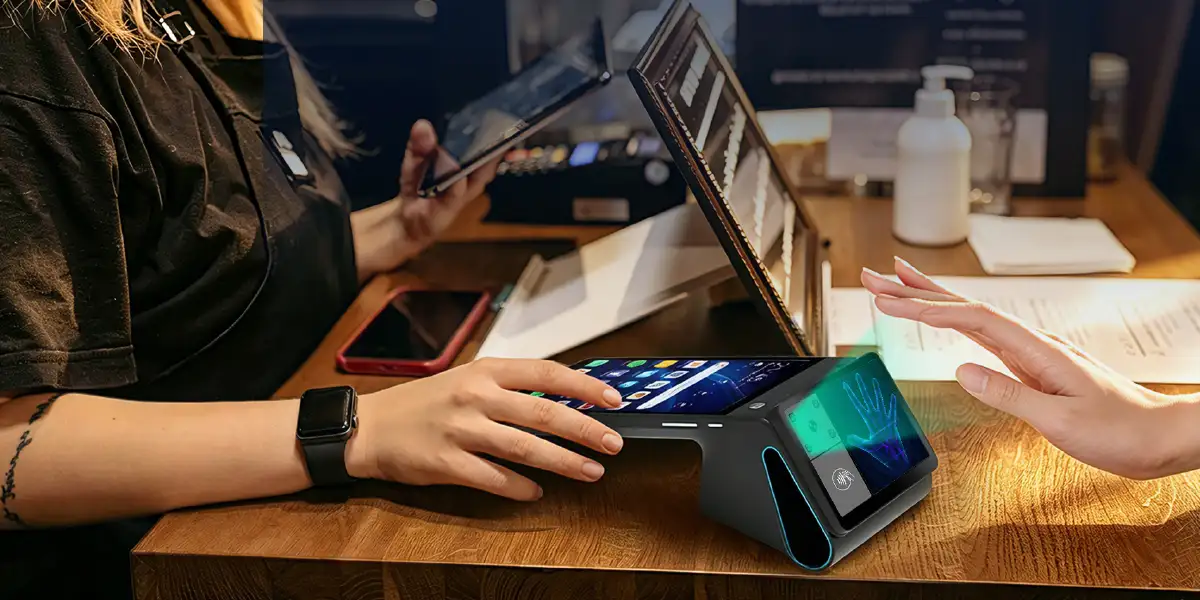
This is the design direction behind devices like the ZCS Z92 Palm Vein Scanner POS, which pairs palm vein and palm print recognition with barcode/QR code scanning on a single Android terminal:
| Spec | Detail |
|---|---|
| Display | 5.5" / 720×1280 |
| CPU / Memory | Quad-core 2.0GHz, 3GB RAM + 16/32GB ROM |
| OS | Android 13.0 Go |
| Battery | 7.4V / 3020mAh |
| Identification modes | Palm vein, palm print, barcode/QR code |
| Recognition speed | Server-side 1:1,000,000 matching in under 1 second |
| Palm scan distance | 6–20cm above the device (contactless) |
| Barcode/QR scan distance | 5–15cm above the device |
| Connectivity | 4G (FDD-LTE/TD-LTE), 3G (WCDMA), WiFi, A-GPS, Bluetooth |
| Camera | 5MP |
For an access control deployment, a device like this illustrates the practical upside of the multimodal approach: palm vein for staff entering restricted areas, palm print or QR-based credentials for visitors or lower-security zones, and sub-second 1:1,000,000 server-side matching that keeps throughput reasonable even at busy entry points — all without needing separate hardware for each credential type.
Fingerprint, facial recognition, and palm vein each solve the access control problem differently, and none of them is universally "better." Fingerprint readers remain the most cost-effective starting point for everyday access. Facial recognition adds speed and contactless convenience for high-traffic areas. Palm vein recognition delivers the lowest false acceptance rates and the strongest resistance to spoofing, making it the preferred choice wherever the consequences of unauthorized access are severe. Increasingly, the most practical answer isn't picking just one — it's choosing access control hardware flexible enough to support more than one biometric, and applying the right one to the right door.

Q1: Which biometric is most secure for access control?
Palm vein recognition currently has the lowest false acceptance rates of the three main options, with some critical-infrastructure deployments reporting accuracy above 99.999%, making it the preferred choice for high-security environments like data centers, vaults, and pharmacies.
Q2: What's the difference between a biometric reader and a biometric access control system?
A biometric reader is the physical hardware (a sensor or camera) that captures a fingerprint, face, or palm scan. A biometric access control system is the broader setup — readers, software, databases, and door hardware — that manages enrollment, matching, permissions, and access logs across a facility.
Q3: Is fingerprint access control still reliable in 2026?
Yes, for moderate-security use cases. Fingerprint sensors remain fast and inexpensive, but they're contact-based and can struggle with dirty, wet, or injured fingers, which is why higher-security or hygiene-sensitive environments often choose contactless alternatives like face or palm vein.
Q4: Can biometric access control systems be hacked?
All systems carry some risk, but contactless internal biometrics like palm vein recognition are significantly harder to spoof than surface-based biometrics, since the data being read can't be photographed or lifted from a surface and requires live blood flow to capture.
Q5: How much does a biometric access control system cost?
Costs vary by modality and scale: fingerprint readers are generally the least expensive per door, facial recognition sits in the middle, and palm vein readers typically carry the highest per-unit hardware cost — though multimodal terminals that combine several credential types on one device can offset this by reducing the number of readers needed per entry point.






 Home
Home  Why Your Coffee Shop POS Terminal Is Slowing Down Your Queue (And How to Fix It)
