2026-07-17 Author : ZCS
Choosing a food truck point of sale system isn't like picking software for a brick-and-mortar restaurant. A POS that works perfectly behind a counter can fail within a week inside a moving kitchen — dead by lunch service, unreadable in direct sunlight, or useless the moment the truck loses signal at a festival. Before you sign anything with a supplier, there's a specific set of hardware and supplier specs worth verifying. This checklist walks through each one, so you know exactly what to ask for — and what red flags to watch for — before committing.
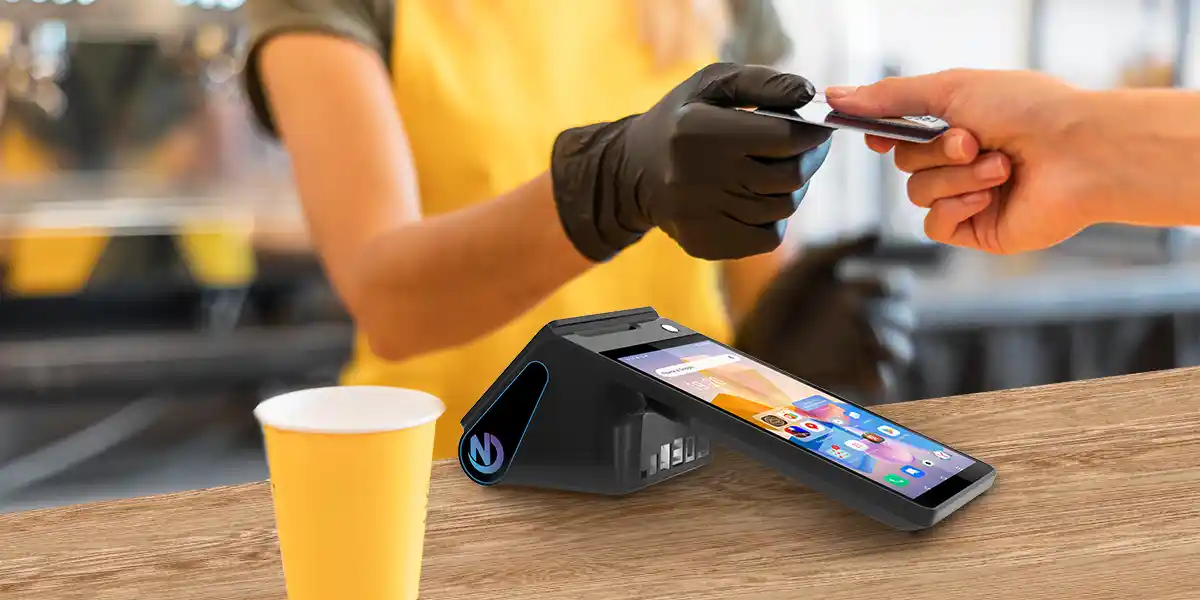
The U.S. food truck services market was valued at roughly $2.01 billion in 2025 and is projected to grow at a 7.5% CAGR through 2033, according to Grand View Research. That growth means more competition, and operators increasingly run point of sale systems for food trucks the same way a small restaurant chain would — multiple devices, integrated payments, and remote management across more than one truck.
The problem is that most of the hardware failures operators run into aren't visible on a spec sheet at a glance. As covered in 5 Hardware Problems That Kill Food Truck Sales, issues like battery drain mid-shift, screens that fail in sunlight, or printers that jam from grease and humidity are the most common reasons operators end up replacing hardware within the first year. A checklist approach — verifying specs against your actual operating conditions before you sign — is the simplest way to avoid becoming part of that statistic.
Food trucks don't always have reliable access to wall power. Many run on generators that get shut off between rushes to save fuel, and some operators work events where outlets simply aren't available.
Before signing, ask your supplier for the exact battery capacity in mAh, the realistic continuous operating time under active use (not standby time), and whether the unit supports fast charging or a swappable battery. A device rated for "8 hours" in a quiet office environment may run closer to 4–5 hours when the screen is on constantly, the printer is firing every few minutes, and a barcode scanner is in regular use — make sure your supplier can speak to real-world performance, not just lab figures.
A food truck kitchen runs hot, gets greasy, and is rarely climate-controlled. Equipment sitting near a flat-top grill or fryer can be exposed to higher ambient temperatures than almost any retail counter.
Two specs to confirm directly: the device's working temperature range and storage temperature range. A unit rated for 0°C–50°C operating and -10°C–60°C storage gives you meaningfully more headroom than a standard consumer tablet, which is often only rated for office-like conditions. If hygiene and washdown resistance matter for your setup, also ask your supplier for an official IP rating — don't assume "durable" or "rugged" in a product description means it's been independently tested.
This is where a lot of point of sale systems for food trucks quietly fall apart. Festival grounds, parking lots, and street corners are notoriously bad for WiFi, and relying on a single connection type is risky.
Confirm what connectivity the device actually supports — ideally 4G/3G/2G cellular as a fallback alongside WiFi and Bluetooth, plus how many SIM slots it has if you might switch carriers between locations. Also ask specifically: what happens to a transaction if the connection drops mid-sale? Devices that can queue transactions locally and sync once connectivity returns are significantly more reliable for mobile vending than ones that simply fail the transaction.
Screen setup affects more than just aesthetics — it affects order accuracy and line speed. On a single-screen device, the cashier enters the order and the customer either can't see it or has to awkwardly turn the device around to confirm. As explored in How Can a Dual-Screen Handheld Order Receiver Transform Your Food Truck Business?, a second customer-facing display lets shoppers see their order and total in real time, which reduces disputes and speeds up payment.
If dual-screen is something you're considering, the ZCS Z108 is a practical reference point: it pairs an 8-inch main touchscreen (800×1280) with a separate 3.95-inch secondary display, so the operator-facing and customer-facing views are genuinely independent rather than a single screen split in software.
Every add-on accessory is another point of failure on a moving vehicle, so it's worth checking what's actually built into the unit versus what you'll need to bolt on separately.
At minimum, confirm the device includes a built-in thermal printer (and what paper width it takes — 58mm is the common standard for receipt-sized printers) and an NFC reader that supports contactless cards and mobile wallets. For payment compliance, ask whether the NFC module meets EMV and PCI standards, and whether it supports regional contactless schemes relevant to your customer base (for example, PBOC PayPass support matters if you're processing cards common in certain international markets).
Hardware specs matter, but so does what's running on top of them. If your current POS software, loyalty program, or third-party ordering integration needs specific compatibility, ask your supplier directly whether the operating system supports it — and whether you're locked into their software or free to install your own.
An open Android platform (current devices typically ship on Android 13 or 14) gives you the most flexibility: your existing POS app can usually be installed directly, and if you ever need custom functionality, an open SDK means a developer can build on top of the hardware rather than working around it. This matters more than it might seem at signing time — it's the difference between adding a new payment method or loyalty integration next year versus being told it's "not supported on this device."
The hardware spec sheet only tells half the story. The other half is whether the company behind it can actually support you after the sale — especially if you're buying for more than one truck, or sourcing through a distributor for multiple clients.
Before signing, ask for: relevant certifications (ISO 9001 for manufacturing quality, plus CE/FCC/CCC depending on your region), typical sample shipping and bulk order lead times, and what warranty coverage and repair process looks like if a unit fails in the field. Suppliers with established OEM/ODM operations — like ZCS, which operates with ISO 9001, CE, FCC, and CCC certifications and has supplied POS hardware across 120+ countries — are generally better positioned to support multi-unit deployments and provide consistent replacement units if something goes wrong mid-season. For a broader view of what a complete mobile setup looks like, see our Mobile POS for Food Trucks, Street Vendors and Outdoor Stalls: A Complete Guide.
Before you sign with any food truck POS supplier, confirm:
As a reference point, here's how one current device — the ZCS Z108 — maps against this checklist:
| Checklist Item | Z108 Spec |
|---|---|
| Operating System | Android 14.0 |
| CPU / Memory | Octa-core up to 2.3GHz, 4GB RAM + 32GB ROM |
| Display | 8" touchscreen (800×1280) + 3.95" secondary screen |
| Battery | 7.6V, 3600mAh Lithium |
| Connectivity | 4G (FDD-LTE/TD-LTE), 3G (WCDMA), 2G (GSM/GPRS), WiFi, Bluetooth |
| Card slots | 1× SIM + 1× PSAM, or 2× SIM (optional) |
| Ports | USB / RJ11 / RJ12 / RJ45 |
| Camera / Scanner | 5MP camera, optional barcode scanner |
| Payment | NFC supporting ISO/IEC 14443 A&B, Mifare, Felica card |
| Printer | Built-in, 58mm/80mm thermal paper (included) |
| Temperature | Working 0°C–50°C / Storage -10°C–60°C |
No single device will be the perfect fit for every operator, but a checklist like this gives you a consistent way to compare any supplier's offering against what your truck actually needs — before you're locked into a contract.

A food truck point of sale system has to survive conditions that office and retail equipment was never designed for: heat, grease, unreliable power, and patchy connectivity, all while keeping a line moving. The specs that matter most — battery runtime, temperature range, connectivity fallbacks, screen setup, built-in payment hardware, software openness, and supplier reliability — are rarely front and center in marketing copy, which is exactly why it's worth asking about them directly before you sign. A few extra questions at the buying stage can save you from a costly hardware swap mid-season.
Q1: What battery life do I need for a food truck POS system?
Look for a battery rated for continuous active use through a full shift — generally upwards of 3000mAh for a handheld device — and ask your supplier for real-world runtime under active screen, printer, and scanner use, not just standby figures.
Q2: Does a food truck POS need to be waterproof?
It depends on your setup, but if the device will be near grills, fryers, or washdown areas, ask for an official IP rating rather than relying on general "durable" claims. At minimum, confirm the working temperature range can handle a hot kitchen environment.
Q3: Can a food truck POS work without WiFi?
Yes, if it supports cellular connectivity (4G/3G as a fallback) and can queue transactions offline to sync once a connection returns. A device that only works over WiFi is a significant risk for mobile vending in low-signal areas.
Q4: What certifications should a food truck POS supplier have?
At minimum, look for ISO 9001 for manufacturing quality and regional certifications like CE, FCC, or CCC depending on where you operate. These indicate the supplier follows recognized quality and compliance standards rather than one-off manufacturing.
Q5: How long does it take to get food truck POS hardware from a supplier?
This varies by supplier, but established manufacturers typically offer fast sample shipping (often within 24–48 hours) with bulk order lead times in the range of 15–30 days. Ask for specific timelines before signing, especially if you're outfitting multiple trucks ahead of a busy season.






 Home
Home  EFTPOS vs POS: What's the Difference?
