2026-06-09 Author : ZCS
A nightclub is not a bar with louder music. It is a venue operating multiple revenue centers simultaneously — a main bar, a VIP lounge, a bottle service floor, sometimes a separate cocktail room — each running at full capacity during the same three-hour window on a Friday night. The margin for operational error is narrow: bars typically net 10–15% and average monthly revenue per venue sits around $27,500, meaning a single chaotic night of tab disputes, missed pours, and unreconciled inventory can visibly dent a week's profitability.
Generic point-of-sale software was not built for this. The systems that work in a café or quick-service restaurant assume a single service area, a manageable number of simultaneous orders, and guests who settle their bill before leaving. Nightclubs violate every one of those assumptions before 11pm.A purpose-built bar pos system is — see our complete guide to running a faster and more profitable bar for the full framework.
This guide covers what makes bar and nightclub operations structurally different from standard hospitality venues, the specific operational problems that bring down a busy night, and what a purpose-built nightclub POS system needs to do — across station synchronization, complex order management, inventory protection, and multi-terminal buying decisions — to actually solve them.
The defining characteristic of a nightclub POS environment is operational multiplicity: multiple bar stations, multiple staff members, multiple service styles, and multiple revenue streams running concurrently with no pause between them.
A standard restaurant operates sequentially — a table is seated, served, and cleared before the next party arrives. A nightclub operates in parallel. The main bar is processing walk-up orders while the VIP section is managing a multi-bottle package while the outdoor terrace is running its own queue while the host stand is settling cover charges. Each of these is a distinct revenue stream with different pricing, different product mix, and different service expectations — and they all need to feed into the same back-office data without manual reconciliation at 3am.
Time-based pricing adds another layer. Happy hour discounts, late-night price increases, event-specific menu activations, and VIP rate structures all need to switch on and off automatically and accurately across every terminal in the venue. A bartender who has to remember which prices are active at which hour — or worse, a system that requires manual price changes — is a liability in a high-pressure service environment.
Physical environment constraints compound everything. Bar counters are wet. Lighting is low. Music is loud enough to make verbal confirmation impossible. Staff rotate through stations mid-shift. A POS that works under those conditions — reliably, quickly, without requiring a training certification to operate — is a fundamentally different product from one designed for a dry, well-lit retail checkout.
Fragmented data across stations. When bar stations operate on disconnected systems — or on systems that sync in batches rather than in real time — managers lose visibility of the full venue picture until end of night. Inventory counts at the main bar do not reflect what the VIP section has used. A tab opened at station one cannot be found by the bartender covering station three. These data silos do not just create administrative headaches; they create the gaps where shrinkage hides.Understanding the gaps where shrinkage hides starts with knowing what separates the best POS systems for bars from generic alternatives.
Tab disputes and walk-outs. Open-tab environments have structural risk. A guest who opens a tab at one bar, moves to another area, and leaves without closing creates either a write-off or a confrontation. Without pre-authorization holding funds against the tab, walk-outs are absorbed as a direct cost. Without a system that can locate and transfer a tab across stations, the resolution requires manual intervention from a manager during the hours when managers are least available.
Inventory loss and pour cost drift. Bars lose an estimated 10–20% of monthly inventory through overpouring, spillage, and theft — and 75% of all shrinkage is employee-related. The gap between theoretical pour cost (what the inventory should cost based on sales data) and actual pour cost (what the physical count reveals was used) is the single most important margin indicator for a beverage operation. Without a POS connected to inventory in real time, that gap is invisible until the monthly count.
Staff access and discount abuse. In a multi-station venue with high staff turnover and shared terminals, controlling who can authorize comps, apply discounts, or process voids is a persistent challenge. Shared PINs, undocumented manager overrides, and untracked staff drinks accumulate into costs that appear as variance but originate in access control failures.
End-of-night reconciliation. Closing out a multi-bar venue manually — reconciling cash drawers, card batches, comp records, and tip adjustments across four or five stations — is a multi-hour exercise that is both error-prone and deeply unpopular with staff. Errors discovered in that process are rarely attributable to a specific transaction by the time they surface.
The architecture that resolves fragmented data is real-time synchronization across all terminals from a single back-end. Every transaction entered at any station — walk-up drink order, tab addition, bottle service line item, cover charge — writes to the same database simultaneously. A manager looking at the overview screen sees the full venue: all open tabs, all station totals, all inventory movements, in the same moment they are happening.
Tab portability is the practical expression of this synchronization. A tab opened at the entrance bar should be locatable, addable, and closeable from any terminal in the venue without a phone call to the station where it originated. When staff rotate, the tab follows the guest, not the bartender. When a VIP guest moves from the general floor to a reserved section, their running tab transfers in a single action rather than requiring a new tab to be opened and the old one manually reconciled.
Multi-terminal synchronization also means that menu and pricing changes propagate instantly. When a happy hour window ends, all terminals switch to standard pricing simultaneously — no station continues selling at the wrong rate because a staff member did not receive the update. When a product sells out at the main bar, it is marked unavailable across every ordering interface in the venue.
For managers, this unified data layer transforms end-of-night close from a manual aggregation exercise into a reporting step. Station totals, variance reports, comp logs by employee, and tip summaries are all generated automatically from the same transaction data.The foundation of all of this is a fast checkout POS system built specifically for bar and nightclub environments.
Bottle service is where nightclub POS systems diverge most sharply from standard bar or restaurant software. A bottle service package is not a menu item — it is a bundled transaction that typically includes one or more spirits bottles, mixers, ice, garnish, and table service, priced as a package with a mandatory service charge, often requiring a deposit or pre-authorization, and sometimes split across multiple payment methods between members of a party.
Managing this in a POS that treats everything as a simple line item requires workarounds at every step: manually calculating package totals, applying service charges as custom line items, tracking deposits in a separate ledger, and splitting the final bill without a native split function. Each workaround is a point of failure during a service when the staff member executing it is simultaneously managing five other interactions.
A nightclub-capable POS handles bottle service as a native workflow: the package is a configurable product bundle with automatic component tracking, mandatory service charge application, deposit recording against the open tab, and split-bill functionality that divides any combination of items across any combination of payment methods. The staff member selects the package, the system handles the accounting.
Pre-authorization for standard tabs follows the same principle. When a guest opens a tab, the POS places a hold on their card for a defined threshold. As the tab grows, incremental authorization updates the hold. A guest who leaves without closing their tab has already provided the financial commitment to cover what they owe — the walk-out scenario becomes a payment processing step rather than an operational crisis.
VIP reservation packages — a fixed fee covering entry, a table reservation, a bottle allocation, and potentially unlimited mixer service for a defined window — add another layer of complexity that a purpose-built nightclub POS handles through package products with time-bound entitlements, rather than manual tracking of what each VIP guest has consumed against their package limit.
Pour cost is the core profitability metric for any beverage-focused operation: the cost of inventory used expressed as a percentage of beverage sales revenue. Draft beer typically carries a pour cost around 24%; spirits and cocktails run lower when priced correctly. The target pour cost for a profitable bar operation sits between 18–24% depending on product mix. The problem is that pour cost is invisible in real time without POS-integrated inventory tracking — it only surfaces when someone does a physical count and compares it to what the register says should have been sold.
The variance calculation — the gap between theoretical usage (based on POS sales data and recipe costs) and actual usage (from physical inventory counts) — is the operational diagnostic that tells an owner whether their margins are where they should be. A variance consistently above 2–3% indicates a systemic problem: overpouring, spillage, unrecorded staff drinks, or theft. Identifying which SKUs are generating the most variance, and at which stations, narrows the investigation considerably.
Real-time inventory integration changes the timeline of this diagnostic from monthly to daily. When every sale decrements the corresponding product from inventory in real time, a manager can pull a variance report at any point during or after service — comparing theoretical depletion to current physical stock without waiting for a scheduled count. Unusual variance at a specific station, or on a specific product, surfaces as an actionable signal rather than a historical footnote.
Employee comp and discount controls are the complementary layer. Every complimentary drink should be logged against the staff member who authorized it, with a mandatory reason code. The system should require manager-level authentication for comps above a defined threshold. Per-employee comp reports over time surface outliers — bartenders whose comp rate is consistently higher than their peers — that warrant a conversation before they become a P&L line item.
Hardware that survives the environment. IP-rated liquid resistance (IP54 minimum for splash protection) is a functional requirement, not a marketing differentiator. Touchscreens must maintain responsiveness with wet hands — capacitive screens calibrated for dry fingers are unreliable behind a bar. High-brightness displays (400 nits and above) remain readable under the low, colored lighting typical of nightclub environments. Ask for the specific IP rating before purchasing; if a vendor cannot provide one, the hardware is not genuinely bar-grade.
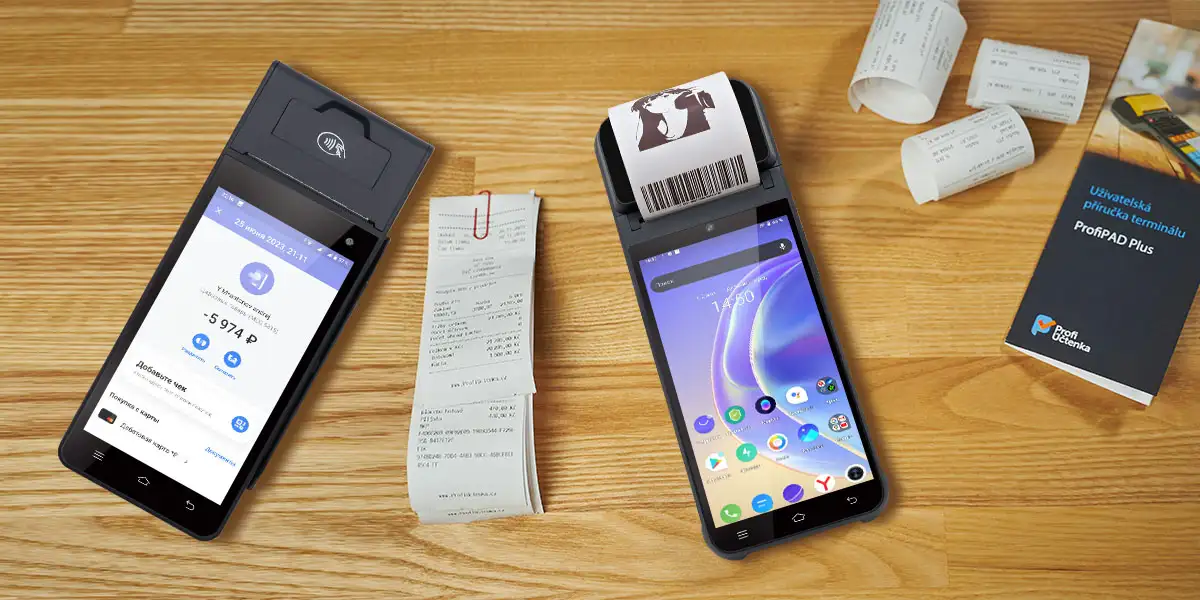
For venues that need a handheld terminal to extend service beyond the fixed bar counter — tableside in a VIP booth, on a rooftop terrace, or across a large floor — the ZCS Z92 covers the core requirements in a compact form factor: 364g with a 5.5-inch capacitive touchscreen, built-in 58mm thermal printer for tableside receipts, optional NFC reader for contactless tab payment, and 4G LTE for floor-wide connectivity independent of venue Wi-Fi. The optional fingerprint scanner addresses the staff access control problem directly — on a shared handheld terminal in a multi-bartender environment, biometric login closes the shared-PIN gap that makes comp and void authorization difficult to attribute. Like ZCS's full hardware range, the Z92 is an open Android platform: POS software and payment certification come from the operator's chosen vendors; ZCS supplies the hardware, SDK, and TMS infrastructure.
Real-time multi-terminal synchronization. Verify — not assume — that all terminals share a live database. Ask specifically: if a tab is opened at terminal A, how quickly is it visible at terminal B? If the answer involves any synchronization delay, the system will create the cross-station data fragmentation that generates tab disputes and reconciliation problems at scale.
Offline transaction capability. Wi-Fi and cellular connections drop in venues with dense crowds and high device density. A nightclub POS that stops processing transactions when connectivity fails is not fit for purpose. Confirm that the system caches transactions locally during outages and syncs automatically on reconnection — with zero required staff intervention.
Pre-authorization and walk-out prevention. Pre-auth should be a native feature, not a workaround. Verify that the system supports threshold-based card holds, incremental authorization as tabs grow, and clean capture flow at tab close. The PSP your venue uses needs to support this workflow; confirm PSP compatibility before hardware selection.
Payment processor compatibility and open platform. Payment certification — PCI DSS compliance, EMV authorization, and regional scheme approvals — sits with the payment service provider (PSP) and the payment application deployed on the hardware, not with the terminal itself. Open-platform Android terminals that expose a documented SDK allow operators to deploy any certified PSP's payment application, giving flexibility to switch processors without replacing hardware. Evaluate terminal and PSP as two separate, compatible decisions.
Multi-terminal licensing and pricing transparency. A multi-bar venue typically needs five to ten or more active terminals. Licensing models that charge per terminal — rather than per venue or per location — can make a multi-station deployment significantly more expensive than the headline price suggests. Get the full licensing cost for your actual terminal count before signing.
TMS remote management. A Terminal Management System allows software updates, menu changes, and device configuration to be pushed to all terminals simultaneously from a central admin interface — without requiring a technician to visit each station. In a multi-bar venue, this is the operational difference between a software update that takes ten minutes and one that requires a staff member at each station during opening prep.
A multi-bar nightclub or large-format venue is one of the most operationally demanding environments a POS system can be asked to run in. The combination of high transaction volume, simultaneous multi-station service, complex order types, and a physical environment designed for guests rather than staff creates requirements that generic hospitality POS platforms cannot reliably meet.
The POS system that works for this context handles real-time data synchronization across every terminal, manages tab portability and pre-authorization natively, connects inventory depletion to pour cost analysis in real time, and controls staff access at a granularity that makes comp and discount abuse visible rather than invisible. The hardware it runs on is physically suited to a wet, low-light, high-noise environment and maintains function during connectivity interruptions.
The U.S. bars and taverns market was valued at $81.34 billion in 2024 and is projected to grow at a CAGR of 8.2% through 2033. The operators capturing the upside of that growth are the ones running venues on infrastructure that scales with the complexity of the operation — not the ones patching together workarounds behind the bar while the margins quietly erode.Choosing the right system is the single most effective step to boost your business — see our guide to the best POS systems for bars to find the right fit.

Q1: What is the difference between a bar POS and a nightclub POS system?
A bar POS is designed for a single service area with relatively straightforward tab management. A nightclub POS adds multi-station real-time synchronization, tab portability across service areas, bottle service and VIP package handling, time-based pricing automation, and pre-authorization for walk-out prevention — functionality that reflects the structural complexity of a multi-revenue-center venue operating at high volume.
Q2: How does pre-authorization prevent walk-outs in a nightclub setting?
When a guest opens a tab, the system places a hold on their payment card for a defined threshold amount. If the guest leaves without closing the tab, the held funds can be captured against their balance. As the tab grows, incremental authorization updates the hold to reflect the current total. The guest retains their card throughout the night; the operator retains financial security without requiring card-on-file manual processes.
Q3: What is pour cost and why does it matter for nightclub profitability?
Pour cost is the cost of beverage inventory used expressed as a percentage of beverage sales revenue. Industry benchmarks target 18–24% depending on product mix. A pour cost above this range indicates overpouring, waste, unrecorded consumption, or pricing that does not cover costs. POS-integrated inventory tracking makes pour cost visible in near real time rather than surfacing only at monthly stock counts — allowing operators to identify and address margin leakage before it accumulates.
Q4: Can a nightclub POS system manage multiple bars under the same roof?
Yes, provided the system is built for multi-terminal deployment with real-time synchronization. Each bar station operates as a connected node on the same platform: tabs are visible and transferable across stations, pricing updates propagate simultaneously, inventory movements from all stations feed a unified database, and end-of-night reporting aggregates the full venue picture automatically. Systems that synchronize in batches rather than in real time create the cross-station data gaps that multi-bar operations cannot afford.
Q5: What should I verify about payment processing before buying a nightclub POS terminal?
Payment certification sits with the PSP and payment application, not the hardware. Verify that your chosen payment service provider supports the specific terminal you are considering, and that the PSP natively supports the workflows your venue needs — particularly pre-authorization for tabs and split-payment for group settlements. Open-platform Android terminals with a documented SDK allow you to deploy any compatible PSP's certified application, giving flexibility to change processors without replacing hardware. Confirm both compatibility and PSP feature support before committing to either.
Related Posts
1. Best Point of Sale Systems for Small Business in 2026: Complete Buyer's Guide
2. Best POS Systems for Restaurants in 2026: Hardware Comparison for Global Buyers






 Home
Home  Cloud Point of Sale Systems: What They Are and Why Retailers Are Switching
