
2026-07-07 Author : ZCS
Every concert, stadium game, museum exhibit, or transit line that sells tickets on-site relies on some form of point-of-sale hardware to process that transaction. A POS ticketing system is the combination of hardware and software that lets a venue or event organizer sell, print, validate, and account for tickets at the point of purchase — whether that's a fixed box office counter or a roaming staff member with a handheld terminal. Unlike a general retail POS, it's built around two parallel jobs happening at once: taking payment and issuing an access credential. This guide breaks down what a POS ticketing system actually consists of, how the transaction flow works end to end, and where these systems show up across the events and venue industry in 2026.
A POS ticketing system is a point-of-sale setup — hardware plus software — designed specifically to sell admission tickets and, in most deployments, also process related on-site purchases like concessions, merchandise, or parking. It differs from a pure online ticketing platform (which only sells tickets remotely) and from a generic retail POS (which isn't built to issue scannable access credentials). A ticketing POS combines three functions in one workflow: payment processing, ticket issuance (printed, QR, or NFC-based), and — in integrated setups — entry validation.
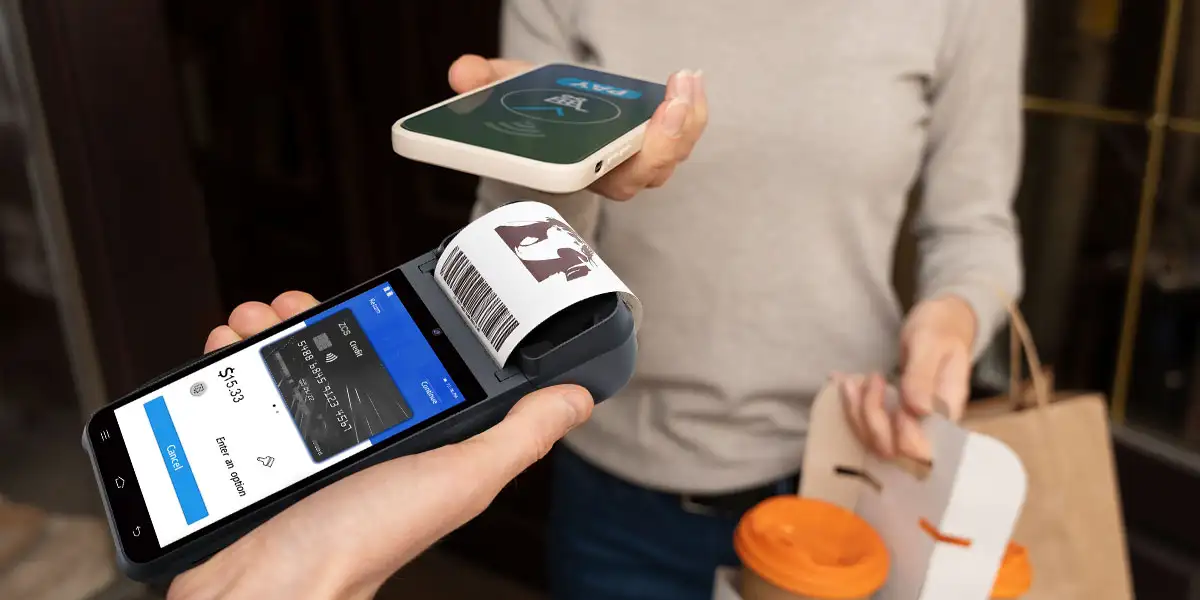
The mechanics break down into three layers that work together during a live transaction.
A typical ticketing POS setup includes a touchscreen terminal for order entry, a thermal printer for physical tickets or receipts, a card/NFC reader for contactless and chip payments, and often a barcode or QR scanner for validating tickets at entry points. Handheld units are common at events because staff need to move with the crowd rather than stay fixed at a counter — a compact terminal with a built-in printer and NFC reader can handle both the sale and the ticket printing in one motion, which matters when a line is forming at a gate.
Behind the hardware, the software layer syncs with the event's inventory (available seats or admission slots), applies pricing rules (early bird, group, dynamic pricing), and reports each sale back to a central database in real time so a ticket sold at one gate isn't also sold at another. For venues running multiple entry points, this real-time sync is what prevents overselling and duplicate admissions.
This four-step flow is what separates a true ticketing POS from a standalone card reader — the credential-issuance and validation steps are built into the same system that took the payment.
Government watchdog analysis of the U.S. ticketing market found that fee structures differ significantly between primary sellers and resale platforms, which is part of why operators increasingly favor tightly integrated point-of-sale systems that keep pricing, payment, and admission logic under one roof rather than split across disconnected tools.
| Dimension | Retail POS | Ticketing POS |
|---|---|---|
| Primary output | Receipt | Receipt and admission credential |
| Inventory logic | SKU/stock count | Seat/slot availability, time-bound |
| Validation step | None after sale | Required at entry (scan/tap) |
| Mobility needs | Often fixed counter | Frequently handheld/mobile |
| Peak load pattern | Steady, spread out | Extreme spikes at gate-opening or doors |
The peak-load difference is the one that trips up businesses that try to repurpose a standard retail POS for ticketing. A retail counter rarely needs to process 40 transactions in two minutes; a stadium gate at kickoff regularly does.
Box offices and roaming staff use ticketing POS terminals to handle walk-up sales, will-call pickups, and on-site upgrades, often alongside NFC wristbands for cashless concessions.
Stadiums combine fixed gate terminals with mobile units for premium seating check-in and same-day upgrades, syncing with the broader stadium POS network used for concessions and merchandise.
Fixed-counter ticketing POS systems here typically integrate timed-entry slots and group booking logic, since capacity limits matter more than payment speed.
Fare gates and platform kiosks use a variant of the same architecture — NFC or QR validation tied to a payment record — though the software logic is built around zones and fares rather than single admission events.
For roaming or pop-up ticket points specifically, compact handheld units are common because staff need to sell and print without being tied to a counter. As one example of the hardware category, ZCS's Z92 — a 5.5-inch Android handheld with a built-in 58mm thermal printer and NFC reader — lists ticketing among its supported application scenarios alongside retail and transit, which reflects how mainstream this combination (mobility, printing, and contactless payment in one device) has become for on-site box office work.
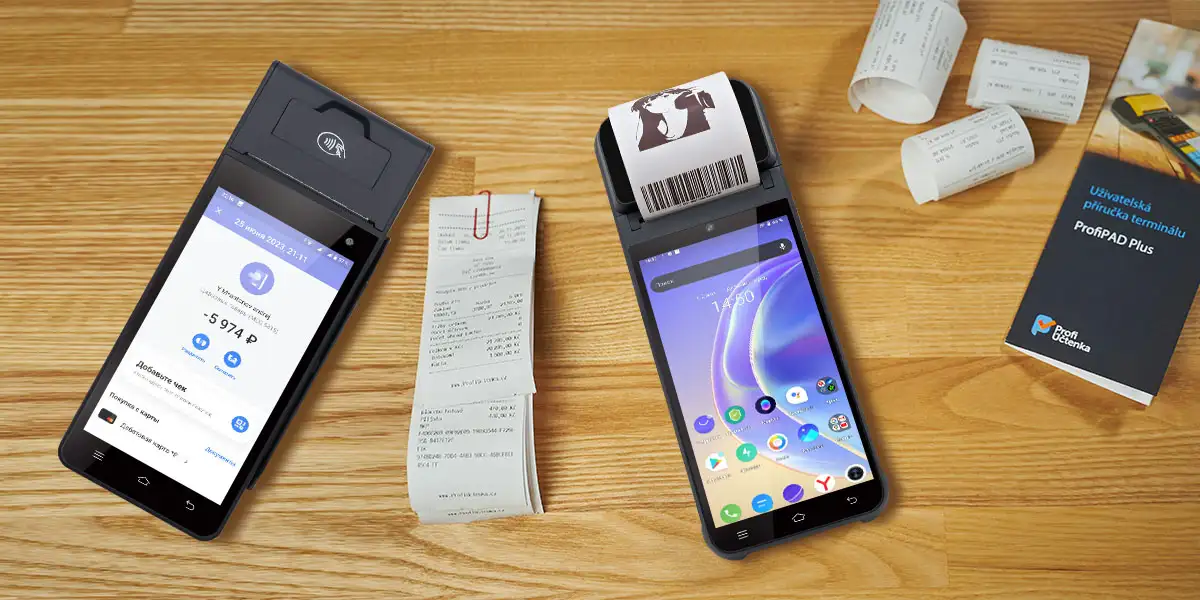
Industry research from the NFC Forum found that most consumers surveyed across Europe, North America, and Asia now prefer tapping a phone or wearable over using a physical contactless card, which is one reason NFC-capable hardware has become a baseline requirement rather than an optional upgrade for ticketing POS deployments.
Scale is also a factor worth planning around. https://dataintelo.com/report/cashless-payments-in-sports-venues-market Payment providers have been deploying large fleets of contactless point-of-sale terminals for major 2026 sporting events — one processor alone is covering thousands of terminals across FIFA World Cup 2026 host venues — illustrating how quickly hardware requirements scale up for high-traffic events compared to a single retail location. That scale is exactly why choosing the right hardware specification matters more for events than for a typical storefront — a topic covered in depth in our guide on how to choose a POS system for ticket sales, which walks through the feature checklist for different venue sizes and deployment types.
Q1. Is a POS ticketing system the same as an online ticketing platform?
No. An online ticketing platform sells tickets remotely before the event; a POS ticketing system handles on-site sales, payment, and often entry validation at the venue itself. Many venues use both together.
Q2. Can a POS ticketing system handle both ticket sales and concessions?
Yes, most modern ticketing POS setups are built to process both — a single terminal or terminal network can sell admission and also ring up food, merchandise, or parking, syncing all of it to one back-end system.
Q3. Do small venues need a dedicated POS ticketing system, or can they use a regular POS?
It depends on volume and validation needs. If a venue only needs to take payment without issuing a scannable credential, a general retail POS can work. Once entry validation or timed-slot capacity becomes part of the process, a purpose-built ticketing POS avoids the gaps a retail system wasn't designed to cover.
Q4. What's the difference between event POS and ticket POS terminology?
In practice, they're used almost interchangeably. "Event POS" tends to describe the broader hardware/software setup used at an event (including concessions and merchandise), while "ticket POS" or "POS ticketing system" more specifically emphasizes the admission-sales and validation function.
Q5. Is POS ticketing software the same as POS ticketing hardware?
No — the software handles inventory, pricing, and reporting logic, while the hardware (terminal, printer, scanner, NFC reader) is what staff physically use to process the sale. A full POS ticketing system requires both working together; software alone can't print or scan a ticket, and hardware alone has no pricing or inventory logic.






 Home
Home  What Is Attendance Biometric? A Clear Definition of Biometric Time and Attendance Systems
