
2026-07-06 Author : ZCS
Buying a POS system for ticket sales isn't the same decision as buying a standard retail checkout. Venues and event organizers need hardware that can process payment, issue an admission credential, and often validate that credential — sometimes all in the same handheld unit, sometimes across a network of fixed and mobile terminals working together. Get the wrong combination and you end up with slow gate lines, unsynced inventory across entry points, or a system that can't handle the kind of traffic spikes a well-built event point of sale setup is designed to absorb when doors open. This guide walks through the practical decisions: what a ticketing-specific POS actually needs to do, which features matter versus which are nice-to-have, and how to match hardware to your venue's deployment pattern in 2026.
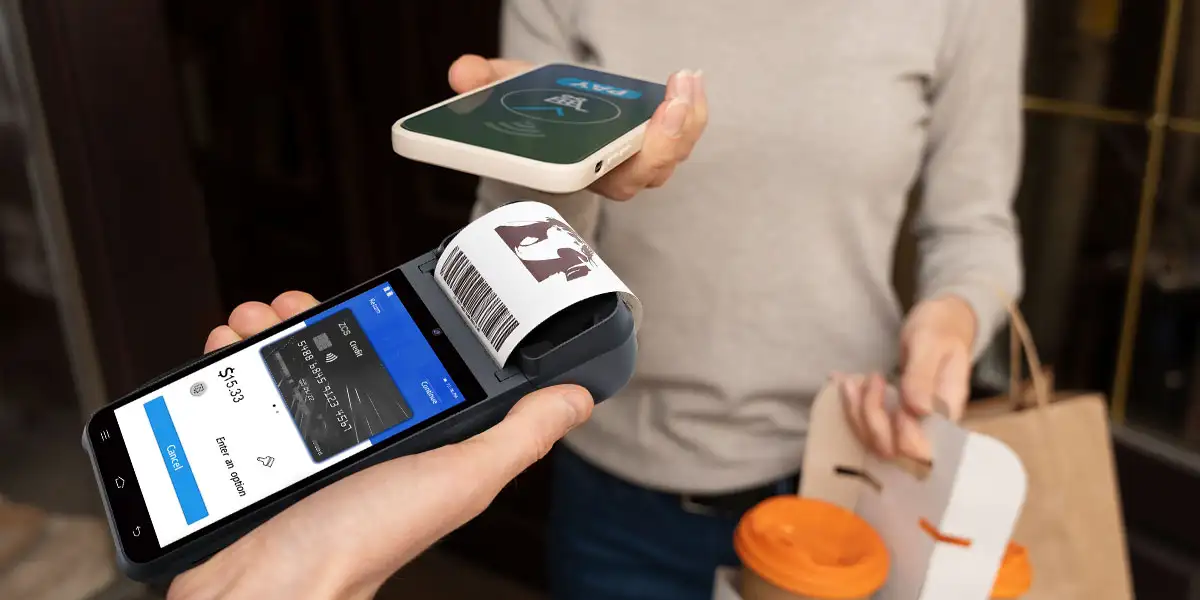
Not every venue needs a purpose-built ticketing setup. If you're only taking payment for walk-up admission with no scanning, capacity limits, or seat assignment, a general-purpose POS for events — essentially a mobile card reader with basic sales tracking — may be enough. The dedicated ticketing route becomes necessary once any of the following applies: you need to validate entry (scan a ticket at the door), you're managing timed or capacity-limited slots, you're running multiple entry points that need to share inventory in real time, or you're combining ticket sales with concessions and merchandise under one reporting system. A single-day pop-up event with one table and no scanning has very different requirements than a stadium gate handling thousands of entries in a 30-minute window.
A point of sale ticketing system is never just one or the other — it's the pairing of physical hardware with a software layer that governs pricing, inventory, and reporting. If you're still unclear on how the payment-and-credential workflow fits together end to end, that's the core question our companion piece breaks down in detail. Buyers sometimes shop for one half of this equation without realizing the other half is what actually determines whether the setup will work for their event.
The physical terminal takes the payment (card, NFC tap, QR scan), often prints a physical ticket or receipt, and — where entry validation is built in — scans the credential at the door. This is the part most buyers evaluate first, since it's the visible, tangible purchase.
POS ticketing software is what prevents overselling, applies your pricing tiers, and reports sales back to a central system in real time. Two terminals selling the same event need to share live inventory; without that sync, you risk selling the same seat twice or letting a sold-out show keep taking orders at a second gate. When comparing vendors, ask specifically how their software handles multi-terminal sync during peak load — this is where cheaper, hardware-only setups tend to fall short.
Once you know you need a dedicated setup, the following checklist covers what separates a system built for ticketing from a repurposed retail terminal.
NFC and QR support are baseline expectations at this point, not upgrades. Compliance matters more than buyers often expect: by late 2025, roughly 92% of in-store payment endpoints in the U.S. accepted tap-to-pay, up sharply from just two years earlier, and current PCI-DSS 4.0 rules now require any newly certified terminal to support NFC and remote key injection. In practice, this means a ticket point of sale device that only reads magnetic stripe or contact chip is already behind the compliance curve for a 2026 deployment.
Decide upfront whether you need physical ticket printing, QR-only issuance, or both. Venues with will-call pickup or physical ticket requirements need a built-in or paired thermal printer; purely digital setups can skip this and simplify the hardware.
Venues are notorious for unreliable connectivity when thousands of phones hit the same cell tower at once. A system that can process transactions offline and sync once connectivity returns is not optional for outdoor events or older venues with poor signal.
For handheld units working a full gate shift, battery life needs to cover several hours of continuous use without a swap or charge break — a spec that's easy to overlook until the third hour of a sold-out show.
Fixed systems still account for the majority of the U.S. POS terminals market — around 64.52% of the total in 2025 — while mobile and portable systems are the faster-growing segment, expanding at close to 9.4% annually.¹ That split maps closely onto how venues actually deploy hardware: fixed counters for box offices and will-call windows where staff stay in one place, and handheld units for roaming sales, premium check-in, and pop-up entry points.
As an illustration of what each category typically looks like in practice: a compact handheld terminal — such as ZCS's Z92, an Android device combining a 58mm thermal printer, NFC reader, and several hours of battery life in a 5.5-inch form factor — fits the roaming, mobile-checkpoint use case where staff need to sell and print without a counter. A fixed box-office counter, by contrast, is better served by a dual-screen terminal (something in the ZCS Z108 line, for example, pairs an 8-inch customer-facing display with a secondary screen and integrated NFC/EMV support) where the second screen lets the buyer confirm order details before paying — useful for group ticket sales where mistakes are costly. Neither is universally "better"; the right choice depends on whether your staff are stationed or moving.
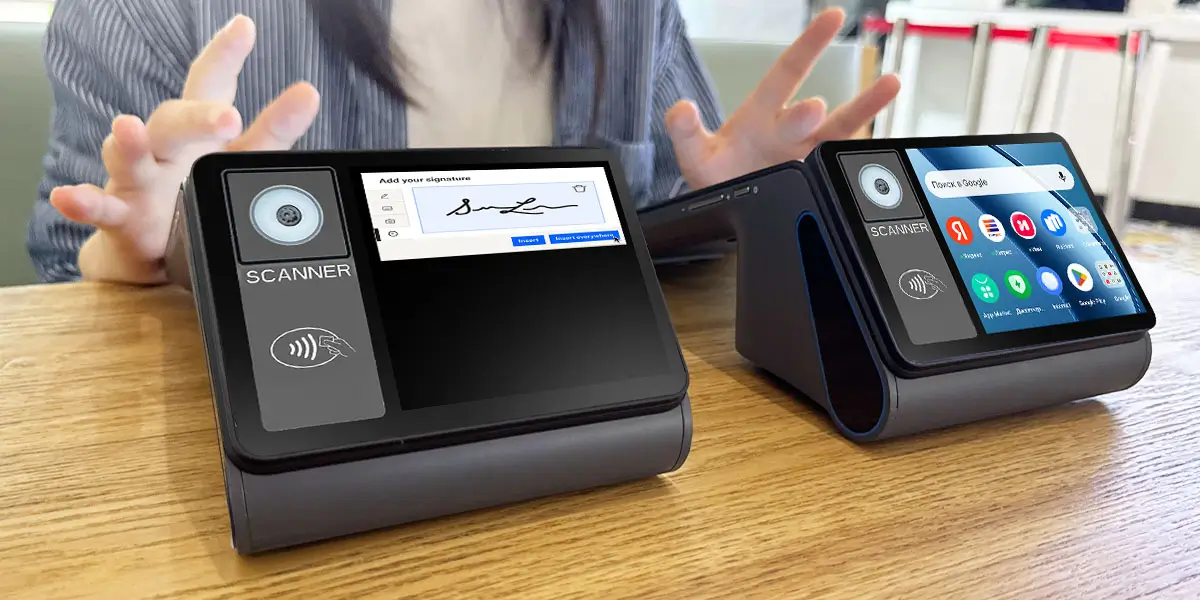
Point of sale and ticketing only works as a system — not a device — when the backend ties payment, inventory, and entry validation together. This is the layer that determines whether a sale made at Gate A instantly shows as unavailable at Gate B, and whether your end-of-night reconciliation reflects tickets, concessions, and merchandise in one report instead of three separate exports you have to combine manually. When evaluating vendors, ask to see the reporting dashboard before buying — a system that looks fine at the terminal but produces fragmented backend data will cost you hours of manual reconciliation after every event.
Security requirements are part of this integration layer too: end-to-end encryption and tokenization are now considered essential for achieving PCI compliance and protecting point-of-sale data, which matters more for ticketing setups than typical retail because ticketing systems often store more personally identifiable buyer data (names tied to seat assignments) than an anonymous retail transaction does.
In short: A POS system for ticket sales should be chosen around three variables — validation needs, peak transaction volume, and staff mobility — rather than around price or brand recognition alone. Getting the hardware right but the backend sync wrong (or vice versa) is the most common reason venues end up replacing a system within the first year.

Q1. What's the difference between a POS for events and a POS system for ticket sales? They're largely overlapping terms.
"POS for events" tends to describe the full on-site setup, including concessions and merchandise, while "POS system for ticket sales" more specifically emphasizes the admission-sales function. Many vendors use the terms interchangeably in marketing.
Q2. Can I use POS ticketing software without dedicated ticketing hardware?
Only in limited cases — if you don't need physical printing or in-person scanning, software running on a standard tablet with a card reader attachment can work. Once you need built-in printing, NFC, and battery life for a full shift, dedicated hardware becomes worth the investment.
Q3. Is a mobile or fixed POS better for a ticket point of sale setup?
Neither is universally better — it depends on whether staff are stationed at one counter or moving through a crowd. Box offices and will-call windows favor fixed setups; roaming sales, premium check-in, and pop-up gates favor handheld mobile units.
Q4. How important is PCI compliance when choosing a point of sale ticketing system?
Very important, and increasingly non-negotiable — current PCI-DSS rules require newly certified terminals to support NFC and modern encryption standards. Buying non-compliant or soon-to-be-deprecated hardware risks having to replace it well before the end of its expected service life.
Q5. What's the biggest mistake venues make when choosing point of sale and ticketing hardware?
Evaluating the terminal hardware in isolation without testing how well it syncs with other terminals and the backend reporting system. A device can feel fast and reliable at the counter but still cause overselling or reconciliation headaches if the software layer isn't properly integrated across all sales points.






 Home
Home  What Is a POS Ticketing System? How It Works for Events, Venues and Box Offices?
