2026-07-22 Author : ZCS
Most small businesses shopping for an EFTPOS terminal end up comparing whichever two or three options their bank or payment provider hands them, without a clear sense of what actually separates a good fit from an expensive mismatch. This checklist walks through the practical criteria worth checking before committing to a terminal in 2026 — connectivity, certification, hardware durability, software flexibility, and total cost — so the decision is based on what the business actually needs rather than whatever's on the provider's default list.
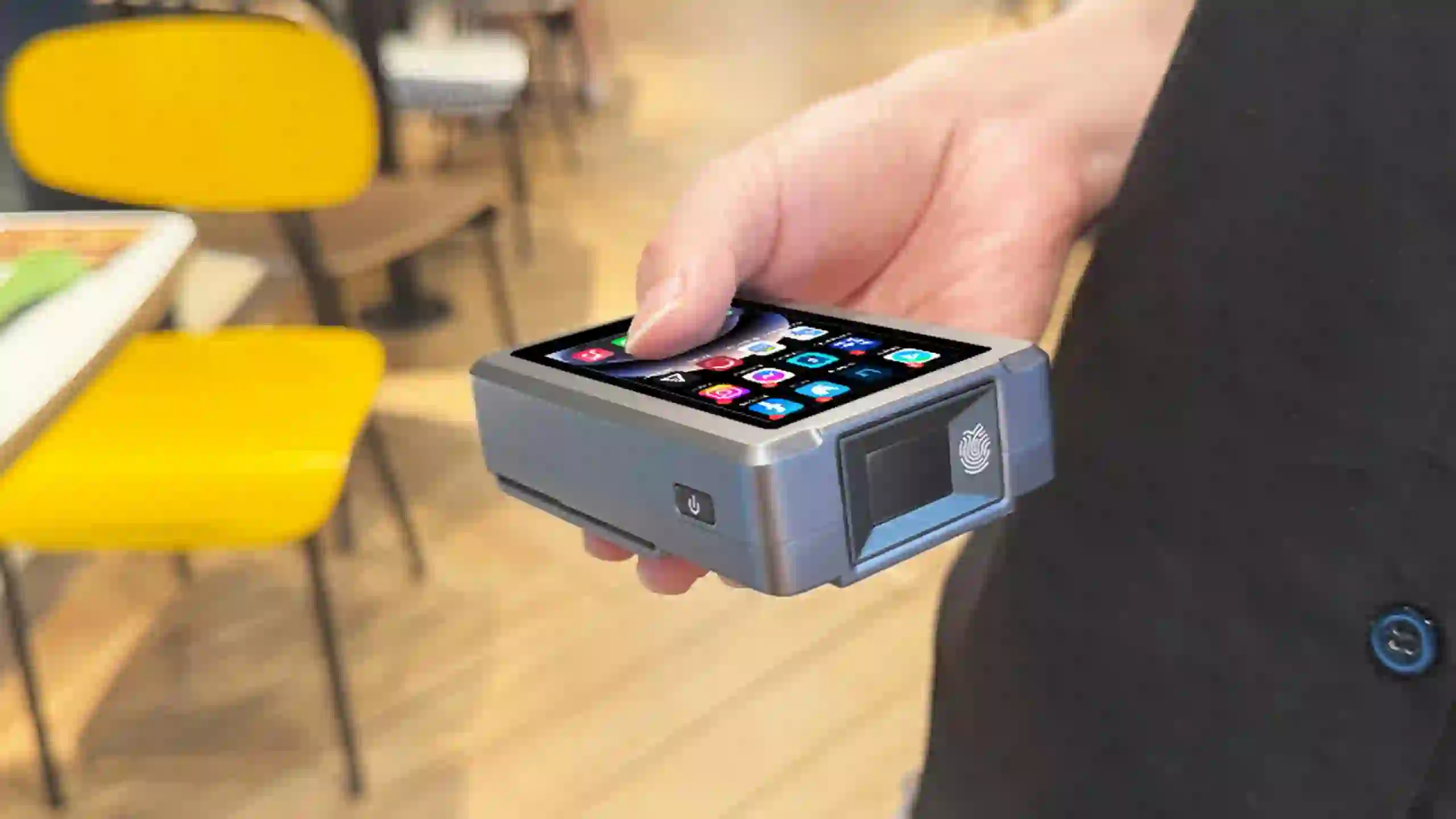
A terminal's connectivity option determines where it can reliably process payments. WiFi-only terminals work fine for a fixed counter with stable internet, but they're a liability the moment a business needs to take payment somewhere without a network connection — a market stall, a delivery run, or a venue with unreliable WiFi. 4G-capable terminals cost more upfront and may carry a data plan, but they remove that dependency entirely. Businesses still deciding between the two should weigh their actual mobility needs against the cost difference in more depth — our comparison of 4G versus WiFi-only EFTPOS terminals covers that tradeoff for mobile and pop-up businesses specifically.
A terminal that stays wired to one counter suits a fixed checkout; a battery-powered handheld suits staff who move — table service, queue-busting, or delivery confirmation. Buying the wrong form factor is a common and avoidable mistake: a countertop unit at a market stall means running an extension cord or carrying a power bank, while a portable unit at a busy fixed counter means charging it constantly for no operational benefit. This decision deserves its own evaluation rather than being an afterthought to whichever terminal a provider pushes first.
An EFTPOS terminal needs to be certified to run on the payment networks it processes — eftpos, Visa, and Mastercard in Australia and New Zealand — and to meet PCI security standards for handling card data. This isn't optional or something to verify after purchase; a terminal that isn't properly certified for the local market can't actually be activated by an acquiring bank, regardless of how capable the hardware itself is. Businesses sourcing hardware through a local bank or established payment provider generally don't need to think about this directly, since certification is handled as part of the package. It becomes a much bigger question for ISVs, resellers, or businesses sourcing terminals more directly — a topic covered in full in our guide to what certifications an EFTPOS terminal actually needs before entering the Australian market.
Confirm the terminal accepts chip and PIN, contactless tap, and mobile wallets (Apple Pay, Google Pay) at minimum. Some terminals also support QR code payments, which matter more in some industries than others. It's worth checking this explicitly rather than assuming — older or budget terminal models sometimes lag on contactless limits or mobile wallet support in ways that aren't obvious from a spec sheet alone.
For any portable terminal, battery life needs to realistically cover a full shift, not just a few hours of light use — a terminal that dies mid-afternoon during a lunch rush is worse than no mobile terminal at all. Build quality matters too: a terminal used outdoors, at markets, or in food service should be able to handle drops, spills, and temperature swings that a countertop unit never has to face.
Decide whether the terminal needs to operate standalone or integrate with a broader POS system for inventory and sales reporting — a distinction worth understanding clearly before shopping, since it changes what "the right terminal" even means for a given business. A terminal that only needs to take payment has very different requirements than one that also needs to sync sales data, apply discounts, and track stock as part of a larger system.
For businesses further up the supply chain — resellers, ISVs, and acquirers sourcing terminal hardware to deploy under their own brand or software stack — OEM and ODM flexibility becomes a real checklist item rather than a nice-to-have. As an example of what this looks like at the hardware level, ZCS's Z81 is an Android-based terminal built with OEM/ODM customization in mind: firmware branding, multilingual system support, and hardware configuration adjustments (RAM/ROM, NFC modules, peripheral support) are available for businesses that need a base terminal shaped to a specific deployment rather than a fixed off-the-shelf unit.
The upfront terminal cost is often the smallest part of the real total cost. Rental fees, monthly software fees, per-transaction merchant service fees, and any early termination penalties in a provider contract all add up over the terminal's working life. A cheaper terminal locked into a higher ongoing fee structure can cost more over two years than a pricier terminal with lower transaction fees — it's worth running that comparison over a realistic time horizon rather than comparing sticker prices alone.

| Category | What to Check |
|---|---|
| Connectivity | 4G, WiFi, or both — matched to where the business actually operates |
| Form factor | Portable vs countertop — matched to how staff move during a shift |
| Certification | Confirmed EFTPOS network and PCI compliance for the local market |
| Payment methods | Chip+PIN, contactless, mobile wallets, and QR if relevant |
| Battery and build | Full-shift battery life and durability for the environment it'll be used in |
| Software integration | Standalone payment only, or integrated with a broader POS system |
| Sourcing flexibility | OEM/ODM options if buying for resale or multi-brand deployment |
| Total cost |
Rental, transaction, and software fees over the terminal's full working life, not just the sticker price |

Q1. Do I need a 4G terminal if my business has reliable WiFi?
Not necessarily — if the terminal never leaves a location with stable WiFi, a WiFi-only model is usually sufficient and cheaper. 4G becomes worth the extra cost the moment the business needs to take payment somewhere without a guaranteed connection.
Q2. How do I know if an EFTPOS terminal is properly certified for Australia or New Zealand?
Ask the provider directly for confirmation of network and PCI certification, or check with your acquiring bank before purchase. A terminal can't be activated on local payment networks without this in place, regardless of its hardware capability.
Q3. Is a more expensive terminal always the better choice?
Not automatically — price should be weighed against total cost of ownership, including transaction fees and contract terms, not just the upfront hardware cost. A cheaper terminal with high ongoing fees can end up costing more over time.
Q4. What's the difference between buying a terminal from a bank versus sourcing hardware directly?
Buying through a bank or established provider generally includes certification and support as part of the package. Sourcing hardware directly — common for ISVs, resellers, or businesses building their own payment stack — requires handling certification separately, which takes more planning but offers more flexibility.
Q5. Can one terminal work for both a fixed counter and mobile use?
Some portable terminals can be docked at a counter and undocked for mobile use, covering both scenarios. Whether that's worth it depends on how often the business actually needs the mobile function versus just buying two purpose-fit terminals.
Related Posts






 Home
Home  How Does an EFTPOS Machine Work?
